
Christmas Budget and Gift Tracker (UK)
Instant download, two spreadsheet files.
Know what Christmas will cost before the January bills land.
This is a simple spreadsheet for UK families. List every gift, add the food, cards, stamps and train fares, and it works out what's planned, what's spent, what's left and how much to put aside each month between now (or your start day, if that's later) and Christmas Day. No setting up. No sums to write. You just fill in the yellow cells.
What you get
Two files in one download: the blank tracker, ready for your own family, and a filled in example (the Okonkwo family, Christmas 2026) so you can see how it behaves before you start. A quick start PDF is included too.
What's inside
- Dashboard: your overall budget, what you've saved, planned spend, actual spend, left to spend, gifts that went over their own budget, and the amount to save each month. A small chart shows which part of the family is costing the most.
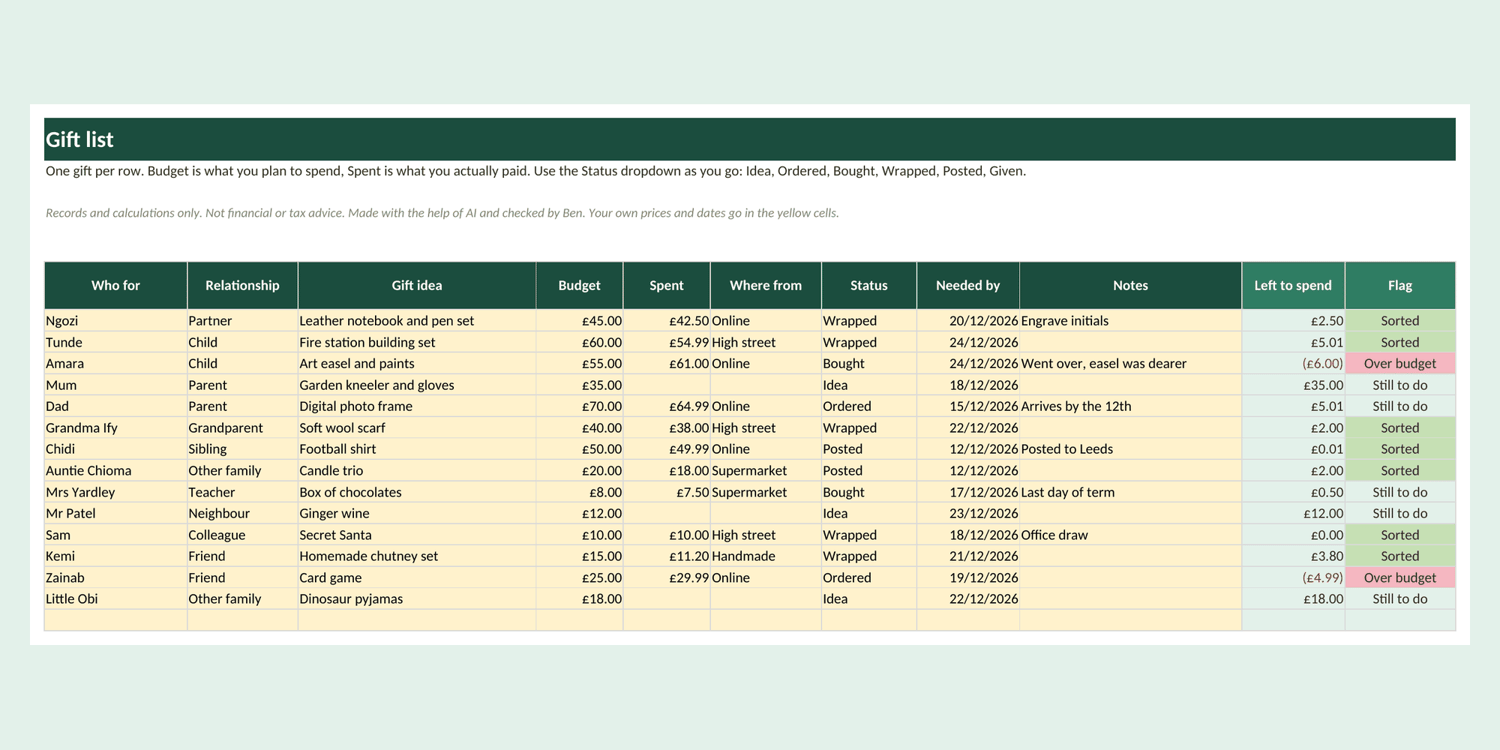
- Gifts: up to 60 gifts. Who it's for, relationship, gift idea, budget, what you paid, where it's from, where you're up to (Idea, Ordered, Bought, Wrapped, Posted, Given) and the date it must be ready by. A flag shows which gifts are over budget and which are still to do.
- Extras: up to 40 other costs. Food and drink, decorations, cards and stamps, wrapping, parties, travel and charity gifts, with a paid or not yet paid column.
- Lists: every dropdown is editable, so you can swap in your own categories.
How it works
- Make your own copy (Excel: save under a new name. Google Sheets: File, then Make a copy).
- Type your budget on the Dashboard, then fill in the Gifts and Extras tabs.
- Look at the Dashboard each week.
A few honest details
It's a tracker, not a bank app. It only knows what you type in, and it won't pull in transactions. The saving figure divides what's left to save by the months to go, counted from today (or your start day, if later) to Christmas Day, rounded to the nearest whole month. It changes as the days pass, so it's a guide, not a promise.
Built and tested in LibreOffice Calc, then the example was opened and checked in Excel for the web on 1st November 2026, and the figures matched. It hasn't been tested in Google Sheets yet, so if that's what you use, open the example first. It's a standard .xlsx file with no macros or scripts. Formula cells are locked (no password) and every cell you type in is yellow with a short hint. Dates are UK style, day then month.
Who made it
I'm Ben, and I make plain UK spreadsheets for everyday money jobs. This one was made with the help of AI and checked by me. It's records and calculations only, not financial or tax advice.
Digital download. Nothing is posted to you.