

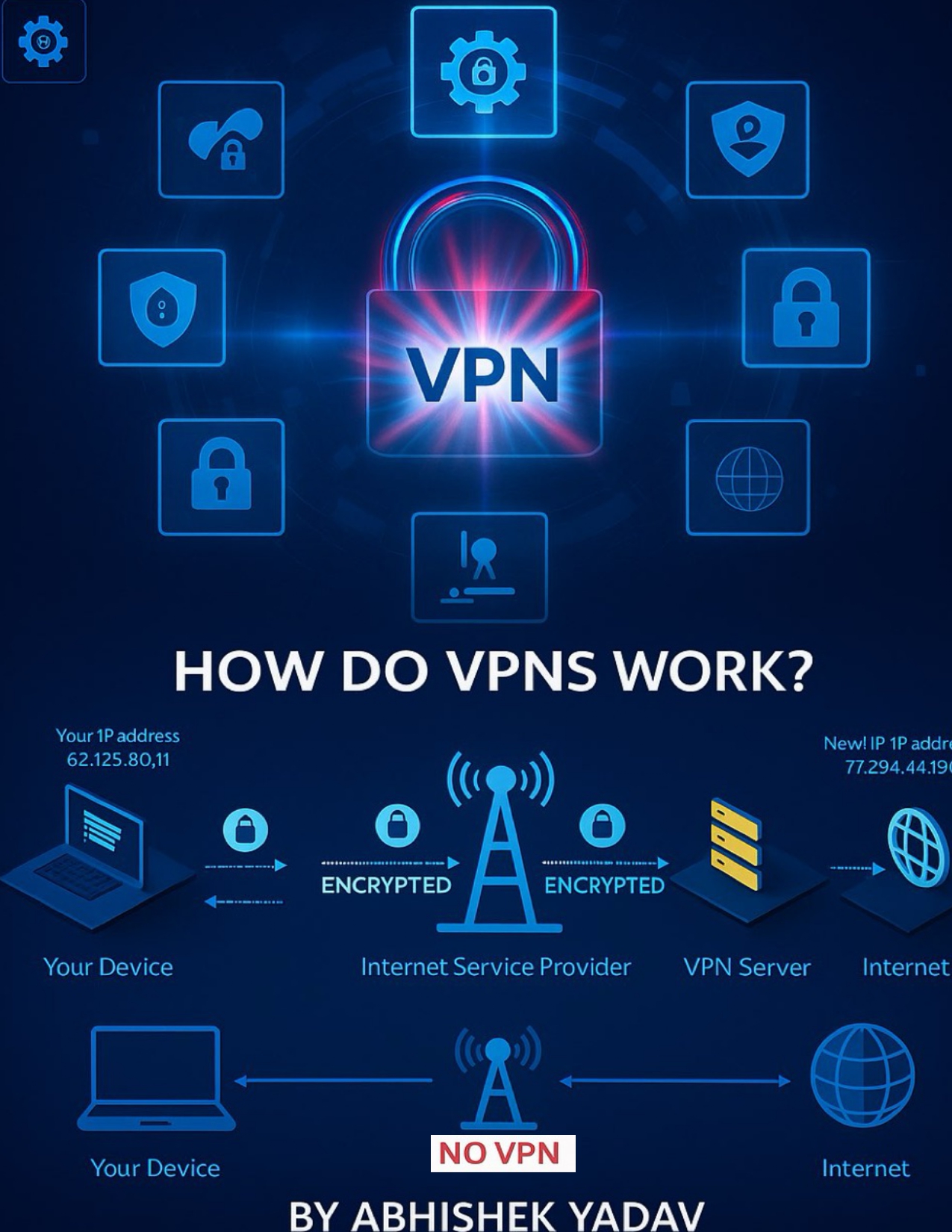
How a VPN Works (Step by Step)
What a VPN Does (in short)
A VPN:
- Hides your real IP address
- Encrypts your internet data
- Creates a secure tunnel between your device and the internet
How a VPN Works (Step by Step)
1️⃣ You connect to a VPN app
You open a VPN app on your phone or computer and click Connect.
2️⃣ Encrypted tunnel is created 🔐
The VPN creates a secure, encrypted tunnel between:
- Your device
- The VPN server
Anyone watching your traffic (Wi-Fi owner, ISP, hackers) can’t read your data.
3️⃣ Your IP address is hidden 🌍
Instead of websites seeing your real IP, they see:
- The VPN server’s IP address
Example:
pgsql
Copy code
Before VPN → IP: 103.xxx.xxx.xxx (your real location)
After VPN → IP: 45.xxx.xxx.xxx (VPN location)
4️⃣ Your data travels safely
Your internet traffic goes:
pgsql
Copy code
Your device → Encrypted tunnel → VPN server → Website
And back the same way.
Why People Use VPNs
✅ Privacy protection
✅ Secure public Wi-Fi (cafés, schools, airports)
✅ Hide IP address
✅ Prevent ISP tracking
✅ Access region-restricted content (where legal)
#VPN
#CyberSecurity
#NetworkSecurity
#Privacy
#OnlinePrivacy
#DataEncryption
#IPProtection
#SecureInternet
#EthicalHacking
#ITBasics
#Networking
#InfoSec
#DigitalPrivacy
#CyberAwareness