
Multi-source task manager - Notion template
Your work does not arrive in one place, so your task list should not live in five.
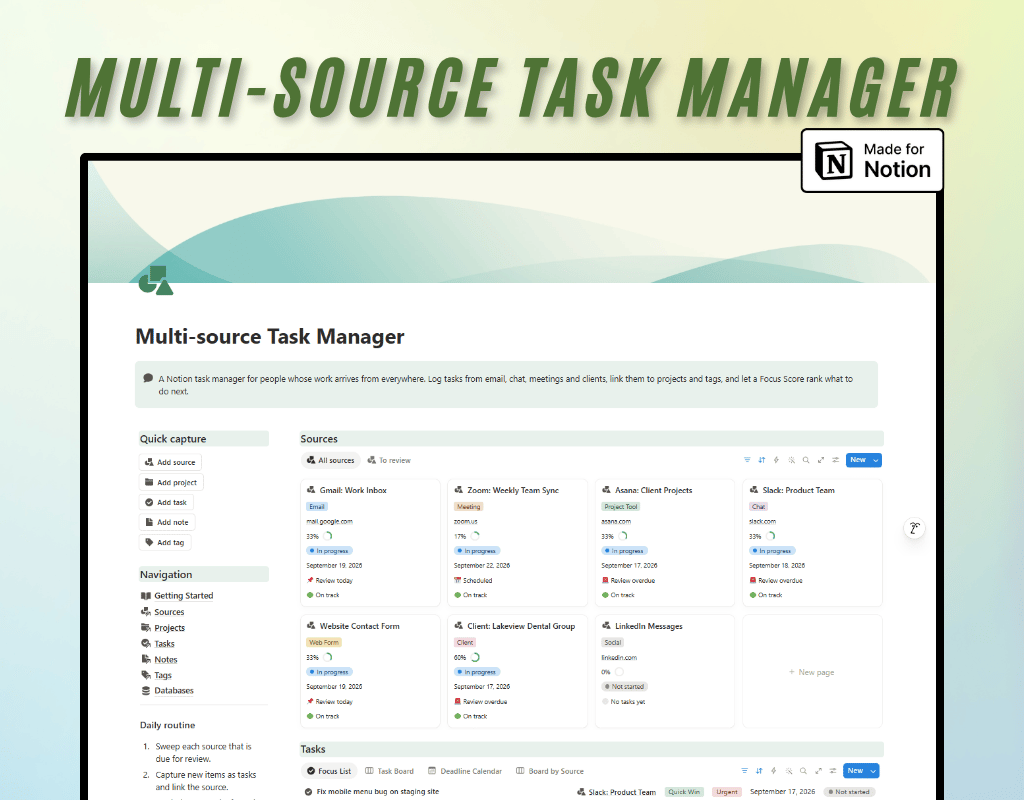
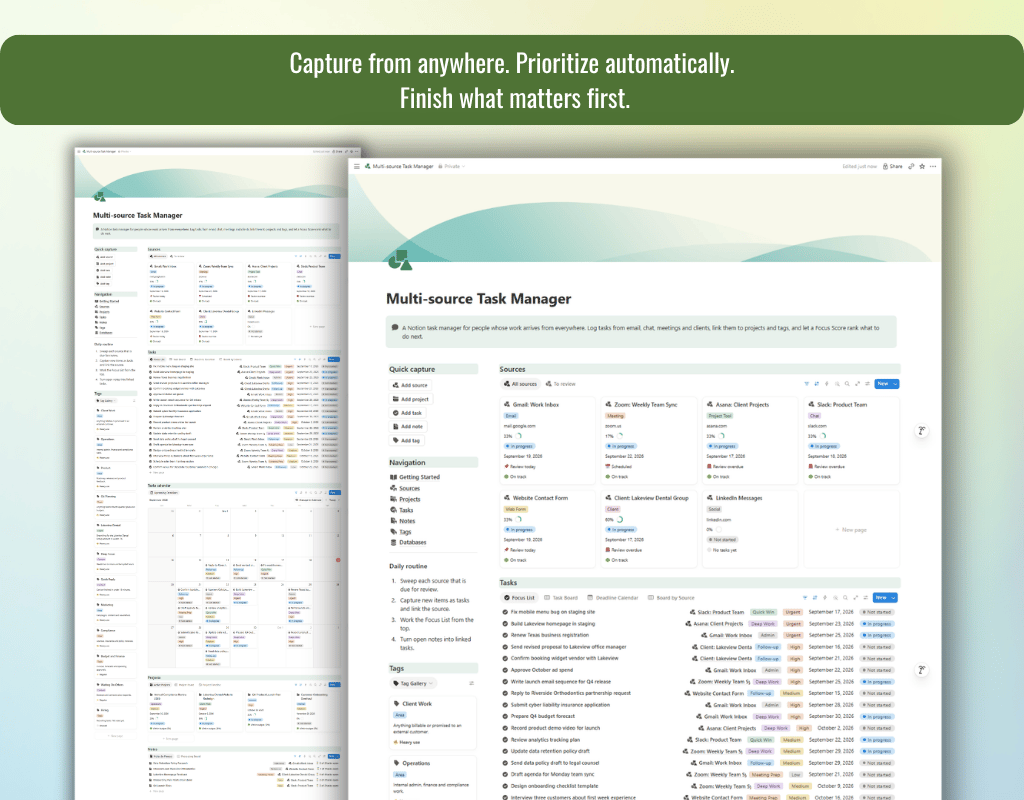
Multi-source Task Manager is a Notion system that brings tasks from email, chat, meetings, clients and web forms into one ranked list. It then shows you which sources, projects and tags need attention.
Capture a task once, link it to where it came from and what it belongs to, and let the rollups and formulas do the counting.
How it works
- Add your Sources. List the places work comes from: an inbox, a chat channel, a weekly meeting, a client.
- Capture tasks. Link each task to its Source, Project and Tags.
- Set the basics. Choose a Priority, Due Date and Estimated Hours. A Focus Score ranks every unfinished task for you.
- Work from the Focus List on your dashboard and log Actual Hours as you go.
- Process your notes. Turn meeting notes and call summaries into linked tasks and see how many actions are still open.
- Review weekly with the Needs Attention view, the Deadline Calendar and the Project Timeline.
Features in detail
Tasks
- Focus Score ranks every unfinished task by priority and deadline, with a Due In label like Tomorrow or 3 days overdue.
- Track estimated against actual hours, with Hours Variance on finished tasks and board, calendar and timeline views.
Sources
- Set a review cadence to get a Next Review date, a Review Status and a Health label for every channel.
- Open, completed and overdue task counts, hours logged and notes count roll up automatically.
Projects
- Progress %, Hours Used %, Schedule and Budget Health show deadline and budget risk at a glance.
- Planned Hours are compared with hours logged from linked tasks, with board, timeline and gallery views.
Notes
- Capture meetings, calls, decisions and ideas, and link each note to its Source and the tasks it produced.
- Action Status shows how many action items are still open, and a Processing Board keeps notes moving.
Tags
- Group work by area, context, topic or client, with open tasks, hours logged and notes count for every tag.
- A Usage label shows which tags are heavily used and which sit unused, plus Most Used and Category views.
Who it's for
- Freelancers and consultants managing several clients
- Agency owners and project managers collecting requests from many channels
- Small business owners who live in their inbox
- Team leads who turn meetings into action items
- Anyone who wants one trusted list instead of five scattered ones
Good to know
- No automatic imports. The template does not sync with Gmail, Slack or other apps. You add tasks yourself, which keeps the system fast and easy to trust.
- Fully editable. Rename properties, change views or delete the sample data whenever you like.
- Digital product. No physical item will be shipped.
Getting started
After purchase you will receive a link to duplicate the template into your own Notion workspace. Open the Getting Started page, edit the sample sources to match your real channels, add your first task, and your dashboard fills itself in.
Frequently asked questions
Do I need a paid Notion plan?
No. The template uses standard Notion features available on the free plan.
Can I use my own data straight away?
Yes. Delete the sample rows and start adding your own. All formulas and views keep working.
Will it sync with my email or chat apps?
No. It is a manual capture system, so no integrations are required.
Can I customize it?
Yes. Every property, view and page is editable once you duplicate it.
Note:
• This is a digital product, no physical item will be shipped
• Due to the nature of digital products, refunds are not accepted