

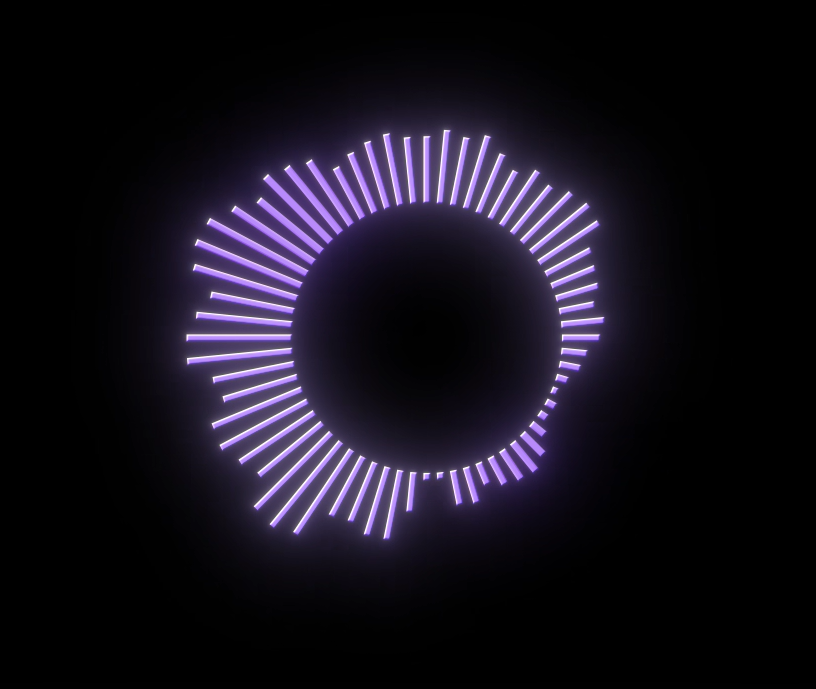
🎵 Neyko Audio Visualizer Free AE Script
With the new AudioVisualizer, transform any audio track into stunning
animated visuals inside After Effects —
in one click.
5 STYLES INCLUDED
🎚️ Waveform Classic vertical bars
that react to every frequency
⭕ Radial Spectrum A full 360° circle
that pulses with your music
✨ Particles — Reactive dots that explode
on every beat
➖ Horizontal Bars Clean minimal bars
from left to right
〰️ Organic Line A fluid wave that
breathes with the audio
HOW IT WORKS
1. Import your audio file into AE
2. Open Window > Extensions >
Neyko Audio Visualizer
3. Select your audio file in the panel
4. Choose your style + colors
5. Click Generate
Your rig is created automatically —
fully keyframed, fully editable.
📥 INSTALLATION
1. Download and extract the ZIP
2. Copy the NeykoAudioVisualizer folder to:
Windows:
%APPDATA%\Adobe\CEP\extensions\
Mac:
~/Library/Application Support/Adobe/CEP/extensions/
3. Restart After Effects
4. Go to Window > Extensions >
Neyko Audio Visualizer
No Install.bat needed —
just copy and paste the folder.
✅ 100% FREE Forever
✅ 100% Offline No internet required
✅ No account, no token, no subscription
✅ Compatible: AE 2022, 2023, 2024, 2025+
✅ Windows & macOS
If you have any trouble installing or anything else like bugs feel free to contact me on contact@neykofx.com
Part of the Neyko FX ecosystem.
neykofx.com