
Australian Wedding and Event Planner | Excel Spreadsheet: Budget, Guest List, Seating, Catering and Countdown Timeline
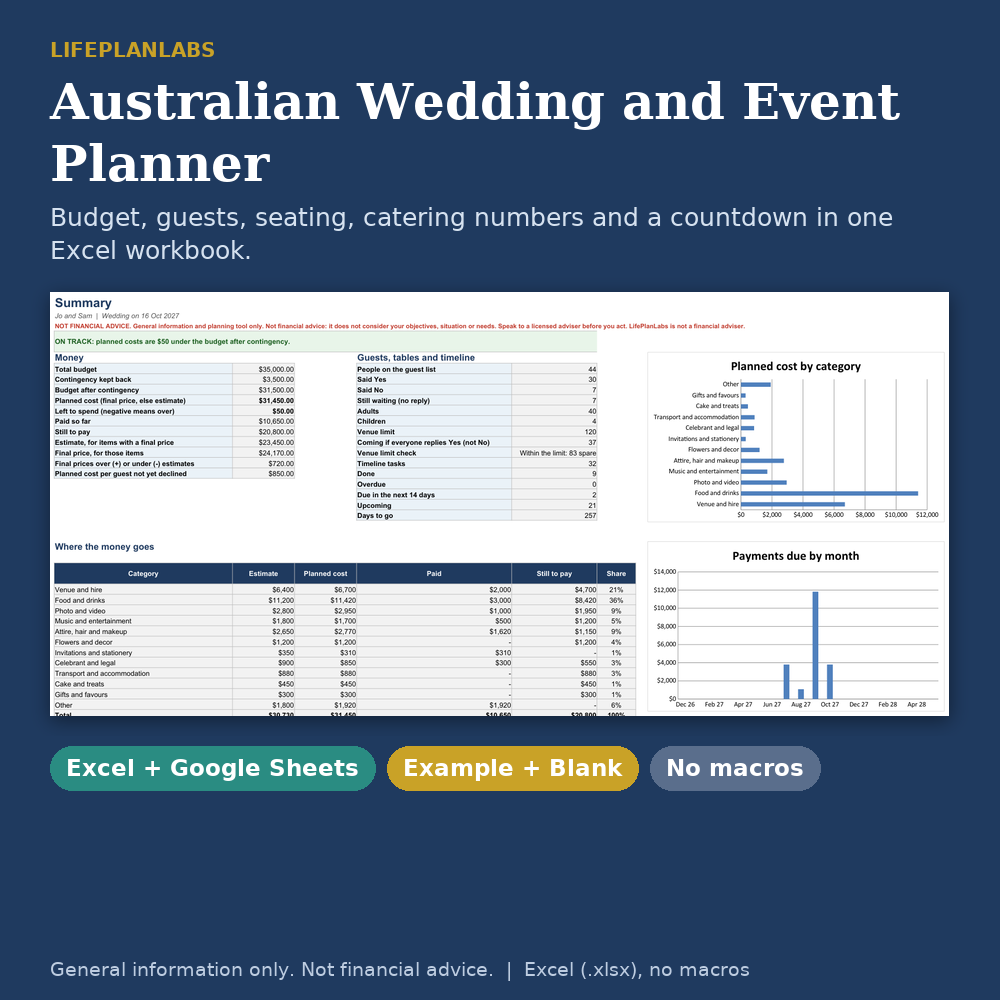
Run your whole wedding or party from one workbook. Type in your budget, guests and tasks, and the planner works out what you will really spend, what you still owe and when, who is coming, who sits where and how many of each meal to order.
NOT FINANCIAL ADVICE. This workbook is general information and a planning tool only. It does not consider your objectives, situation or needs. LifePlanLabs is not a financial adviser. Speak to a licensed adviser before you act.
What You Get
- Wedding-and-Event-Planner_Example.xlsx: a wedding filled in (44 guests, 17 budget items, 32 tasks) so you can see how it works
- Wedding-and-Event-Planner_Blank.xlsx: ready for your own event, with 23 common budget items and 32 timeline tasks already listed (no amounts)
- A 3-page PDF user guide
- Excel format (.xlsx), no macros, instant download
What It Does
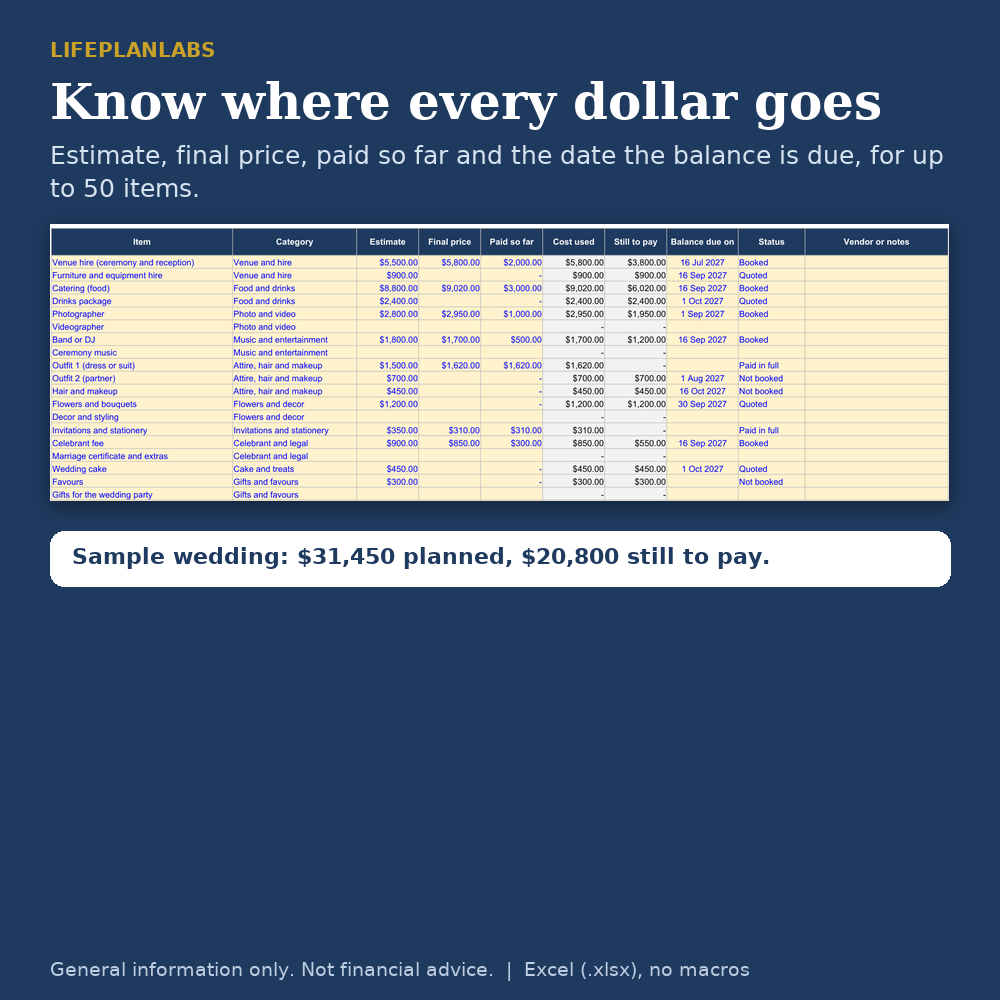
- Budget: estimate, final price, paid so far and the date the balance is due for up to 50 items in 12 categories. The planner uses your final price once you have one, and tells you if you are over or under your budget after contingency
- Payments by month: see which months your remaining payments fall due, with a running total and a chart
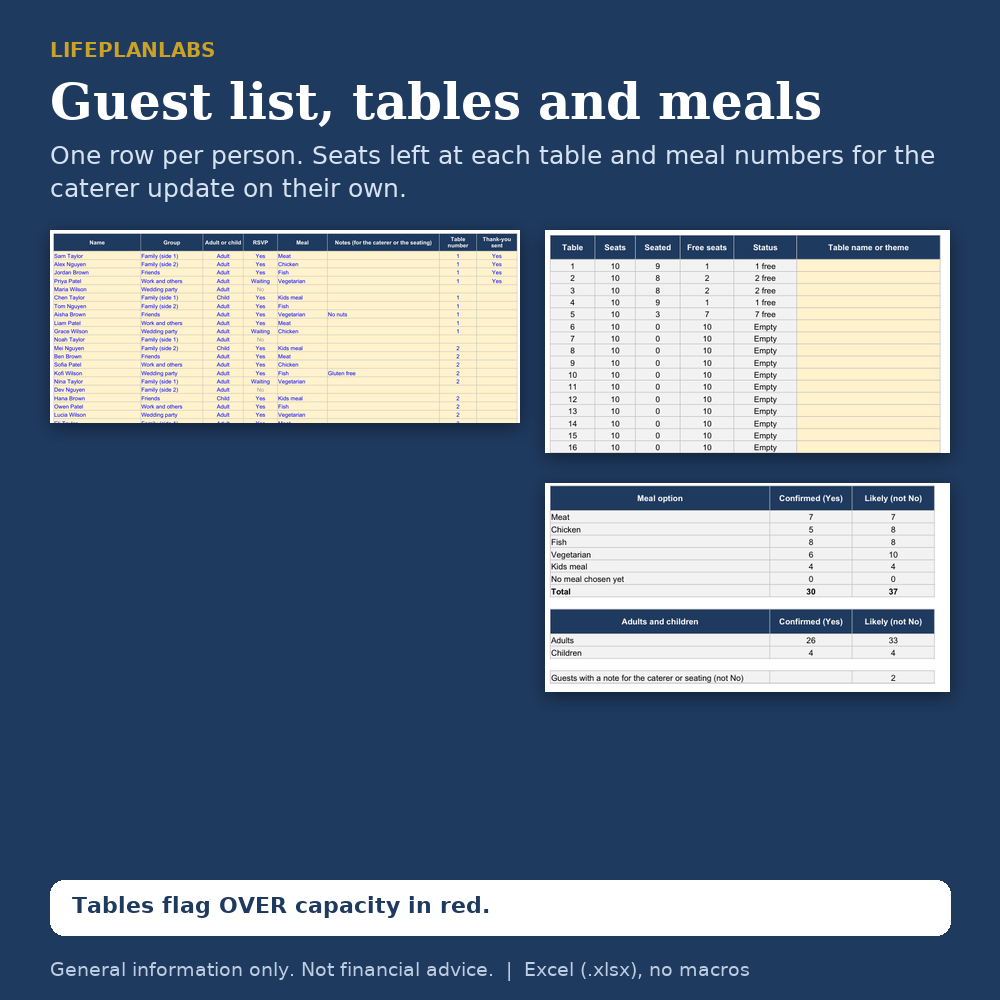
- Guest list: up to 250 people, one row each, with group, adult or child, RSVP (Yes, No, Waiting), meal, notes and table number
- Tables: seats used and free at 30 tables, with a red flag if a table is over capacity
- Catering: meal counts, and adult and child counts, for confirmed guests and for everyone who has not said No
- Venue limit warning: tells you if the guests still coming go over your venue limit
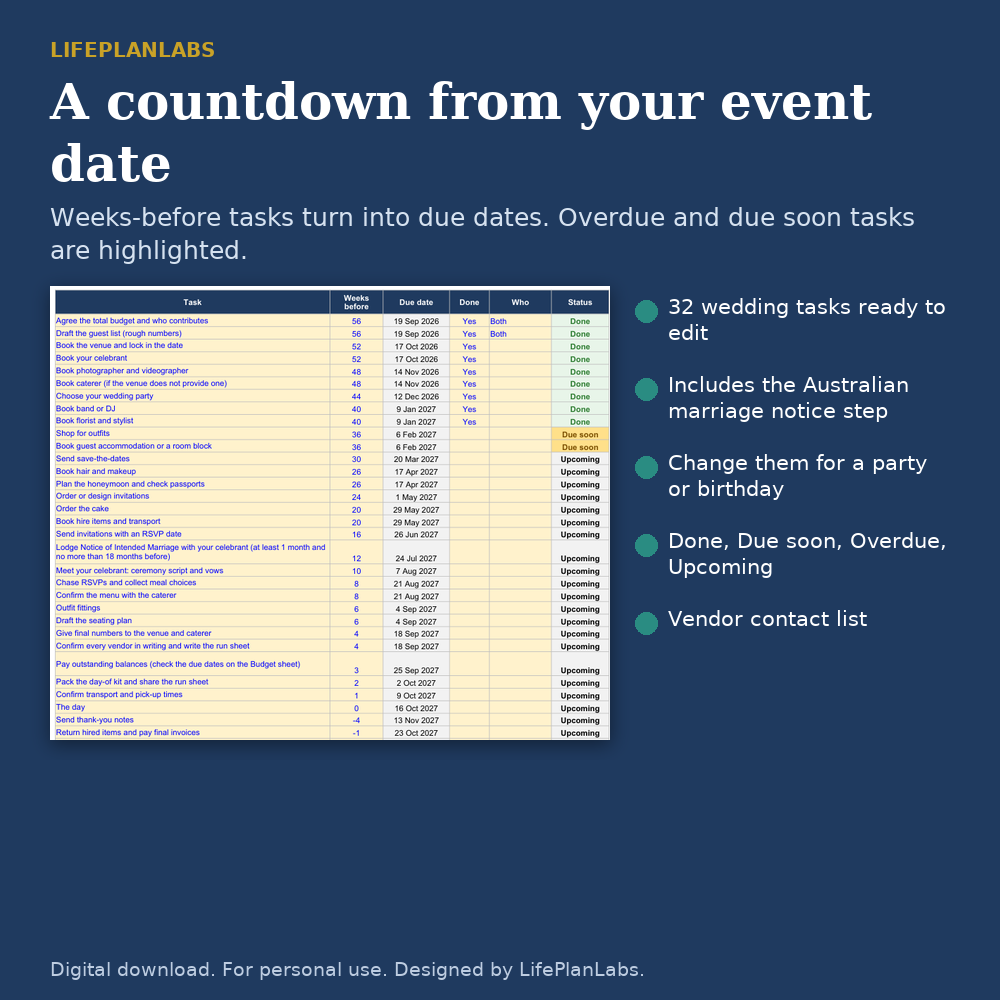
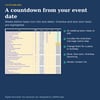
- Countdown timeline: tasks in weeks before the event become due dates; Done, Due soon, Overdue and Upcoming are colour coded. The starter list is for a wedding and is easy to change for a party or birthday
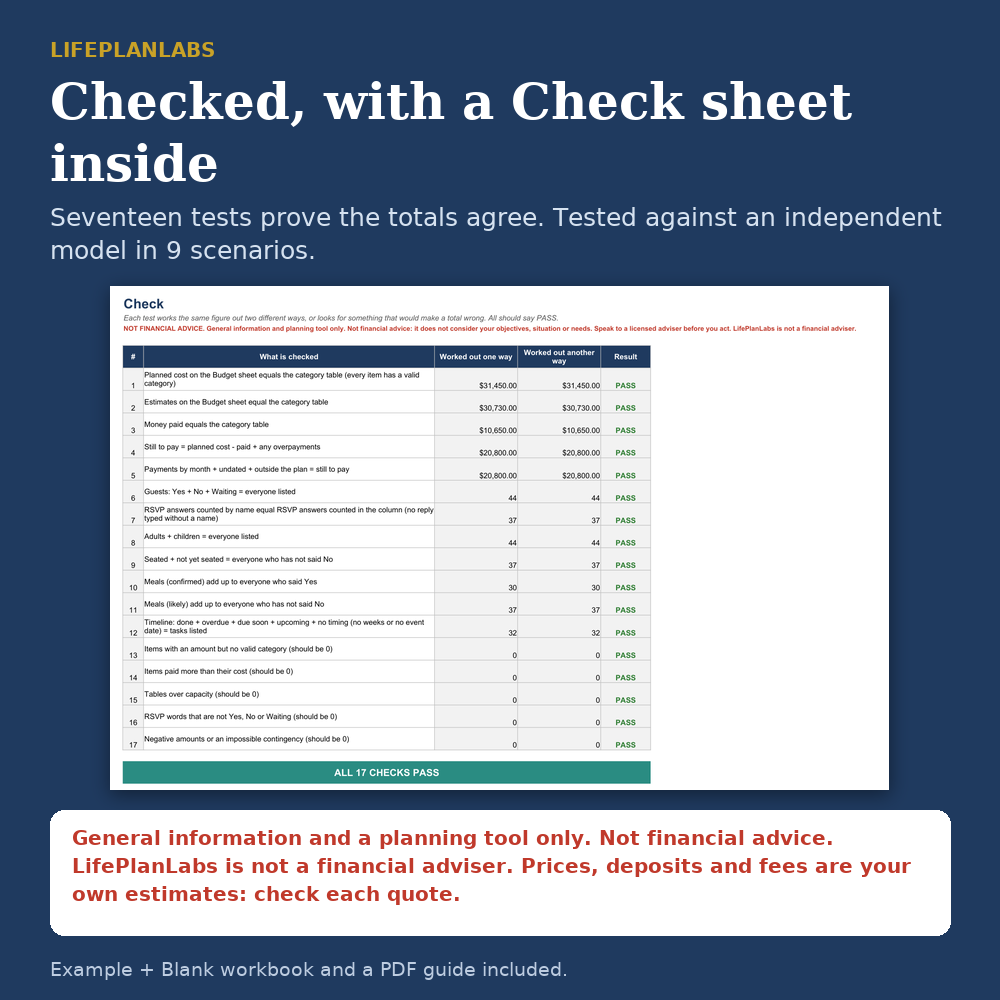
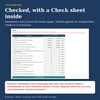
- Vendor contact list, summary page with charts, and a Check sheet with 17 tests that show your totals reconcile
Built For Australia
Dollars (AUD), dates written like 16 Oct 2027, and a reminder in the timeline to give your celebrant the Notice of Intended Marriage (at least 1 month and no more than 18 months before the wedding; check details with your celebrant). Categories include celebrant and legal fees. It is not legal advice.
How It Was Checked
Built with plain formulas only (no macros, no dynamic arrays). Recalculated in LibreOffice with no formula errors, and tested against an independent model in nine scenarios (different budgets, guest lists, table sizes, event dates and "today" dates). The Check sheet is included so you can confirm your own numbers reconcile.
What It Leaves Out
It does not book suppliers, send invitations or collect RSVPs online. It does not draw a floor plan: seating is by table number. Each table has the same number of seats. Prices, deposits and fees are your own estimates; get quotes from your suppliers and ask whether GST is included.
Compatibility
Excel (.xlsx), also checked in LibreOffice. Google Sheets: see the guide for how to open it. Google Sheets handles drop-downs and charts a little differently, so use Excel or LibreOffice if you want it to look exactly as pictured. In Google Sheets, set File, Settings, Locale to Australia so dates show in your style.
Good To Know
- Digital download only. No physical item will be posted.
- General information and a planning tool only. Not financial advice or legal advice.
- For personal use only. Please do not resell, share or upload the files.
- Designed by LifePlanLabs. Created with the help of AI tools.
Who it is for
Couples planning a wedding in Australia, parents and friends organising an engagement party, milestone birthday or anniversary, and anyone who wants one place for money, guests and tasks instead of five separate lists.
FAQ
Q: Does it work for a birthday or party, not just a wedding?
A: Yes. Pick the event type on the Setup sheet and change or delete the timeline tasks. The budget, guest list, tables and catering sheets work for any event.
Q: How many guests can it hold?
A: 250 people (one row per person, children included), 50 budget items, 30 tables and 40 timeline tasks.
Q: What happens when I get a final quote?
A: Type it in the Final price column. The planner uses it instead of the estimate and shows how far final prices are over or under your estimates.
Q: Can I use it on my phone or in Google Sheets?
A: It is an Excel file. Google Sheets can open it (the guide explains how); drop-downs and charts may look a little different. The full design is best in Excel or LibreOffice on a computer.
Q: Is this financial or legal advice?
A: No. It is a planning tool. Talk to a licensed adviser about money, and ask your celebrant about the legal steps to marry.