

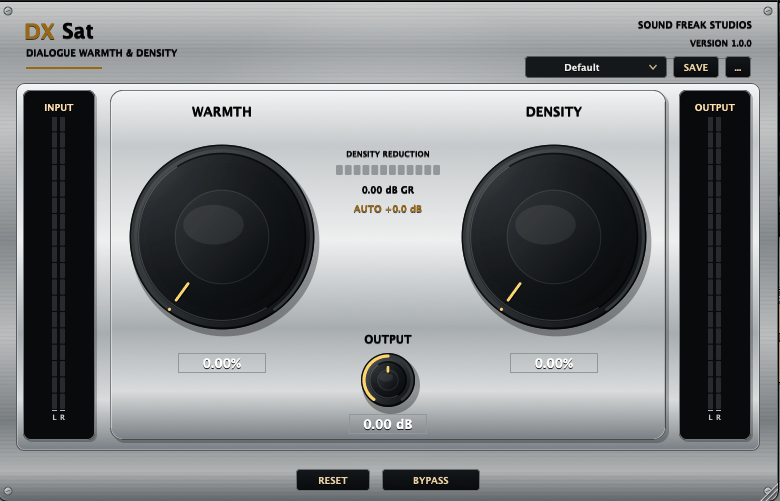

DXSat – Dialogue Warmth & Density (AAX + VST3 + AU) for macOS & Windows)
Keep the rest of your DXSat description unchanged. Replace the sections from Plugin Formats through Installation and Activation, then update Product Information with the text below.
Plugin Formats
AAX Native — macOS and Windows
For compatible versions of Avid Pro Tools.
The Windows installer includes a choice of Standard AAX for supported surround and height layouts, including 7.0.2 and 7.1.2, or Legacy AAX for older Pro Tools systems using conventional layouts up to 7.1. Install one AAX edition at a time.
VST3 — macOS and Windows
For DAWs and audio applications that support VST3.
AU (Audio Units) — macOS only
For Logic Pro and other compatible Audio Unit hosts.
Pro Tools users should use the included AAX version because Pro Tools does not load VST3 plug-ins directly.
macOS Compatibility
- macOS 12 Monterey or later recommended
- Apple silicon and 64-bit Intel Macs
- Universal macOS binary
- 4 GB RAM minimum
- 8 GB RAM or more recommended
Windows Compatibility
- Windows 10 or 11
- 64-bit Intel or AMD processor
- Compatible 64-bit AAX or VST3 host
- Standard or Legacy AAX selection during installation
Host compatibility and available channel layouts depend on the DAW version, operating system, track format, plug-in format and selected AAX edition. Your DAW may have additional system requirements.
Your Download Includes
- Both macOS and Windows installers
- Signed, Apple-notarized DXSat macOS PKG installer
- Digitally signed DXSat Windows EXE installer
- AAX Native and VST3 plug-ins for macOS and Windows
- AU plug-in for macOS
- Universal macOS builds for Apple silicon and Intel
- Windows builds for Intel and AMD x64
- Standard and Legacy AAX editions in the Windows installer
- 9-page Installation and Licensing Guide, including Windows setup and troubleshooting
- Unique DXSat license key
Installation and Activation
macOS
- Close your DAW and other audio applications.
- Open the supplied DXSat_1.0.1_macOS.pkg.
- Complete the macOS installation.
- Reopen your DAW and allow its plug-in scan to finish.
- Insert DXSat on a supported track or bus.
- Enter your purchase email and DXSat license key when prompted.
Windows
- Close Pro Tools and other audio applications.
- Extract the download if supplied as a ZIP file.
- Run DXSat_Windows_x64_Setup.exe and approve the Windows administrator prompt.
- Select VST3, AAX, or both.
- If installing AAX, choose Standard or Legacy for your Pro Tools system.
- Complete installation, reopen your DAW and allow its plug-in scan to finish.
- Insert DXSat on a supported track or bus.
- Enter your purchase email and DXSat license key when prompted.
To switch between Standard and Legacy AAX on Windows, close your DAW, run the installer again and select the required edition.
An internet connection is required for initial activation. Payhip and Gumroad purchases use the same licensing service.
Each license supports up to two computers, including a mix of Mac and Windows.
No customer iLok hardware or iLok license is required for DXSat; your DAW’s own licensing requirements still apply.
Product Information
Product: DXSat
Version: 1.0.1
Developer: Sound Freak Studios
Category: Dialogue Warmth and Density Processor
Platforms: macOS and Windows
macOS Formats: AAX Native, AU and VST3
Windows Formats: AAX Native and VST3
macOS Architecture: Universal — Apple silicon and Intel
Windows Architecture: 64-bit Intel and AMD