








All-in-One-Yearly Budget Planner
See your whole money year in one place.
This Google Sheets template turns a simple list of what you earn and spend into a clear picture of your year. You only type in the pale-green cells. Every total, chart and calendar entry works itself out.
How it works
- Set up once. Enter the year and a monthly amount for each income source, bill, subscription, expense, savings goal and debt.
- Log as you go. Add each payment in the Transactions tab: date, amount and a category from the dropdown.
- Watch it update. Month tabs, the Overview dashboard, the Calendar and the trackers fill in automatically.
What's inside (21 tabs)
- Start Here: a short welcome guide and colour key.
- Setup: your budget year, plan name and up to 74 categories: 8 income sources, 12 bills, 8 subscriptions, 30 expense categories, 8 savings goals and 8 debts. It comes with common names filled in; rename them to suit you. A plan check shows how much of your income is still unassigned.
- 12 monthly tabs (Jan–Dec): budget vs actual for every category, plus money in, money out and left to spend. A paid/due status for bills, subscriptions and debt payments. Three charts: budget vs actual, money out vs plan day by day, and where the money went. Budgets copy from Setup, and you can type a different amount for any single month.
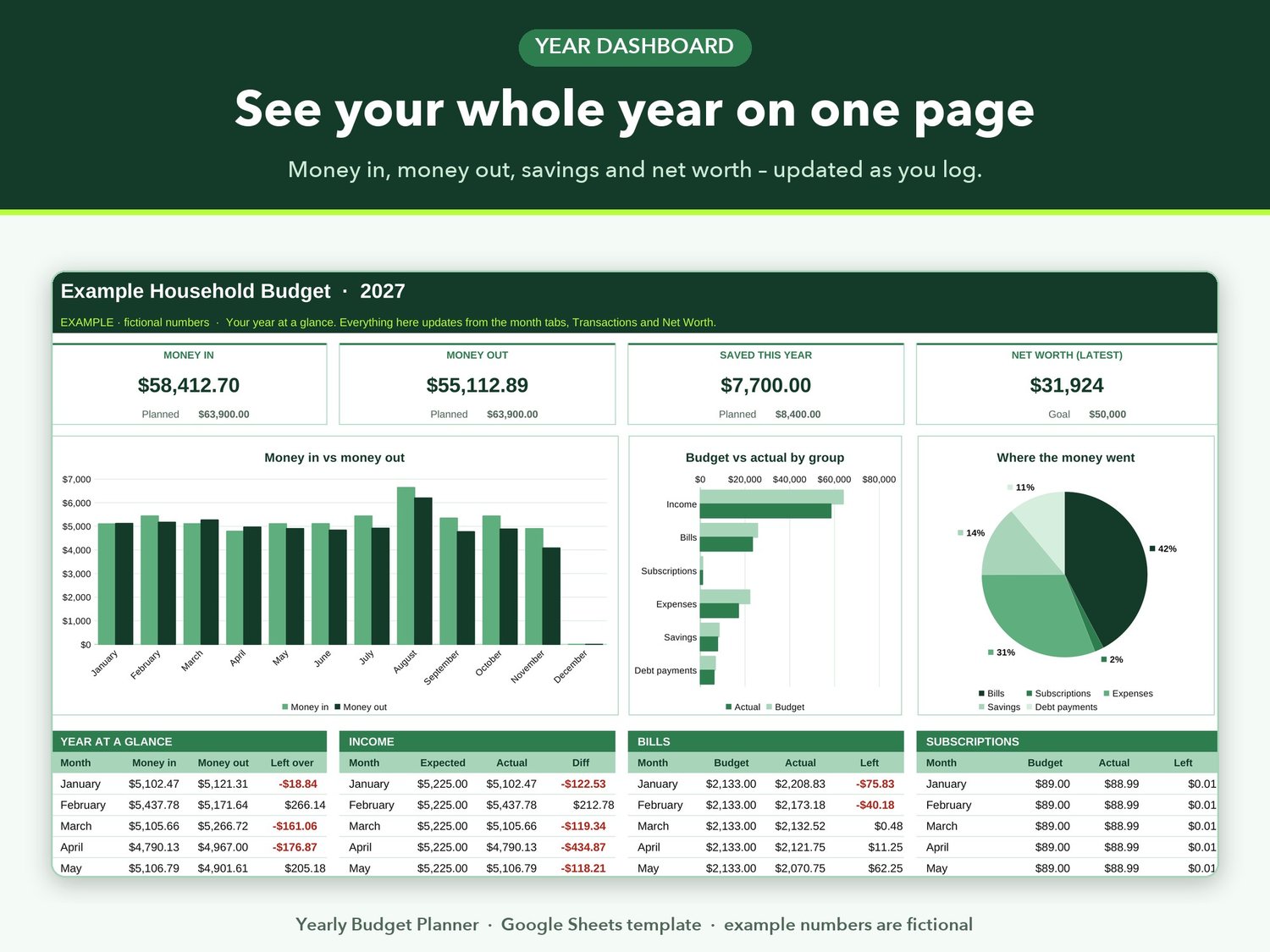
- Overview: your year at a glance. Totals for money in, money out and savings, plus your latest net worth. Charts, month-by-month tables for each group, and your top 10 spending categories.
- Annual Totals: every category across all 12 months with yearly budget and actual.
- Transactions: your money log for the year. Up to 2,000 entries, with a category dropdown. Automatic checks flag rows with a missing date, amount or category.
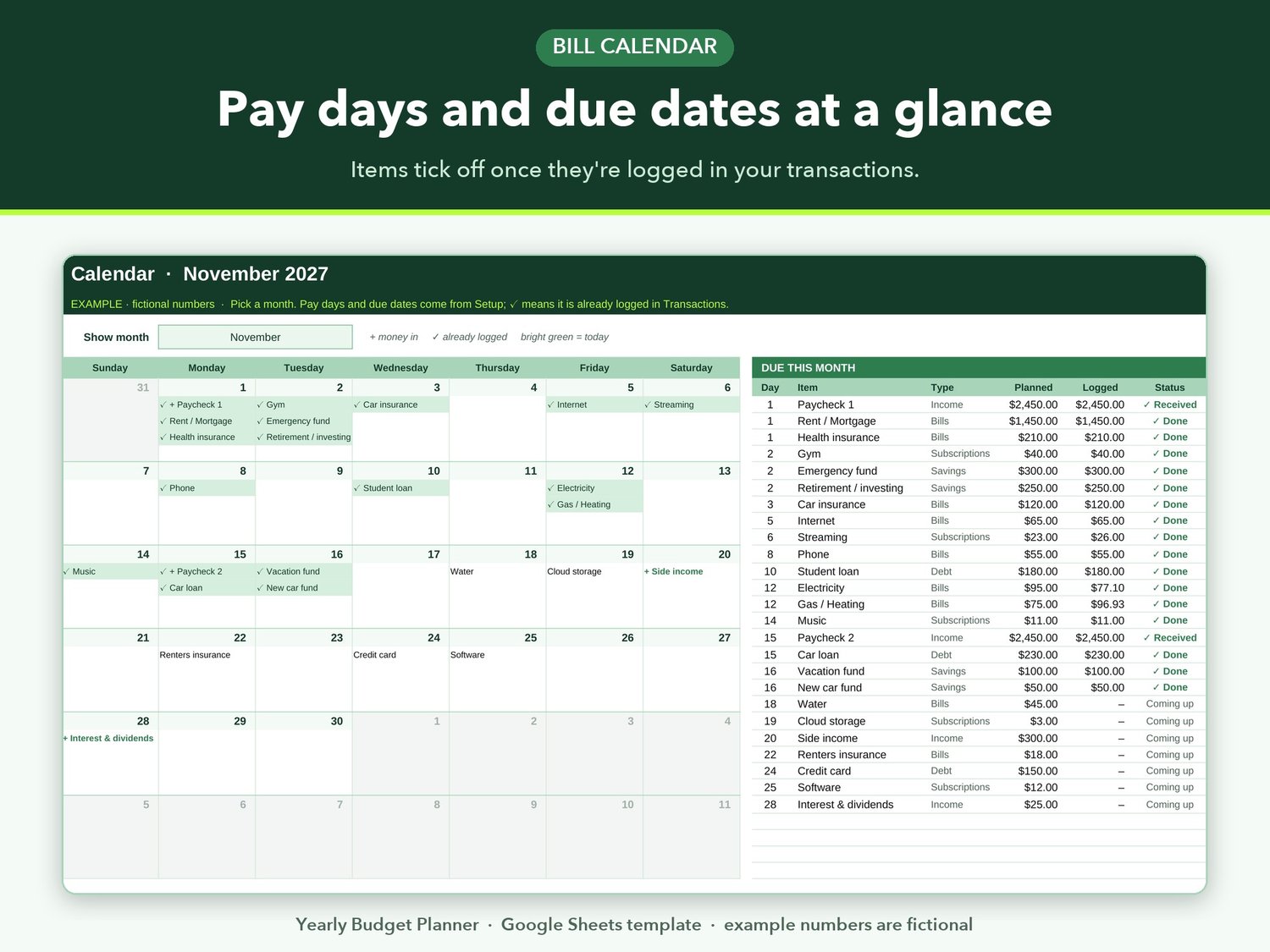
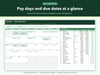
- Calendar: pick any month to see pay days and due dates. Items get a tick once they're logged, plus a "due this month" list (received / done / overdue / coming up) and space for notes.
- Savings & Debt: a target, progress and estimated finish month for each savings goal and debt, with two charts.
- Debt Snowball: a month-by-month payoff plan for up to 6 debts. Choose snowball (smallest balance first) or avalanche (highest interest first) and add an extra monthly payment. See your debt-free date and total interest.
- Net Worth: a monthly snapshot of cash, investments, property, loans and cards, with a goal and trend charts.
Also included
- A filled-in example with fictional numbers, so you can see how everything looks in use.
- No add-ons, macros or scripts: just standard spreadsheet formulas.
What you get
Right after purchase you can download three files:
- Your_Yearly_Budget_Planner_Access.pdf: a short guide with a "Make your copy" button. One click opens Google Sheets and saves your own editable copy in your Google Drive.
- Investips_Yearly_Budget_Planner_TEMPLATE.xlsx: the blank planner as an Excel-format file.
- Investips_Yearly_Budget_Planner_EXAMPLE.xlsx: the same planner filled with fictional numbers.
Good to know
- Amounts are formatted in US dollars ($).
- You need a free Google account. A computer is best for setup; you can also open your copy in the Google Sheets app.
- The .xlsx files are included for people who prefer an offline copy. Other spreadsheet apps aren't officially supported.
- This is an educational budgeting tool, not financial advice.
FAQ
Do I need to pay for Google Sheets?
No. Google Sheets is free with a Google account.
How do I get my planner after buying?
Download the PDF, click "Make your copy" and choose Make a copy. The planner is saved to your Google Drive. You can come back to the PDF any time to make a fresh copy.
Can I change the categories?
Yes. Rename any category in the Setup tab, or fill the empty rows. Each name must be unique, and the planner will warn you if a name is used twice.
Can I use it next year too?
Yes. Make a fresh copy from the PDF link and change the year in Setup. Every tab follows that one setting.
Is my information private?
Your copy lives in your own Google Drive and only you can see it unless you share it. I can't see your copy.
Does it connect to my bank?
No. You type in your own transactions. Nothing is linked to your bank accounts.
What if I get stuck?
Email matamario2808@gmail.com with your order number.