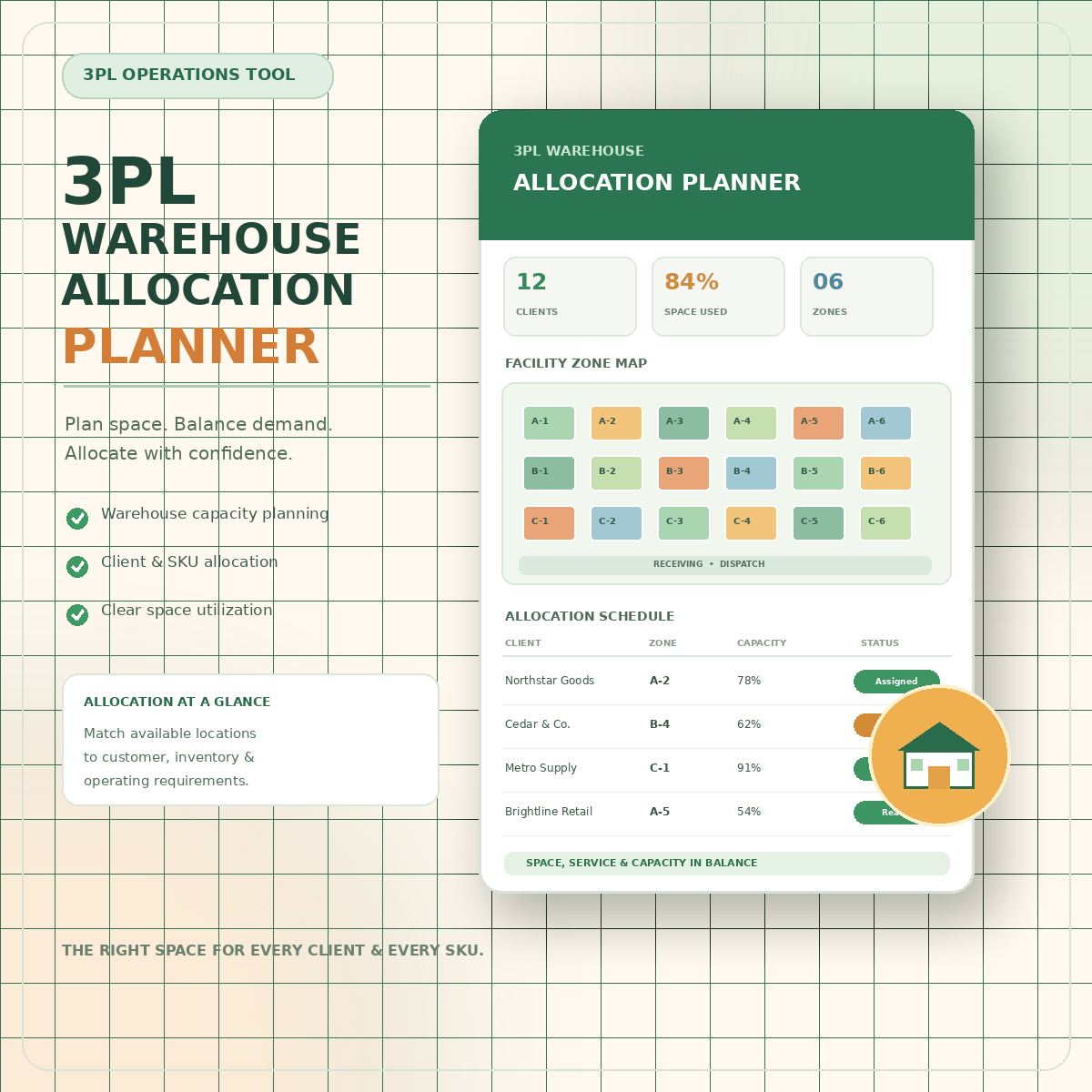
3PL Warehouse allocation Planner
3PL WAREHOUSE ALLOCATION PLANNER
Make Smarter Warehouse Allocation Decisions. Control Capacity. Protect Margins.
21 Connected Planning Modules. An Intelligent Allocation Engine. Two Ready-to-Use Excel Workbooks.
When you manage a multi-site third-party logistics (3PL) network, every allocation decision matters.
Which warehouse should receive an order? Does the site have enough available space and picking capacity? Can it meet the required service level? What will the handling and storage costs be? Will the decision create congestion, staffing pressure, or additional transportation costs?
The 3PL Warehouse Allocation Planner helps you answer these questions through one connected, macro-free Excel workbook.
Enter your orders, configure your warehouse network, and assign a site. The workbook calculates allocation feasibility, compares costs, ranks allocation options, and flags operational issues that need attention.
Beyond allocation, it brings together capacity planning, slotting, inbound appointments, picking waves, labor planning, inventory transfers, returns, overflow partners, service levels, and site-level profitability.
One Workbook. 21 Planning Modules. Greater Visibility Across Your 3PL Network.
GET THE 3PL WAREHOUSE ALLOCATION PLANNER — $12.99
Digital download · Two Excel workbooks · No macros required
STOP MAKING ALLOCATION DECISIONS WITH FRAGMENTED INFORMATION
In a multi-site 3PL operation, allocation decisions often depend on information spread across warehouse systems, spreadsheets, emails, customer portals, and individual planners' experience.
A site may appear to have available capacity but lack sufficient picking space. Another may be cheaper to operate but unable to meet the required service level. A third may be suitable only if additional labor or overflow capacity is available.
The challenge is not simply finding an available warehouse. It is finding a feasible, cost-aware allocation that your network can actually deliver.
The 3PL Warehouse Allocation Planner brings these considerations into one structured decision-support system.
Evaluate Each Allocation Across Six Key Indicators
1. Service Priority
Calculate a priority score using the service-tier weights defined in your allocation rules.
2. Regional Fit
Identify whether an assigned warehouse is within the order's home region or requires cross-region allocation.
3. Capacity Feasibility
Compare order units and cubic volume against the warehouse's available picking capacity and free storage volume.
4. Handling and Storage Cost
Estimate the allocation's handling and storage costs using your configured site rates.
5. Allocation Score
Rank options using a weighted score based on service priority, cost efficiency, and available capacity headroom.
6. Allocation Status
Identify unassigned orders, approaching deadlines, overdue orders, and capacity-related issues.
The result is a more transparent allocation process in which planners can evaluate alternatives using consistent rules instead of relying on intuition alone.
EXPLORE ALL 21 CONNECTED PLANNING MODULES
The workbook is organized around four operational priorities: planning capacity, controlling exceptions, understanding costs, and evaluating decisions.
GROUP 1 — PLAN THE NETWORK
1. Warehouse Master
Maintain a central record of warehouse sites, regions, available capacity, and relevant operating information.
2. Allocation Register
Record orders and assigned sites while reviewing service priority, regional fit, feasibility, estimated costs, allocation scores, and status indicators.
3. Capacity Planner
Project future warehouse utilization using current occupancy, expected inbound volume, and planned outbound activity. Identify zones approaching capacity thresholds and potential dock-hour constraints.
4. Space and Slotting Plan
Review storage assignments and identify potential slotting improvements, such as fast-moving A-class inventory that remains in bulk storage or slow-moving C-class inventory occupying prime picking space.
5. Wave and Batch Planning
Estimate picking workload and completion time using order quantities, available crews, and configured picking rates. Assess whether a planned wave is likely to meet its cut-off.
6. Pick and Pack Labour Plan
Compare expected workload with available staffing and identify shifts where labor coverage may be insufficient.
7. Packing and Kitting Plan
Organize packing and kitting requirements as part of the wider warehouse planning workflow.
8. Inbound Appointment Plan
Coordinate inbound appointments, planned pallet volumes, and unloading requirements. Identify potential dock conflicts before they disrupt receiving operations.
9. Receiving Plan
Organize receiving activities and coordinate incoming workload with available warehouse resources.
GROUP 2 — CONTROL OPERATIONS AND EXCEPTIONS
10. Quality and Compliance Hold
Track held inventory, monitor the age of unresolved holds, and identify cases requiring escalation.
The workbook's example escalation thresholds are two days for a supervisor, five days for a manager, and ten days for a director.
11. Inventory Reallocation
Evaluate proposed inventory transfers and examine stock coverage before and after a move. Flag transfers that could leave a site with less than seven days of cover.
12. Overflow and Sub-3PL Plan
Organize overflow requirements, partner capacity, external handling costs, and contract renewal dates.
13. Cross-Dock and Flow-Through
Track cross-docking activities, handling costs, and dwell time against configured operating windows.
14. Exception and Escalation Log
Maintain a structured record of operational exceptions and identify items that require attention or escalation.
GROUP 3 — UNDERSTAND THE COMMERCIAL PERFORMANCE
15. Value-Added Services Plan
Evaluate the cost and margin of services such as labeling, kitting, and display assembly. Compare estimated revenue with the cost of delivering each service.
16. Returns Processing Plan
Track return-processing activity and examine recovery assumptions, restocking fees, and aged returns.
17. Carrier and Transport Plan
Review transportation costs by carrier or lane and identify shipments or routes that may warrant further cost or service investigation.
18. Cost and Margin Analysis
Compare site-level revenue from storage, handling, value-added services, and transport against relevant operating costs.
Review monthly margins and identify sites categorized by the workbook as profitable, thin-margin, or loss-making.
19. Service Level Scorecard
Organize service performance indicators to support the review of operational commitments and customer service outcomes.
20. Monthly KPI Scorecard
Bring key performance indicators into a structured monthly review to help monitor network performance.
GROUP 4 — TEST THE NEXT DECISION
21. Scenario Planner
Evaluate a proposed new contract or additional volume against projected network utilization and incremental costs.
Review whether the scenario appears feasible, requires overflow capacity, or exceeds available capacity under the configured assumptions.
This helps you investigate the operational implications of growth before committing resources.
THE ALLOCATION ENGINE — TURN SITE SELECTION INTO A STRUCTURED DECISION
The heart of the planner is its allocation register.
When you enter an order and select an assigned site, the workbook calculates key indicators using your configured allocation rules and site data.
Capacity-Aware Feasibility
Compare order quantities with available picking capacity and cubic volume with free storage capacity.
This helps identify assignments that do not fit the site's configured physical capacity before the allocation is treated as ready for execution.
Cost-Based Comparison
Estimate handling and storage costs using the site's own rates.
This makes it easier to compare the financial implications of allocating work to different facilities.
Weighted Allocation Ranking
The default allocation score uses three components:
- 50% service priority.
- 30% cost efficiency.
- 20% available space headroom.
The Allocation Rules sheet allows you to customize the weights to better reflect your operating model.
The workbook also checks whether the rule weights total 100% and flags a configuration that needs correction.
Automatic Status Indicators
Review allocation statuses such as:
- ALLOCATED
- DUE TODAY
- OVERDUE — SHIP NOW
- CAPACITY BLOCK
- UNASSIGNED
These indicators help planners identify which orders need immediate review.
Important: The allocation score is a configurable decision-support mechanism, not a guarantee of the globally optimal allocation. Results depend on the quality of your input data, the rules and weights you select, and the operational constraints represented in the workbook.
SEE PROBLEMS BEFORE THEY BECOME OPERATIONAL DISRUPTIONS
The planner goes beyond basic warehouse capacity calculations by highlighting issues across the operating network.
Capacity and Space
Monitor projected utilization and review zones approaching the configured 85% and 95% thresholds.
Dock Scheduling
Identify potential inbound appointment conflicts by comparing scheduled pallet volumes and unloading requirements.
Picking and Labor
Estimate whether picking waves can meet their cut-offs and whether staffing coverage matches planned workloads.
Inventory Transfers
Review stock coverage before and after a transfer to identify potential replenishment risks.
Quality Holds and Exceptions
Track the age of unresolved issues and use escalation indicators to direct attention to overdue cases.
Returns and Overflow
Review aged returns, external warehouse expenditure, and upcoming partner contract renewals.
Commercial Performance
Identify low-margin services, expensive transport lanes, and sites that may require a deeper profitability review.
The purpose is to help your team identify exceptions earlier, prioritize follow-ups, and make decisions with better operational visibility.
A DASHBOARD THAT BRINGS THE NETWORK TOGETHER
The workbook includes eight key performance indicator cards that summarize important aspects of allocation and warehouse operations.
- Orders recorded in the allocation register.
- Units allocated.
- Average allocation score.
- Orders awaiting a site assignment.
- Orders blocked by capacity.
- Network utilization.
- Sites approaching or reaching capacity.
- Open operational exceptions.
A module directory provides an overview of all 21 planning modules, including record counts and status-flag counts.
This gives planners a consolidated view of the network before they investigate individual worksheets.
The dashboard updates from workbook data and formulas. It does not connect automatically to live warehouse management systems or external operational platforms.
TWO EDITIONS INCLUDED — READY TO USE OR READY TO EXPLORE
Your purchase includes two editions of the same workbook.
Edition 1 — Blank Workbook
<text color="default" weight="medium">Ready for your own warehouse network.</text>
Use the blank edition to configure your sites, allocation rules, service tiers, capacity figures, rate cards, orders, and operational records.
Start with your own data and adapt the planning workflow to your network.
Edition 2 — Sample-Data Workbook
<text color="default" weight="medium">See the planning system in action.</text>
The sample edition includes a demonstration network with six warehouse sites across different regions and ten sample orders.
It also includes demonstration data for inbound appointments, picking waves, labor shifts, inventory transfers, overflow partners, cross-docking, returns, and site-level financial performance.
The sample data deliberately includes several problem situations:
- An order blocked by capacity.
- An overdue priority order.
- An understaffed shift.
- An aged quality hold.
- A loss-making warehouse site.
These examples help you explore how the workbook's calculations, dashboard indicators, and status colors respond to different operational conditions.
You can retain the sample edition as a reference while building your own network in the blank workbook.
BUILT FOR FLEXIBLE, PRACTICAL WORKING
Macro-Free Excel Design
The workbook uses spreadsheet formulas rather than VBA macros, so there is no need to enable macro execution.
Editable Allocation Rules
Adjust service-tier priorities and allocation weights to reflect your operational strategy.
Color-Coded Inputs and Results
Yellow cells identify data-entry areas, gray cells indicate calculated fields, blue cells highlight key results, and traffic-light colors identify status conditions.
Built-In Dropdown Lists
Use predefined choices for common fields such as sites, regions, service tiers, zones, shifts, roles, and handling requirements.
Expandable Worksheets
Each module includes 20 preformatted data rows, with filters, frozen panes, and a totals or averages row where applicable. Additional rows can be added by extending formulas and formatting.
Multiple Spreadsheet Applications
The workbook is designed for Microsoft Excel, Google Sheets, and LibreOffice. Some formatting and formula behavior may vary between applications.
Free Lifetime Updates
The product listing includes free lifetime updates to the planner.
WHO SHOULD USE THE 3PL WAREHOUSE ALLOCATION PLANNER?
3PL and Contract Logistics Operators
Evaluate how orders should be distributed across multiple warehouses while considering service requirements, cost, and available capacity.
Warehouse Managers
Review storage utilization, slotting, receiving, dock schedules, and picking capacity.
Fulfillment Planners
Organize picking waves, labor requirements, cut-off times, and allocation priorities.
Inventory and Supply Chain Planners
Examine inventory transfers, stock coverage, regional allocation, and warehouse capacity.
Logistics Account Managers
Assess whether a network can accommodate proposed customer volumes and identify additional resource requirements.
Operations Consultants
Use a structured allocation framework to support process reviews, network planning, and operational standardization.
The workbook can support planning across distribution centers, fulfillment centers, bonded warehouses, cold-storage facilities, cross-dock terminals, and external 3PL partner sites, provided the relevant operational constraints are configured appropriately.
WHAT YOU RECEIVE
Your purchase includes:
- The 3PL Warehouse Allocation Planner — blank Excel workbook.
- The 3PL Warehouse Allocation Planner — sample-data Excel workbook.
- 21 connected operational planning modules.
- A dashboard with eight key performance indicators.
- An editable Allocation Rules sheet.
- Service-tier weights and weighted allocation rules.
- Capacity, slotting, picking, and labor planning tools.
- Inbound appointment and receiving planners.
- Inventory reallocation and exception tracking.
- Returns, cross-docking, and overflow partner planning.
- Site-level cost and margin analysis.
- Service-level and monthly KPI scorecards.
- A scenario planner for evaluating additional volume.
- A Read Me guide explaining the workflow and color conventions.
- Free lifetime updates to the planner.
PRODUCT: 3PL Warehouse Allocation Planner
PRICE: $12.99
FORMAT: Two Excel workbooks (.xlsx)
WORKBOOK STRUCTURE: 24 worksheets per edition, including the dashboard, Read Me, Warehouse Master, Allocation Rules, and 21 modules.
DESIGN: Macro-free, formula-driven workbook.
DELIVERY: Digital download through Payhip.
No physical product will be shipped.
FREQUENTLY ASKED QUESTIONS
Do I need to install software?
No dedicated installation is required. Download the workbook and open it in a compatible spreadsheet application.
Which spreadsheet applications are supported?
The workbook is designed for desktop Microsoft Excel 2010 or newer, Microsoft 365, Google Sheets, and LibreOffice. Some features, formatting, and calculations may behave differently depending on the application.
Do I need a warehouse management system?
No. The workbook can be used independently as a planning and decision-support tool. It can also support planning discussions alongside an existing WMS, provided the relevant information is entered or transferred manually.
Can the planner allocate orders automatically?
The workbook calculates feasibility indicators, estimates costs, and ranks allocation options based on configured rules. The planner reviews the ranking and makes or confirms the operational assignment. It is not a live warehouse automation or order-routing system.
Can I customize the allocation weights?
Yes. The Allocation Rules sheet includes editable weights for service tiers and allocation criteria. Review the weight totals and validate the resulting rankings before using them in operational decisions.
How many sites and orders can it support?
Each module includes 20 preformatted data rows. You can extend the worksheets by adding rows and copying the relevant formulas and formatting. For larger networks, test the expanded workbook carefully to confirm that all calculations and dashboard references remain correct.
Are the sample warehouses and orders real?
No. The six-site network and ten sample orders are demonstration data created to illustrate how the workbook functions.
Does it guarantee the lowest-cost allocation?
No. The planner ranks allocation options using configured scoring rules and the data supplied. Actual allocation quality depends on accurate capacity, rate, service, and regional information, as well as constraints that may not be represented in the workbook.
Can I use it for cold storage or bonded warehouses?
You can configure relevant sites and operational requirements, but the workbook does not independently certify regulatory compliance, temperature suitability, or hazardous-goods compatibility. Verify those requirements through your own operating procedures and applicable regulations.
How do I receive the product?
After purchasing through Payhip, you can download both Excel workbooks through the platform's digital delivery process.
MAKE EVERY WAREHOUSE ALLOCATION MORE INFORMED
A successful 3PL allocation decision must balance service commitments, physical capacity, operating costs, and the realities of warehouse execution.
The 3PL Warehouse Allocation Planner brings these considerations together in one structured workbook.
Evaluate sites. Compare allocation costs. Identify capacity constraints. Coordinate warehouse operations. Review commercial performance. Test future scenarios.
21 planning modules. Two workbook editions. One connected view of your warehouse network.
GET THE 3PL WAREHOUSE ALLOCATION PLANNER TODAY
Only $12.99
21 connected modules · Allocation engine · Network dashboard · Blank and sample-data workbooks
Build a clearer, more consistent approach to multi-site warehouse allocation.
Important Disclaimer: This product is an Excel-based planning and decision-support tool. It does not replace a warehouse management system, live operational integrations, professional judgment, or applicable safety and compliance procedures. Results depend on the accuracy of the data and the suitability of the rules and assumptions configured by the user.