
TextFrame Fitter for InDesign (TRIAL)
This TRIAL version works only for the first page of your InDesign document. Please buy the Premium version to unlock unlimited pages. (Buy PREMIUM version here: https://payhip.com/b/gqTXo)
✨ TextFrame Fitter – Smart Text Resizing Script for InDesign
Effortless Text Fitting. Perfect Every Time.
Struggling with overflowing or undersized text in your InDesign projects? Say goodbye to manual resizing and hello to precision with TextFrame Fitter — a powerful script that automatically adjusts your text size to perfectly fit its frame.
🔧 What It Does
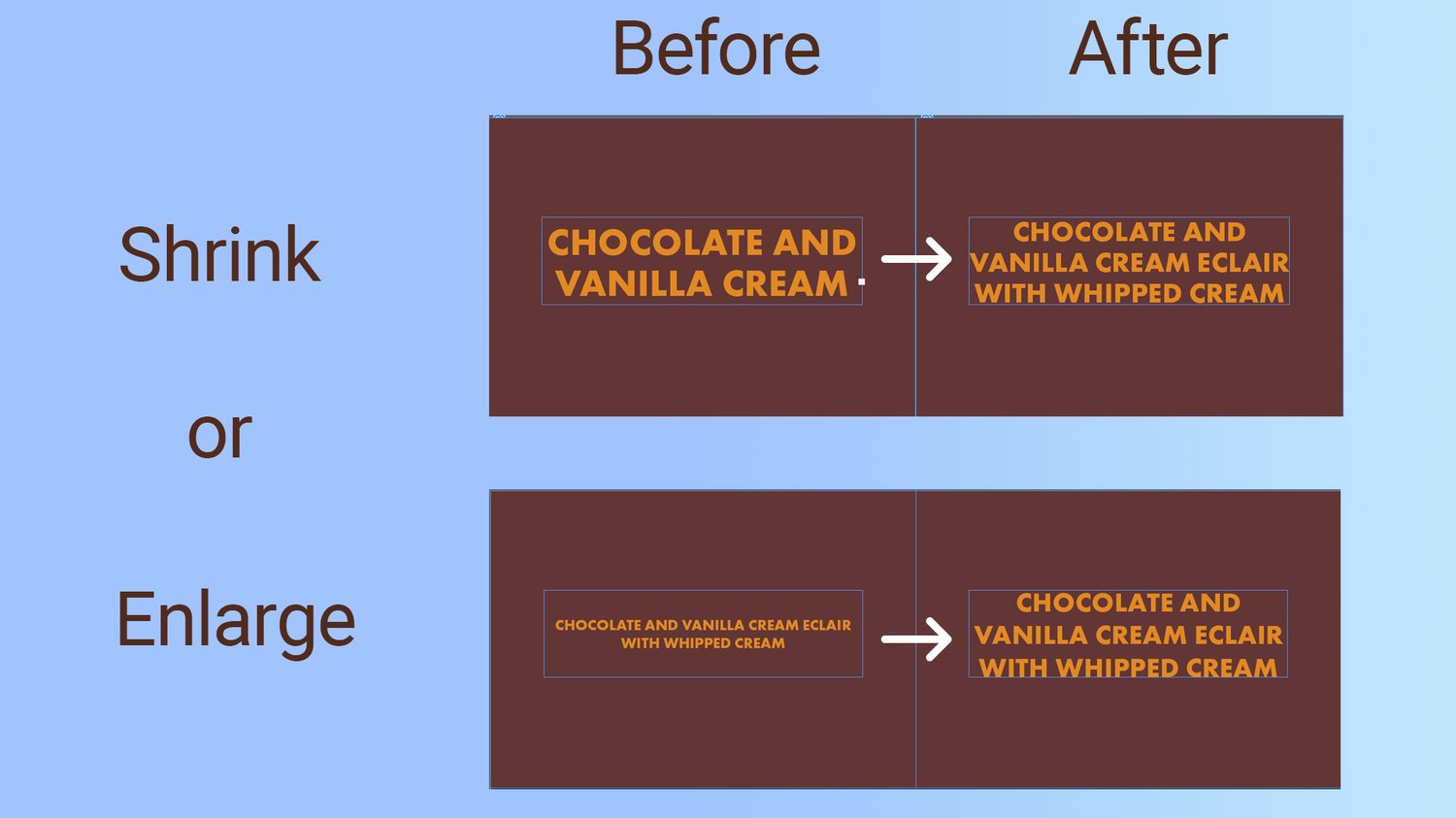
This script dynamically scales your text to fit the width & height of any selected text frame — without distorting your layout. Whether you're shrinking long titles or enlarging short labels, it ensures your text looks polished and professional.
✅ Key Features
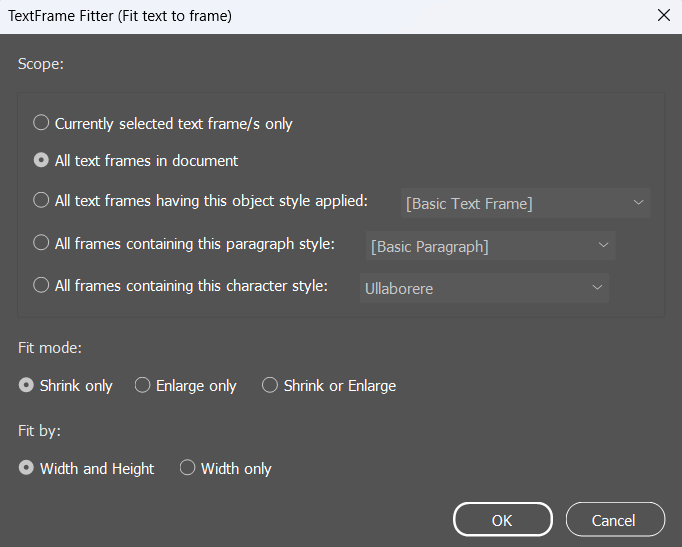
Flexible Scope Selection
Apply the script to:
- Selected text frame(s)
- All frames in the document
- Frames by object, paragraph, or character style
Smart Fit Modes
- Shrink only: Ideal for preventing overflow
- Enlarge only: Great for making short text stand out
- Shrink or Enlarge: The ultimate auto-fit solution
Custom Fit Options
- Fit by Width and Height or Width only
- Non-destructive & style-friendly
- Works seamlessly with existing InDesign styles and layout settings.
💼 Perfect For:
- Packaging designers
- Catalog and label creators
- Editorial designers
- Anyone working with dynamic or templated text layouts
⚡ Save Time. Improve Consistency. Automate the Tedious.
Whether you're working on a product label, menu, or catalog, Fit Text to Frame helps you get perfectly scaled text in seconds — with no more manual tweaking.
📦 Instant Download
Includes:
✅ Script (.jsxbin file)
✅ Easy-to-follow instructions
💬 "This script saved me hours on a product catalog project. One-click and done!" – S.G. (Graphic Designer)
Ready to boost your workflow?
👉 Buy Now and streamline your InDesign text fitting process!
Attention:
Ensure all text frames are placed within the boundaries of the document's first page. This is available only for the Trial version. In the PREMIUM version, the script also adjusts the texts outside the pages boundaries.