





Freelancer Toolkit – Facturen & uren | Invoices & time (NL · BE)
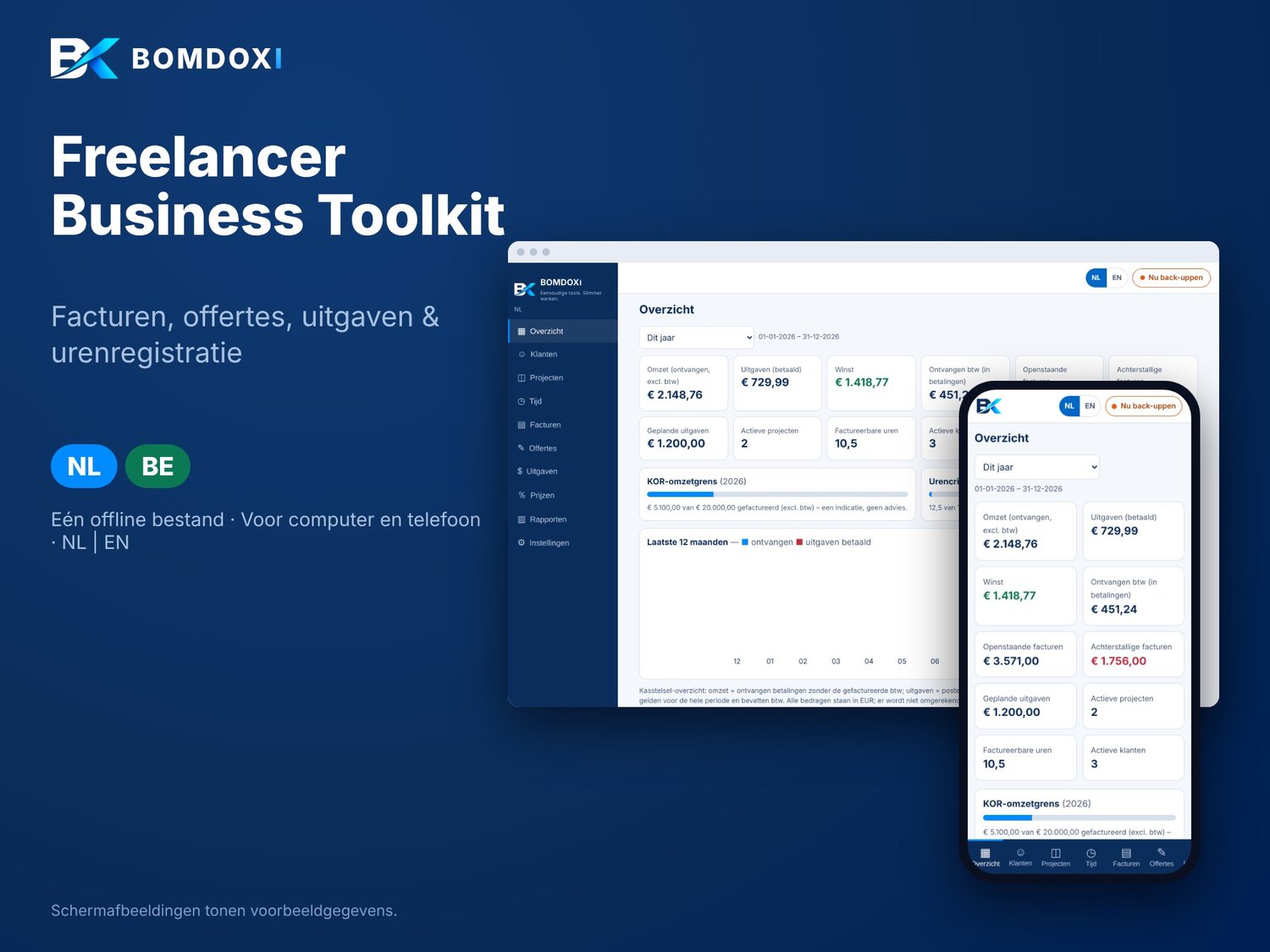
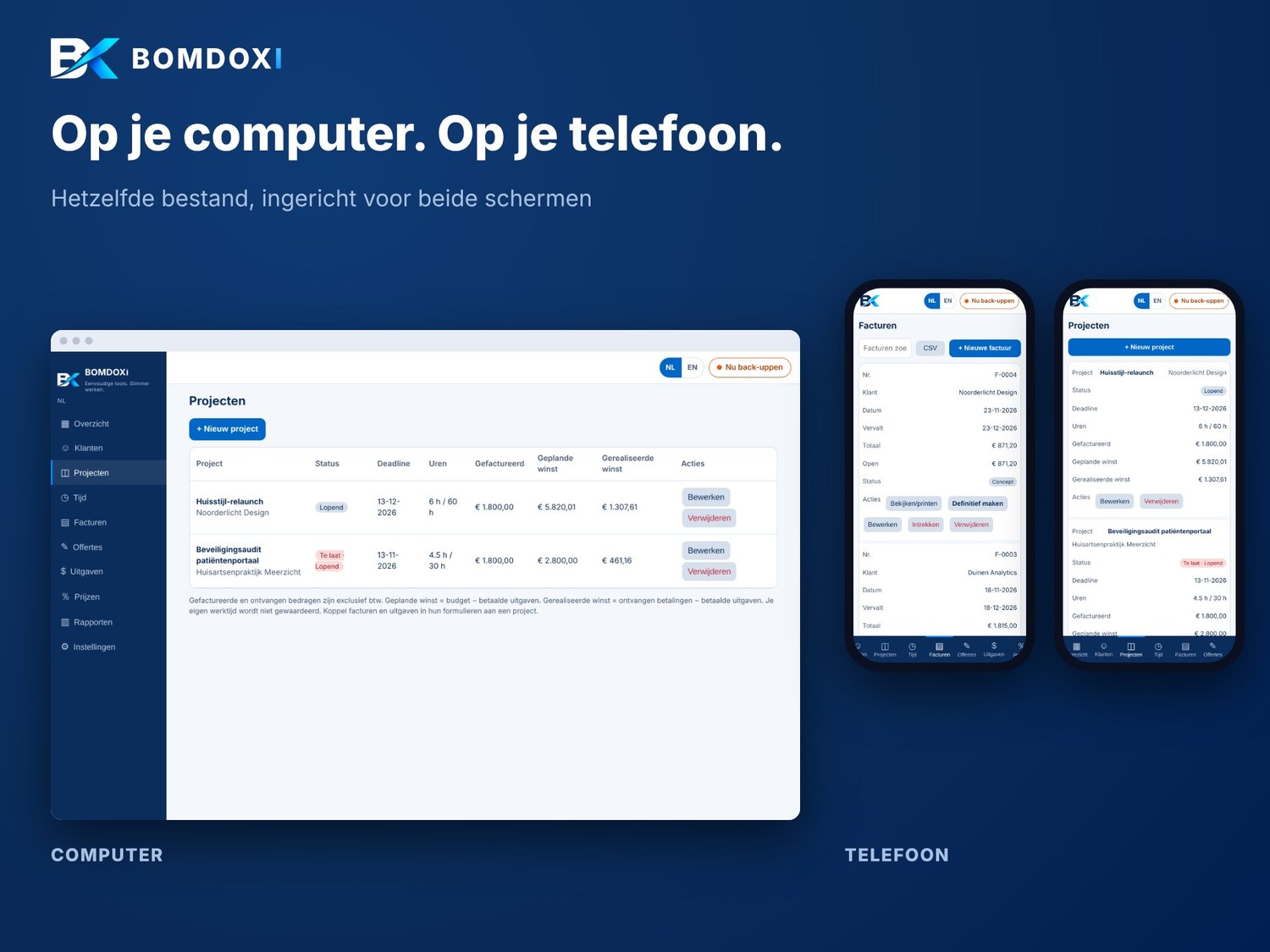
Beheer je freelancebedrijf met één eenvoudige app: facturen, offertes, uitgaven, projecten, urenregistratie en winstrapporten. Geen abonnement, geen account, geen cloud. Eenmalig kopen, meteen downloaden en gebruiken in de browser van je computer of telefoon.
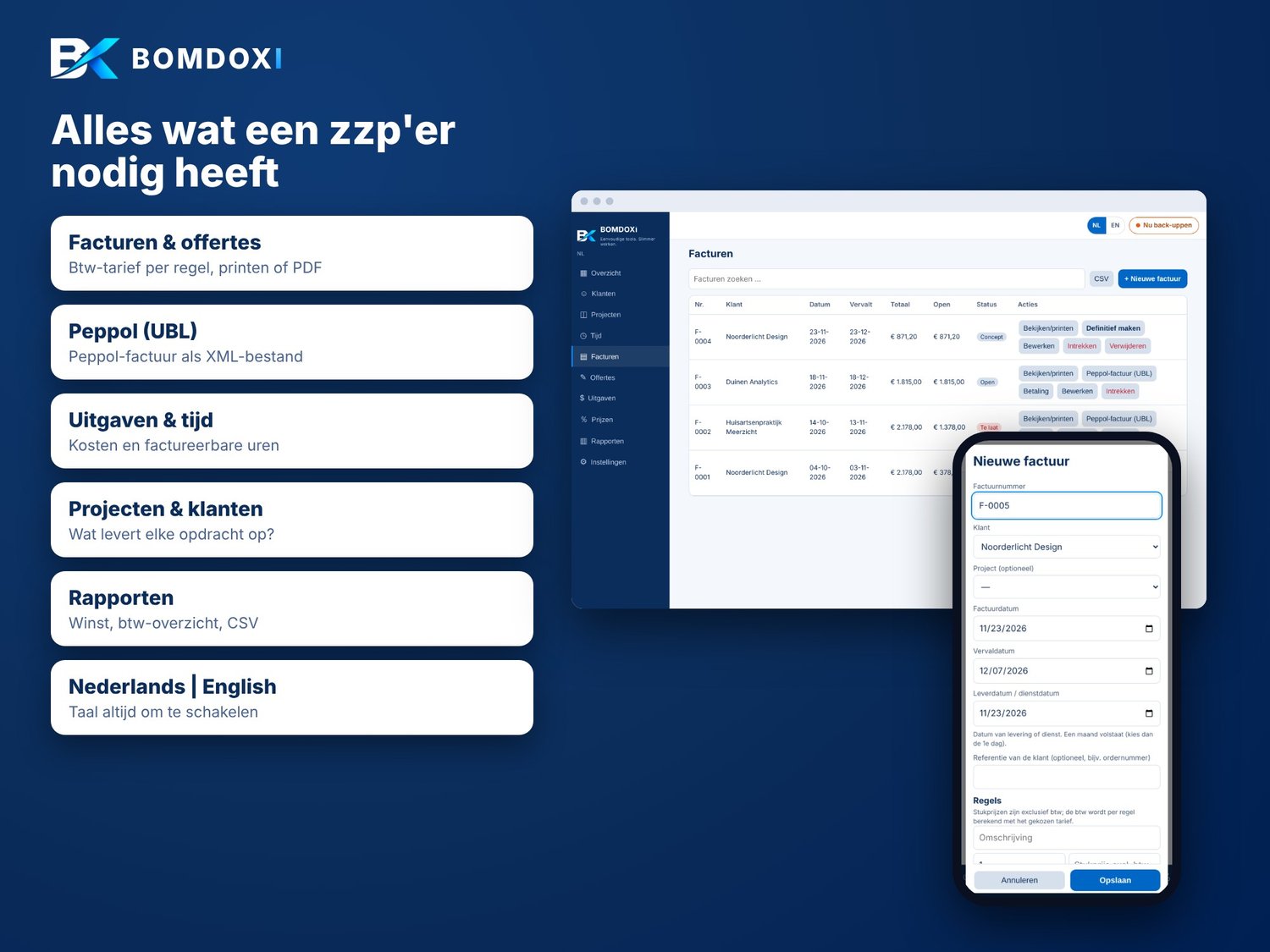
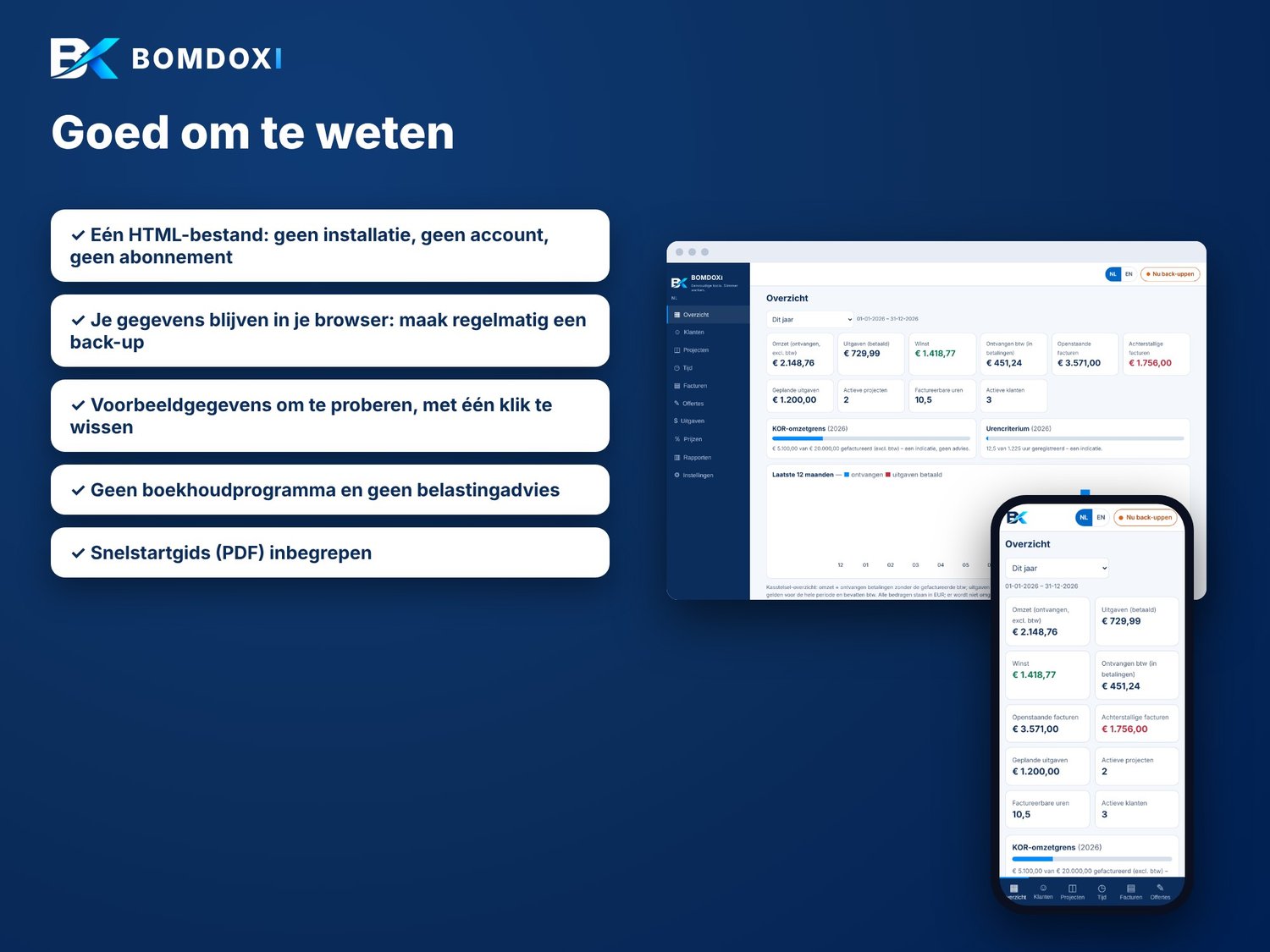
★ DIT ZIT ERIN • Overzicht – omzet, uitgaven en winst in één oogopslag, met grafiek van de laatste 12 maanden • Facturen – concepten, deelbetalingen, achterstallige facturen, printen of opslaan als PDF, btw-tarief per regel • Offertes – een geaccepteerde offerte wordt met één klik een factuur • Uitgaven – categorieën, projecten en markering van voorbelasting • Projecten & tijd – budgetten, factureerbare uren, winst per project • Klanten – alle klanten en hun opdrachten op één plek • Prijzen – bereken welk tarief je moet vragen • Rapporten – winst en verlies, klanten, categorieën en btw-overzicht, CSV-export • Back-up en herstel, met een herinneringsknop op elke pagina
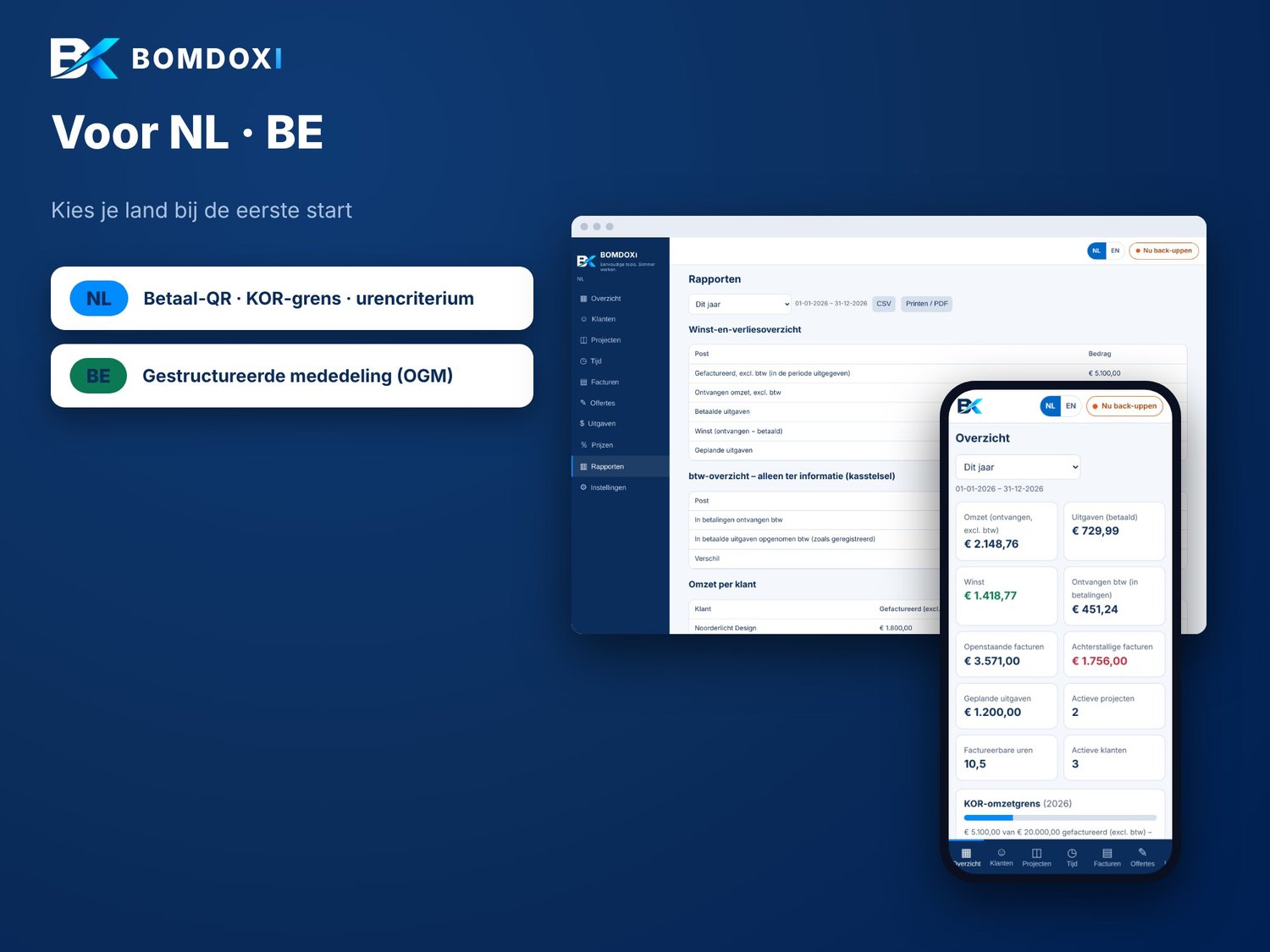
★ ÉÉN DOWNLOAD. TWEE LANDEN. Bij de eerste start kies je je land; valuta, btw-tarieven, opmerkingen en formaten volgen: • Nederland – EUR · btw 21 % / 9 % / 0 % · KOR-grens (20.000 €) en urencriterium (1.225 uur) in het overzicht · btw verlegd · betaal-QR (SEPA/EPC) op de factuur · Peppol-bestand per factuur • België – EUR · btw 21 % / 12 % / 6 % / 0 % · grens van de vrijstellingsregeling (25.000 €) in het overzicht · btw verlegd · gestructureerde mededeling (OGM) · betaal-QR · Peppol-bestand per factuur Het land wordt vergrendeld zodra het eerste item is opgeslagen.
★ NEDERLANDS | ENGLISH Rechtsboven wissel je met één klik tussen Nederlands en Engels. Je gegevens blijven behouden. De taal van de afgedrukte factuur volgt de taal van de app.
★ PEPPOL (UBL) Per factuur maakt de app een Peppol BIS Billing 3.0-bestand (UBL-XML) op je eigen computer. De app verstuurt niets: verzenden kan alleen via een erkende Peppol-aanbieder. In België is Peppol-facturatie tussen bedrijven sinds 1 januari 2026 verplicht; check zelf wat voor jouw situatie geldt. De bestanden zijn tijdens de ontwikkeling gecontroleerd met de open-source validator Mustang, niet door een aanbieder of overheid. Of je klant het bestand accepteert, hangt van diens systeem af: test het eerste bestand.
★ BETAAL-QR Onderaan de afgedrukte factuur staat een SEPA-betaal-QR (EPC). Test de eerste met de app van je eigen bank zonder de betaling te bevestigen. Sommige Belgische banken behandelen de OGM in de QR mogelijk als vrije tekst.
★ JE KRIJGT • De Freelancer Business Toolkit-app (editie NL-BE) • Snelstartgids • Voorbeeldgegevens om uit te proberen
★ ZO START JE
- Download het ZIP-bestand
- Pak het uit en open in de map "App" het bestand index.html
- Kies je land, vul je bedrijfsgegevens in bij "Instellingen" en ga aan de slag Gebruik Chrome of Edge op je computer; op een telefoon werkt de app ook in Chrome of Safari.
★ GOED OM TE WETEN VÓÓR JE KOOPT • Digitale download – er wordt niets per post verstuurd • Je gegevens blijven in de browser op je eigen apparaat: geen cloud, geen account • Geen automatische synchronisatie tussen apparaten – maak regelmatig een back-up; de knop rechtsboven herinnert je eraan • Geen boekhoud-, belasting- of juridische software. Tarieven en opmerkingen zijn voorinstellingen; je bent zelf verantwoordelijk voor je facturen en belastingplicht. Er is geen garantie dat je facturen voldoen aan de eisen van je land; vraag het je boekhouder • Niet inbegrepen: Franstalig België, ZUGFeRD, ontvangen e-facturen lezen, btw-aangifte • De Nederlandse en Engelse teksten zijn automatisch vertaald en niet door een moedertaalspreker gecorrigeerd • De schermafbeeldingen tonen voorbeeldgegevens; de telefoonweergave is getest met emulatie
★ VOOR WIE? Freelancers, zzp'ers, zelfstandigen, adviseurs, ontwerpers, tekstschrijvers, ontwikkelaars en bijverdieners in Nederland en België die klanten, facturen en winst eenvoudig en privé willen beheren – zonder nog een maandabonnement.
Vragen? Stuur me gerust een bericht.
BOMDOXI · Simple tools. Smarter work.
────────────────────────────
ENGLISH
Run your freelance business with one simple app: invoices, quotes, expenses, projects, time tracking and profit reports. No subscription, no account, no cloud. Buy once, download instantly and use it in the browser on your computer or phone.
★ WHAT'S INSIDE • Overview – revenue, expenses and profit at a glance, with a 12-month chart • Invoices – drafts, part payments, overdue invoices, print or save as PDF, tax rate per line • Quotes – an accepted quote becomes an invoice in one click • Expenses – categories, projects and input-tax marking • Projects & time – budgets, billable hours, profit per project • Customers – all customers and their jobs in one place • Pricing – work out what rate you should charge • Reports – profit and loss, customers, categories and VAT overview, CSV export • Backup and restore, with a reminder button on every page
★ ONE DOWNLOAD. TWO COUNTRIES. On first start you choose your country; currency, VAT rates, notes and formats follow: • Netherlands – EUR · VAT 21% / 9% / 0% · KOR threshold (€20,000) and the 1,225-hour test shown on the overview · reverse charge ("btw verlegd") · payment QR (SEPA/EPC) on the invoice · Peppol file per invoice • Belgium – EUR · VAT 21% / 12% / 6% / 0% · small-business exemption threshold (€25,000) shown on the overview · reverse charge · structured payment reference (OGM) · payment QR · Peppol file per invoice The country is locked once the first record is saved.
★ DUTCH | ENGLISH Switch between Dutch and English with one click (top right). Your data is kept. The language of the printed invoice follows the language of the app.
★ PEPPOL (UBL) For each invoice the app creates a Peppol BIS Billing 3.0 file (UBL XML) on your own computer. It sends nothing: sending requires an accredited Peppol provider. In Belgium, Peppol e-invoicing between businesses has been mandatory since 1 January 2026; check what applies to you. The files were checked during development with the open-source validator Mustang, not by a provider or authority. Whether your customer accepts the file depends on their system: test the first one.
★ PAYMENT QR A SEPA payment QR (EPC) is printed at the bottom of the invoice. Test the first one with your own bank's app without confirming the payment. Some Belgian banks may treat the OGM in the QR as free text.
★ YOU GET • The Freelancer Business Toolkit app (NL-BE edition) • Quick Start Guide • Sample data to explore
★ HOW TO START
- Download the ZIP file
- Unzip it and open index.html inside the "App" folder
- Choose your country, enter your business details under "Settings" and start Use Chrome or Edge on a computer; on a phone it also works in Chrome or Safari.
★ GOOD TO KNOW BEFORE YOU BUY • Digital download – nothing is shipped • Your data stays in the browser on your own device: no cloud, no account • No automatic sync between devices – back up regularly; the button at the top right reminds you • Not accounting, tax or legal software. Rates and notes are presets; you are responsible for your invoices and tax obligations. There is no guarantee that your invoices meet your country's requirements; ask your accountant • Not included: French-speaking Belgium, ZUGFeRD, reading received e-invoices, VAT returns • The Dutch and English texts were machine-translated and not proofread by a native speaker • Screenshots show sample data; the phone layout was tested by emulation
★ WHO IS IT FOR? Freelancers, self-employed people, consultants, designers, writers, developers and side-hustlers in the Netherlands and Belgium who want to manage customers, invoices and profit simply and privately – without another monthly subscription.
Questions? Send me a message.
BOMDOXI · Simple tools. Smarter work.