

Ultimate Annual Budget and Personal Finance System
Ultimate Annual Budget Planner Excel and Personal Finance System — a monthly budget planner, a full expense log, savings goals with months-to-goal, an annual summary, and a dashboard in one workbook. Built to run a whole household year, not just a good month.
Built for households who start January strong and lose the thread by March. This system keeps the plan, the actual spending, and the goals in one file, with the ugly months shown as plainly as the good ones — because a budget that hides a bad month is decoration.
WHAT'S INCLUDED (6 sheets):
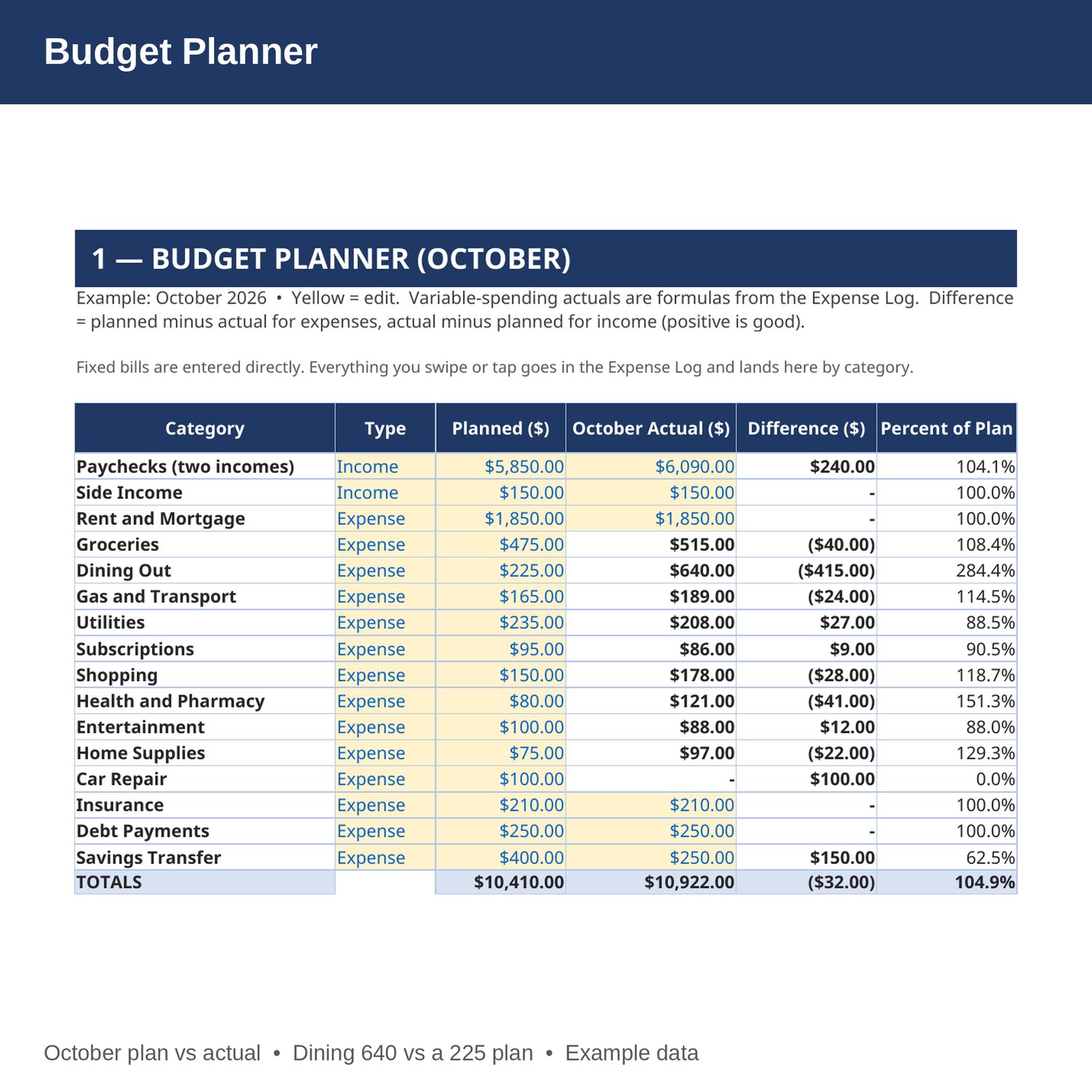
- Budget Planner — 16 income and expense categories with a planned amount for the month and October actuals. Variable-spending actuals are pulled from the Expense Log by formula; fixed bills are entered directly. Difference and percent of plan fill in by formula.
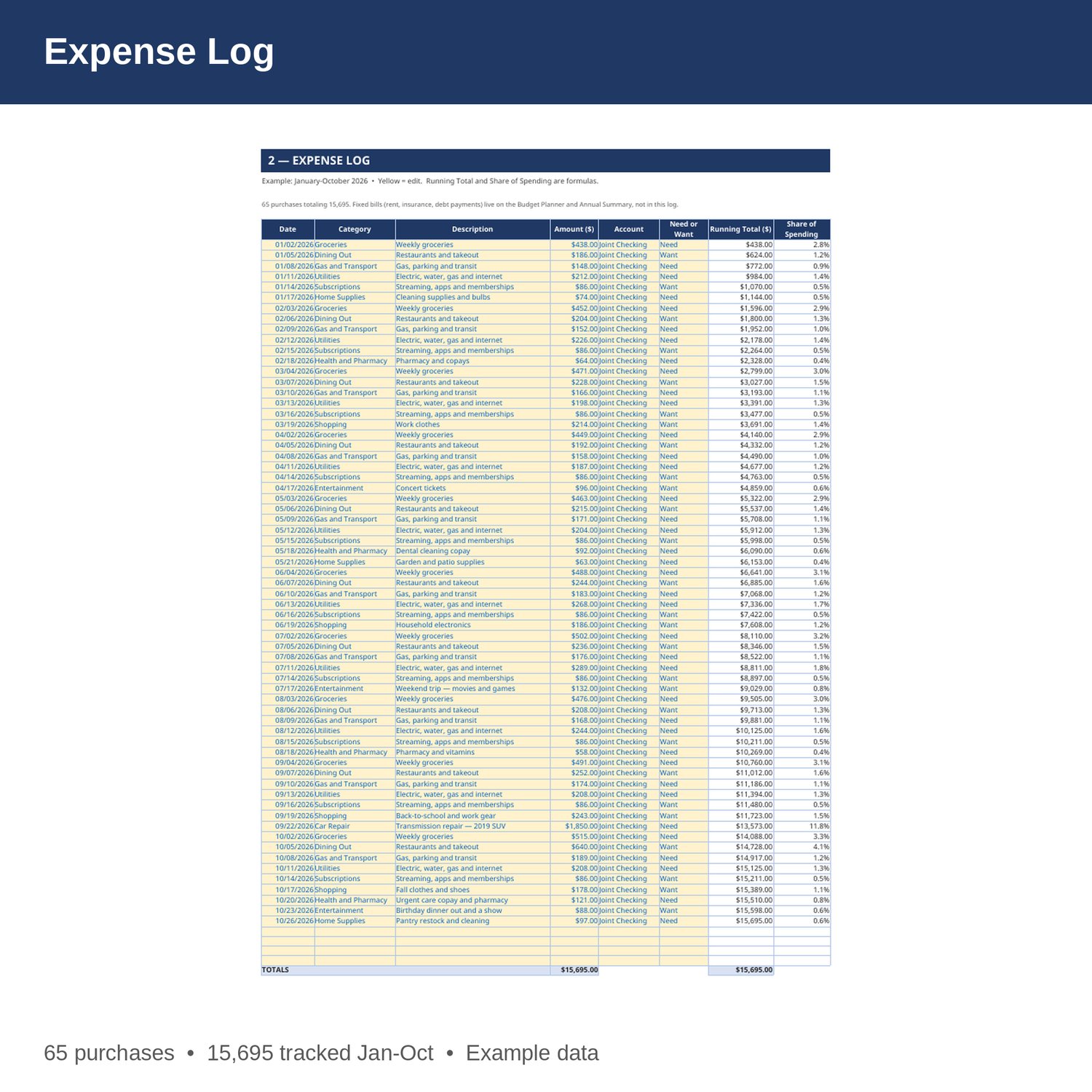
- Expense Log — every variable purchase: date, category, description, amount, account, and need or want, with a running total and each purchase's share of total spending by formula.
- Savings Goals and Sinking Funds — target, saved so far, remaining, percent saved, monthly set-aside, and months to goal for each goal, all by formula except the yellow inputs.
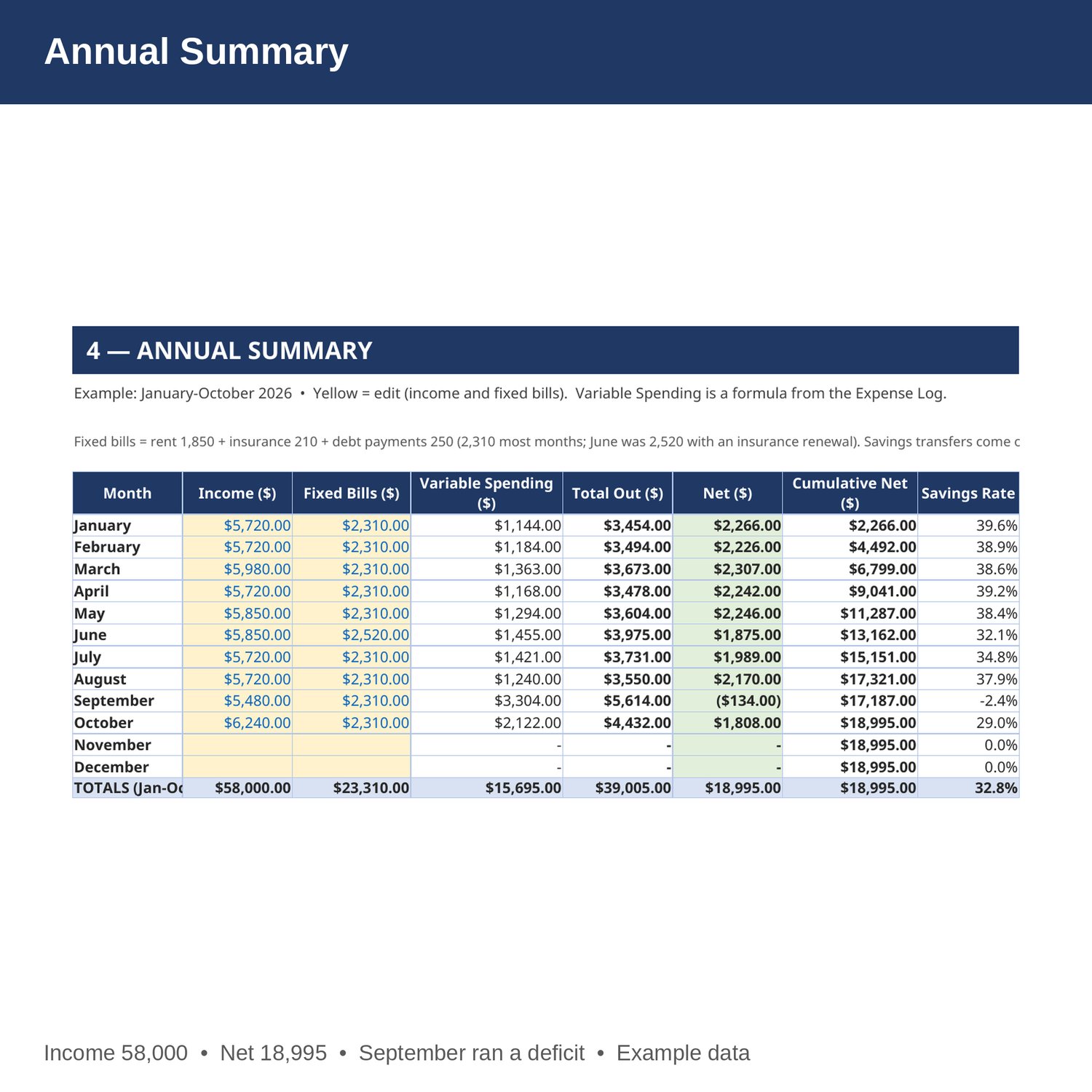
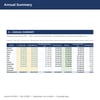
- Annual Summary — month by month: income, fixed bills, variable spending pulled from the log by formula, total out, net, cumulative net, and savings rate.
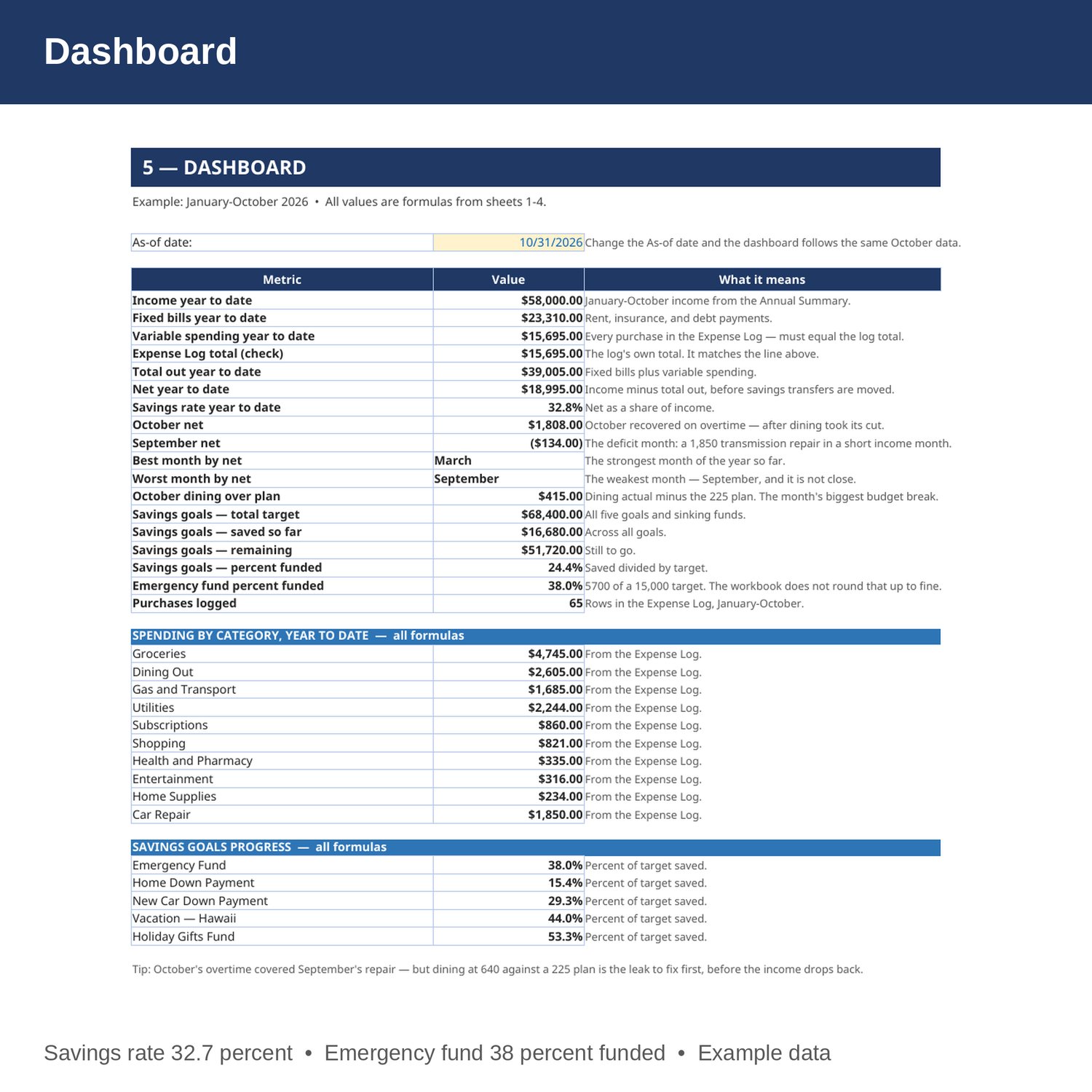
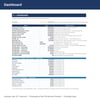
- Dashboard — year-to-date income, fixed bills, variable spending, total out, net and savings rate, best and worst months, October's biggest budget break, savings-goal progress, spending by category, and a cross-check that the log total matches the summary.
- Cover and How to Use — start here. Yellow cells are the only ones you edit.
EXAMPLE DATA (January-October 2026, a two-income household in Phoenix — replace with your own numbers):
- Income year to date 58,000; fixed bills 23,310; variable spending 15,695 across 65 logged purchases; total out 39,005; net 18,995; savings rate 32.7 percent.
- September ran a deficit of 134 after a 1,850 transmission repair landed in a short income month. It is in the example on purpose.
- October dining hit 640 against a 225 plan, and the savings transfer was cut from 400 to 250 to cover it.
- Five savings goals: total target 68,400, saved 16,680, remaining 51,720. The emergency fund is 38 percent funded — the workbook does not round that up to fine.
HOW IT WORKS:
1. Download the Excel file instantly after purchase.
2. On sheet 1, set planned amounts per category and enter fixed bills directly.
3. On sheet 2, log every variable purchase. Running total and share of spending update by formula, and October actuals land on the Budget Planner by category.
4. On sheet 3, set each goal's target and monthly set-aside. Remaining, percent saved, and months to goal update by formula.
5. Sheets 4 and 5 summarize the year by formula. Check them monthly, not in December.
HOW THE NUMBERS WORK:
October actuals for variable categories are the sum of Expense Log rows in that category dated in October. Annual variable spending per month is the same sum by month. Net is income minus fixed bills minus variable spending. Savings rate is net divided by income. Months to goal is remaining divided by the monthly set-aside, rounded up. Fixed bills in the example are rent 1,850 plus insurance 210 plus debt payments 250 — 2,310 most months, 2,520 in June with an insurance renewal.
WHO IT'S FOR:
Households and couples who want one honest system for the plan, the spending, and the goals — without accounting software and without a subscription budgeting app.
PLEASE NOTE:
- This is a digital download. No physical item will be shipped.
- Works in Microsoft Excel and Google Sheets (upload to Google Drive to open in Sheets).
- Example data for January-October 2026 is included (65 logged purchases, 5 savings goals). Replace it with your own numbers.
- November and December rows on the Annual Summary are ready and waiting — the example simply has not lived them yet.
- This is a planning and budgeting tool only, not tax, legal, or financial advice.
- Due to the nature of digital downloads, refunds are not available. Message me before buying if you have a question.
Built by an accountant: B.S. Accountancy, ASU W. P. Carey, with revenue-reconciliation experience at Marriott and audit work at PwC.