
Product Comparison Table
Compare the details without pinching, zooming, or rebuilding the table by hand.
WHAT IT DOES
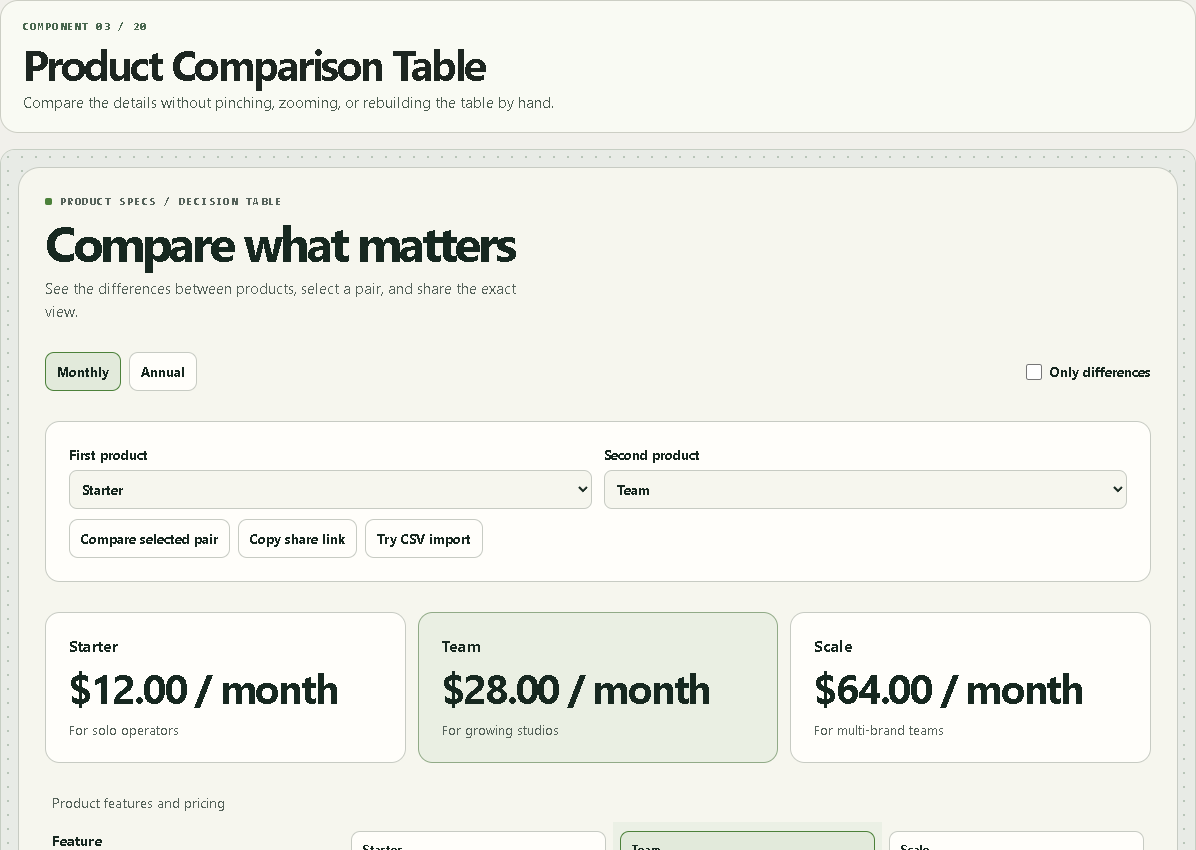
- Semantic comparison table with grouped rows, included/excluded text, details, highlighted columns, pricing cards and monthly/annual rates.
- Responsive two-product view on narrow containers. A link carries the selected pair and billing/differences settings.
- CSV validation, column mapping by product name, up to six products and 200 CSV rows, and a manual list for quick edits.
WHAT YOU CAN CUSTOMIZE
- Set products, price text or numeric billing, links, note and badge, and which features show.
- Configure labels, caption, comparison defaults, row stripes, typography and the full palette.
- Use group rows and price cards or hide pricing and compare equipment, services or features.
HOW TO SET IT UP
1. Enter the products in order. For CSV, use Feature as the first header, followed by exact product names.
2. Use yes/no or plain values. Add # before a row label to create a group. Use the review preview to check formatting.
3. Test the table at both a narrow and wide component width. Set a unique share key on pages with multiple tables.
REQUIREMENTS AND LIMITS
- CSV is pasted by the designer, with no live CMS connection. Row details use manual controls.
- Annual values are merchant-entered totals. Keep product order stable if you share pair links. Matching rows disappear immediately without a required animation.
WHAT'S INCLUDED
- Paste-to-install Framer Component URL
- Standalone Framer code component (.tsx)
- Quick-start instructions and the two example preset configurations
Need help? Reply through your order receipt with the product name and describe what happened.