
Online Store Profit Calculator - Fees, Shipping, Ads, Returns
Online store profit calculator: find out what you really keep from each order after platform fees, payment fees, shipping, packaging, ads and returns.
Left blank because we found no published figure: Zid payment fee, noon payment fee, Zid Professional plan price, noon "Other" and "Electronics-other", Amazon.sa plan and closing fees (a blank counts as 0 with a warning; enter your own value). Salla and Zid presets are subscription plans, and Salla gateway rates are at low confidence.
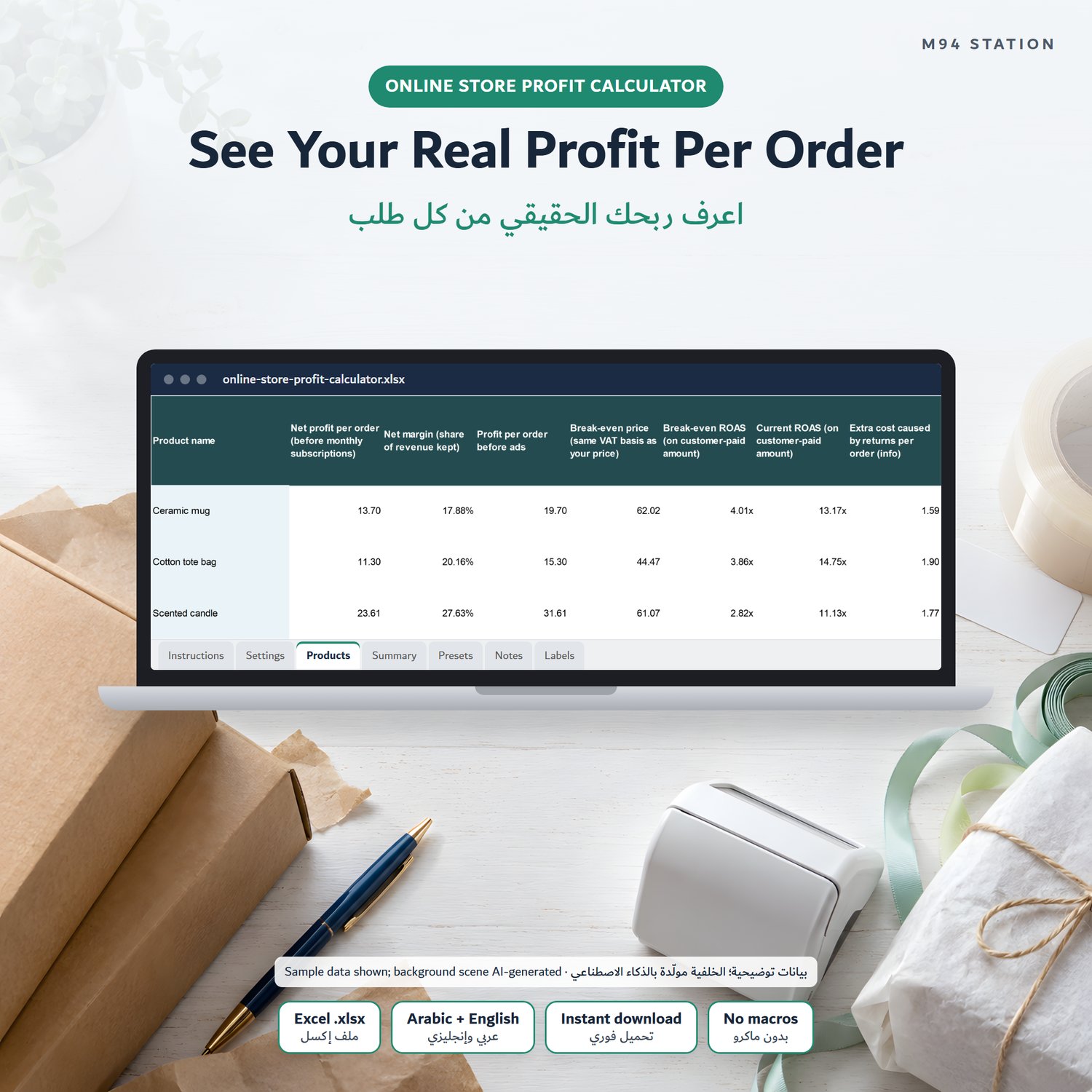
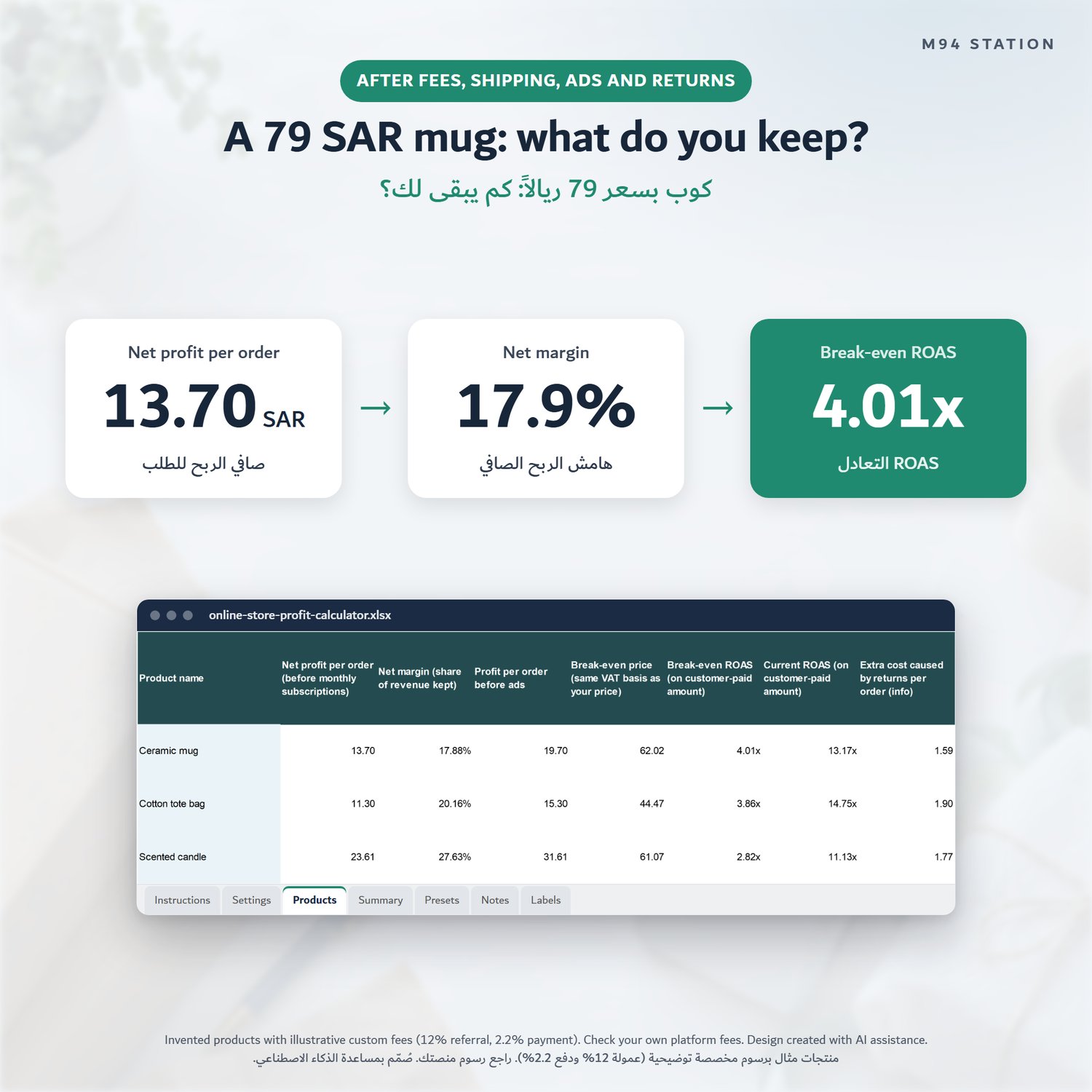
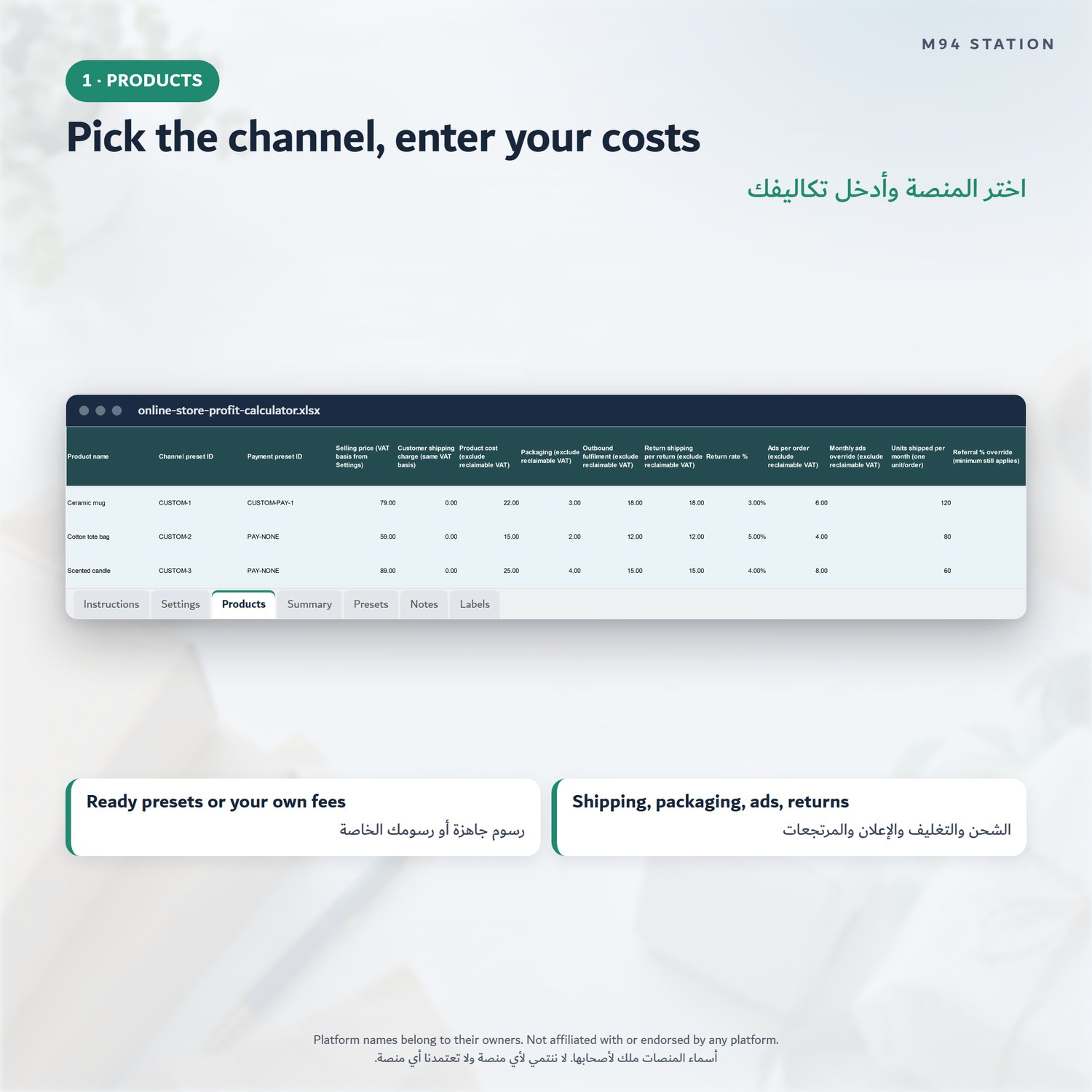
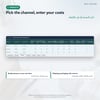
For each product (up to 30 rows) you choose a sales channel and a payment method from the dropdowns, then enter the selling price, shipping charged to the customer, product cost, packaging, outbound and return shipping, ad cost, return rate and monthly units. The sheet shows net profit per order, net margin (a share of the revenue you actually keep, not a markup on cost), the break-even price, break-even ROAS versus your current ROAS, and the extra cost caused by returns. A Summary tab totals the month, subtracts your subscriptions and other fixed costs, and shows store net profit and margin.
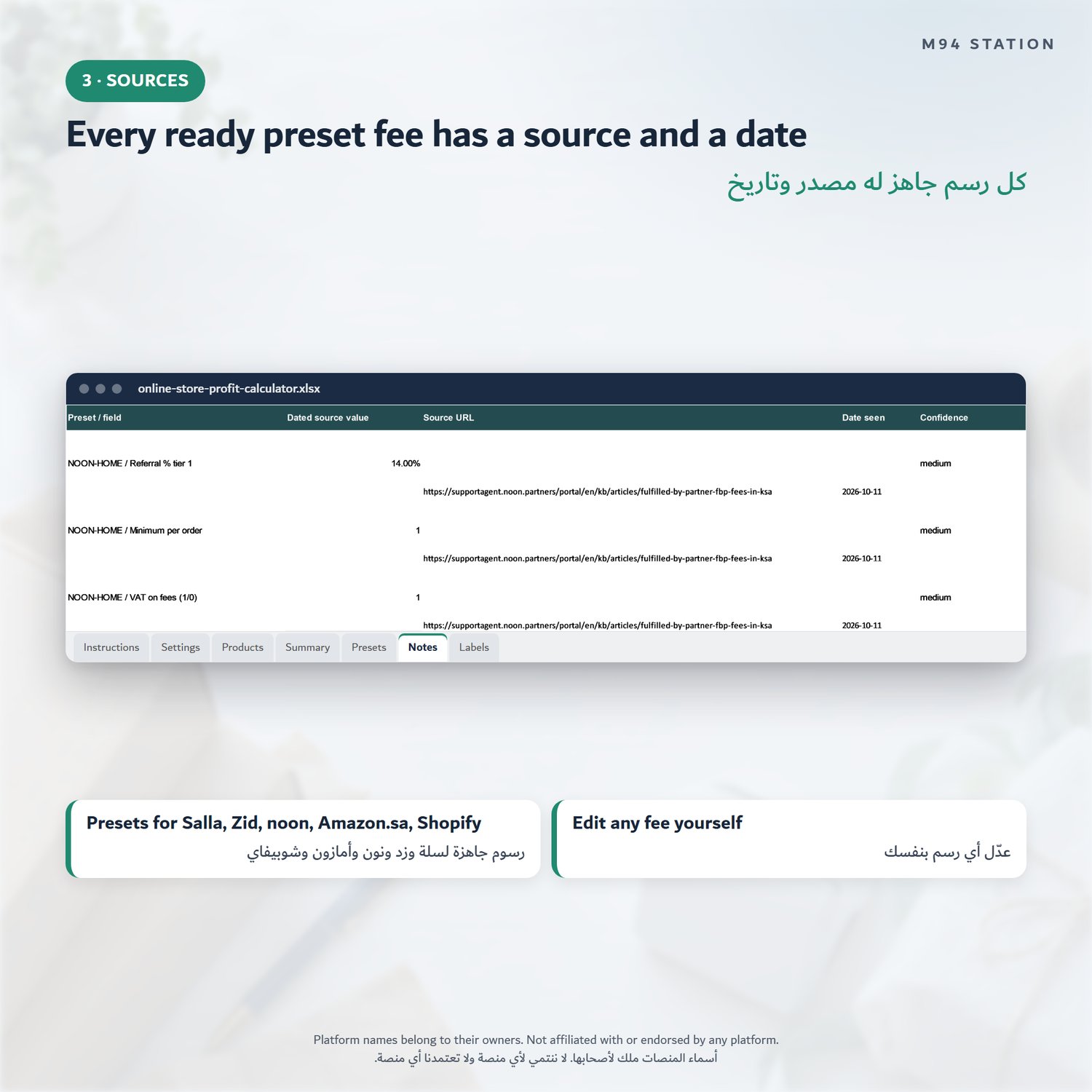
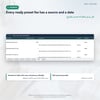
Fee presets for Salla, Zid, Shopify, Amazon.sa, noon, Payhip and PayPal are included (80 channel presets and 8 payment presets, including "none" and custom slots). They are editable starting points, not live data: every fee value taken from a source has its source link, the date it was read (2026-10-11) and a confidence level in the Notes tab; unknown values and model-design zeros are labelled as such. The platform names are used only to label those presets, not as an affiliation. Platforms change fees, so check current fees before you rely on a result. Where a fee was not found in the sources it is either left blank (counted as 0 and flagged with a warning) or, for Salla, Zid paid plans, Shopify, Payhip and PayPal, filled with a stated assumption that the Notes tab marks as such; type your own value when yours differs.
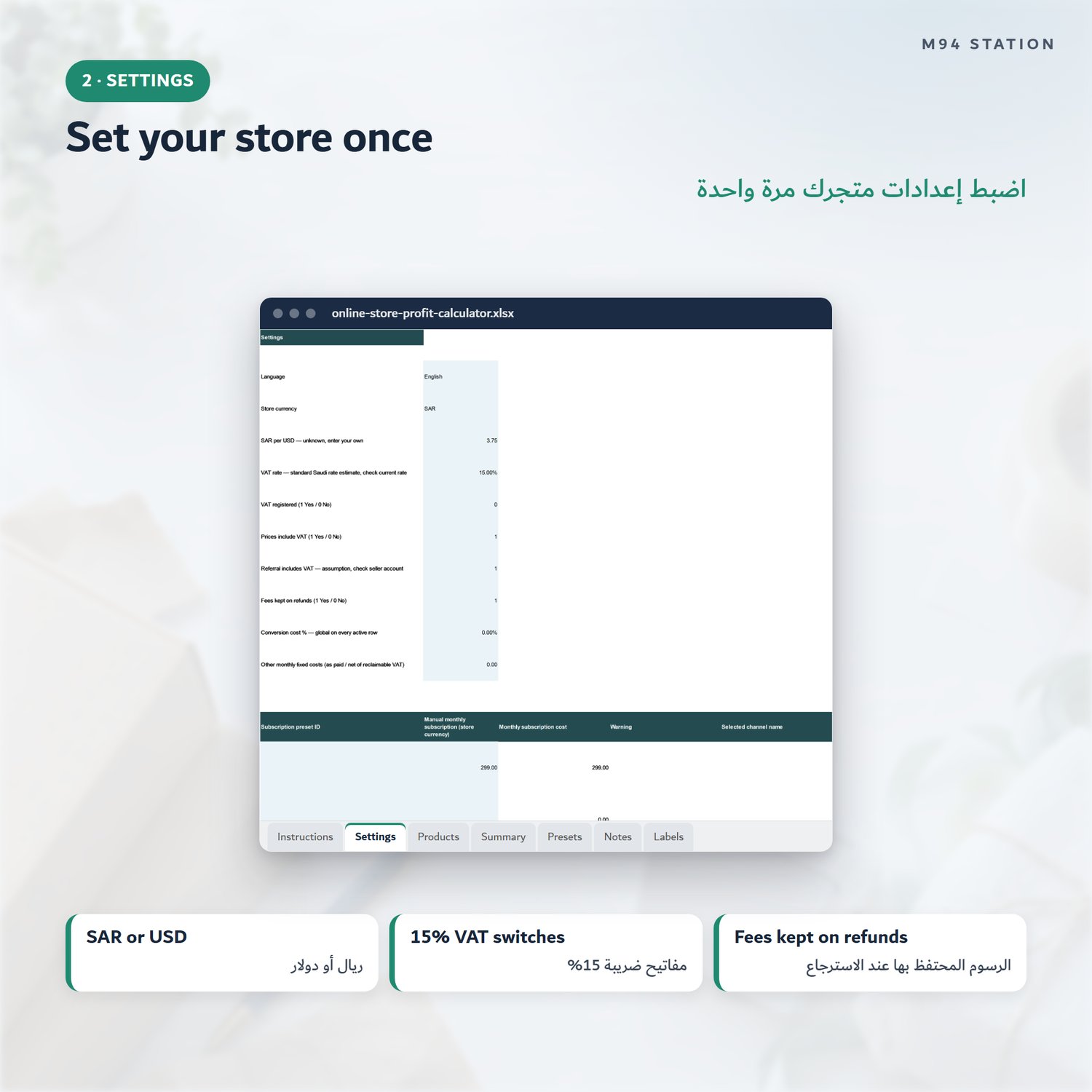
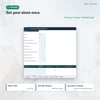
Other settings: store currency SAR or USD, your own exchange rate, VAT rate and whether you are VAT-registered, whether platforms keep fees on returned orders, and a currency-conversion cost.
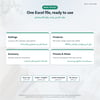
Inside (7 tabs): Instructions first, Settings, Products, Summary, Presets, Notes, Labels. Product rows ship empty so you can enter your own products.
The workbook is Excel format (.xlsx) only, with no macros. One dropdown switches labels and messages between English and Arabic. Input cells are open; formulas are locked (no password). For right-to-left layout, switch the sheet direction in your spreadsheet app.
Costing aid only. Not a tax invoice, e-invoice or ZATCA document, and not tax or legal advice. Design and formulas built with AI assistance and checked against test cases with an independent evaluator. Not affiliated with or endorsed by any platform.
What you get
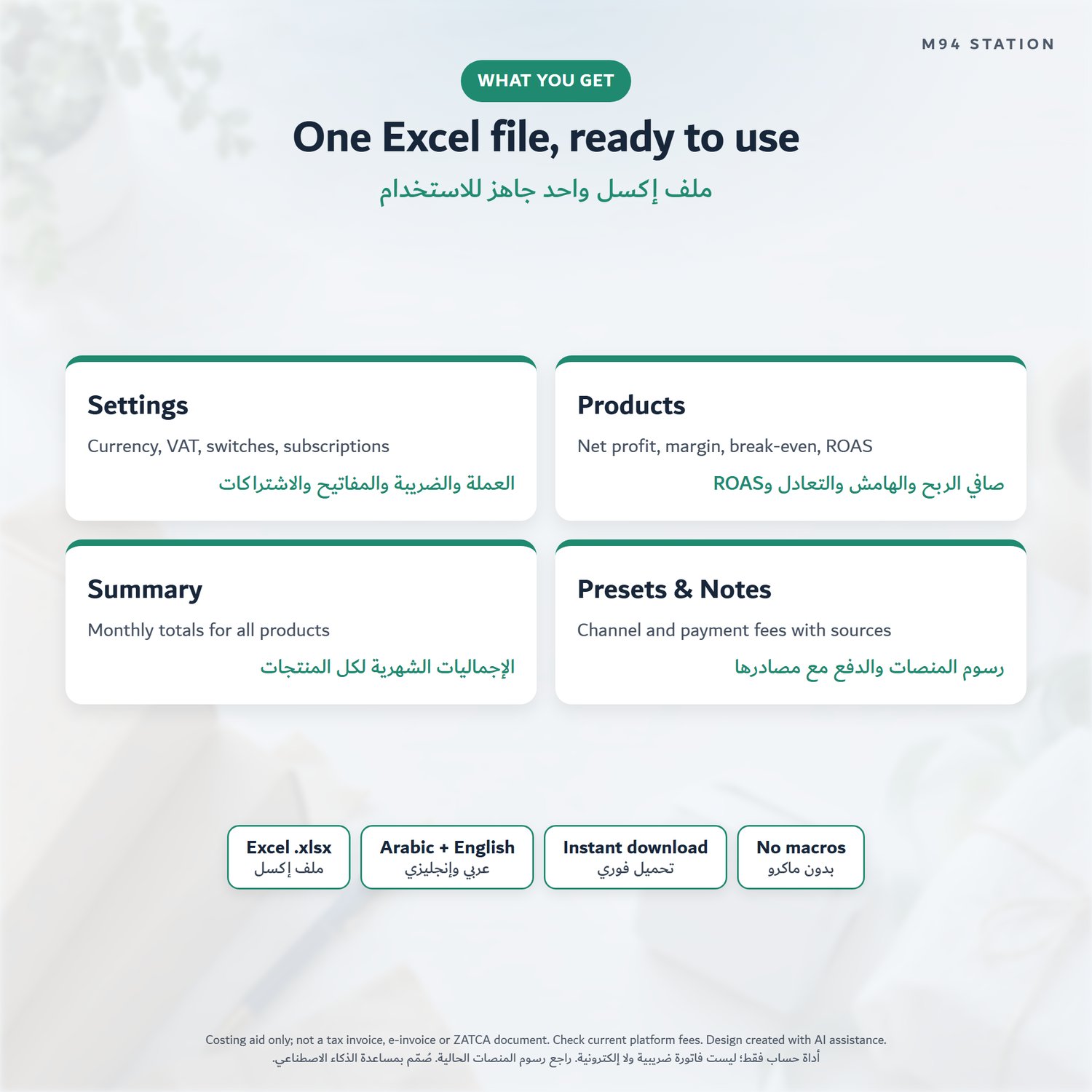
- Excel workbook (.xlsx), no macros, no external data links
- 7 tabs: Instructions (first), Settings, Products, Summary, Presets, Notes, Labels
- Products: up to 30 rows (empty at start); channel and payment dropdowns
- Inputs per product: price, shipping charged, product cost, packaging, outbound shipping, return shipping, return rate %, ad cost per order or monthly ad spend, units per month, optional referral % override
- Outputs per product: customer pays per order, revenue kept, fees after returns, product cost after returns, shipping + packaging, ad cost, currency-conversion cost, net profit per order, net margin, profit before ads, break-even price, break-even ROAS, current ROAS, extra cost caused by returns, net profit per month
- Summary: monthly totals, up to 3 subscription lines, other fixed costs, store net profit and margin, blended ROAS, warning count, rows excluded
- Presets: 80 channel presets and 8 payment presets, editable, with custom slots
- Notes: source URL, date seen (2026-10-11) and confidence for preset values; reference-only fee tables
- Settings: SAR / USD, your exchange rate, VAT rate, VAT-registered switch, fees kept on returns switch, conversion cost, other fixed costs
- Warnings for blank or invalid rows (negative or text input is flagged, counted and kept out of the Summary)
- English / Arabic dropdown for labels and messages
- Input cells open, formula cells locked (no password)
Costing aid only. Not a tax invoice, e-invoice or ZATCA document; not tax or legal advice. Example numbers are illustrative. Fee presets are editable and may be out of date; check current platform fees. Not affiliated with any platform.
حاسبة صافي ربح المتجر الإلكتروني - رسوم المنصة والشحن والإعلانات والمرتجعات (عربي وإنجليزي)
حاسبة ربح المتجر الإلكتروني: اعرف كم يبقى لك فعلاً من كل طلب بعد رسوم المنصة ورسوم الدفع والشحن والتغليف والإعلانات والمرتجعات.
متروكة فاضية لأننا ما لقينا لها رقماً منشوراً: رسوم الدفع في Zid، ورسوم الدفع في noon، وسعر باقة Zid Professional، وخانتا noon "Other" و"Electronics-other"، وباقة Amazon.sa ورسوم الإغلاق (الخانة الفاضية تُحسب 0 مع تنبيه، واكتب قيمتك أنت). وإعدادات Salla وZid هي باقات اشتراك، ورسوم بوابة الدفع في Salla بدرجة ثقة منخفضة.
لكل منتج (حتى 30 سطراً) تختار قناة البيع وطريقة الدفع من القوائم، وتدخل سعر البيع والشحن اللي يدفعه العميل وتكلفة المنتج والتغليف والشحن الخارجي وشحن المرتجع وتكلفة الإعلان ونسبة المرتجعات والوحدات الشهرية. يعرض الجدول صافي الربح لكل طلب، وهامش الربح الصافي (نسبة من الإيراد اللي بقي لك، وليس زيادة على التكلفة)، وسعر التعادل، وROAS التعادل مقابل ROAS الحالي، والتكلفة الإضافية بسبب المرتجعات. وورقة Summary تجمع الشهر وتخصم الاشتراكات والتكاليف الثابتة وتعرض صافي ربح المتجر وهامشه.
فيه إعدادات رسوم جاهزة لـ Salla وZid وShopify وAmazon.sa وnoon وPayhip وPayPal (80 إعداداً للقنوات و8 إعدادات للدفع، منها "بدون" وخانات مخصصة). هذي نقطة بداية قابلة للتعديل وليست بيانات حيّة: كل رسم مأخوذ من مصدر له رابط مصدره وتاريخ الاطلاع (2026-10-11) ودرجة الثقة في ورقة Notes، والقيم المجهولة أو المضبوطة بتصميم النموذج موسومة بذلك. وأسماء المنصات تُستخدم فقط لتسمية الإعدادات وليس فيها أي ارتباط بها. المنصات تغيّر رسومها، فراجع الرسوم الحالية قبل ما تعتمد على النتيجة. الرسم اللي ما لقيناه في المصادر إما يُترك فاضياً (ويُحسب 0 ويظهر عليه تنبيه)، أو يُعبّأ بافتراض معلن في Salla وباقات Zid المدفوعة وShopify وPayhip وPayPal وتوضّحه ورقة Notes، واكتب قيمتك أنت إذا كانت مختلفة.
إعدادات أخرى: عملة المتجر ريال أو دولار، وسعر الصرف من عندك، ونسبة الضريبة وهل أنت مسجّل في الضريبة، وهل تحتفظ المنصة بالرسوم عند إرجاع الطلب، وتكلفة تحويل العملة.
داخل الملف (7 أوراق): Instructions أولاً، ثم Settings وProducts وSummary وPresets وNotes وLabels. أسطر المنتجات تأتي فاضية لتدخل منتجاتك أنت.
ملف Excel (xlsx) فقط، بدون ماكرو. قائمة واحدة تبدّل النصوص والرسائل بين العربية والإنجليزية. خانات الإدخال مفتوحة والمعادلات مقفلة (بدون كلمة مرور). للعرض من اليمين لليسار غيّر اتجاه الورقة من تطبيق الجداول.
أداة مساعدة لحساب التكلفة فقط. ليست فاتورة ضريبية ولا فاتورة إلكترونية ولا مستنداً من هيئة الزكاة والضريبة والجمارك، وليست نصيحة ضريبية أو قانونية. صُمّم القالب وصيغه بمساعدة الذكاء الاصطناعي وفُحص بحالات اختبار عبر مقيِّم مستقل. غير مرتبط بأي منصة ولا معتمد من أي منصة.
أداة مساعدة لحساب التكلفة فقط. ليست فاتورة ضريبية ولا فاتورة إلكترونية ولا مستنداً من هيئة الزكاة والضريبة والجمارك، وليست نصيحة ضريبية أو قانونية. الأرقام في الأمثلة توضيحية. إعدادات الرسوم قابلة للتعديل وقد تكون قديمة؛ راجع رسوم المنصات الحالية. لا ارتباط بأي منصة.
FAQ / الأسئلة الشائعة
EN
- Are the platform fees current? Not guaranteed. The presets are editable starting points taken from public pages on 2026-10-11, with the source link, date and confidence in the Notes tab. Platforms change fees, so check the current fees in your seller account and edit the Presets tab. Where a platform publishes no fee we could find, the preset uses a stated assumption (commission and fixed fee 0, VAT on fees 1 for unregistered sellers); these are labelled as assumptions in the Notes tab. Type the real value from your plan or invoice.
- Is this a tax invoice or does it handle ZATCA? No. It is a costing aid only: not a tax invoice, e-invoice or ZATCA document, and not tax or legal advice. You can enter your VAT rate and say whether you are VAT-registered so the profit view treats VAT on costs and fees accordingly; check the rules that apply to you.
- What does "one order" mean, and how is margin calculated? One row is one product and one order is one unit of it. Net margin is net profit divided by the revenue you actually keep (excluding VAT, after returns). It is a share of revenue, not a markup on cost.
- Can I add a platform that is not in the list? Yes. Use the custom channel and payment slots in the Presets tab, or type your own referral % override on a product row. Input cells are open and formula cells are locked (no password, steps in the Instructions tab).
AR
- هل رسوم المنصات محدّثة؟ مو مضمون. الإعدادات نقطة بداية قابلة للتعديل مأخوذة من صفحات عامة بتاريخ 2026-10-11، ورابط المصدر والتاريخ ودرجة الثقة في ورقة Notes. المنصات تغيّر رسومها، فراجع الرسوم الحالية في حساب البائع وعدّل ورقة Presets. الرسوم اللي ما لقيناها إما تُترك فاضية (تُحسب 0 ويظهر عليها تنبيه)، أو تُعبّأ بافتراض معلن في Salla وباقات Zid المدفوعة وShopify وPayhip وPayPal (العمولة والرسم الثابت 0، وضريبة الرسوم 1 لغير المسجّلين)، وورقة Notes توضّح أنها افتراض. اكتب القيمة الحقيقية من باقتك أو فاتورتك.
- هل هذه فاتورة ضريبية أو تتعامل مع هيئة الزكاة والضريبة والجمارك؟ لا. هي أداة مساعدة لحساب التكلفة فقط: ليست فاتورة ضريبية ولا فاتورة إلكترونية ولا مستنداً من الهيئة، وليست نصيحة ضريبية أو قانونية. تقدر تدخل نسبة الضريبة وتحدد هل أنت مسجّل حتى تُحسب الضريبة على التكاليف والرسوم بحسب إعدادك، وراجع الأنظمة المطبقة عليك.
- وش المقصود بـ "طلب واحد" وكيف يُحسب الهامش؟ السطر الواحد منتج واحد، والطلب وحدة واحدة منه. هامش الربح الصافي = صافي الربح ÷ الإيراد اللي بقي لك فعلاً (بدون الضريبة وبعد المرتجعات). هو نسبة من الإيراد وليس زيادة على التكلفة.
- أقدر أضيف منصة مو موجودة بالقائمة؟ نعم. استخدم خانات القناة والدفع المخصصة في ورقة Presets، أو اكتب نسبة العمولة بنفسك في سطر المنتج. خانات الإدخال مفتوحة والمعادلات مقفلة (بدون كلمة مرور، والخطوات في Instructions).