
PC File Management Database – MS Access Template
PC File Management Database – MS Access Template
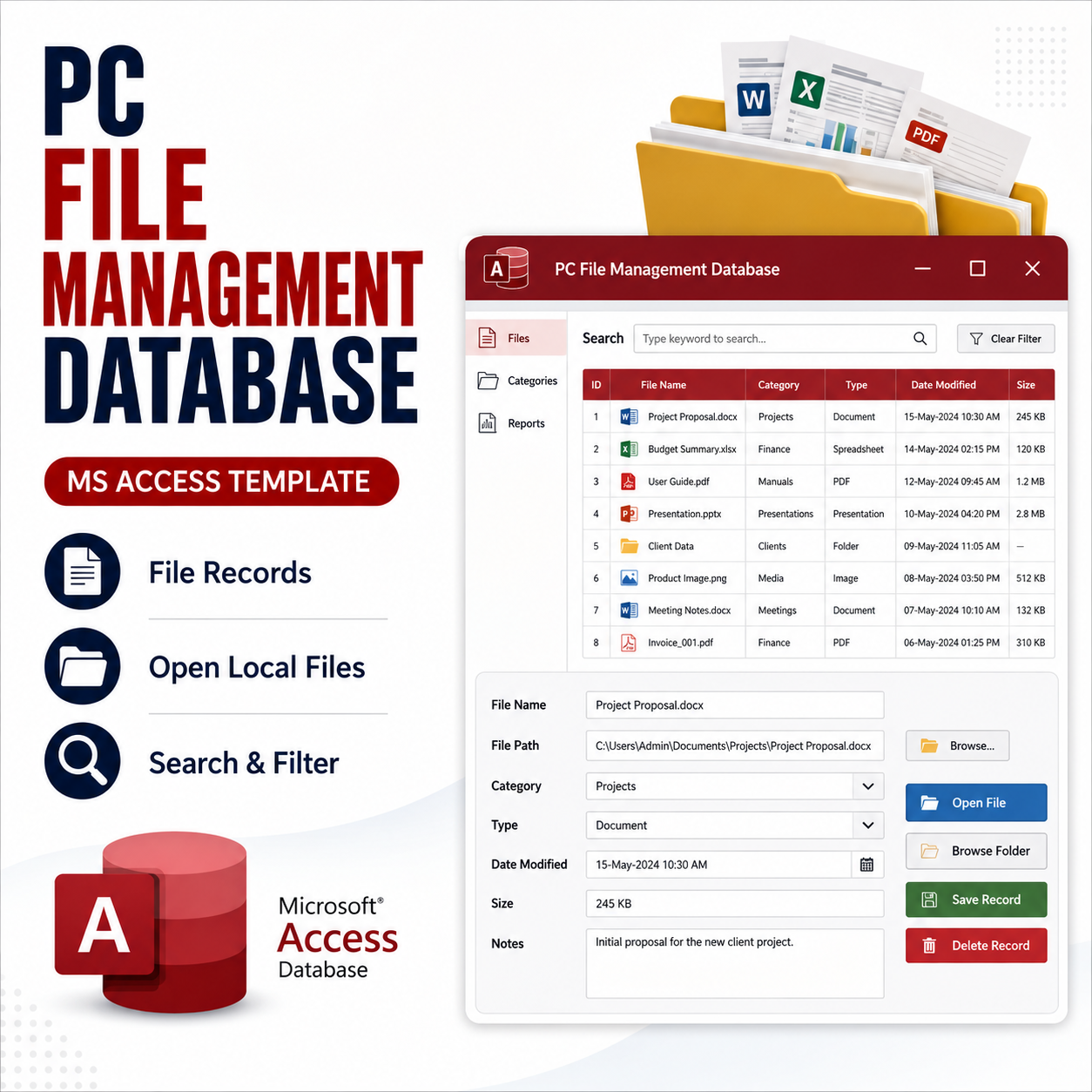
This is a practical Microsoft Access database template designed to help users record, organize, manage, and open local PC files directly from an Access database.
Instead of storing large files inside the database, this template helps you save file details and file paths, making it easier to manage documents, images, PDFs, spreadsheets, and other local files from one organized place.
This approach helps keep the Access database size smaller while still giving users a convenient way to manage and open file records efficiently.
What is included:
✅ MS Access database file
✅ File records form
✅ File path management
✅ Open file button
✅ Search and filter features
✅ File information records
✅ Sample data for testing
✅ Clean and organized database design
This template is useful for:
📁 Document tracking
💼 Office file management
🏫 School and administrative records
🖥️ Personal PC file organization
🎓 Students learning Microsoft Access
🧩 Beginners learning file path handling in Access
Requirements:
Microsoft Access 2016 or later is recommended.
Please note:
This template is designed to manage file records and file paths. It does not need to store all files directly inside the Access database. Users should keep their actual files in a folder location and use the database to organize and open them.
For support, custom MS Access database projects, or template customization, contact:
Email: arkosmile@outlook.com
WhatsApp: +233246635752