

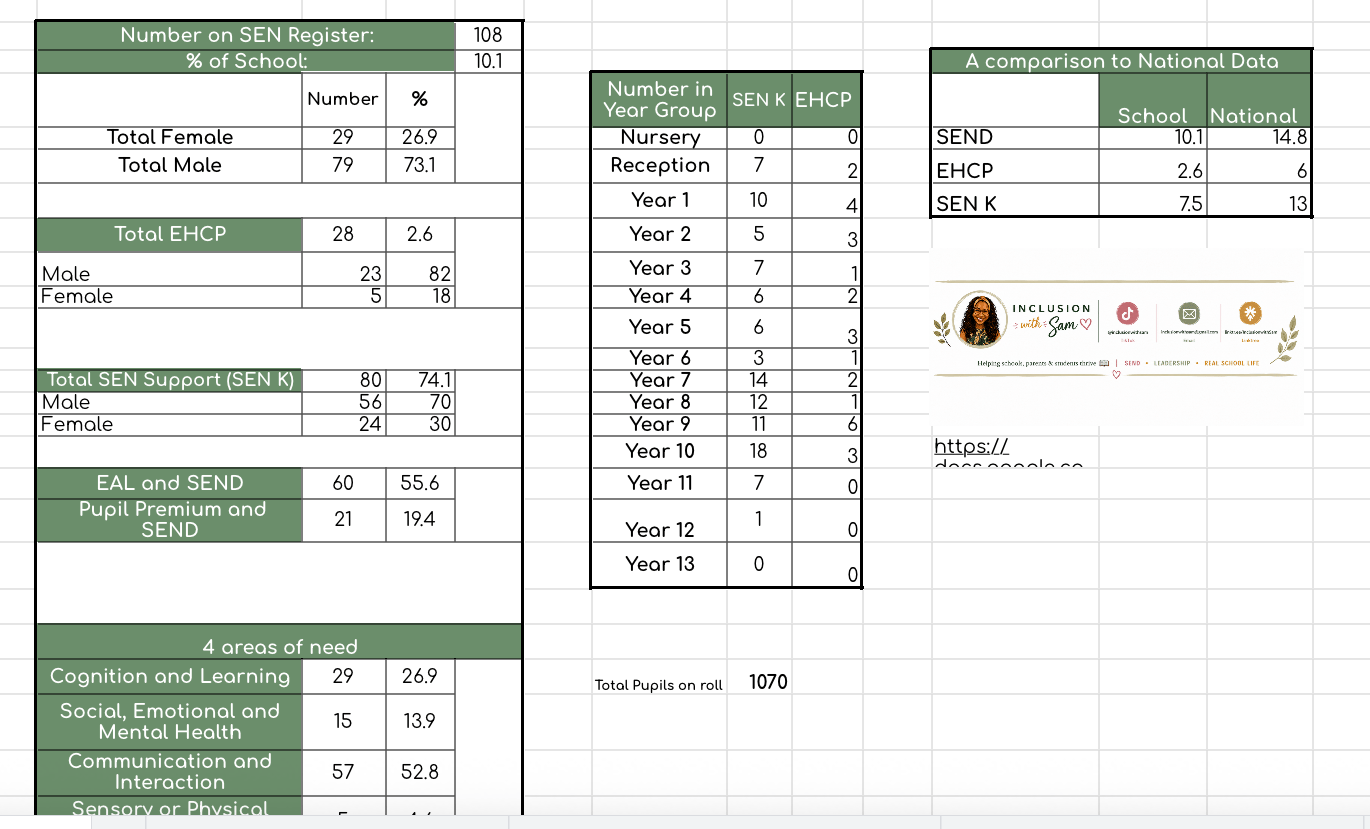
SEND dashboard template
SEND Dashboard – A Simple Way to Keep on Top of Your SEND Data
Keeping track of your SEND data shouldn’t mean spending ages counting pupils, checking spreadsheets and recalculating figures every time someone asks you a question.
The Inclusion with Sam SEND Dashboard is a practical, easy-to-use spreadsheet designed to help SENCOs keep their key SEND information organised and accessible in one place.
Simply add and maintain your pupil information, and the dashboard gives you a clear overview of your SEND cohort — helping you know your numbers and quickly access the information you need for meetings, reports, strategic planning and day-to-day SENCO work.
The dashboard helps you track:
- Total number of pupils on the SEND register
- SEN Support and EHCP numbers
- SEND data by year group
- Gender breakdowns
- Primary areas of need
- Other useful SEND information and trends across your cohort
Perfect for:
- New SENCOs setting up their systems
- Experienced SENCOs wanting to streamline their data
- Preparing for SLT, governor or trust meetings
- Reviewing your SEND cohort each half term
- Identifying patterns and trends within your SEND register
- Keeping key SEND figures readily available when you need them
What you’ll receive
You’ll receive the SEND Dashboard spreadsheet template, together with guidance to help you set it up and start using it in your setting.
The dashboard has been designed by a practising SENCO with one goal in mind: to make SEND administration simpler, clearer and more manageable.
Important information
This resource is supplied as a template and should be adapted to suit the needs and processes of your individual setting.
Please ensure that any pupil information entered into your working copy is stored and managed in accordance with your school’s data protection and GDPR procedures.
Licence: For personal use within your own school/setting. Please do not share, redistribute, upload or resell this resource.
© Inclusion with Sam. All rights reserved.