


Malware Analysis – Quick & Clear Guide
On Sale
$5.00
$5.00
🦠 What is Malware?
Malware is malicious software designed to:
- Steal data
- Damage systems
- Spy on users
- Gain unauthorized access
🔥 Common Types of Malware
- Virus – Attaches to files
- Worm – Self-spreading
- Trojan – Looks legitimate
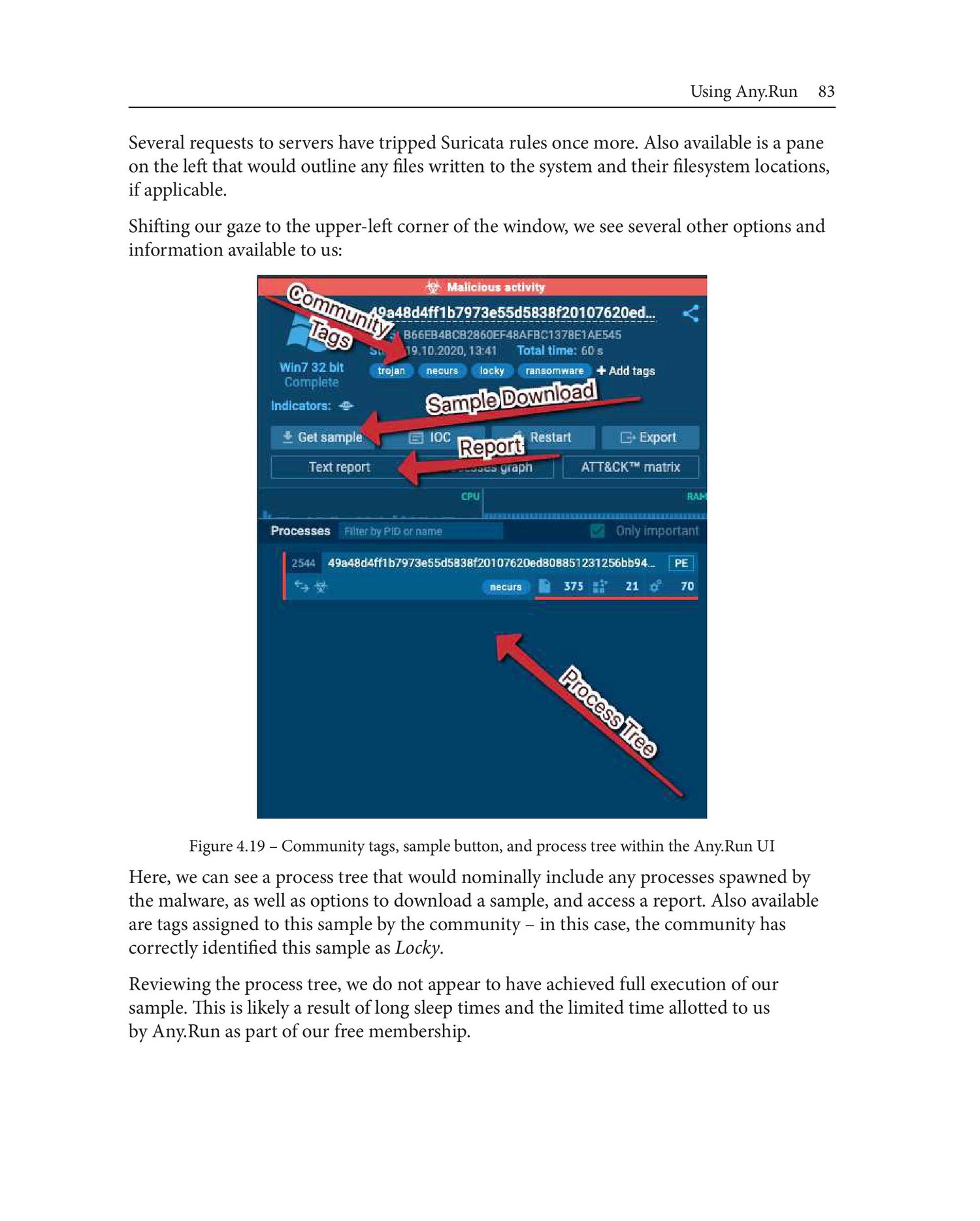
- Ransomware – Encrypts data
- Spyware – Steals information
- Rootkit – Hides malware
- Botnet – Remote-controlled systems
🔍 What is Malware Analysis?
Malware analysis is the process of examining malicious files to understand:
- How it works
- What damage it causes
- How to detect & remove it
🧪 Types of Malware Analysis
1️⃣ Static Analysis (No Execution)
✔ Analyze without running malware
✔ Safe method
Tools:
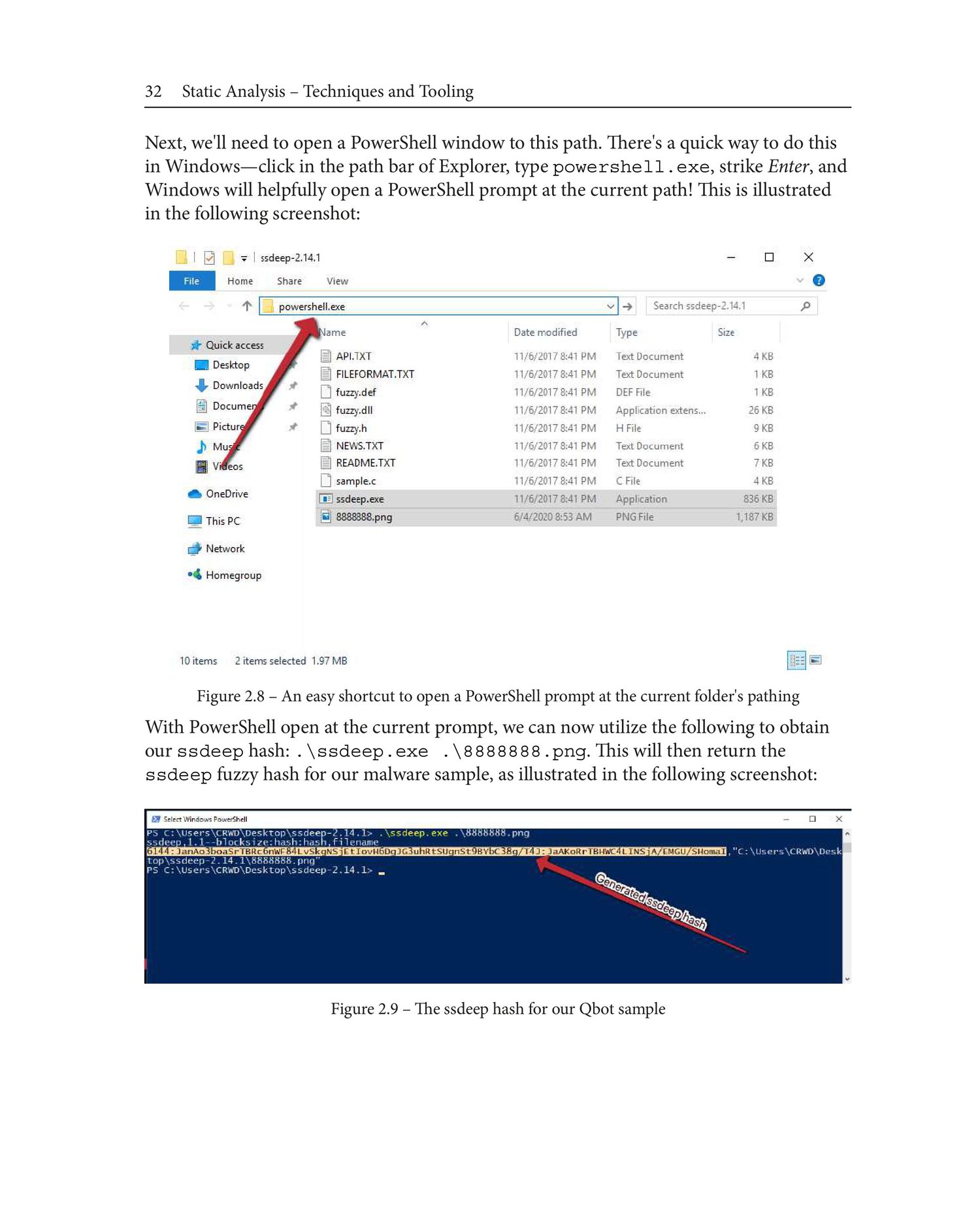
- strings
- hashing (MD5, SHA256)
- VirusTotal
- PEStudio
Example:
strings malware.exe
2️⃣ Dynamic Analysis (Run Malware)
✔ Observe real behavior
❌ Risky (use sandbox)
Checks:
- File changes
- Registry edits
- Network traffic
Tools:
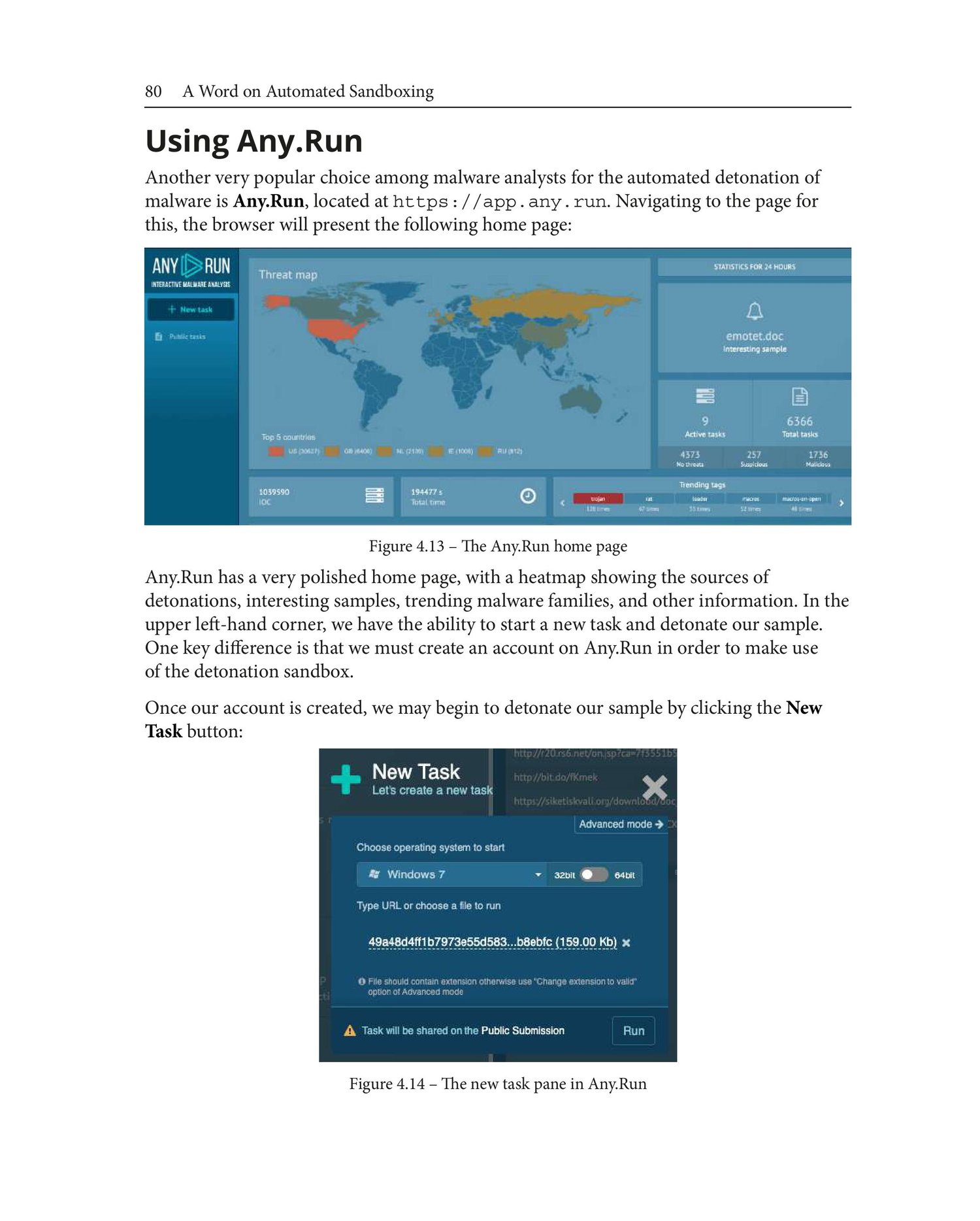
- Cuckoo Sandbox
- Process Monitor
- Wireshark
- Regshot
3️⃣ Behavioral Analysis
- What files are created?
- What IP/domain is contacted?
- What persistence method is used?
4️⃣ Memory Analysis
- Analyze RAM for hidden malware
Tools:
- Volatility
- Rekall
🧰 Malware Analysis Tools (Interview Important)
PurposeToolHashingsha256sumStringsstringsStaticPEStudioSandboxCuckooNetworkWiresharkMemoryVolatility
🧠 Malware Indicators (IOC)
- Suspicious IPs
- Strange domains
- Unusual file names
- Registry changes
- Unknown services
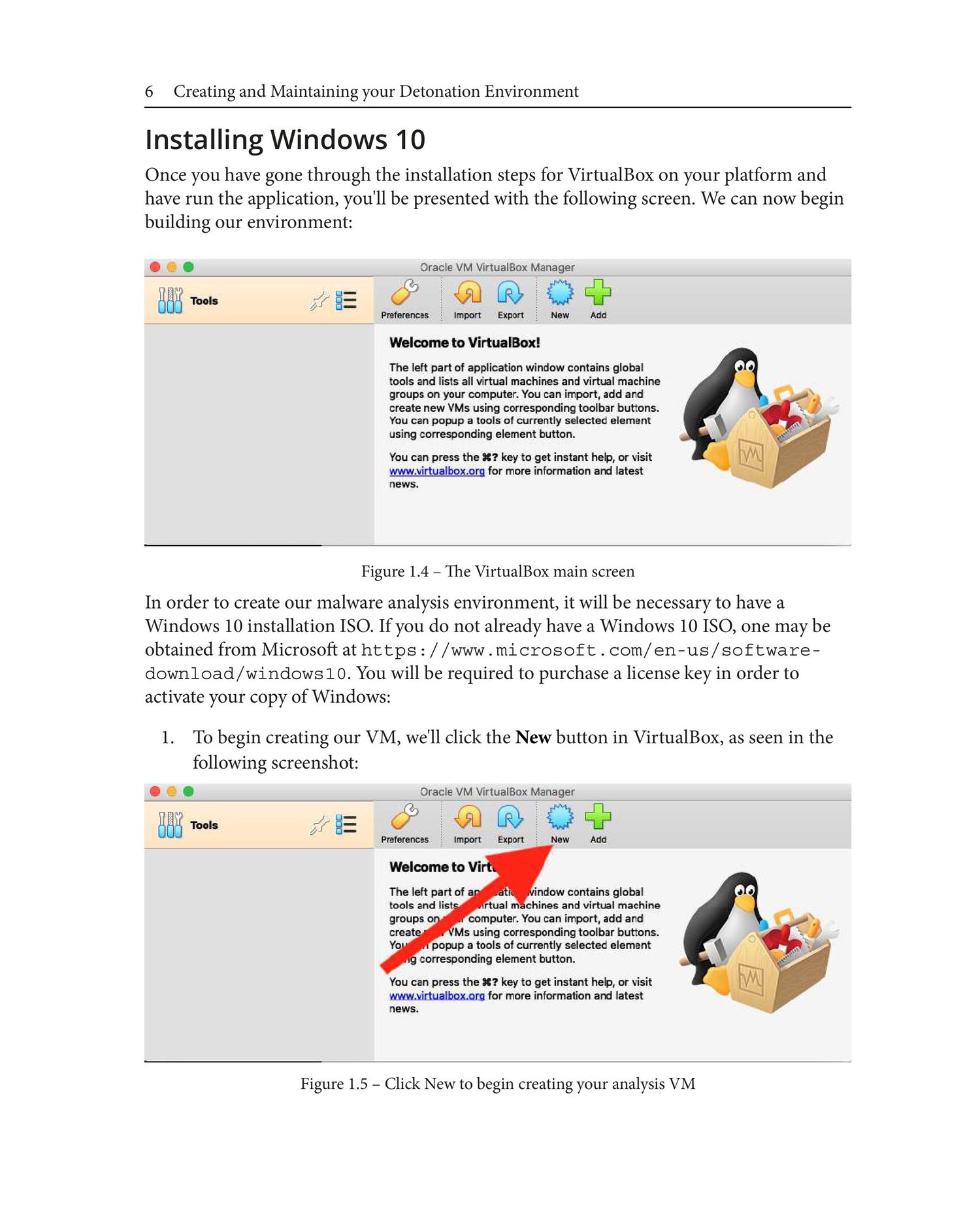
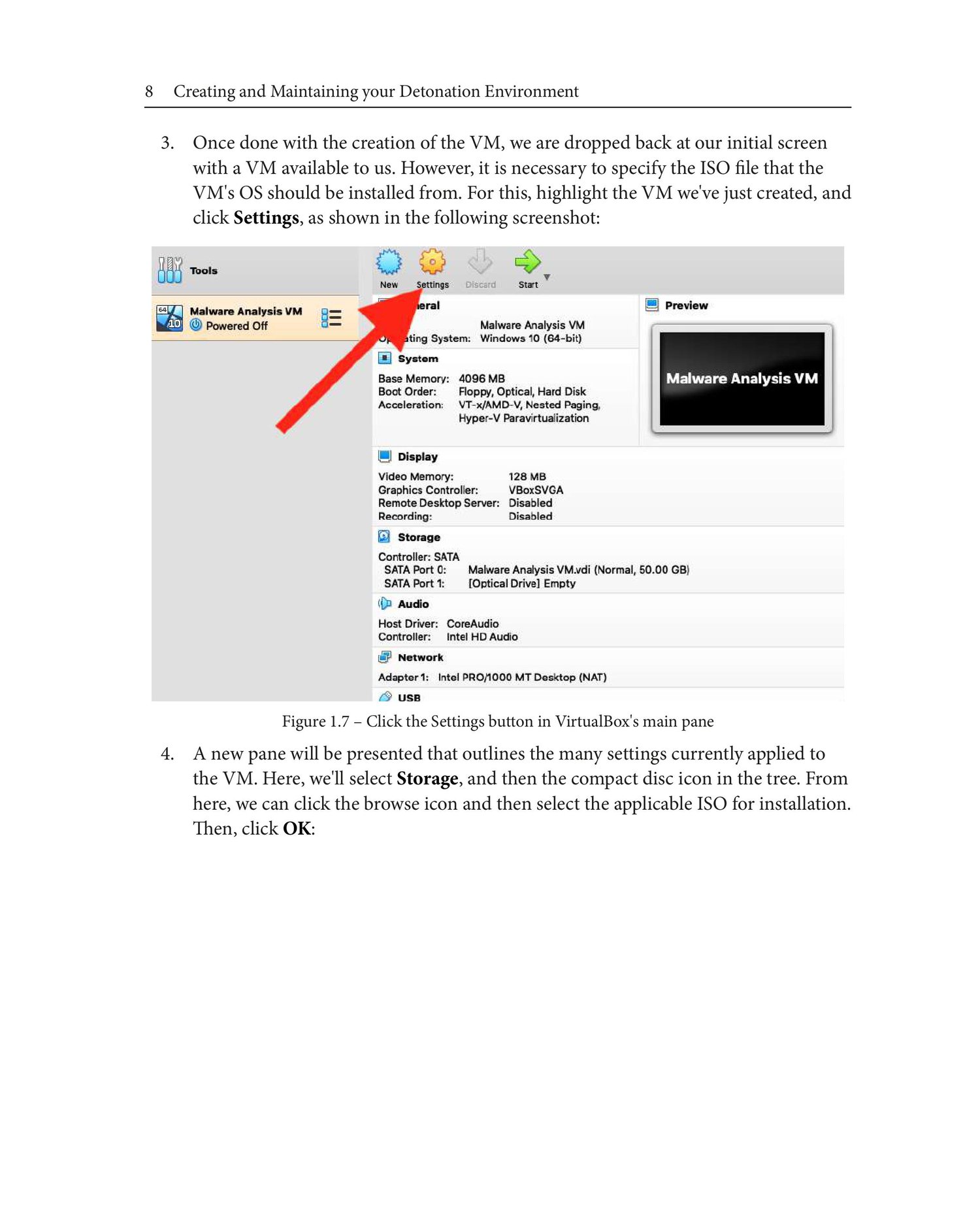
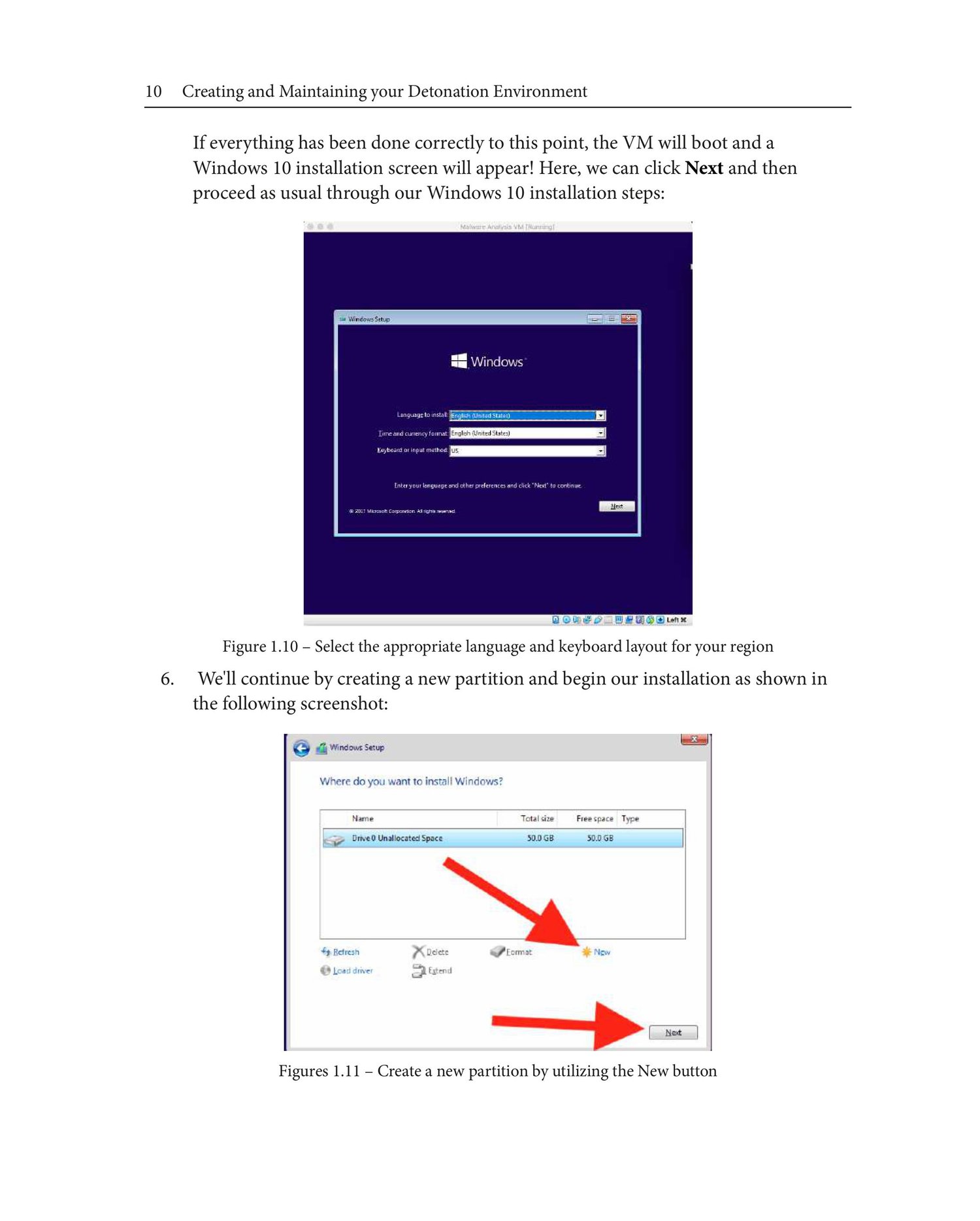
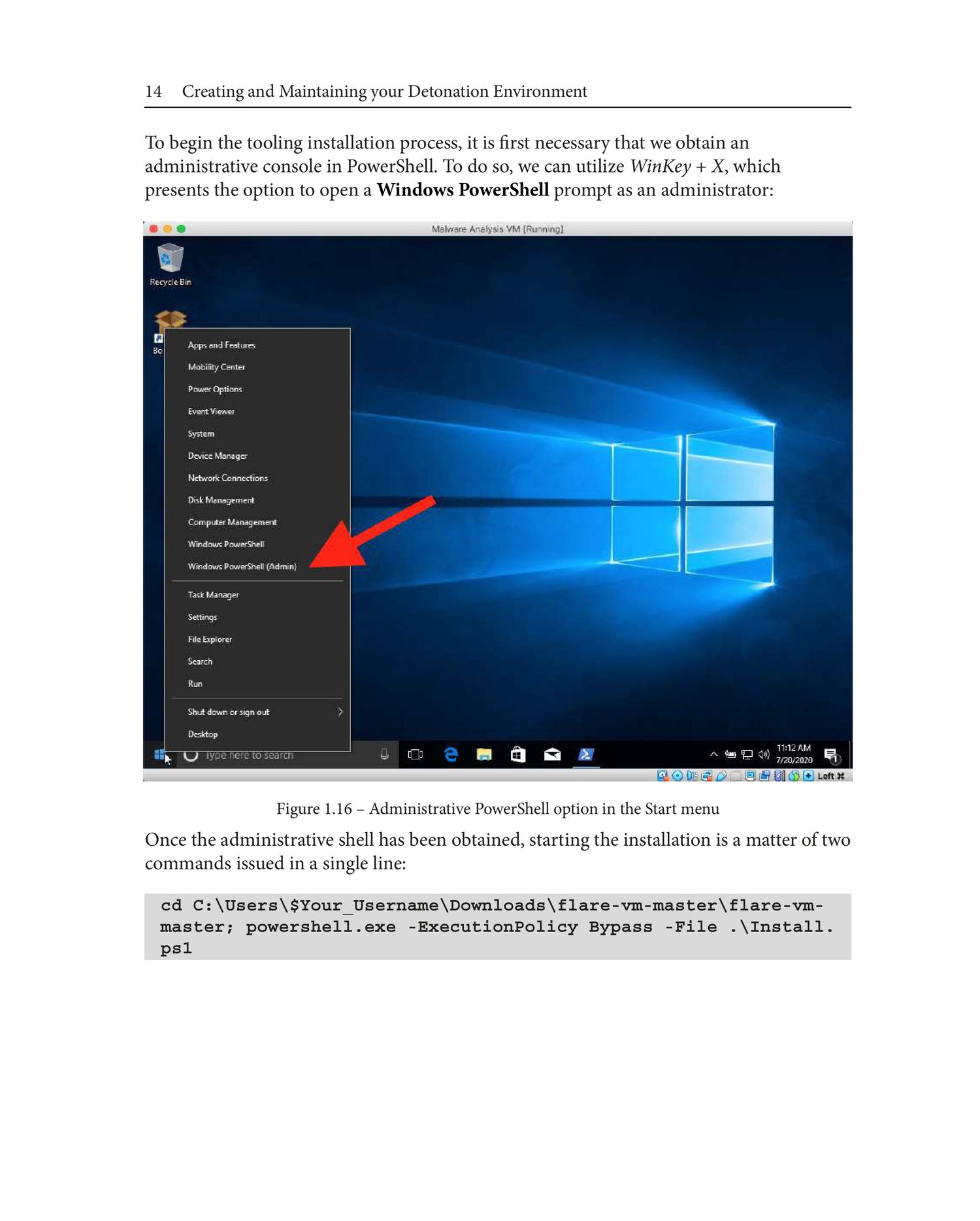
🔐 Safe Malware Analysis Setup
✔ Virtual Machine
✔ No internet or fake DNS
✔ Snapshot enabled
🎯 Interview Questions (Quick)
Q: Difference between static and dynamic analysis?
Static = no execution
Dynamic = run malware
Q: Why use a VM?
To isolate malware safely.
Q: What is IOC?
Indicator of Compromise.
Q: What is ransomware?
Malware that encrypts files for money.
🧪 Simple Malware Analysis Flow
- Hash the file
- Check VirusTotal
- Analyze strings
- Run in sandbox
- Capture network traffic
- Create IOCs
📌 Beginner Tip
You don’t need to code first.
Start with:
- Static analysis
- Sandbox tools
- Network monitoring
If you want next:
- ✅ Malware analysis lab setup
- ✅ Real malware sample walkthrough
- ✅ SOC analyst interview Q&A
- ✅ Beginner roadmap for malware analyst