
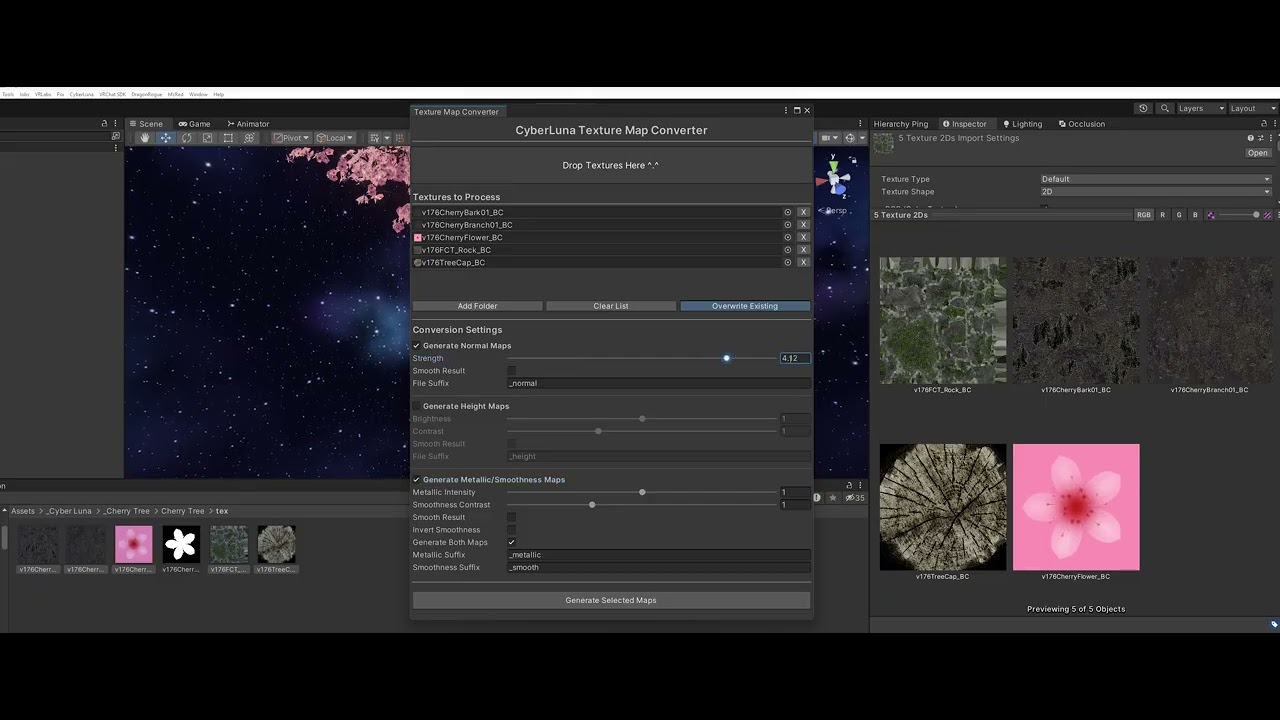
🎨 Texture Map Converter
Prototype texture maps directly inside Unity — fast, simple, and beginner-friendly.
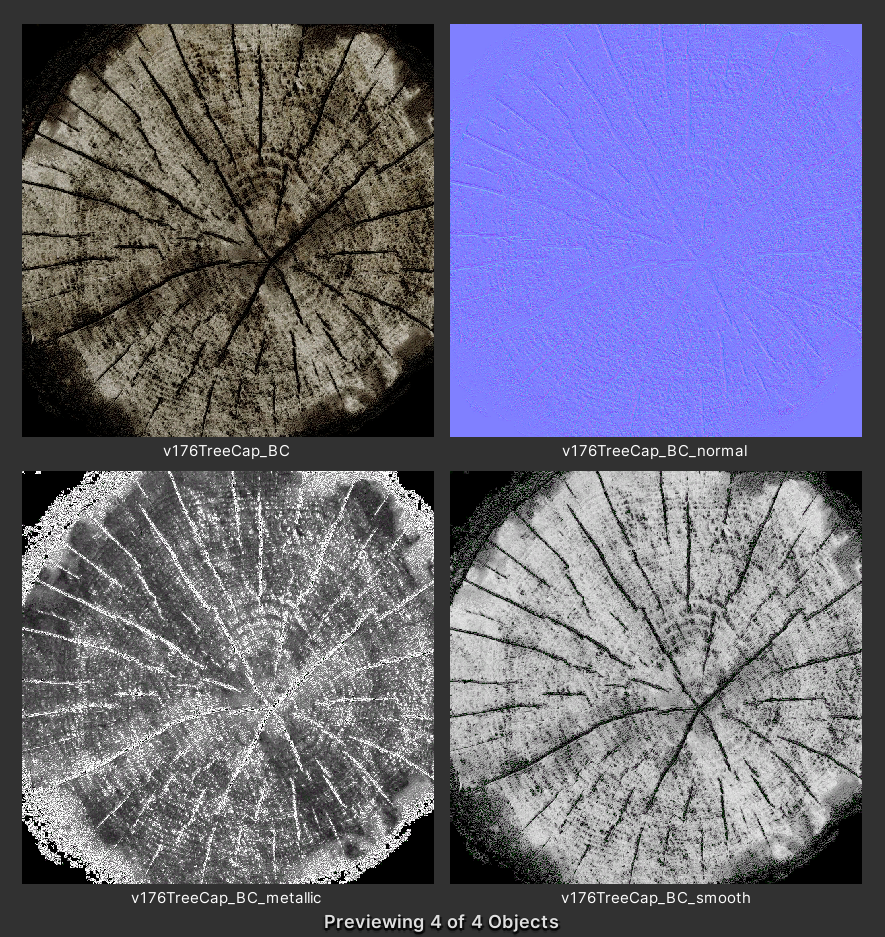
The CyberLuna Texture Map Converter is a Unity Editor tool that allows you to quickly generate prototype texture maps from a single albedo texture — without leaving Unity and without external software.
It is designed for fast iteration, shader testing, and early material prototyping, especially for VRChat creators and Unity world builders.
This tool focuses on speed, convenience, and workflow efficiency — not physically accurate PBR replacement.
🔧 What does this tool do?
Starting from a standard albedo texture, the Texture Map Converter can generate:
✔ Normal maps
✔ Height maps
✔ Metallic maps
✔ Smoothness maps
All directly inside Unity with adjustable parameters and batch support.
Perfect for testing shaders, previewing materials, and building placeholder textures during development.
⚡ Key Features
✔ Unity Editor–only tool
✔ Drag & drop workflow
✔ Batch processing support
✔ Folder scanning
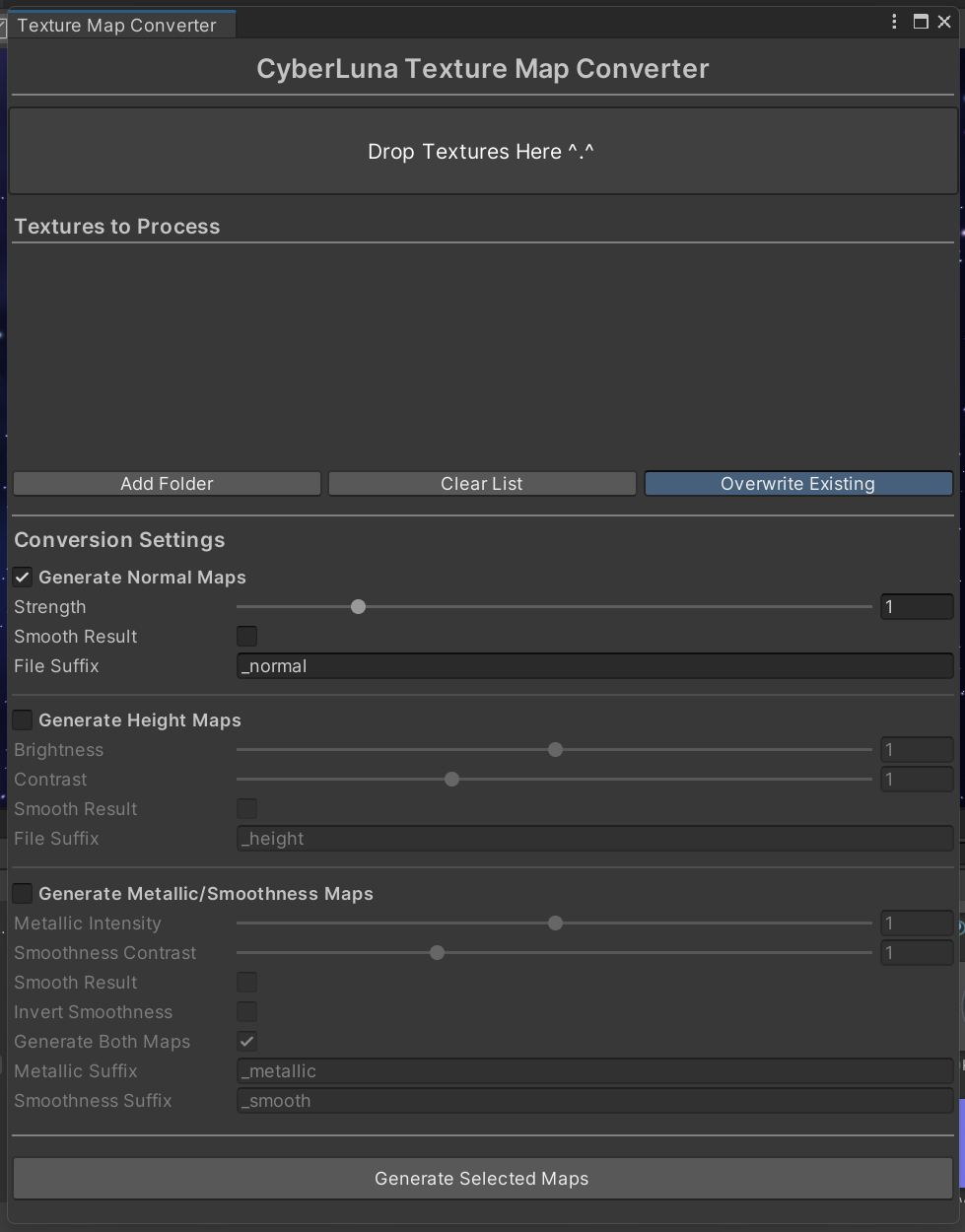
✔ Adjustable generation parameters
✔ Optional overwrite protection
✔ Clean and beginner-friendly UI
✔ Works entirely offline
No Photoshop.
No Substance Painter.
No external tools required.
🧪 Map Generation Options
🟦 Normal Maps
- Adjustable strength
- Optional smoothing
- Ideal for quick surface depth previews
⬜ Height Maps
- Brightness control
- Contrast enhancement
- Optional smoothing for gradients
⚙️ Metallic Maps
- Estimated metallic generation based on color data
- Adjustable intensity
✨ Smoothness Maps
- Adjustable contrast
- Optional inversion (roughness-style workflows)
- Can be generated alone or together with metallic maps
🧰 Ideal Use Cases
✔ Shader testing
✔ Material prototyping
✔ World building previews
✔ Placeholder texture workflows
✔ VRChat avatar & world development
✔ Early-stage asset iteration
This tool is intentionally designed for fast experimentation, not final production baking.
📦 Installation
- Import the package into your Unity project
- Open the tool via:
- CyberLuna → Texture Map Converter
- Drag textures into the window and generate maps
That’s it.
⚠️ License & Usage
✅ You MAY:
- Use the tool in your own Unity projects
- Modify generated textures freely
❌ You may NOT:
- Redistribute or resell the tool itself
- Share the editor scripts or source files