
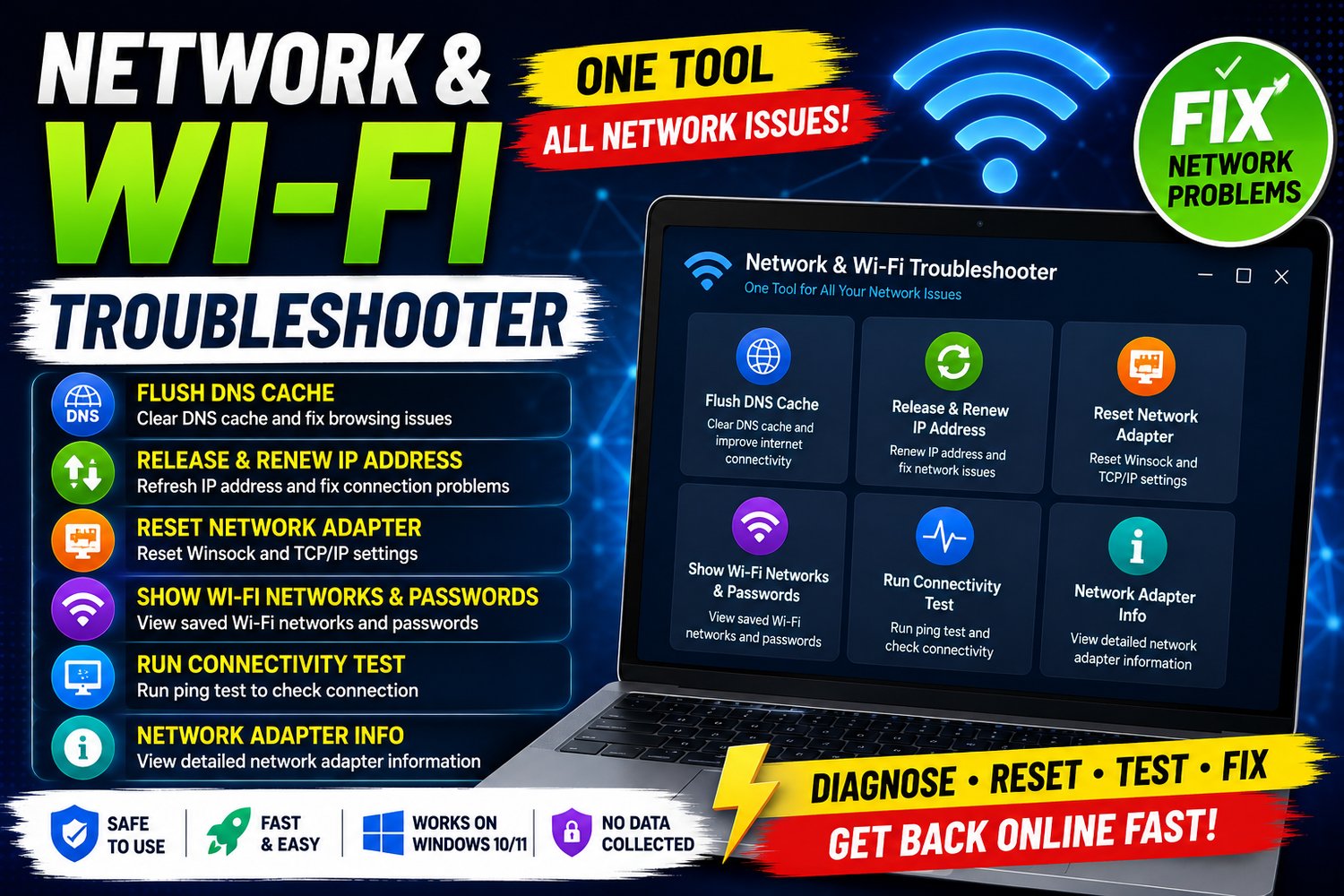
Network & Wi-Fi Troubleshooter – One-Click Windows Network Repair Tool
Network & Wi-Fi Troubleshooter – One-Click Windows Network Repair Tool
🌐 One Tool. One Click. Network Troubleshooting Made Easy.
Having trouble with your internet or Wi-Fi connection?
Slow browsing, websites not loading, IP address problems, DNS issues, or network connectivity errors can sometimes require several different Windows commands and troubleshooting steps.
Network & Wi-Fi Troubleshooter brings essential Windows network troubleshooting functions together into one simple tool, making it easier to diagnose and resolve common network and Wi-Fi problems.
You don't need to remember multiple commands or manually open different Windows settings.
Run the tool → Let it troubleshoot → Get your network back on track.
🛠️ What Can Network & Wi-Fi Troubleshooter Do?
The toolkit includes several essential network troubleshooting functions:
1. 🌐 Flush DNS Cache
Clears the Windows DNS cache, which can help troubleshoot certain website access and connectivity problems caused by outdated or cached DNS information.
2. 🔄 Release & Renew IP Address
Releases the current IP address and requests a new one from the DHCP server.
This can be useful when troubleshooting certain local network or IP configuration problems.
3. 🔧 Reset Network Adapter
Performs important Windows network reset operations, including Winsock and TCP/IP reset, which can help troubleshoot certain network configuration and connectivity problems.
4. 📶 Show Saved Wi-Fi Networks & Passwords
Displays Wi-Fi networks saved on the Windows computer and their stored Wi-Fi password information.
This can be useful when you need to recover the password for a Wi-Fi network that the computer has previously connected to.
Important: This function only displays credentials already stored on the Windows computer and does not hack, crack, or reveal passwords for networks the computer has never connected to.
5. 📡 Run Connectivity Test
Performs a ping test to help check whether your computer can communicate with a network destination.
This can help identify basic connectivity problems and determine whether a connection is responding.
6. 💻 Show Network Adapter Information
Displays useful information about the computer's network adapters and configuration.
This can help you understand your current network setup and troubleshoot connectivity problems.
⚡ One Tool for Common Network Issues
You don't need to search the internet for different commands every time your network stops working.
Instead of manually running commands such as:
- ipconfig /flushdns
- ipconfig /release
- ipconfig /renew
- netsh winsock reset
- netsh int ip reset
- Ping tests
- Network adapter commands
Network & Wi-Fi Troubleshooter puts these essential troubleshooting functions into one convenient tool.
🚀 One Tool → Simple Troubleshooting → Better Network Support
It's designed to make common Windows network troubleshooting easier for both beginners and experienced users.
💻 When Can You Use It?
Network & Wi-Fi Troubleshooter can be useful when experiencing problems such as:
- 🌐 Websites not loading correctly
- 📶 Wi-Fi connectivity problems
- 🔄 IP address-related issues
- 🐌 Certain network connectivity problems
- ⚠️ DNS-related issues
- 🔧 Network configuration problems
- 💻 Network adapter troubleshooting
- 📡 Basic connection testing
Note: No troubleshooting tool can guarantee a fix for every network problem. Some issues may be caused by your router, ISP, hardware, drivers, or external network conditions.
👨💻 Perfect For
🏠 Home Users
Perform common network troubleshooting without remembering complicated commands.
💼 Office Users
Quickly perform basic network diagnostics when connectivity problems occur.
🎓 Students
A simple way to troubleshoot common Windows network problems.
🛠️ PC Technicians
A convenient tool for performing common network troubleshooting tasks on Windows PCs.
🖥️ Windows Users
Useful for anyone who wants essential network commands and diagnostics in one place.
📦 What You Get
✅ Network & Wi-Fi Troubleshooter
✅ Multiple network troubleshooting functions in one tool
✅ DNS cache troubleshooting
✅ IP release & renewal
✅ Winsock & TCP/IP reset
✅ Wi-Fi network and stored password information
✅ Ping connectivity testing
✅ Network adapter information
One Tool. No Need to Run Multiple Tools.
🔒 Important Privacy & Safety Information
The toolkit works with information and networking functions available on your Windows computer.
The saved Wi-Fi information feature only displays credentials already stored on the computer. It does not provide unauthorized access to Wi-Fi networks.
Some network reset operations may temporarily interrupt your internet connection and may require you to restart your computer or reconnect to your network afterward.
Always make sure you understand a troubleshooting operation before running it.
🪟 Windows Compatibility
Designed for Windows PCs.
For the best experience, use the toolkit on a supported Windows 10 or Windows 11 system.
Some functions may require Administrator privileges.
🚀 Stop Searching for Network Commands
When your internet or Wi-Fi isn't working correctly, you shouldn't have to search through multiple websites just to find the right Windows command.
Network & Wi-Fi Troubleshooter gives you a convenient way to access essential network troubleshooting functions from one toolkit.
🌐 Diagnose • Reset • Test • Troubleshoot
Get Network & Wi-Fi Troubleshooter Today
One Tool. Essential Network Troubleshooting.
Make common Windows network troubleshooting simpler and more convenient.
About SARABHA Tech Support
SARABHA Tech Support creates practical computer solutions, IT resources, and Windows tools designed to help users maintain and troubleshoot their systems.
Thank you for supporting independent software development.
Network & Wi-Fi Troubleshooter – One-Click Windows Network Repair Tool