
ISO 27001 Risk Assessment & SoA Toolkit (Excel) — risk register, treatment plan and a Statement of Applicability written from it
Ask a certification body which document fails more Stage 1 audits than any other and the answer is the Statement of Applicability. Not because it is hard to produce — 93 rows take an afternoon — but because the version most organisations produce is the wrong document: every control marked applicable, "best practice" in the justification column, and no link to the risk register that is supposed to have produced it. The auditor reads that in four minutes and concludes the risk treatment never happened.
This toolkit keeps the register and the SoA in step, because the SoA is written from the register.
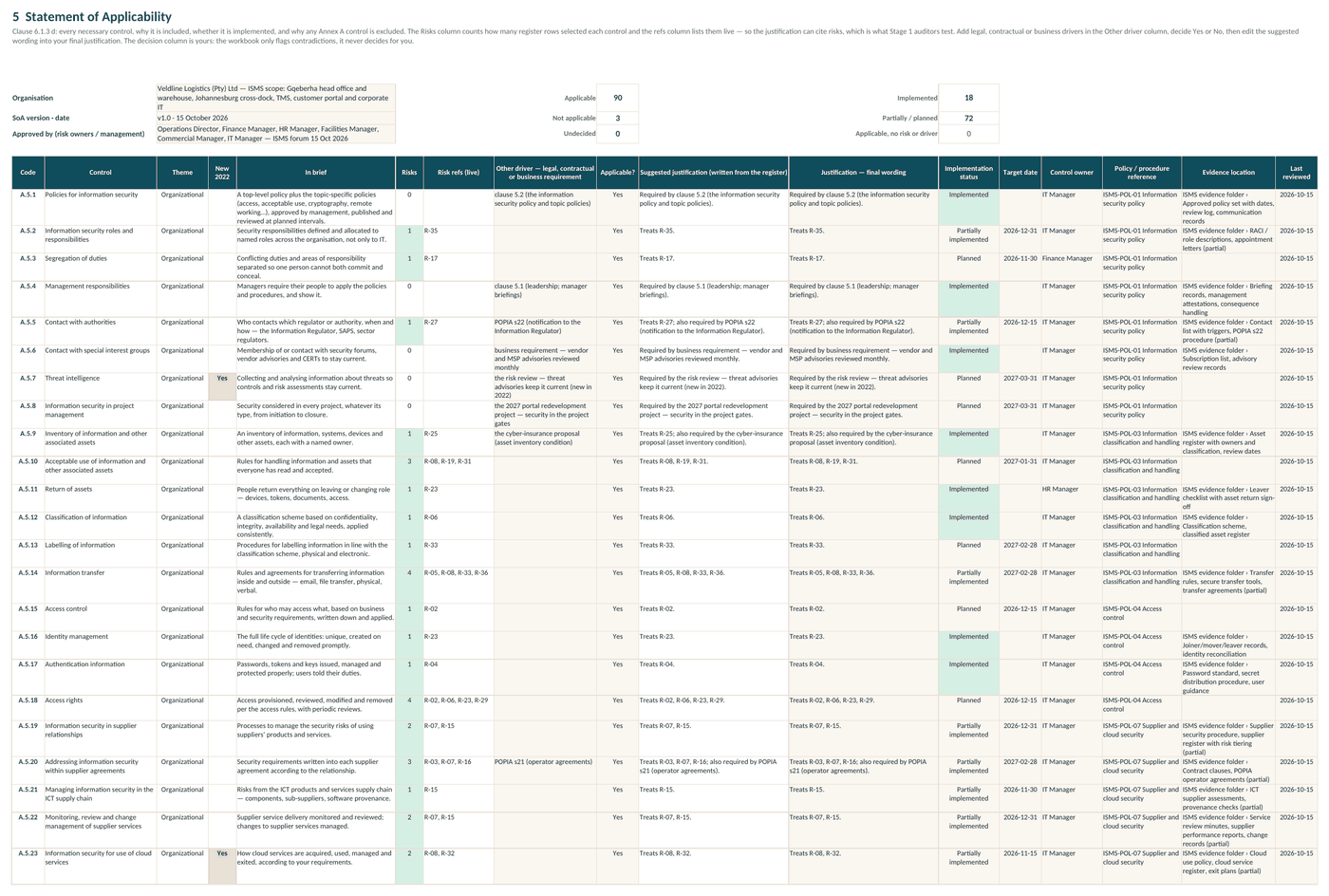
Define your method once — likelihood and impact scales, rating bands, the acceptance threshold — and every sheet reads it. List your assets with owners. Build the register asset by asset and scenario by scenario; score, rating and "above the threshold?" are calculated. Choose a treatment and up to four Annex A controls for each risk from a drop-down. Then open the Statement of Applicability: for each of the 93 controls the workbook has already counted the risks that selected it, listed them, and written the first draft of the justification — "Treats R-04, R-18; also required by POPIA s21 (operator agreements)." You decide Yes or No, add the legal and contractual drivers, and edit the wording into your own. The workbook never decides for you; it flags the two contradictions auditors test — a control excluded while risks select it, and a control included with nothing behind it.
Built by working management-system auditors for a 50-to-500-person organisation with a small IT team. No macros, no add-ins, no platform subscription.
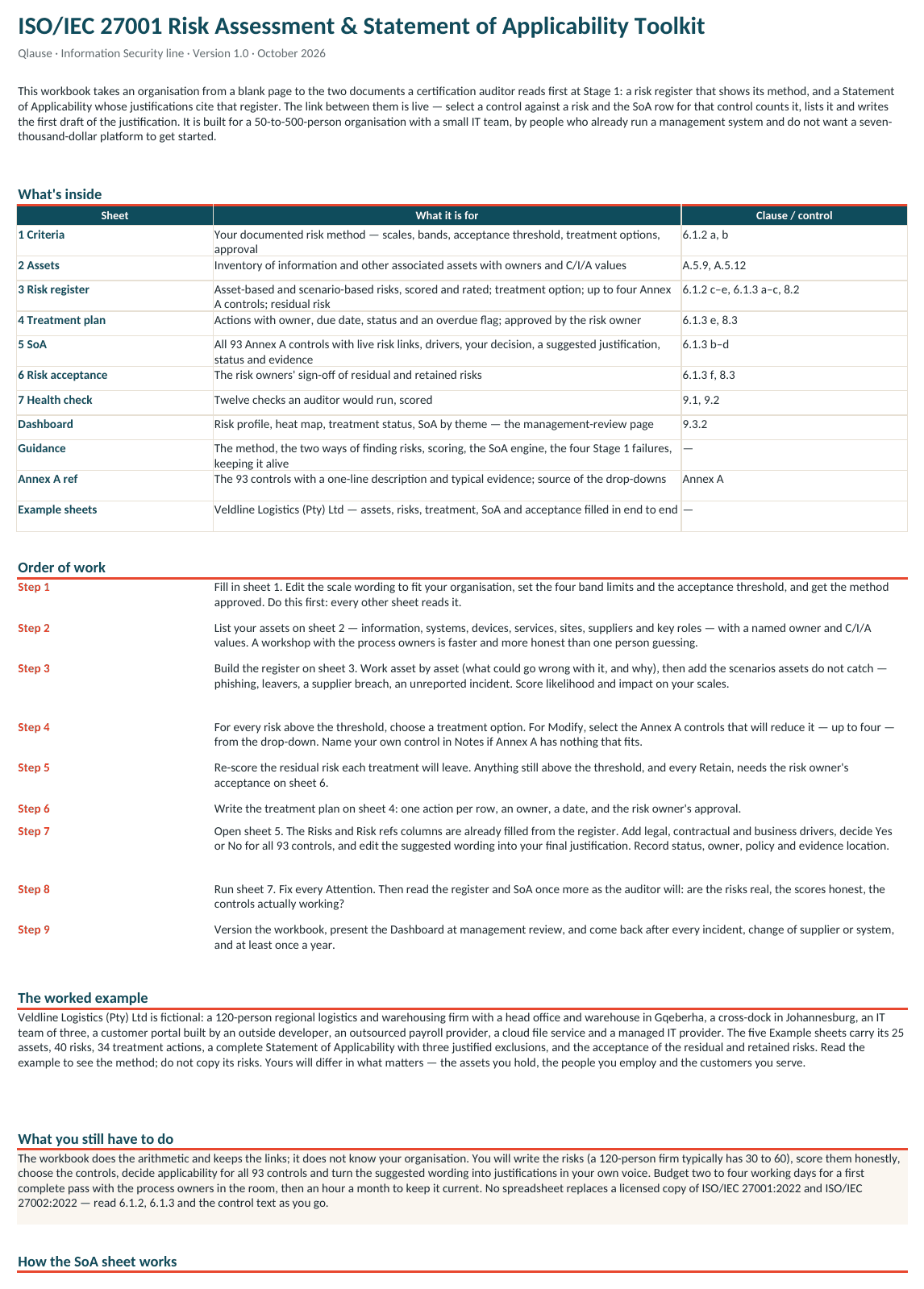
What's inside — sixteen sheets
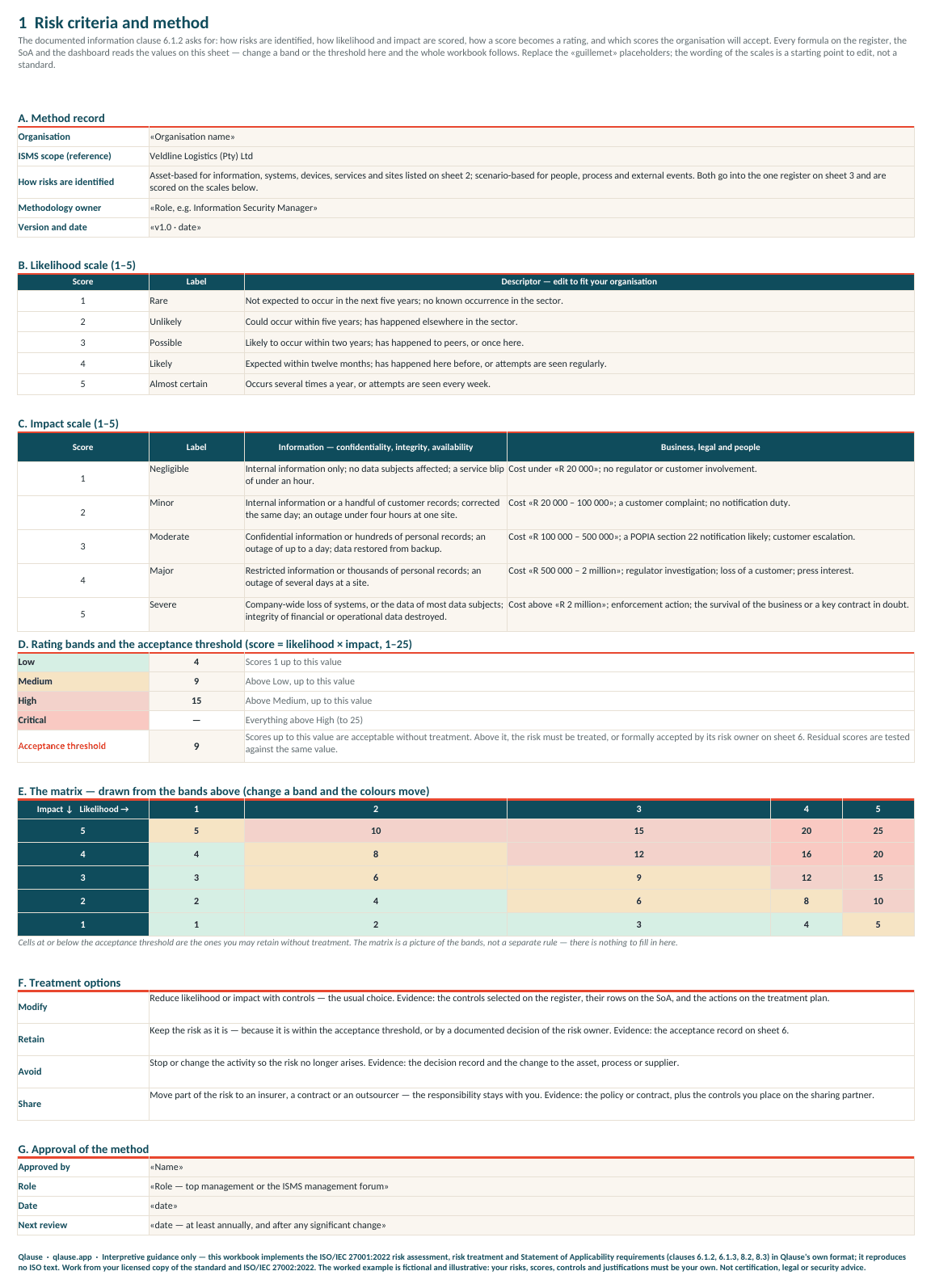
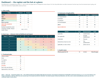
- Risk criteria and method — likelihood and impact scales you edit, four rating bands, the acceptance threshold, the 5×5 matrix drawn live from those bands, treatment options and an approval block. The documented information clause 6.1.2 asks for, on one page.
- Asset inventory — 100 rows for information, systems, devices, services, sites, suppliers and key roles, each with an owner, a classification and C/I/A values (A.5.9). Feeds the register's asset drop-down.
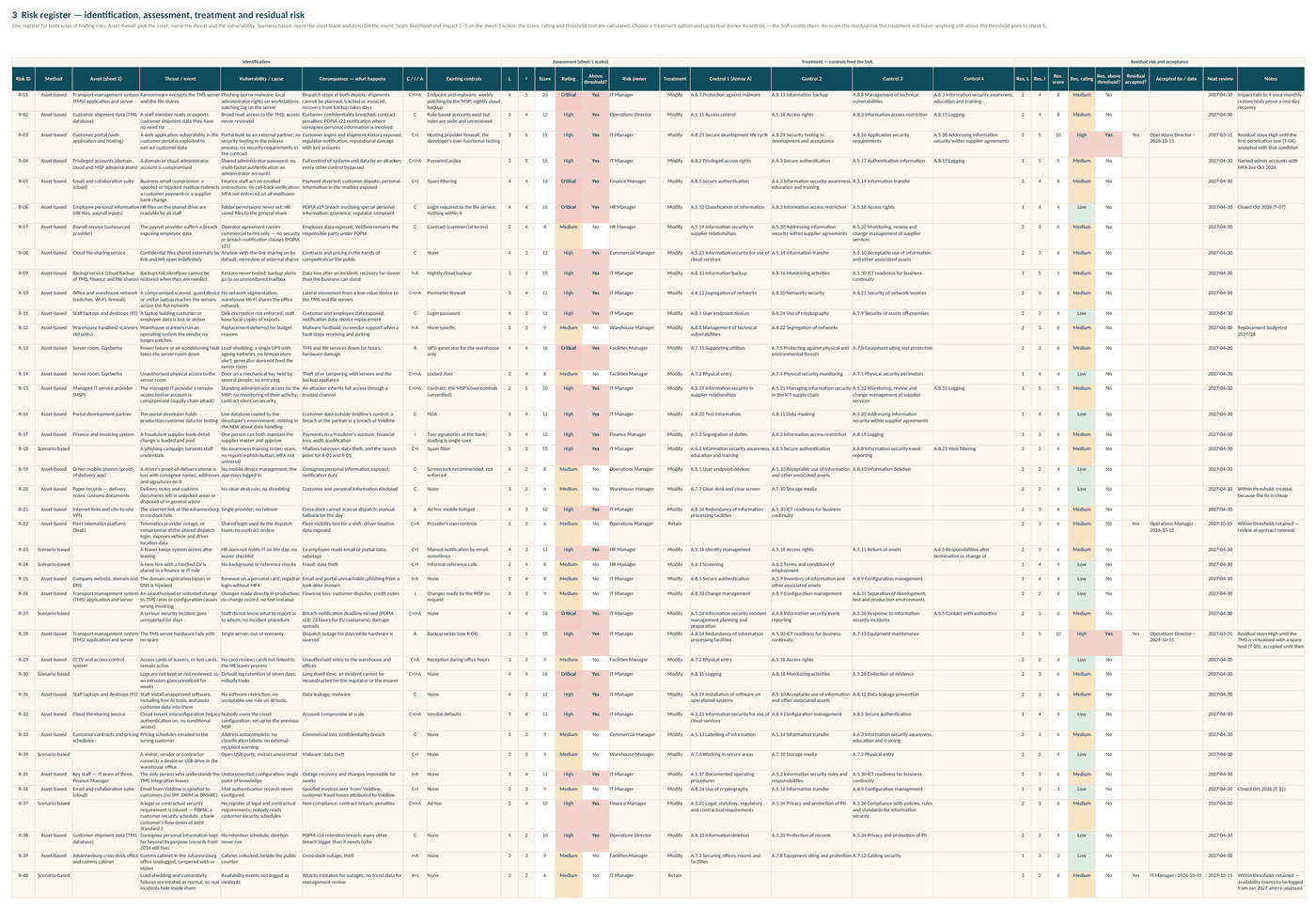
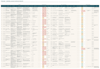
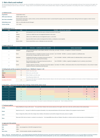
- Risk register — 120 rows that take asset-based and scenario-based risks in one list. Score, rating and the threshold test calculated; treatment option; four Annex A control slots; residual score, rating and acceptance. Prints on A3.
- Treatment plan — actions with owner, due date and status; the risk text, selected controls and residual rating arrive from the register; a live OVERDUE / Due soon flag; the risk owner's approval date.
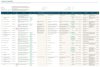
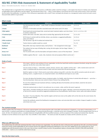
- Statement of Applicability — all 93 controls, with the risks counted and listed per control, other drivers, your decision, the suggested justification, your final wording, implementation status, owner, policy and evidence references, last reviewed. Prints on A3.
- Risk acceptance — the risk owners' sign-off of residual and retained risks (6.1.3 f), with the register values pulled in.
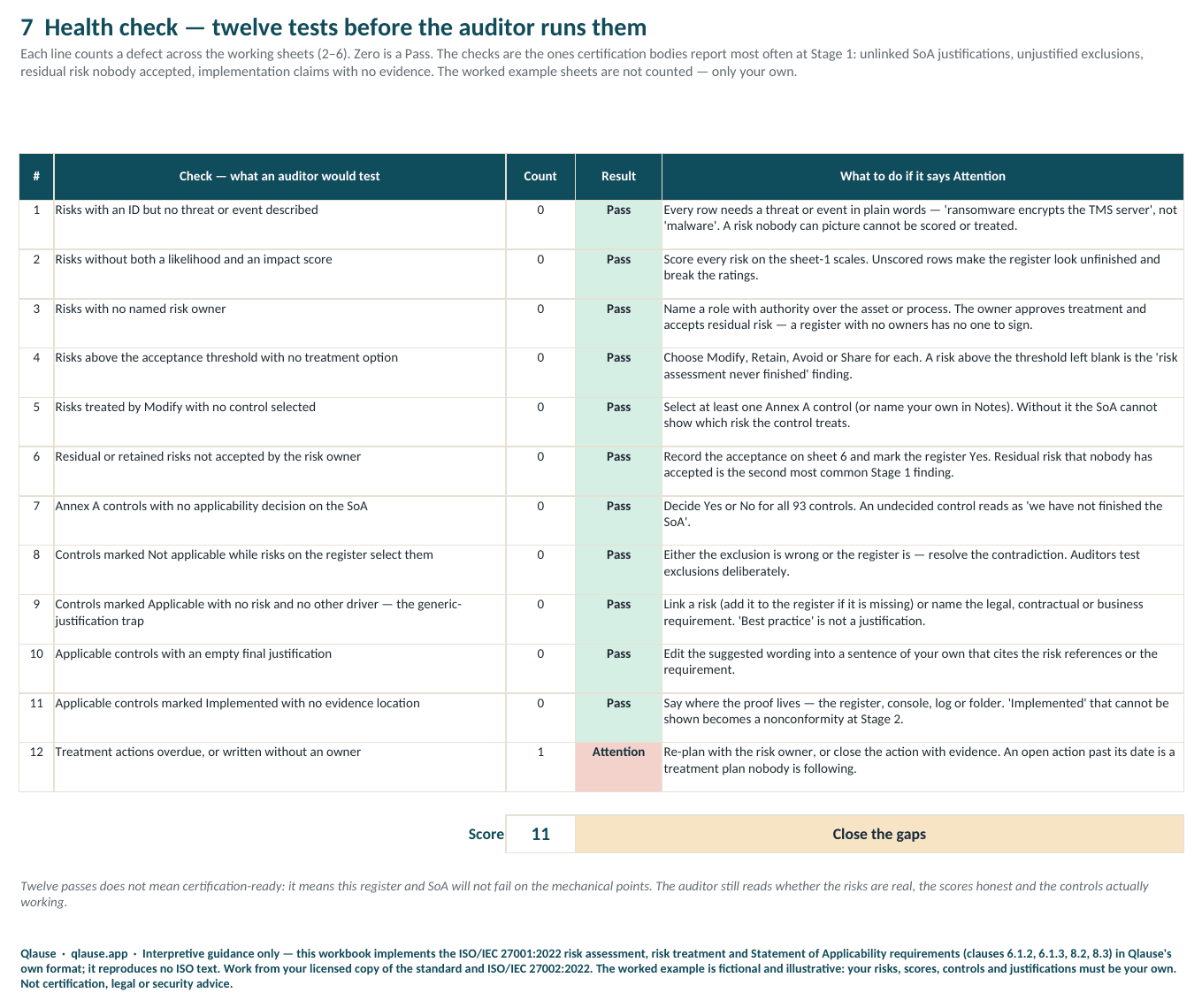
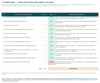
- Health check — twelve tests an auditor would run on the register and the SoA, scored out of twelve: unscored risks, risks without owners, Modify with no control, residual risk nobody accepted, undecided controls, exclusions that contradict the register, applicable controls with nothing behind them, empty justifications, "Implemented" with no evidence, overdue actions.
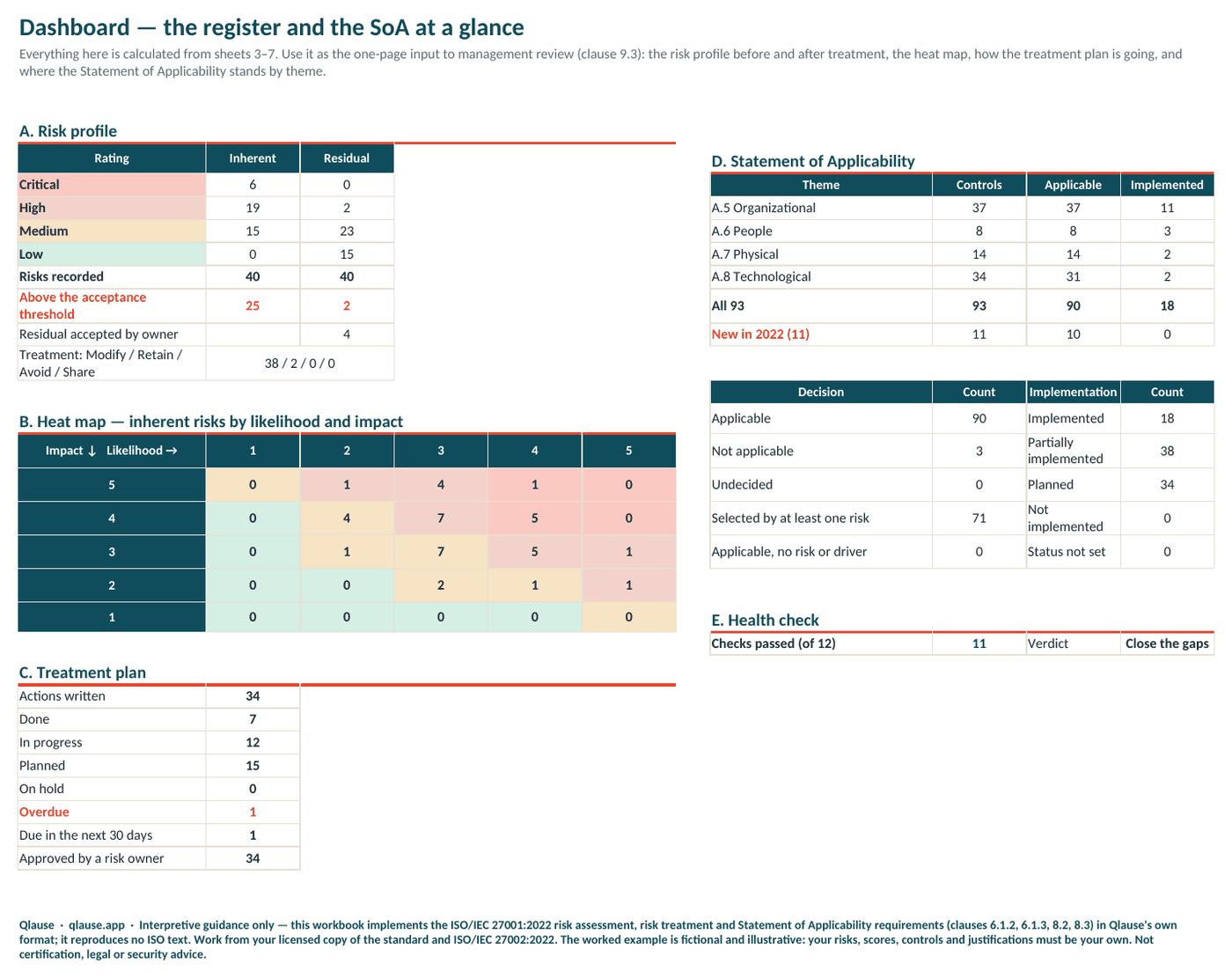
- Dashboard — risk profile before and after treatment, the heat map, treatment status and the SoA by theme: the one-page management-review input.
- Guidance and Annex A reference — the method in eight moves, the two ways of finding risks, honest scoring, how the SoA sheet works, the four ways an SoA fails Stage 1, acceptance, keeping it alive, a clause map; and the 93 controls with a one-line description and typical evidence each.
- A complete worked example across five sheets — Veldline Logistics (Pty) Ltd, a fictional 120-person logistics and warehousing firm: 25 assets, 40 risks, 34 treatment actions, the full Statement of Applicability with three justified exclusions, and the acceptance record.
Who it's for
Quality, compliance and IT managers taking an organisation to ISO/IEC 27001:2022 — especially those who already run ISO 9001 and want the risk register and the Statement of Applicability done properly without a compliance platform. Consultants will find the worked example a faster briefing than any slide deck.
Why buy it
- See exactly what's inside before you buy — the sheets are previewed above.
- Instant download, secure checkout (Visa, Mastercard, PayPal).
- Single-organisation licence — use it across your whole organisation, no per-user fees.
- Plain Excel — Excel 2019 / Microsoft 365 or LibreOffice; nothing to install, no macros. (Excel 2016 opens it; only the live risk-references column shows #NAME? there.)
Start free: the ISO 27001:2022 Gap Analysis Checklist scores all 30 clause requirements and 93 controls and seeds the applicability column — this toolkit is the full risk assessment and SoA behind it. Every clause and control it names has a plain-English page in the free Clause Explorer, and the free ISO 27001 masterclass walks the method in 27 minutes.
This workbook implements the ISO/IEC 27001:2022 risk assessment, risk treatment and Statement of Applicability requirements (clauses 6.1.2, 6.1.3, 8.2, 8.3 and Annex A) in Qlause's own format and reproduces no ISO text; it is consistent with the two approaches described in ISO/IEC 27005:2022 without reproducing it. Work from your licensed copies of ISO/IEC 27001:2022 and 27002:2022. The worked example is fictional and illustrative — your risks, scores, controls and justifications must be your own. Qlause is an independent templates and training provider, not a certification body; certification to ISO/IEC 27001 is not a POPIA certificate. Not legal or security advice.