

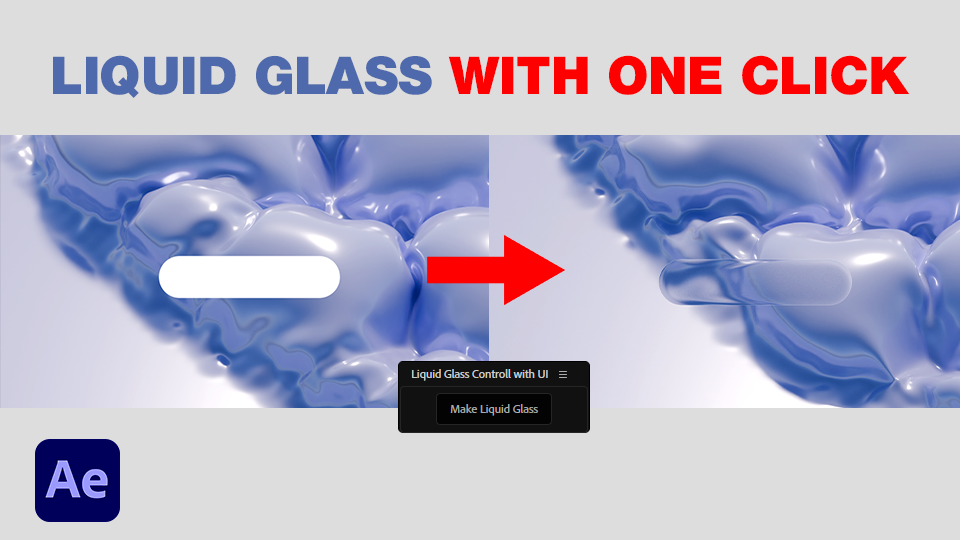


One Click Liquid Glass -After Effects Script with Control Panel
Build a stunning liquid glass refraction effect in seconds — fully automated and ready to customize.
No complicated setups.
No displacement map headaches.
No digging through effect panels.
Just one click — and the entire glass system is created for you.
✦ What It Does
Liquid Glass automatically builds a full glass refraction setup inside your composition.
It creates all required layers, applies realistic displacement and inner glow effects, sets proper blending modes, and organizes everything neatly — all with a single click.
✦ Key Features
- 🧩 Dockable UI Panel — control the entire setup directly from After Effects
- ⚙️ Control Layer — adjust glass intensity, refraction depth, and glow without touching effects
- 🪞 Automatic creation of Displacement Map and Refraction layers
- 💧 Realistic distortion and light behavior out of the box
- 🔧 Compatible with After Effects CC 2020+ (Windows & macOS)
✦ Perfect for
- High-end product animations
- UI / tech motion design
- Glass overlays and distortion effects
- Creative transitions and reveals
⚡ How to Use
- Open After Effects
- Go to Window > Extensions > Liquid Glass to open the UI panel
- Select your base layer
- Click “Create Liquid Glass”
- Fine-tune using the Control Layer sliders — done!
💾 Installation
- Copy the entire LiquidGlass folder into:
- Documents/Adobe/After Effects [version]/Scripts/ScriptUI Panels/
- Restart After Effects
- Open the panel from Window → Extensions → Liquid Glass
(If you don’t see the panel, make sure "Allow Scripts to Write Files and Access Network" is enabled in Preferences → Scripting & Expressions.)
Bring depth, refraction, and realism to your motion design — in just one click.
UPDATES:
12.03.2026 - Resolved a bug that prevented the script from detecting the Inner Glow effect in localized (non-English) versions of After Effects.
„Digital product – no refunds after download”