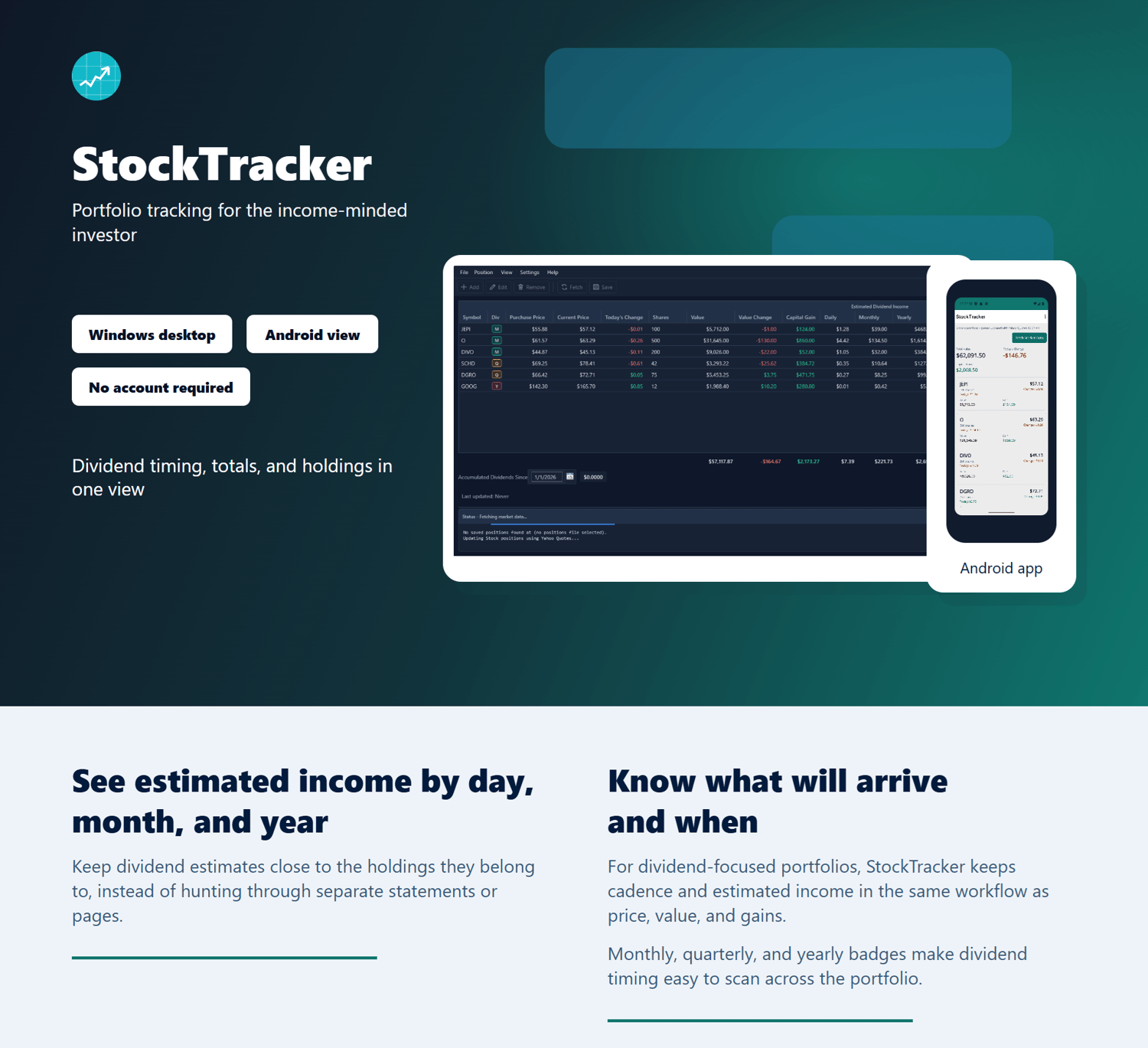
It is a focused Windows desktop portfolio tracker for income-minded investors. See projected daily, monthly, and yearly dividend income, dividend frequency, holdings, gains, and market movement together in one local view—without creating a StockTracker account or uploading your portfolio to an online service.
The main portfolio table keeps the income picture visible alongside each position: purchase price, current price, shares, value, daily movement, capital gain, dividend frequency, and projected daily, monthly, and yearly income.
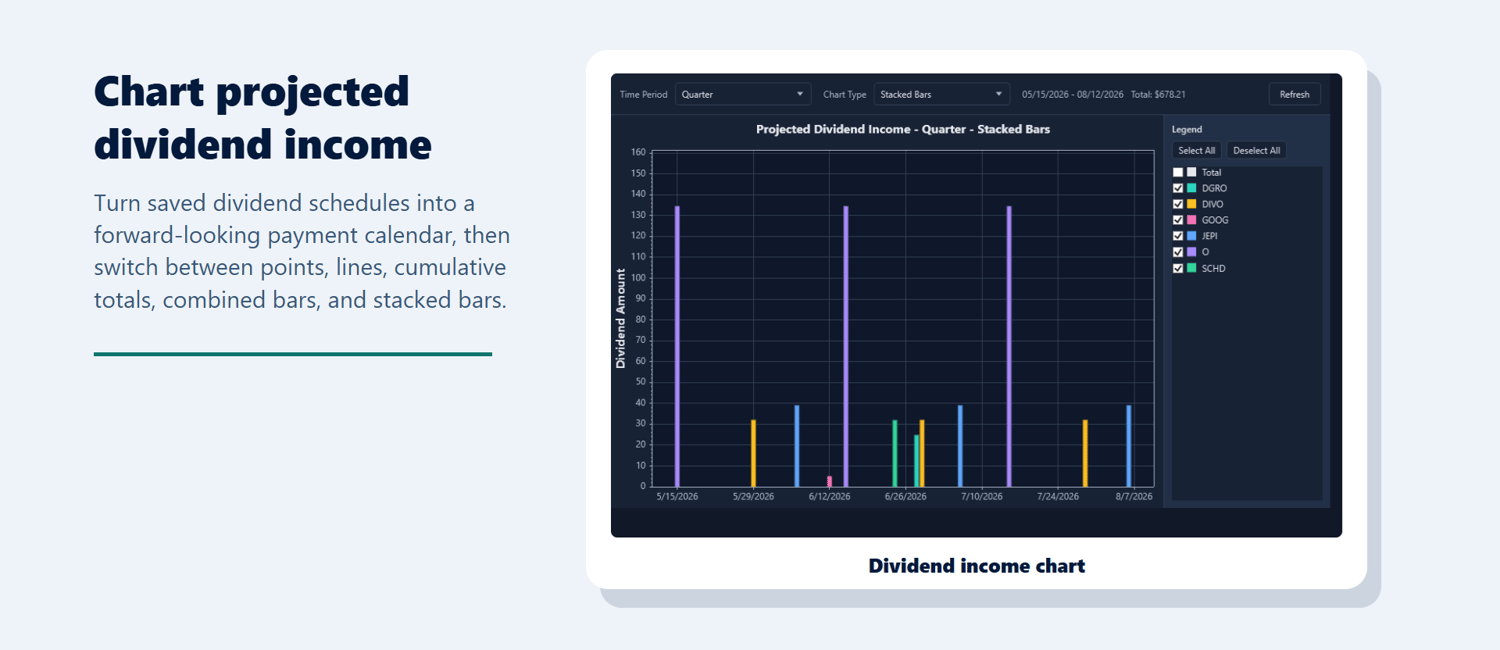
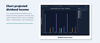
Use the dividend-income charts to look ahead across a month, quarter, or year and understand how individual positions contribute to the expected total. Review dividend timing and update dividend details without digging through brokerage pages one position at a time.
Dividends, timing, and totals in one local view.
AT A GLANCE
- Windows desktop application for dividend-focused portfolio tracking.
- Local portfolio files with no StockTracker account required.
- Projected dividend income and payment timing in the main portfolio view.
- Charles Schwab Positions CSV import plus mapped CSV and Excel `.xlsx` imports.
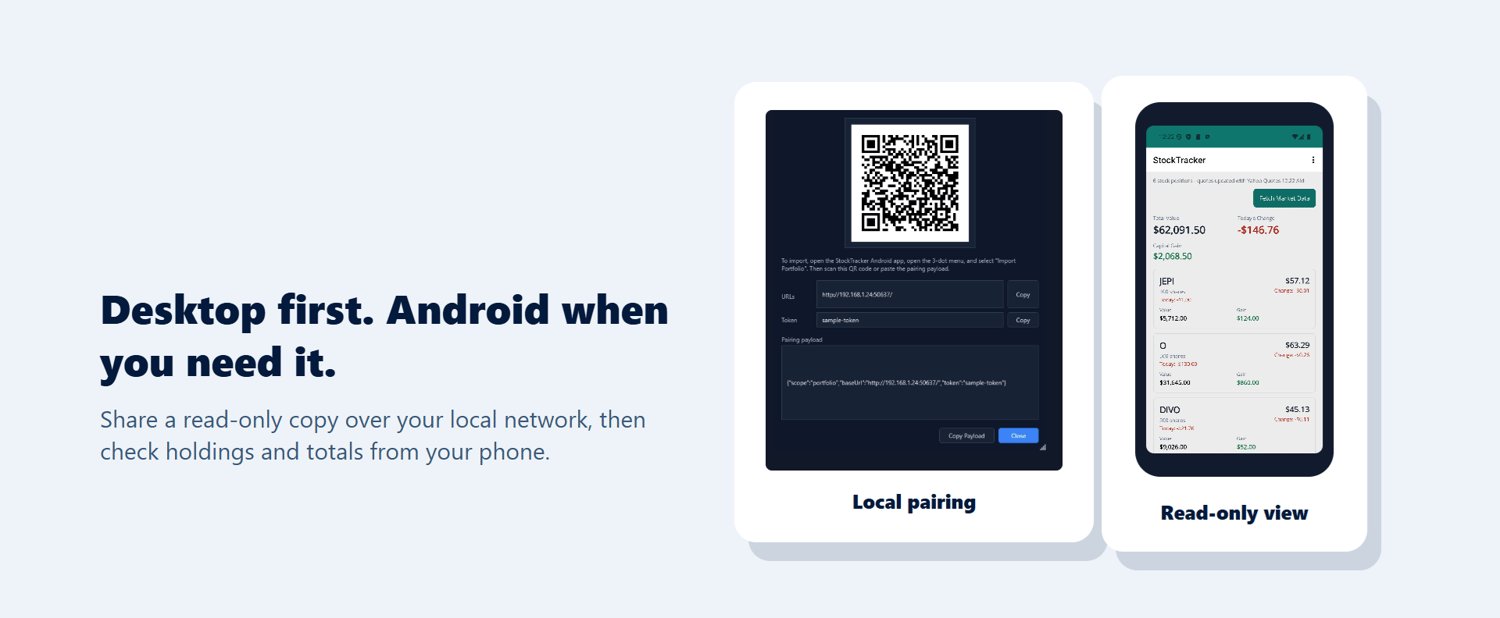
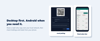
- Included read-only Android companion for checking your portfolio from your phone.
WHY STOCKTRACKER IS DIFFERENT
StockTracker is a Windows desktop dividend planner for investors who want local portfolio files, no StockTracker account, CSV/XLSX position imports, and projected daily, monthly, and yearly income with payment timing. Try it free with up to 5 positions, then unlock unlimited positions with a **$20 one-time license** and no recurring subscription.
Read the full Dividend Tracker Alternatives: Features, Pricing, and Tradeoffs comparison on Northgate Software, including thedetailed feature grid.
FREE AND PAID VERSIONS
Try StockTracker free with up to 5 positions. Upgrade to track an unlimited number of positions.
The paid version is a **$20 one-time purchase**. There is no recurring subscription, and the paid license remains valid after updates.
Free mode uses an all-or-nothing portfolio limit for market-data fetching. With five or fewer positions, market data can be fetched for the entire portfolio. If a free-mode portfolio has six or more positions, no new market data is fetched; previously saved prices remain visible until the portfolio is reduced to five or fewer positions or a license is activated.
KEY BENEFITS
- Track holdings, current value, daily movement, and capital gains.
- See projected dividend income by day, month, and year.
- Keep dividend timing visible with monthly, quarterly, and yearly frequency badges.
- Understand when dividends may arrive and what they may add up to over time.
- Review projected dividend income in charts by time period and position.
- Import supported brokerage position exports instead of retyping holdings.
- Refresh market prices from supported quote providers.
- Keep portfolio files on your own computer.
- Use the included Android companion for a read-only mobile view.
SUPPORTED QUOTES AND IMPORTS
Stock quotes:
- Yahoo Quotes — no API key required.
- Alpaca Markets — your Alpaca API key and secret are required.
Crypto quotes:
- CoinMarketCap — your CoinMarketCap API key is required.
Brokerage and file imports:
- Dedicated Charles Schwab Positions CSV import.
- General mapped position files in CSV or Excel `.xlsx` format.
The Android companion supports Yahoo Quotes and Alpaca Markets for stock quotes.
SYSTEM REQUIREMENTS
Windows desktop: Windows 10 May 2020 Update or later, version 2004, OS build 19041.
Android companion: Android 16 or later, API level 36+.
WINDOWS INSTALLATION NOTE
The StockTracker Windows installer is not currently digitally signed. Windows may show a “Windows protected your PC” message when you open it because it cannot verify the publisher or establish enough reputation for the file. This is a publisher-verification warning, not by itself a malware finding. Download StockTracker only from the official Northgate Software or StockTracker product page. If you intended to open that official download, select More info and then Run anyway. Some Windows 11 security settings and organization policies may block unsigned applications without offering that option. Read the full Windows installation and SmartScreen guidance before installing: https://northgatesoftware.net/articles/install-stocktracker-on-windows.html
UPDATES AND INTERNET ACCESS
Updates are free for both free-mode and paid users. StockTracker automatically checks for available updates, notifies you, and lets you choose whether to download and install an update. Your paid license remains valid after updating.
An internet connection is required to check for and download updates and to retrieve stock quotes. An internet connection is not required to install an update that has already been downloaded.
ANDROID COMPANION
The read-only Android companion is included with StockTracker at no additional licensing cost. Share a copy of your portfolio from the Windows app over your local network, then check your holdings and totals from your phone. It does not require a separate StockTracker license.
LOCAL DATA AND PRIVACY
Your portfolio is stored locally as a file on your computer. There is no StockTracker account required, and your portfolio does not need to be uploaded to a cloud service just so you can track it.
Provider credentials, where required, are stored encrypted on the device and are not written into portfolio files. Android sharing is an explicit local-network transfer from the Windows app to your phone.
StockTracker is portfolio tracking software, not financial, investment, tax, or legal advice.
LICENSE ACTIVATION
Each license includes **three total fresh activations**. This is not a limit of three physical computers. A reinstall or removal of the local activation record can consume another activation, including on the same computer.
Normal uninstalling and updating do not remove the local activation data. If you manually clear application data, you are responsible for preserving your licensing data.
If a legitimate reinstall, computer change, or similar problem uses all three activations, email `stocktracker@fastmail.com` with your purchase or license information. Activation resets are handled case by case, and legitimate customers can receive help restoring access.
SUPPORT
Questions or problems? Email `stocktracker@fastmail.com`.
StockTracker is supported directly by the developer, who aims to respond within a few days. Response times may vary.
30-DAY MONEY-BACK GUARANTEE
Try StockTracker on a supported Windows system. If it does not work as described or is not the right fit, email `stocktracker@fastmail.com` within 30 days of purchase. I will help troubleshoot the issue where practical, and if StockTracker still is not a fit, I will issue a full refund.
Requests made after 30 days may still be considered case by case. If a refund is issued, the paid license is no longer valid and the paid version should no longer be used. This guarantee does not limit any rights you may have under applicable consumer-protection law.
FAQ
Is StockTracker financial advice?
No. StockTracker is software for organizing portfolio information and estimating dividend income. It is not financial, investment, tax, or legal advice.
Where is my portfolio data stored?
Your portfolio is stored locally on your computer as a file. A StockTracker account is not required.
What happens in free mode?
Free mode supports up to 5 positions for normal use. Market data can be fetched when the entire portfolio has five or fewer positions. At six or more positions, new market-data fetching is disabled until the portfolio is reduced or a license is activated.
How do I activate the paid version?
After purchase, enter the Payhip license key in StockTracker's license or activation dialog. The app validates the license and stores the local activation record.
What happens after purchase?
Payhip provides your license information. Enter the license key in the Windows app to unlock unlimited positions. The Android companion is included without a separate license.