



Microsoft Azure Portal – Complete Beginner Guide ☁️
On Sale
$5.00
$5.00
🔷 What is Azure Portal?
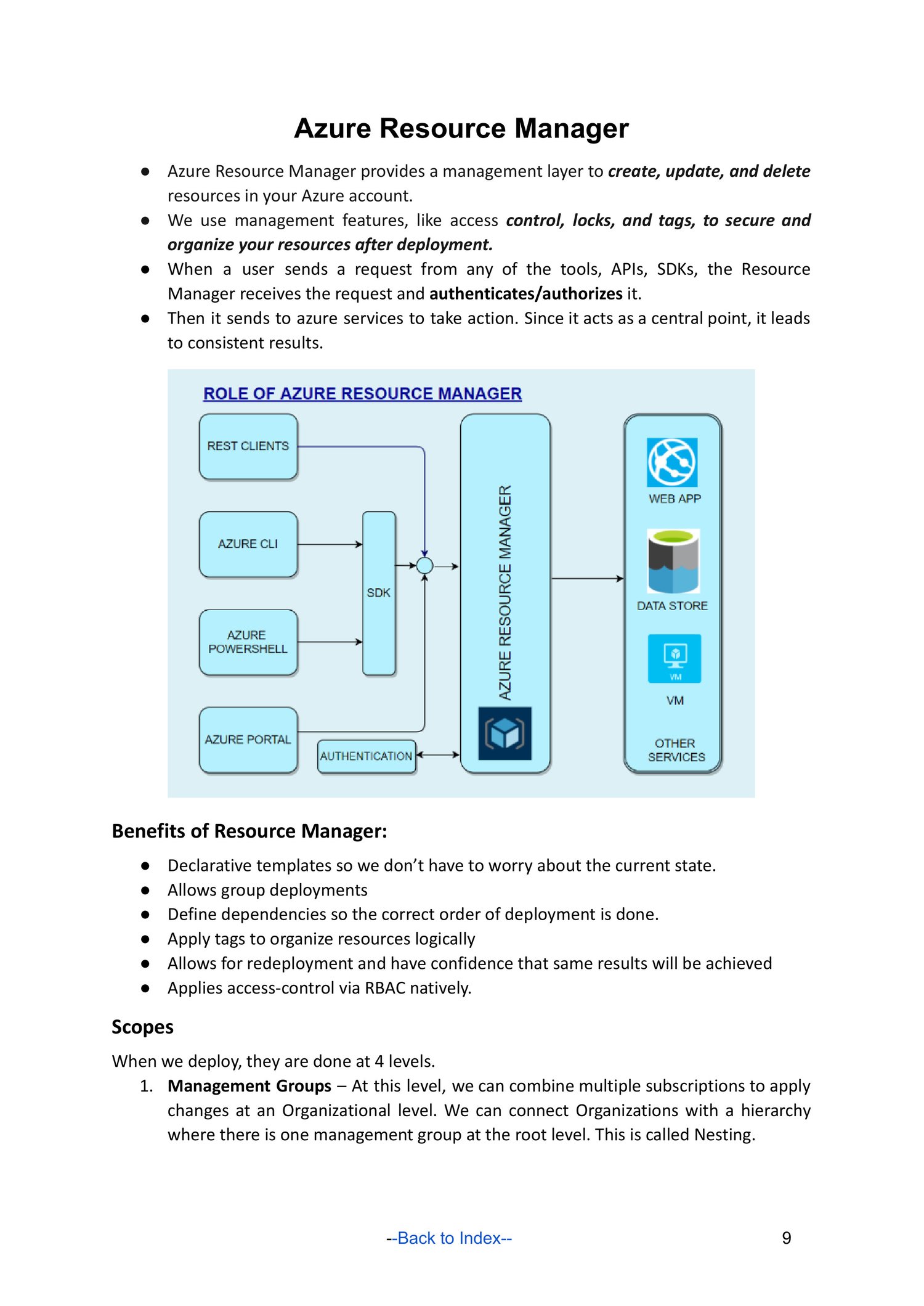
Azure Portal is a web-based management console used to:
- Create Azure resources
- Configure & monitor services
- Manage security, billing, and users
👉 URL: https://portal.azure.com
🧭 Azure Portal Main Components
🔹 Home
- Quick access to common services
- Recent resources
- Azure Marketplace
🔹 Dashboard
- Customizable view
- Pin resources, charts, metrics
🔹 All Services
- Lists all Azure services
- Categories: Compute, Networking, Storage, Security
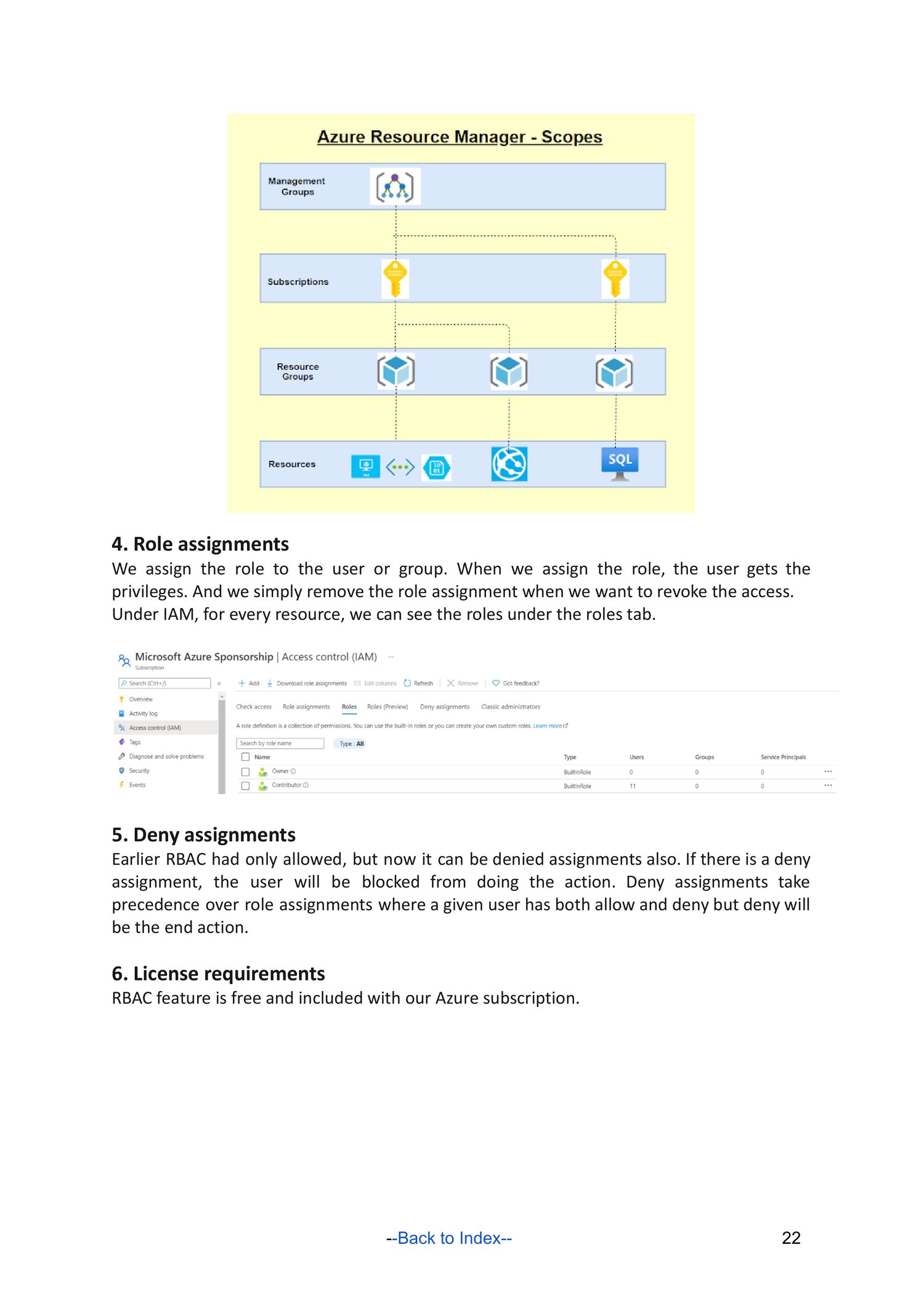
🔹 Resource Groups
- Logical containers for Azure resources
- Manage lifecycle together
🧱 Core Azure Resources
🖥️ Compute
- Virtual Machines (VMs)
- App Services
- Azure Kubernetes Service (AKS)
🌐 Networking
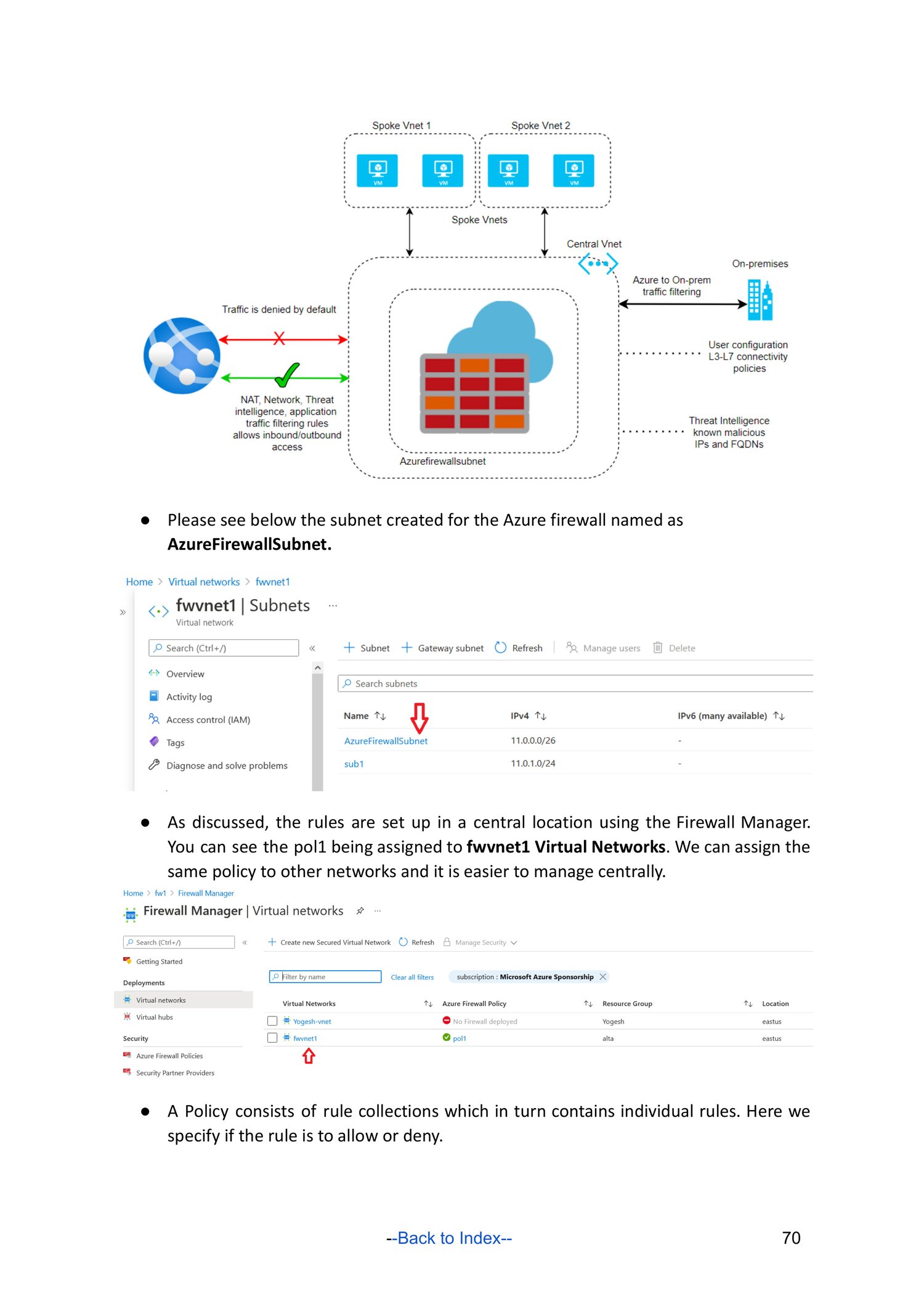
- Virtual Network (VNet)
- Subnets
- Network Security Groups (NSG)
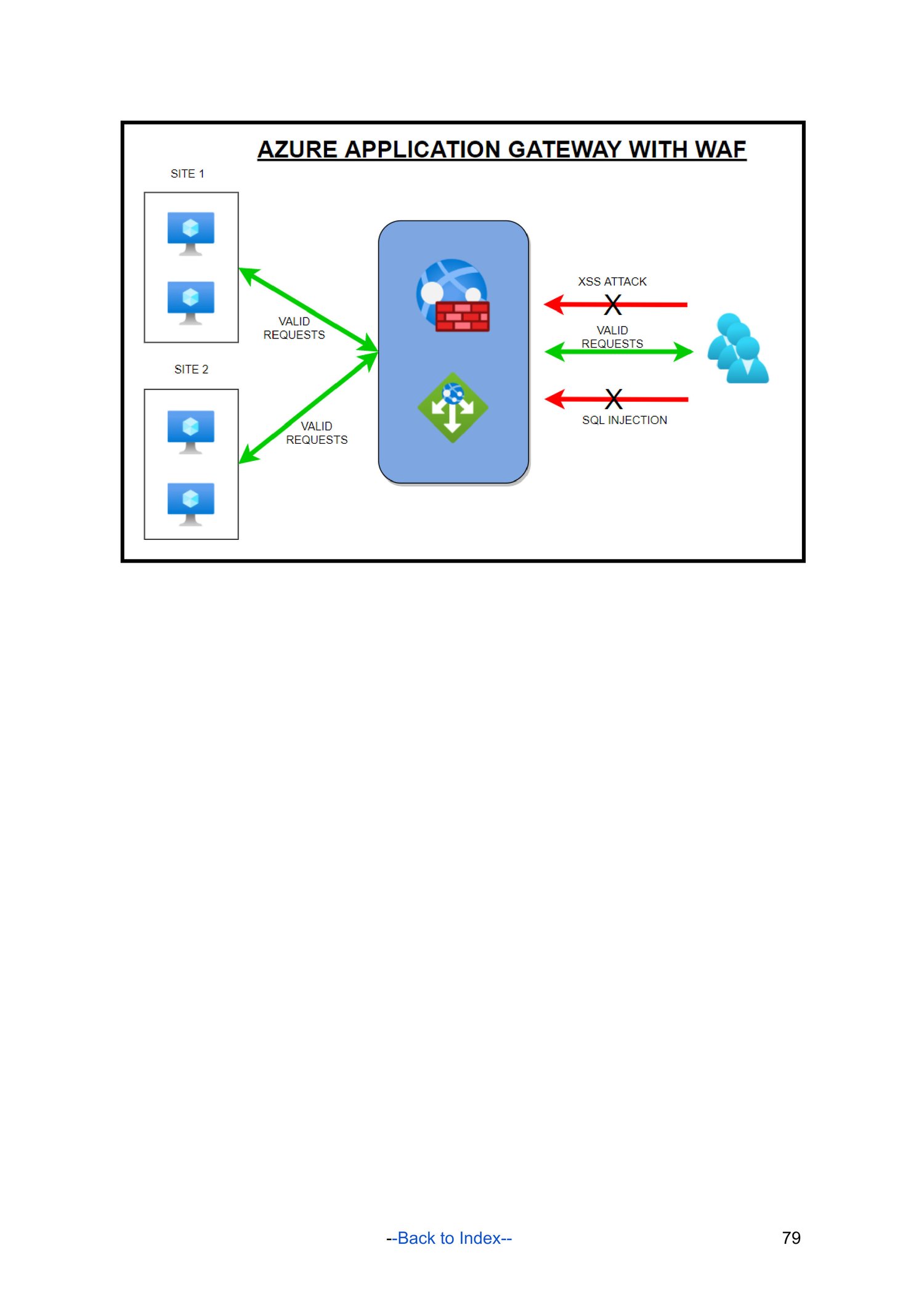
- Load Balancer
💾 Storage
- Storage Accounts
- Blob Storage
- File Storage
🗄️ Databases
- Azure SQL Database
- Cosmos DB
🔐 Security & Identity
- Azure Active Directory (Entra ID)
- Role-Based Access Control (RBAC)
- Key Vault
- Microsoft Defender for Cloud
📊 Monitoring & Management
- Azure Monitor
- Log Analytics
- Alerts
- Advisor (best practices)
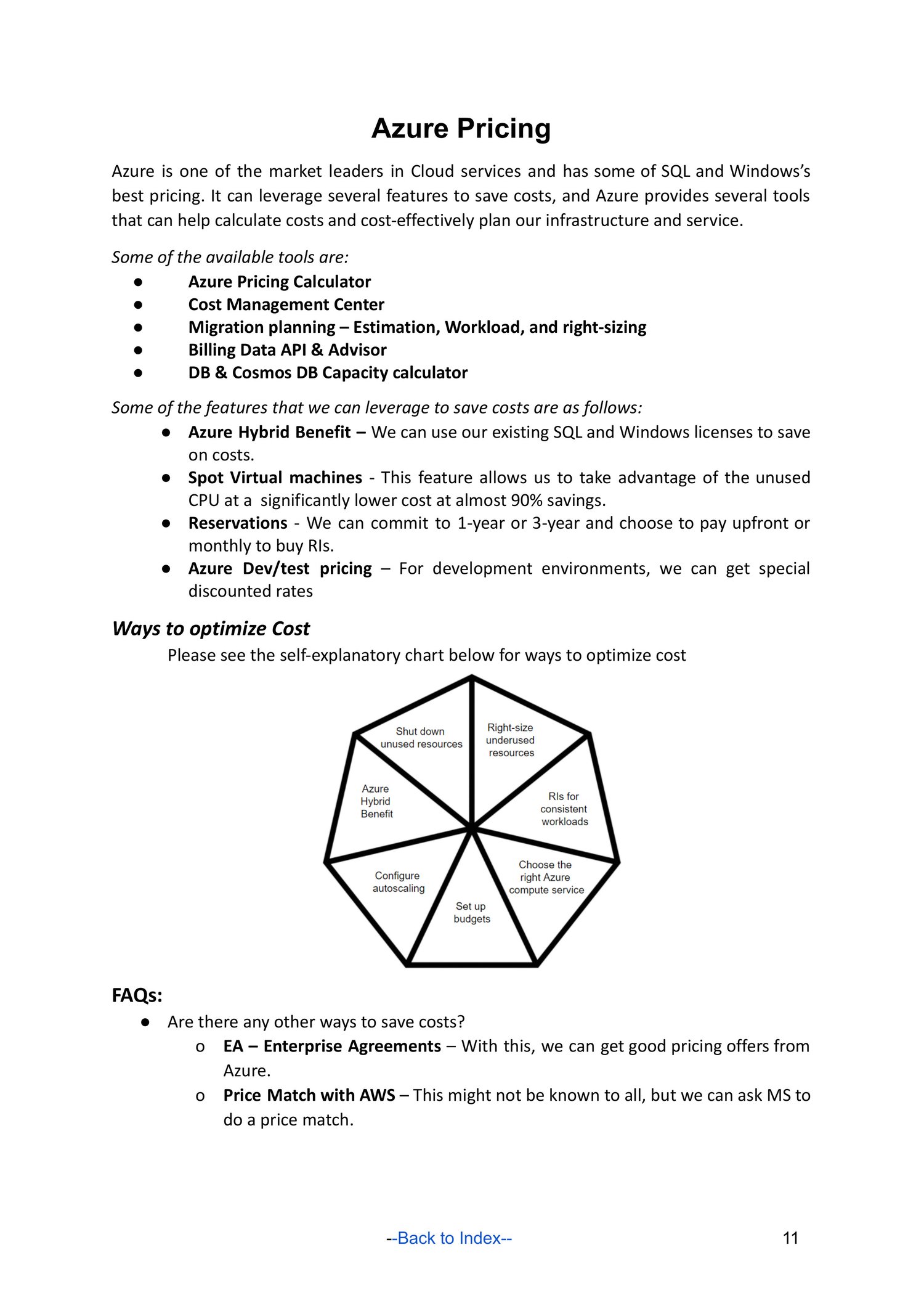
💰 Cost & Billing
- Cost Management + Billing
- Budgets & alerts
- Pay-as-you-go pricing
🧪 Example: Create a Virtual Machine (VM)
- Login to Azure Portal
- Click Create a resource → Virtual Machine
- Choose:
- Subscription
- Resource Group
- Region
- OS (Windows/Linux)
- Configure:
- Size
- Authentication (SSH / Password)
- Networking:
- VNet
- Public IP
- NSG rules
- Review + Create
⚙️ Common Azure Portal Actions
TaskLocationCreate VMCompute → Virtual MachinesManage UsersEntra ID → UsersAssign RolesResource → Access Control (IAM)View LogsMonitor → LogsSet AlertsMonitor → Alerts
🎯 Interview Questions
Q: What is a Resource Group?
A: A container that holds related Azure resources.
Q: What is RBAC?
A: Role-Based Access Control for permissions.
Q: Difference between Azure Portal and Azure CLI?
Portal = GUI, CLI = command line automation.
Q: What is NSG?
Controls inbound/outbound network traffic.