
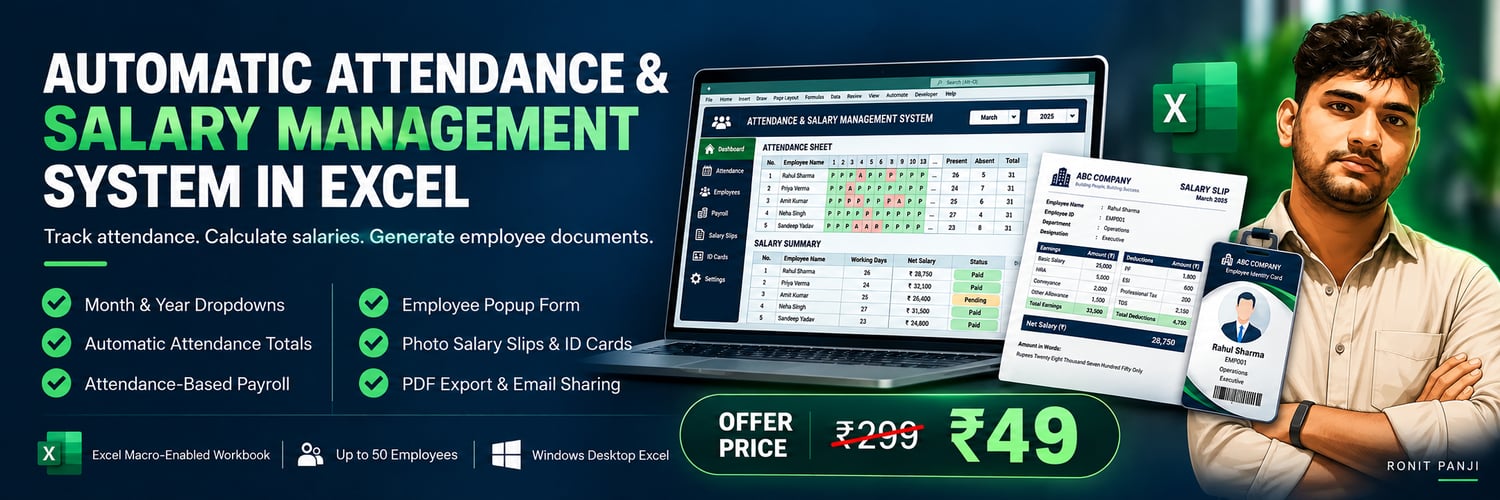
Automatic Attendance & Salary Management System in Excel
Product Description
Manage employee attendance, calculate monthly salaries, and generate salary slips and employee identity cards from one Excel workbook.
Enter attendance, select a month and year, and let the linked formulas calculate attendance totals and salary amounts. Add employees through a popup form and select an Employee ID to display their salary slip or photo identity card.
Features
✅ Monthly Attendance Tracker
Month and Year dropdowns with automatic dates and weekdays.
✅ Saved Monthly Records
Save attendance and salary adjustments for each month and view them again.
✅ Automatic Attendance Totals
Calculate Present, Absent, Holiday, Week Off, Half Day and Paid Leave totals.
✅ Attendance-Based Salary Calculation
Calculate earned salary using paid attendance days.
✅ Salary Breakdown
Basic Salary, DA 10%, HRA 15%, Gross Salary, PF 12% and Net Salary.
✅ Monthly Salary Adjustments
Enter Bonus, Advance and Other Deductions for each employee.
✅ Employee Entry Popup Form
Add Employee ID, Name, Department, Designation, Basic Salary, Joining Date and Last Working Date.
✅ Employee Details
Store Address, Email, Phone Number, Bank Account, IFSC, PAN, PF and UAN numbers.
✅ Salary Slips with Photos
Select an Employee ID to display salary details, deductions and employee information.
✅ Photo Identity Cards
Generate employee identity cards with department, designation, address and contact details.
✅ PDF Export
Download salary slips as PDF files for printing or sharing.
✅ Email Features with VBA
Send salary slips and identity cards to employees by email after completing the required email setup.
✅ WhatsApp Sharing
Send salary slips and employee identity cards directly to employees through WhatsApp for quick and convenient sharing.
✅ Professional Design
Coordinated formatting with clear headings and highlighted salary totals.
What You Receive
- Excel Macro-Enabled Workbook (.xlsm)
- Attendance, Salary, Employees, Salary Slip and Identity Card sheets
- Built-in employee entry form and linked calculations
Requirements & Important Information
- Windows Desktop Microsoft Excel is required.
- Enable macros to use popup forms, saved month switching and photo features.
- Attendance must be entered manually; totals and salary calculations update automatically.
- Complete attendance before issuing final salary slips.
- DA, HRA and PF rates are example settings. Review them against your applicable payroll rules.
- Email features require configuration and an internet connection.
- VBA features do not run in Excel for the web, mobile Excel or Google Sheets.
How my File Work:-
Extract the File
Right-click the Excel file.
Select Properties.
Under the General tab, find Unblock.
Check Unblock if available.
Click Apply → OK.
Reopen the Excel file.