
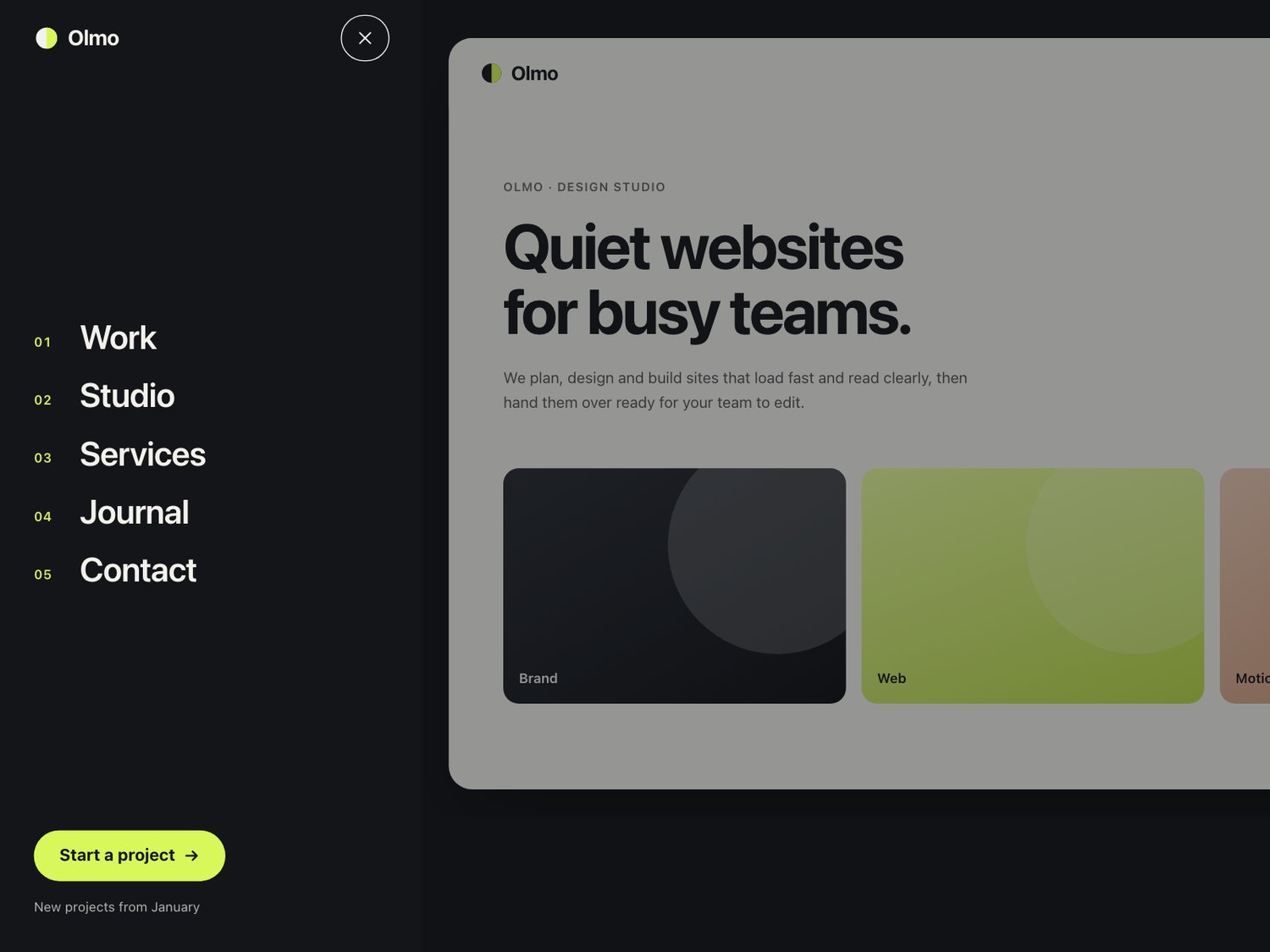
Push Menu Drawer
A menu that pushes your page aside: press Menu and a panel slides in from the left or right and pushes the page over, or the menu drops in full screen and pushes the page down.
What moves is the frame you connect to Page Content (a sample page shows until you do), and Slide + Shrink also scales it to 92% with rounded corners.
While the menu is open, wheel, touch and keyboard scrolling leave the page behind where it was, and every move is a CSS transition, so nothing runs at rest.
- Keyboard: the Menu button reports open or closed, focus moves into the menu and Tab stays there, arrows, Home and End move between links, and Escape closes it and returns focus to the button.
- On touch screens, drag the side panel back to close it; it follows your finger, and a drag that starts on a link does not open the link.
- Reduced motion makes it instant, and the canvas can show the menu open for styling.
What you control
• Style: push left, push right or full screen
• Links (up to 12): label, link, new tab; numbers; current page marked
• Page Content: one frame with your sections, or the sample page
• Brand: logo text or image, logo link, button text, a highlighted button and a note in the menu
• Layout: panel width, Slide or Slide + Shrink, stagger, duration, sticky bar
• Look: page, text, panel, accent and dim colours, dim amount, radius, font, text size
• Behavior: close on link or page tap, swipe to close, sample page, open on canvas; screen-reader labels
Limits: only the Page Content slot is pushed (sections outside the component are dimmed, not moved); sticky or fixed parts inside your page move with it while open; dragging the browser scrollbar still scrolls; touch scrolling and swiping were tested in Chromium touch emulation, not on a real phone or iOS Safari.
Live preview: https://thistle-timing-694660.framer.app/push-menu-drawer
You get a Framer Component URL. Paste it onto the canvas of any Framer project. No plugins, no external libraries.