
Social Media Content Calendar Excel Template
On Sale
$6.99
$6.99
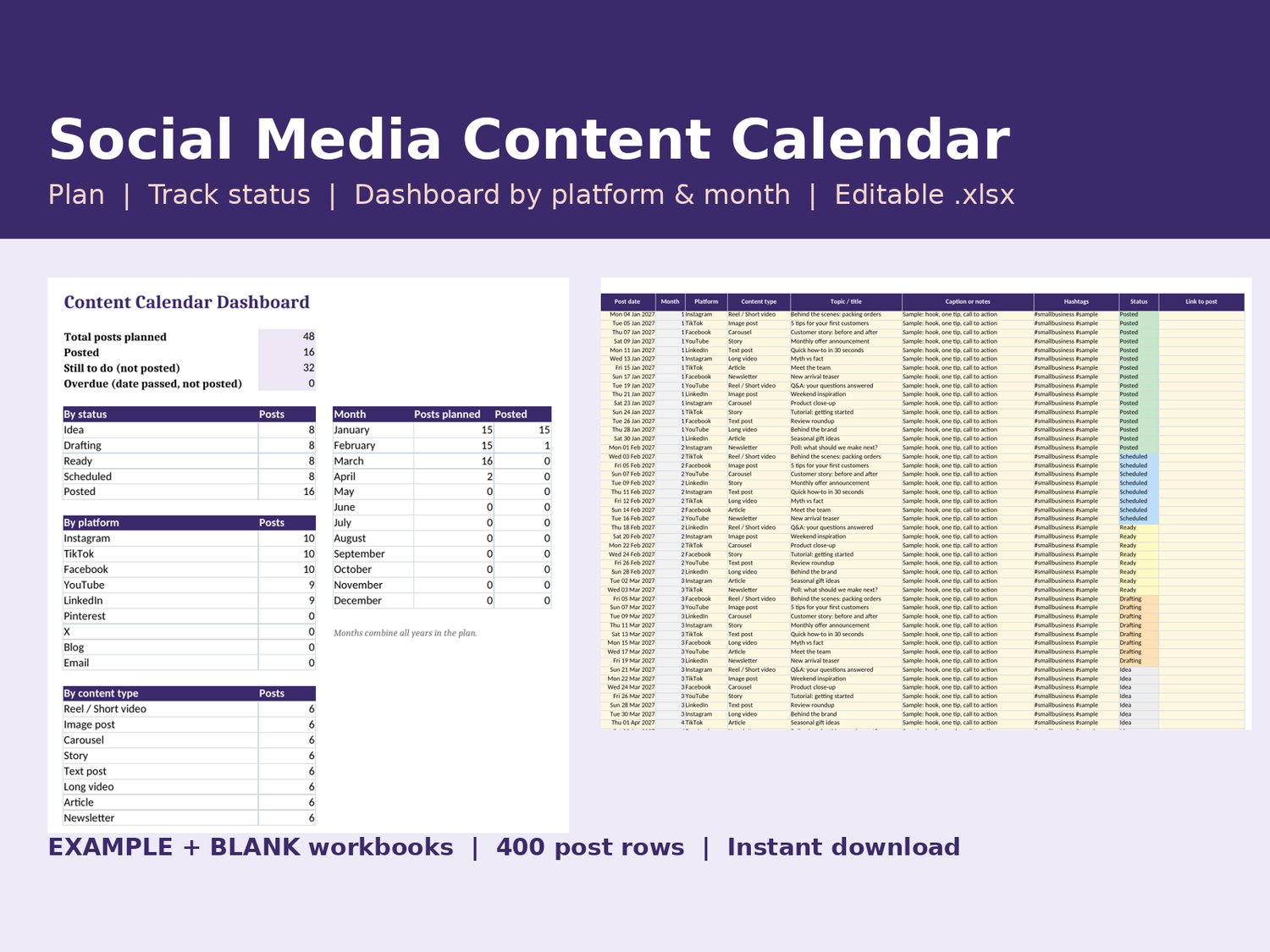
Plan, schedule and track your social media posts in one Excel workbook. Add one row per post, set its status from Idea to Posted, and the dashboard shows how many posts you have by status, platform, content type and month.
What you get
- An EXAMPLE workbook filled with 48 sample posts
- A BLANK workbook for your own plan
- Both are editable .xlsx files
How to use it
- Open the Content Plan sheet and add one row per post: date, platform, content type, topic, caption and hashtags
- Choose the status from the drop-down as each post moves along. Row colours follow the status
- Paste the link to the live post in the last column
- Read the Dashboard for counts by status, platform, content type and month, plus overdue posts
- Use the filter arrows to view one platform, month or status
Specs
- Up to 400 posts per workbook
- 9 platforms, 8 content types and 5 statuses to start. Edit the drop-down lists on the Lists sheet
- Overdue posts are highlighted in red when the date has passed and the post is not marked Posted
- Cream cells are for your entries, grey cells are calculated. Standard formulas, no macros
- Digital download, no physical item is shipped. Single-user licence for your own use