
FileConverter
What it does
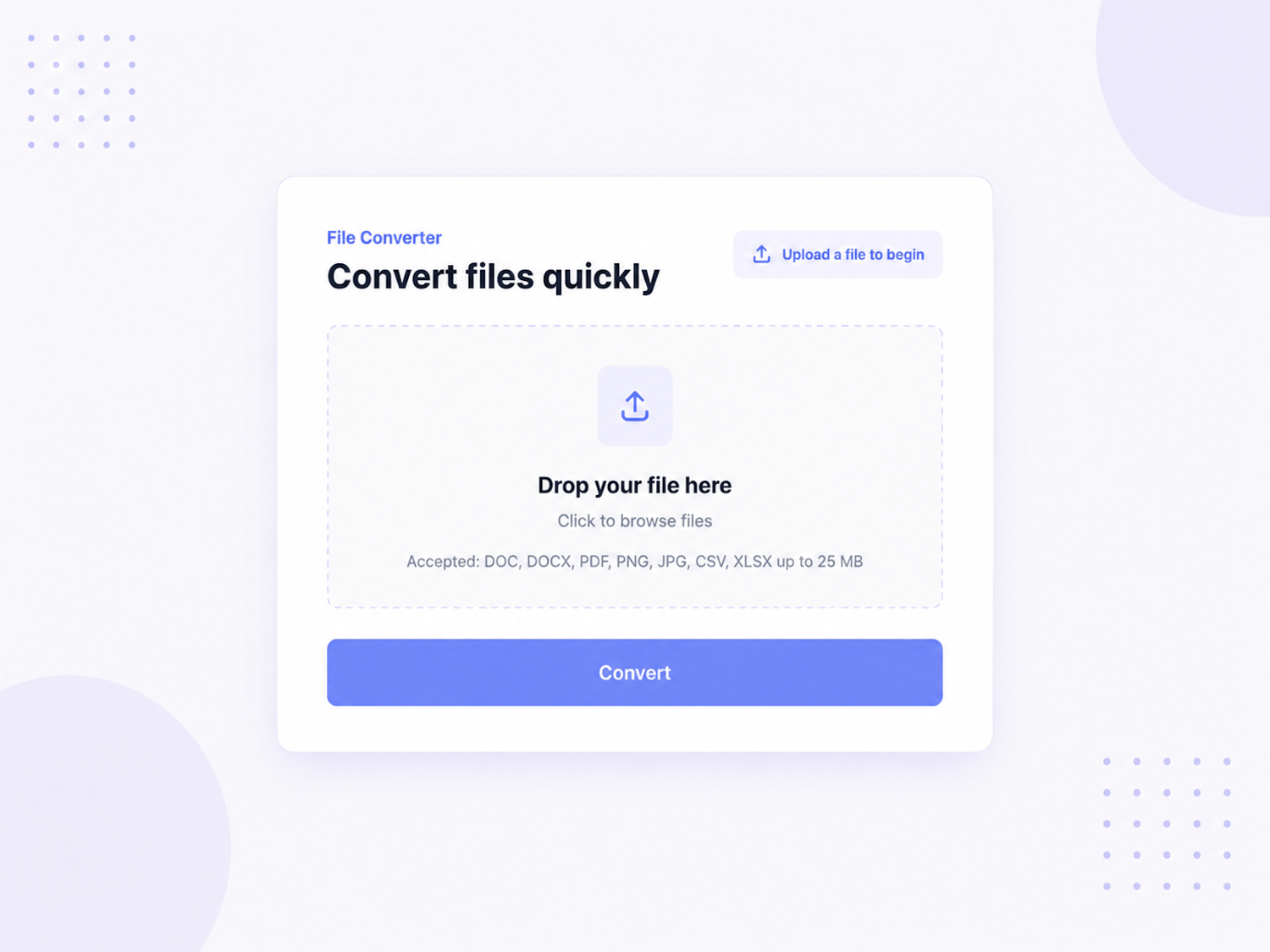
FileConverter gives your Framer site a complete drag-and-drop file conversion interface. Visitors can upload supported files, choose an available output format, see conversion progress, and download the converted result. It includes a mock mode for demos and real browser-based image conversion for PNG, JPG, and WEBP outputs, while backend mode is ready to connect to a production /api/convert endpoint for document, spreadsheet, PDF, and advanced conversions.
Features
Supports DOC, DOCX, PDF, PNG, JPG, JPEG, CSV, and XLSX uploads. Automatically detects the file extension and shows only valid output formats, such as DOCX to PDF, PDF to DOCX, PNG to JPG/WEBP/PDF, CSV to XLSX, and XLSX to CSV. Includes max file size validation, unsupported file type errors, drag-over styling, selected file preview, file size display, file type display, remove-file action, output format selector, conversion progress bar, success state, error state, and generated download button. Mock API mode simulates progress and can intentionally fail for testing. Browser-native conversion creates real converted files for raster image formats like PNG, JPG, and WEBP. Backend mode posts the file and selected output format to /api/convert, making it ready for integration with a real conversion service. Styling controls cover accent color, background, surface, text, muted text, border, font, max file size, mock mode, and mock error behavior.
How to use
Add FileConverter to your Framer canvas and customize the colors, font, and maximum upload size from the property panel. Keep Mock API enabled for demos and preview pages. For real production use, turn off Mock API and connect the /api/convert endpoint in your app or hosting environment. The backend should accept a POST request with FormData fields named file and outputFormat, then return the converted file as a Blob. Visitors can then upload a file, choose an output format, convert it, and download the result.
Ideal for
SaaS utility pages, document conversion tools, lead magnet tools, productivity websites, agency landing pages, PDF tools, image conversion pages, spreadsheet utilities, internal dashboards, file-processing demos, AI workflow tools, and any Framer project that needs a polished file upload and conversion interface.
Refund Policy
This is a digital product with instant access. All sales are final once the files or download link have been delivered, except where required by law. Refunds are not offered for change of mind, accidental purchases, lack of Framer experience, failure to read the description, third-party compatibility issues, or changes made after purchase. If the component has a reproducible technical defect caused by the original product, contact me within 7 days with your order email and evidence of the issue. I will first try to fix or replace the file. A refund may only be considered if the issue cannot be resolved. Your statutory rights are not affected.