
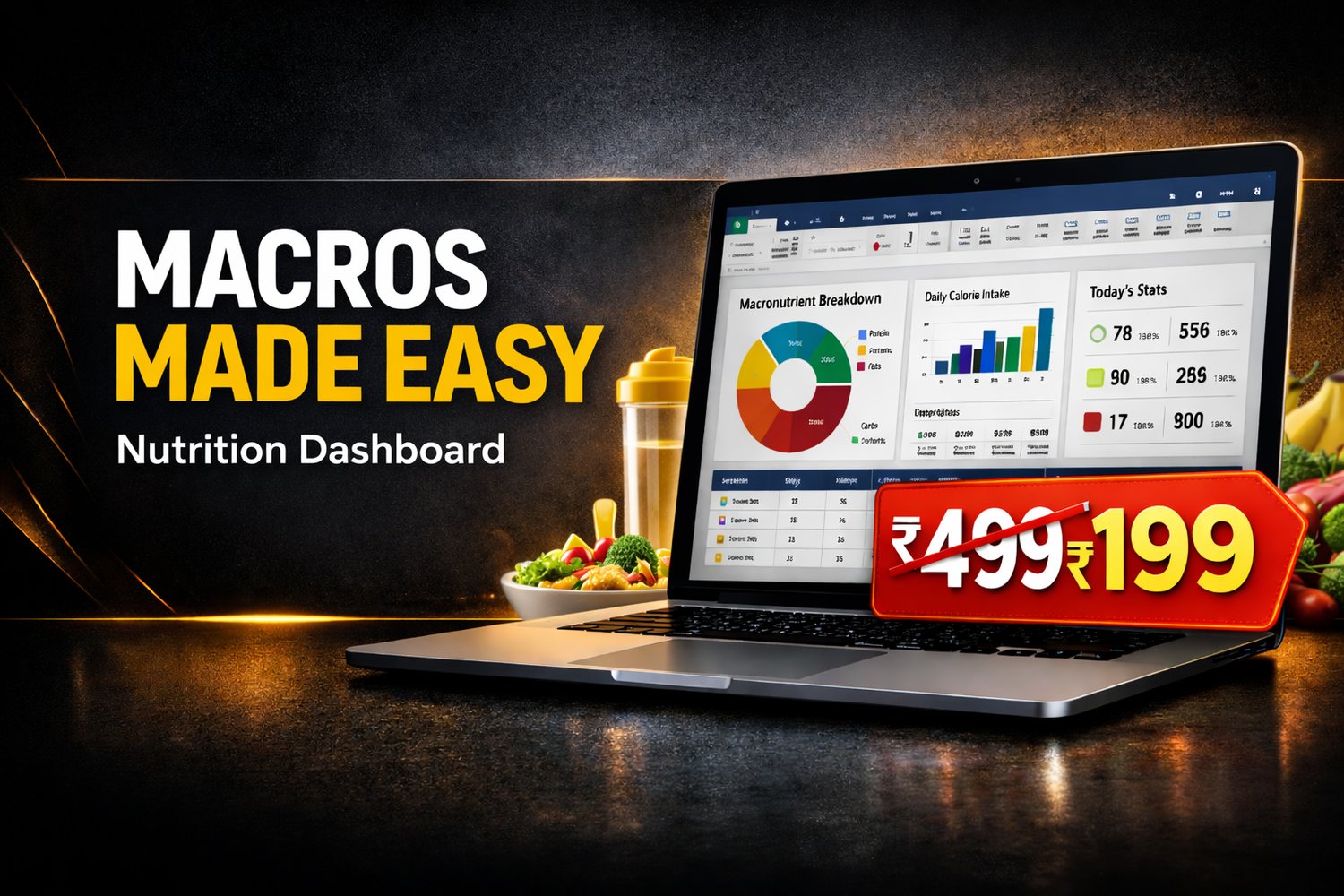
Nutrition Dashboard
MACROS MADE EASY — Nutrition Dashboard (Excel)
Track your Calories, Protein, Carbs & Fats in a simple Excel dashboard — no apps needed.
Just enter what you ate in the Daily Food Log, and the Dashboard updates automatically with totals, remaining targets, and charts.
What you get
✅ Excel Nutrition Dashboard (Instant Download)
✅ Setup sheet to set your profile + daily targets
✅ Food Database (editable)
✅ Daily Food Log (easy entry)
✅ Auto calculations for Calories, Protein, Carbs, Fat
✅ Visual Dashboard + Progress charts
✅ Weekly Summary (last 12 weeks)
✅ Monthly Summary (last 12 months)
How it works (screen-wise)
1) README (Start Here)
This tab is a quick guide that tells you how the file works and what to do first. Perfect for beginners.
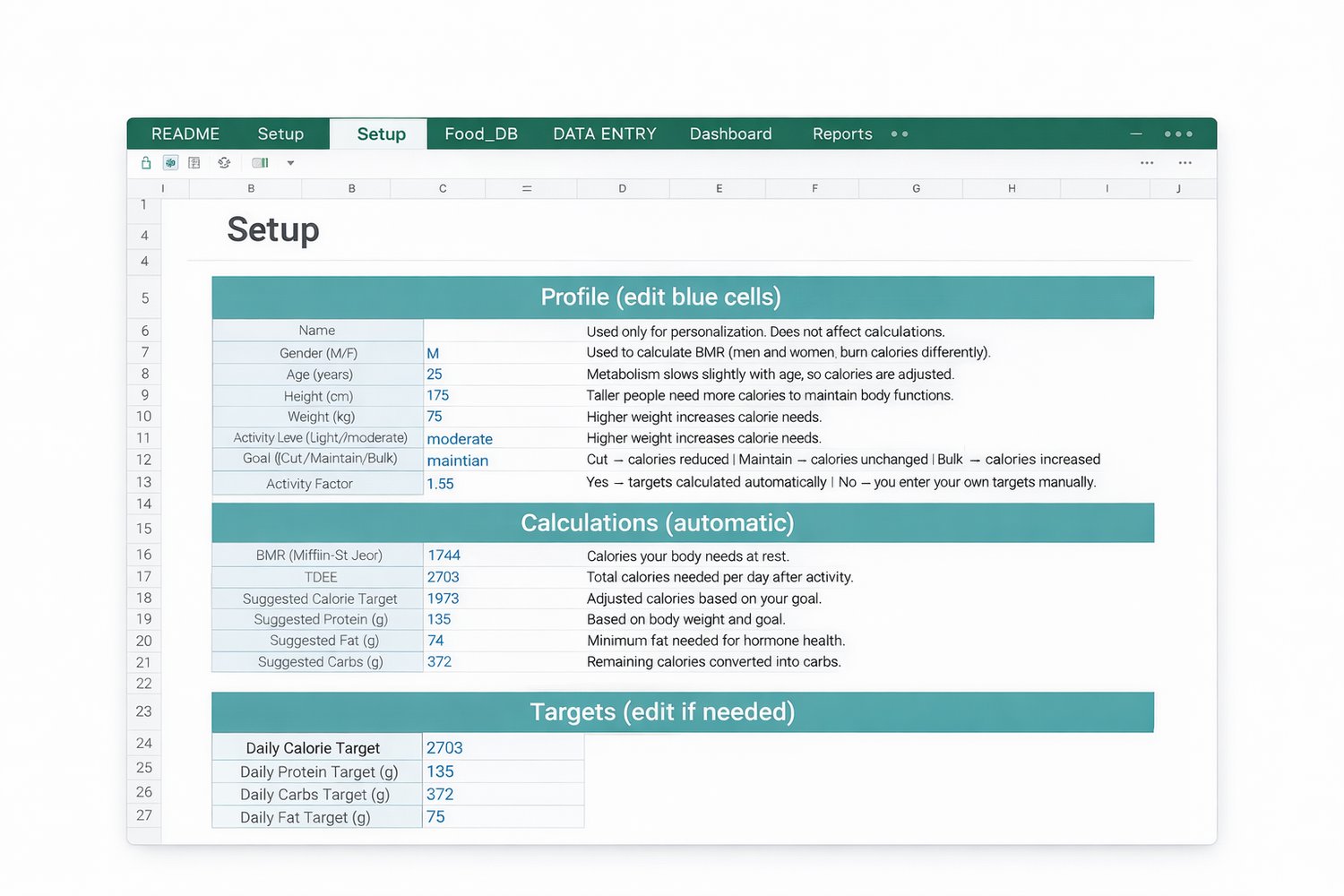
2) Setup (Set your targets once)
Enter your basic details like Age, Height, Weight, Activity level and Goal.
The sheet automatically calculates your daily targets for:
✅ Calories target
✅ Protein target (g)
✅ Carbs target (g)
✅ Fat target (g)
(You can also edit targets manually if you want.)
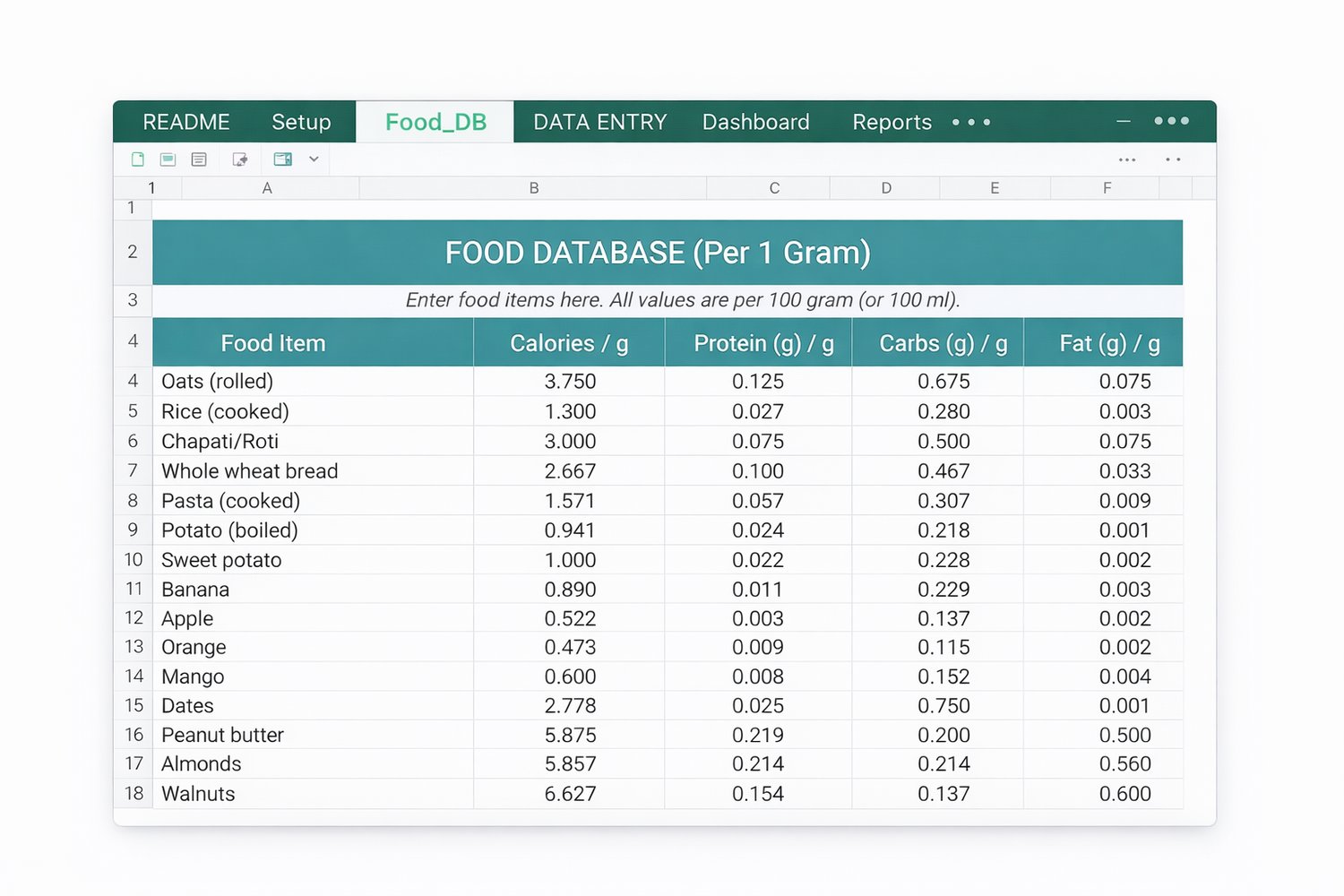
3) Food_DB (Food Database)
This is your editable food list.
Add your foods once (like rice, chapati, oats, fruits, etc.) and reuse them anytime.
Each food has values for:
✅ Calories
✅ Protein
✅ Carbs
✅ Fat
Tip: You can add unlimited items here.
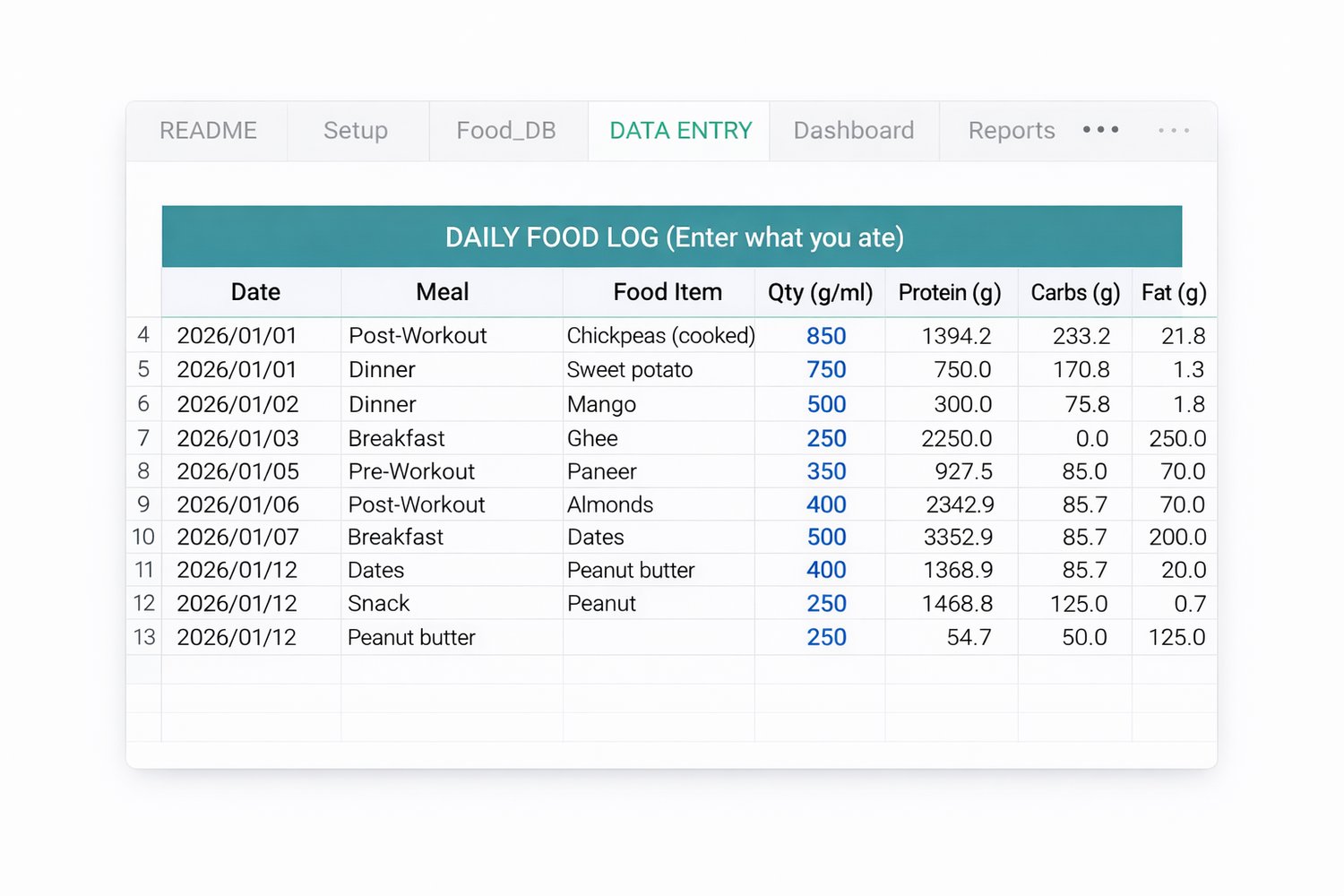
4) Data Entry (Daily Food Log)
This is where you enter what you eat daily.
Just fill:
✅ Date
✅ Meal (Breakfast/Lunch/Dinner/Snack etc.)
✅ Food Item
✅ Quantity (g/ml)
Macros are calculated automatically for every row.
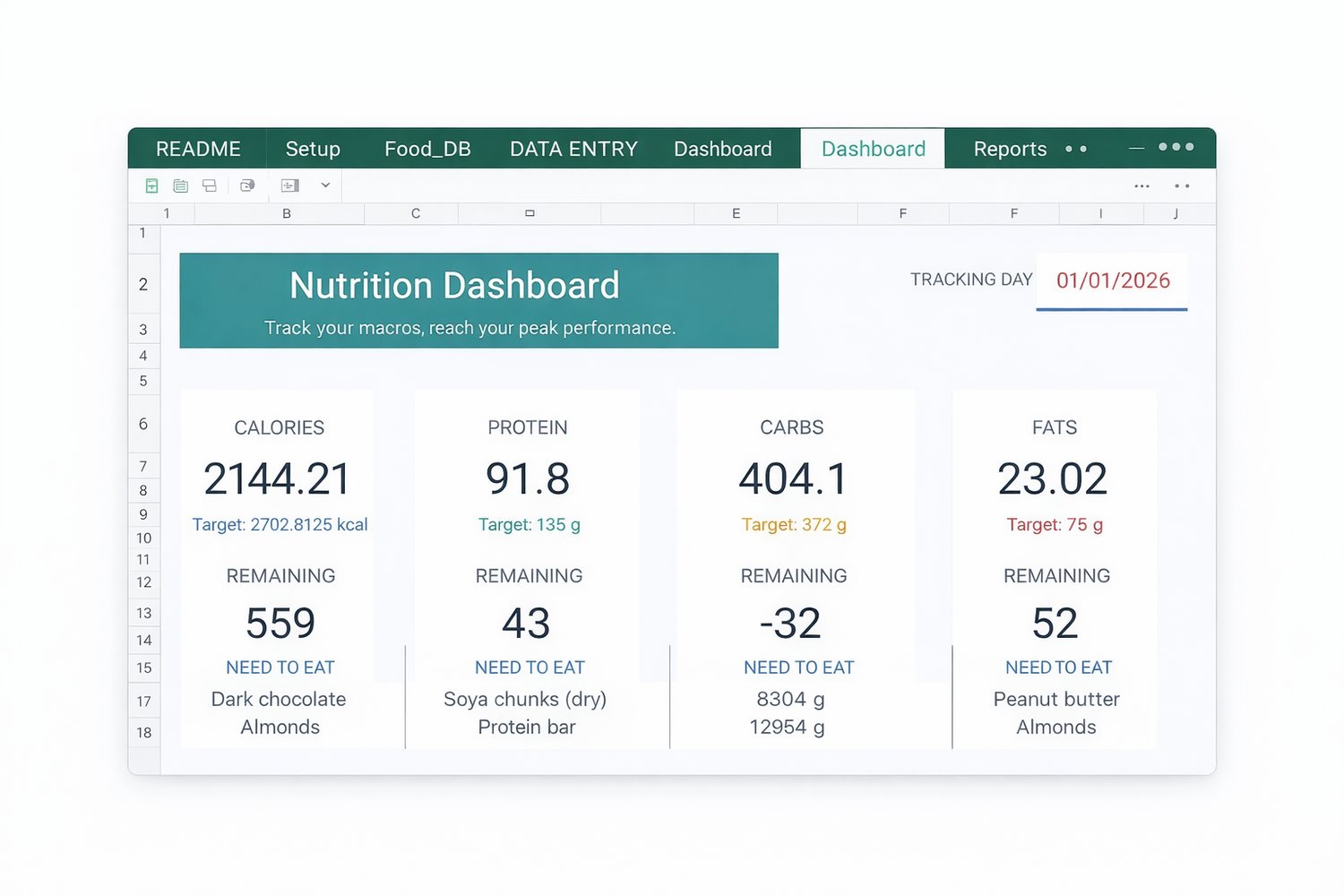
5) Dashboard (Instant Results)
As soon as you enter meals in Data Entry, this dashboard updates automatically and shows:
✅ Total Calories, Protein, Carbs, Fats for the day
✅ Your Target vs Remaining (how much you need to eat / over)
✅ Clean visual cards + quick summary
6) Reports (Progress Tracking)
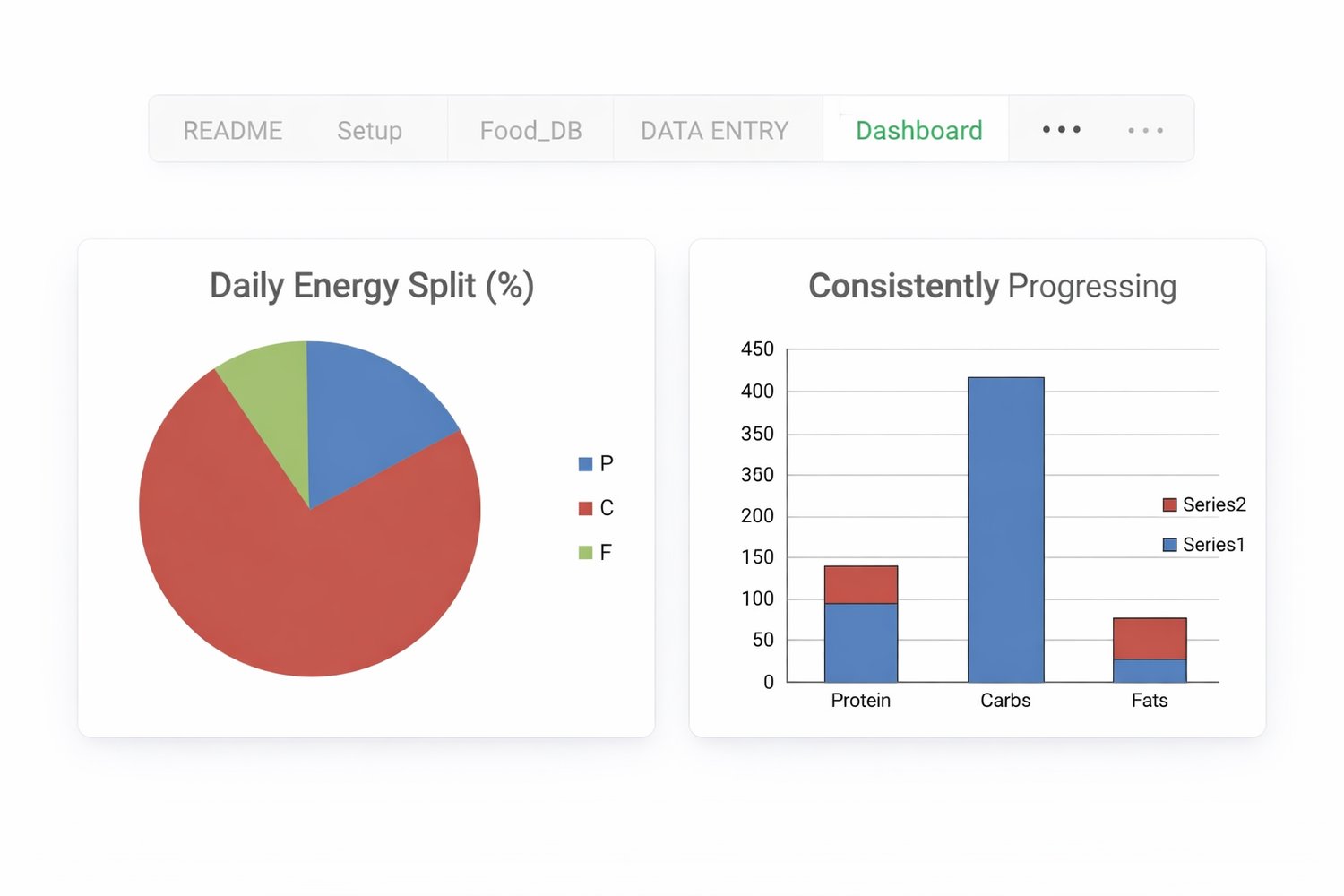
See your progress clearly with charts and summaries:
✅ Weekly Summary (last 12 weeks)
✅ Monthly Summary (last 12 months)
Best for tracking consistency and improvements over time.
Live previews
✅ Dashboard view
✅ Food_DB view
✅ Data Entry view
✅ Setup view
✅ Weekly Summary
✅ Monthly Summary
Best for
✅ Weight loss / fat loss
✅ Muscle gain / bulking
✅ Maintenance / clean eating
✅ Gym & fitness tracking
Notes
Works best on Microsoft Excel (PC/Laptop).
You can also use it on Google Sheets, but some formatting/charts may vary.