
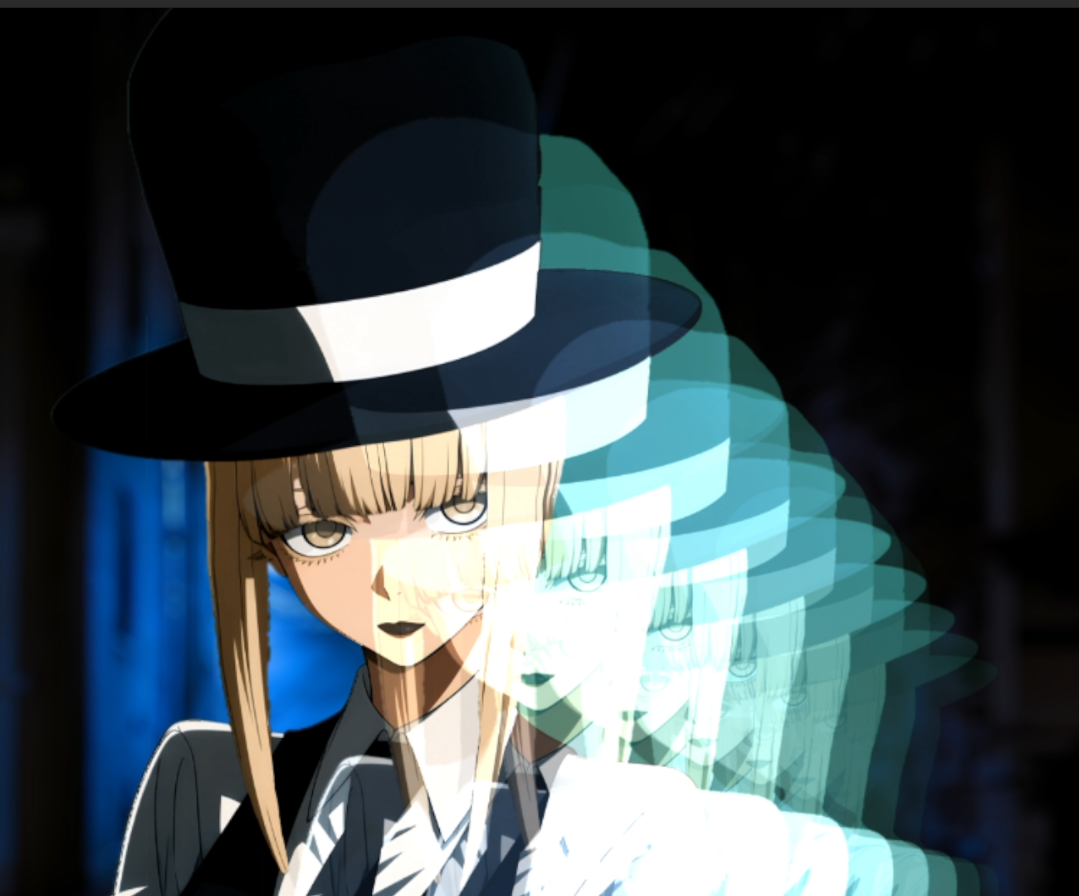
ZT Frame Echo
ZT Frame Echo
=============
Decayed, drifted, tinted ghost frames behind or over the current frame.
Requirements:
* Adobe After Effects 2023 or newer (64-bit)
* Windows 10 or 11 (64-bit) - macOS is not supported
* No installer, no background service, and no extra runtime to install.
Everything the plugin needs is inside the .aex itself.
Before you buy - please read:
* This plugin is for Windows only. It will not run on macOS.
* After installing, the effect is found under
Effect > Zink Tools > ZT Frame Echo
* This is a single effect, not the full Zink Tools suite.
* Your licence code arrives with your receipt. Activation is a one-time
paste - it never expires, needs no internet connection, and is not
locked to one machine.
Installing:
1. Close After Effects completely - quit the app, not just the project.
2. Copy the folder Plug-ins\ZinkTools from the zip into your
After Effects plug-ins folder, usually:
C:\Program Files\Adobe\Adobe After Effects <version>\Support Files\Plug-ins
3. Start After Effects.
4. Apply "ZT Licence" to any layer, click "Enter license code...",
and paste the code from your receipt.
Both .aex files must stay together - "ZT Licence" is what you enter the
code into, and the effect stays watermarked without it.
If the effect does not appear in the Effect menu:
* Check both .aex files are directly inside the Plug-ins folder (or a
subfolder of it) and that After Effects was fully restarted.
* You do NOT need the Visual C++ redistributable for this plugin. It is
statically linked, so there is no separate runtime to install - if
another plugin told you to install one, that requirement is not ours.
* Older releases of Zink Tools left in the Plug-ins folder can stop
After Effects loading anything. Remove them first.