
Headquarters OS: The "Second Brain" Productivity System for Notion
Stop app-hopping. Consolidate your Tasks, Projects, Notes, and Time Tracking into one powerful, clutter-free hub.
Do you feel like your productivity setup is a part-time job?
You are already paying a "tax" on your focus. You pay it every day in switching time between 5 different apps, duplicate data entries, and that constant, heavy feeling of being busy but not effective[cite: 3].
Your problem isn’t that you have too much work; it’s that your productivity infrastructure is broken[cite: 3]. Complexity is not control.
Meet Headquarters OS.
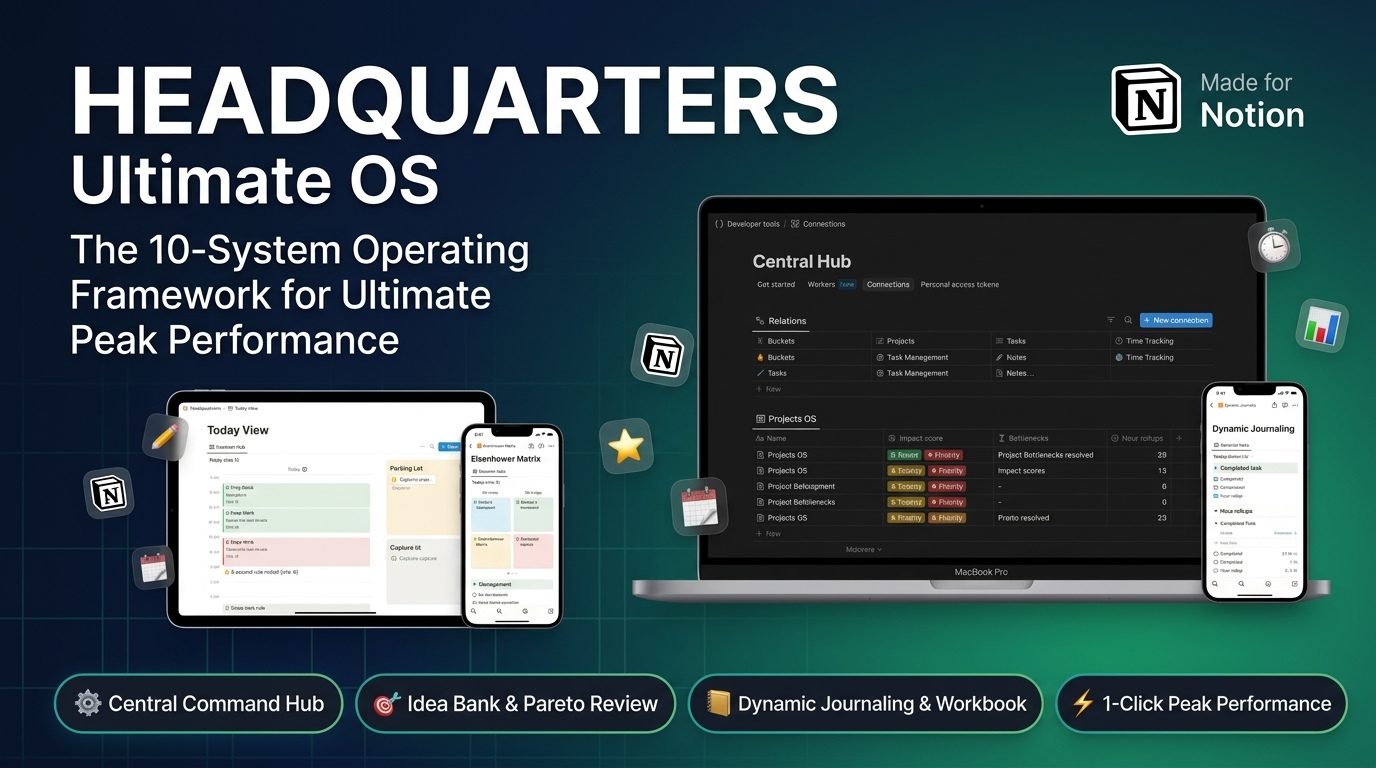
Built around the paradigm of "Simple Frontend, Powerful Backend," Headquarters is a complete personal operating system for Notion that connects your entire life, making your complexity invisible so your focus can stay loud[cite: 5, 6].
It is not just a template; it's a theoretical manual and functional machine, wired together using 10 proven productivity frameworks that feed each other instead of competing for your attention[cite: 6].
What’s Inside the Bundle?
- The Complete Headquarters OS Workspace (Notion Template): The exact, interconnected machine designed to minimize context switching and automate urgency[cite: 6].
- The 51-Page Companion Handbook (PDF Guide): The operations manual that teaches you the theoretical "how" and "why" behind the system, common execution mistakes, and exact setup steps[cite: 6].
- The 50-Prompt Dynamic Journal Workbook: Built directly into your Daily Journal database to turn your data into daily decisions[cite: 2, 6].
Wired with 10 Interlinked Frameworks:
- Integrated To-Do & Calendar: A unified view keyed on scheduled dates, time estimates, and real capacity rules (60–70% capacity)[cite: 6].
- Time Blocking & Priority Filtering: Grouped blocks (Frog, Deep, Shallow) filtered automatically by priority[cite: 6].
- Eisenhower Matrix: Automated quadrants based on importance and calculated urgency[cite: 6].
- Context Shift Minimization: Single-project Project Rooms, quick Parking Lot capture, and shutdown notes[cite: 6].
- Energy-Based Scheduling: Map task energy demands (High, Medium, Low) to your personal energy windows[cite: 6].
- Pareto Principle (80/20): Evaluate project hours vs. impact to double down on winners and eliminate drains[cite: 6].
- Bottleneck Analysis: Isolate single constraints on stalled projects and tackle them first[cite: 6].
- Dynamic Journaling: Reflect using auto-filled execution data (completed tasks, hours logged by bucket, Frog status)[cite: 6].
- Project & Bucket Time Tracking: Log focus sessions once and rollup hours automatically across all projects and life areas (Work, Health, Growth)[cite: 6].
- "Eat the Frog" Execution: Pick your one critical task the night before and execute it first thing tomorrow[cite: 6].
Ready to reclaim your focus? Start your 30-Day Rollout today[cite: 6].