
Price Quotation and Customer Ledger - Bilingual Template
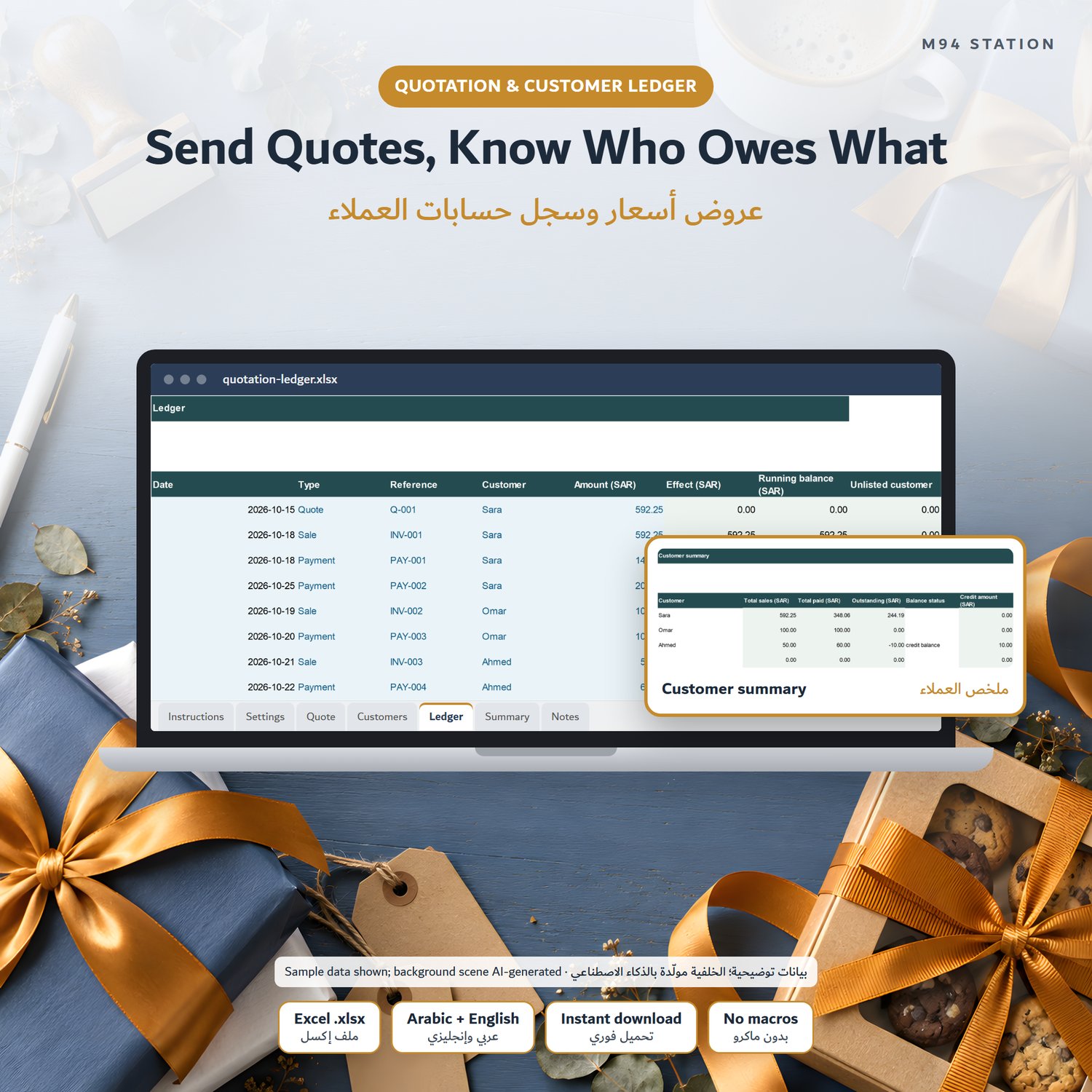
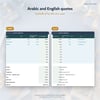
Create a price quotation and see what each customer still owes, in one bilingual (Arabic/English) template. Built for small businesses and freelancers in Saudi Arabia. Works in Microsoft Excel (.xlsx, no macros).
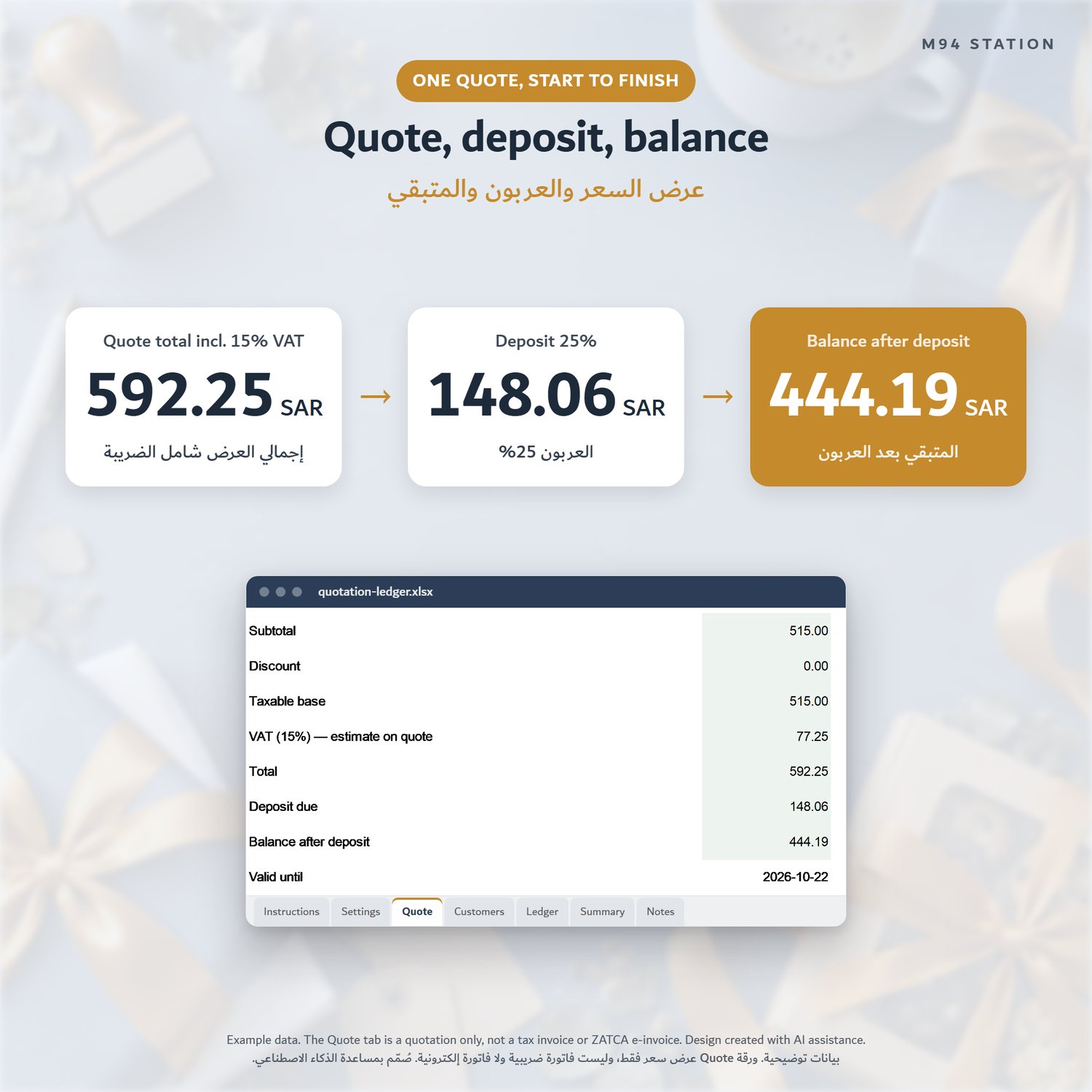
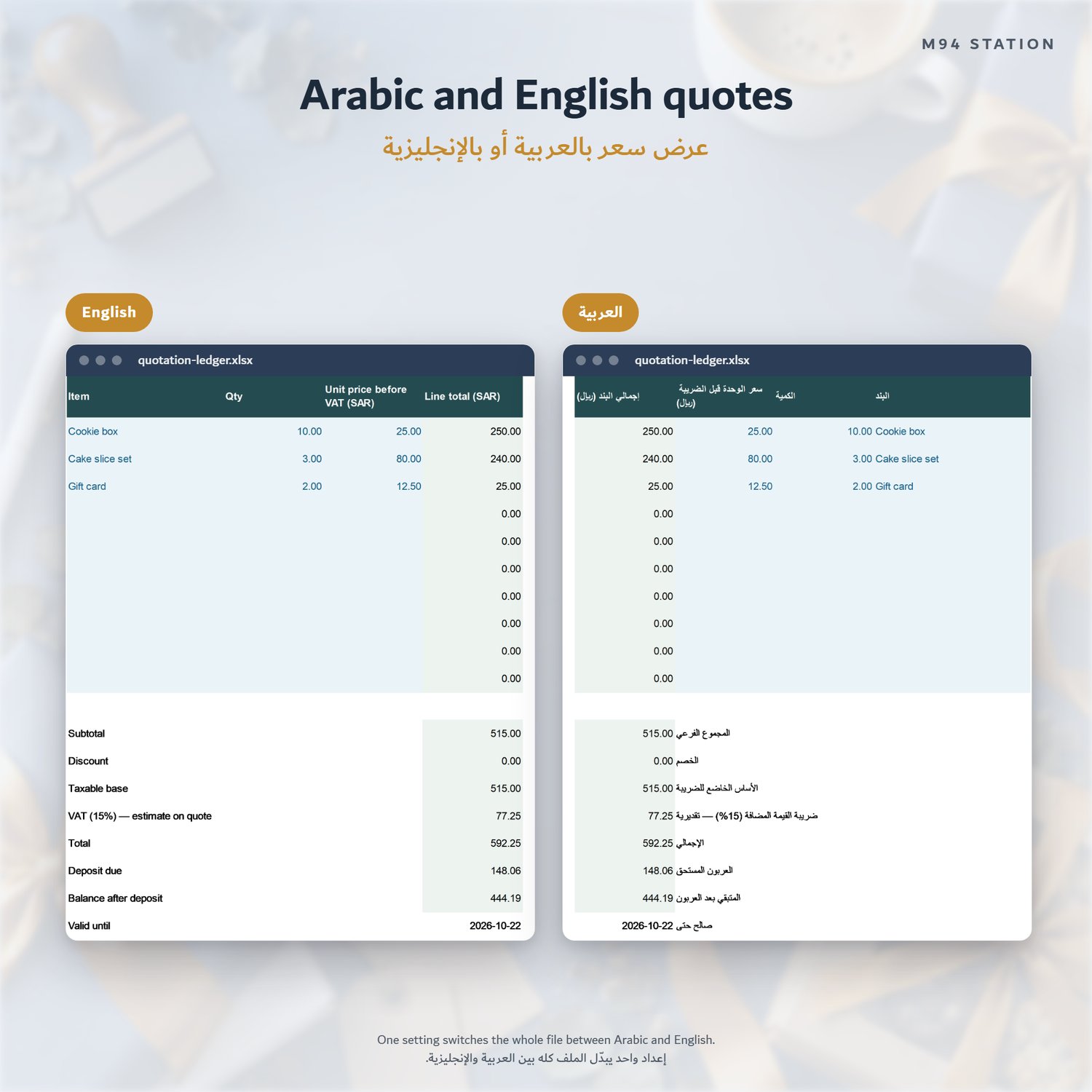
Quote tab: enter the customer name and phone, up to 10 line items (item, quantity, unit price in SAR) and an optional discount. On the Settings tab, set VAT on or off, the validity period (default 7 days) and the deposit percentage (default 25%). The quote shows the subtotal, discount, VAT estimate at the default 15% rate (editable on Settings), total, deposit, balance after deposit and the valid-until date.
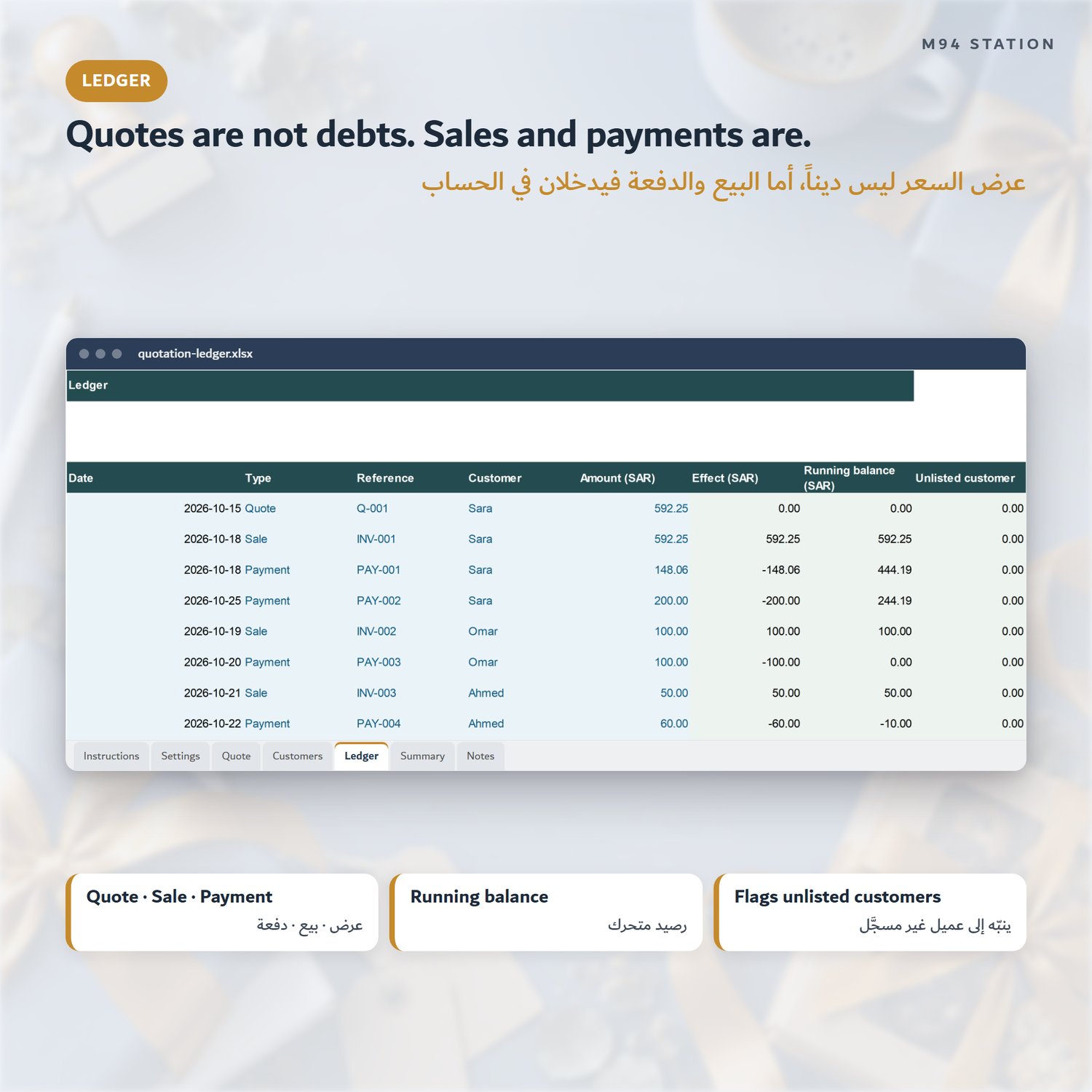
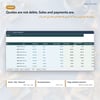
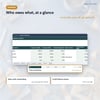
Customers and Ledger tabs: list your customers, then record each Quote, Sale and Payment with its date, reference and amount. A quote is not money owed, so it does not change the balance. Only Sales add to what the customer owes, and Payments reduce it.
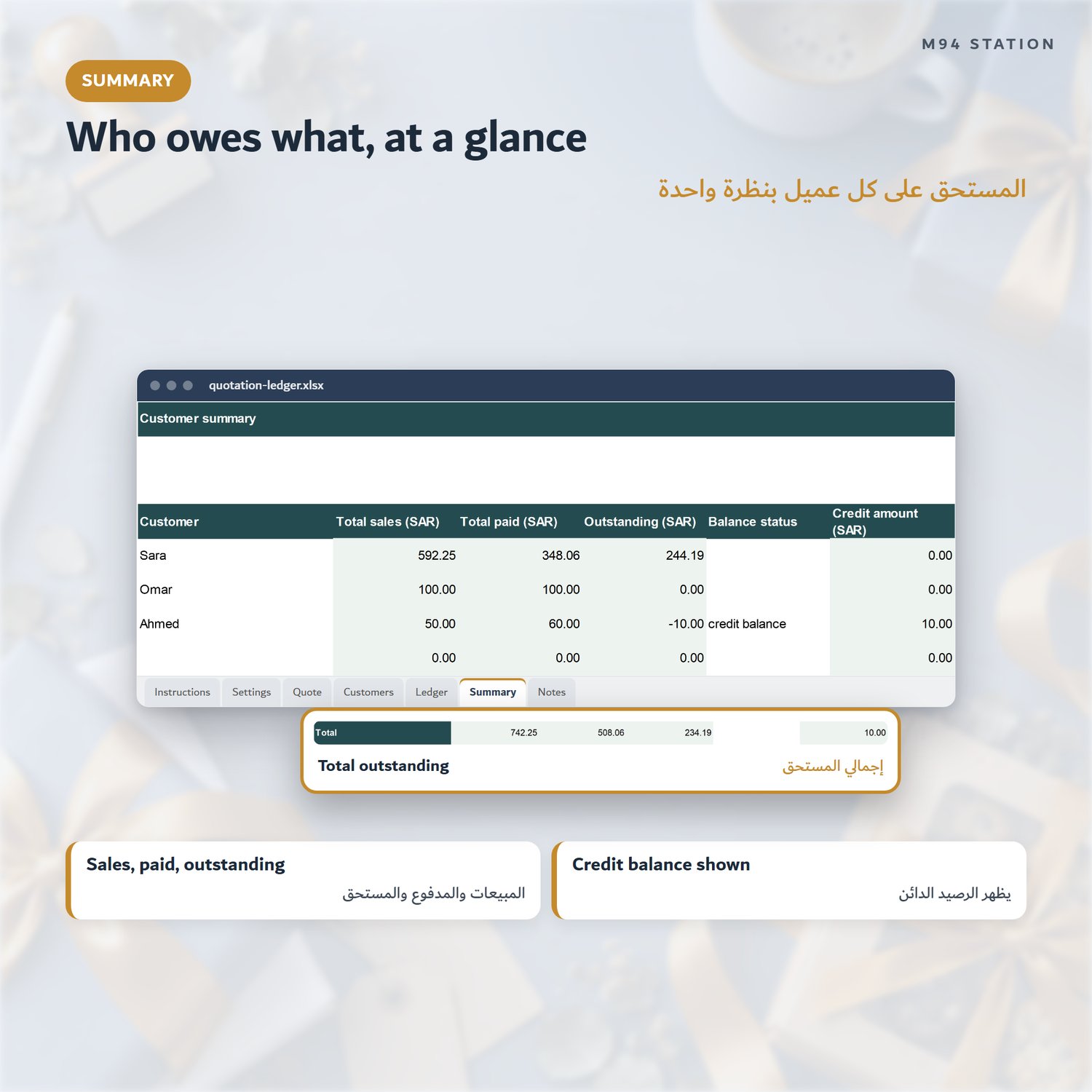
Summary tab: for each customer, total sales, total paid and outstanding balance. The totals row is at the end of the sheet (row 406). A negative balance is shown as "credit balance" so nothing is hidden.
Input cells are open and formula cells are locked to prevent accidental changes. The file has no macros, so Excel should open it without macro warnings. The Instructions and Notes tabs explain how to use it and where the VAT rate comes from.
Quotation only — not a ZATCA e-invoice or tax invoice. Example numbers are illustrative only. This is a quotation and bookkeeping aid, not accounting or tax advice.
Design and formulas created with AI assistance and checked against test cases.
What you get
- Excel workbook (.xlsx), no macros, no external data links
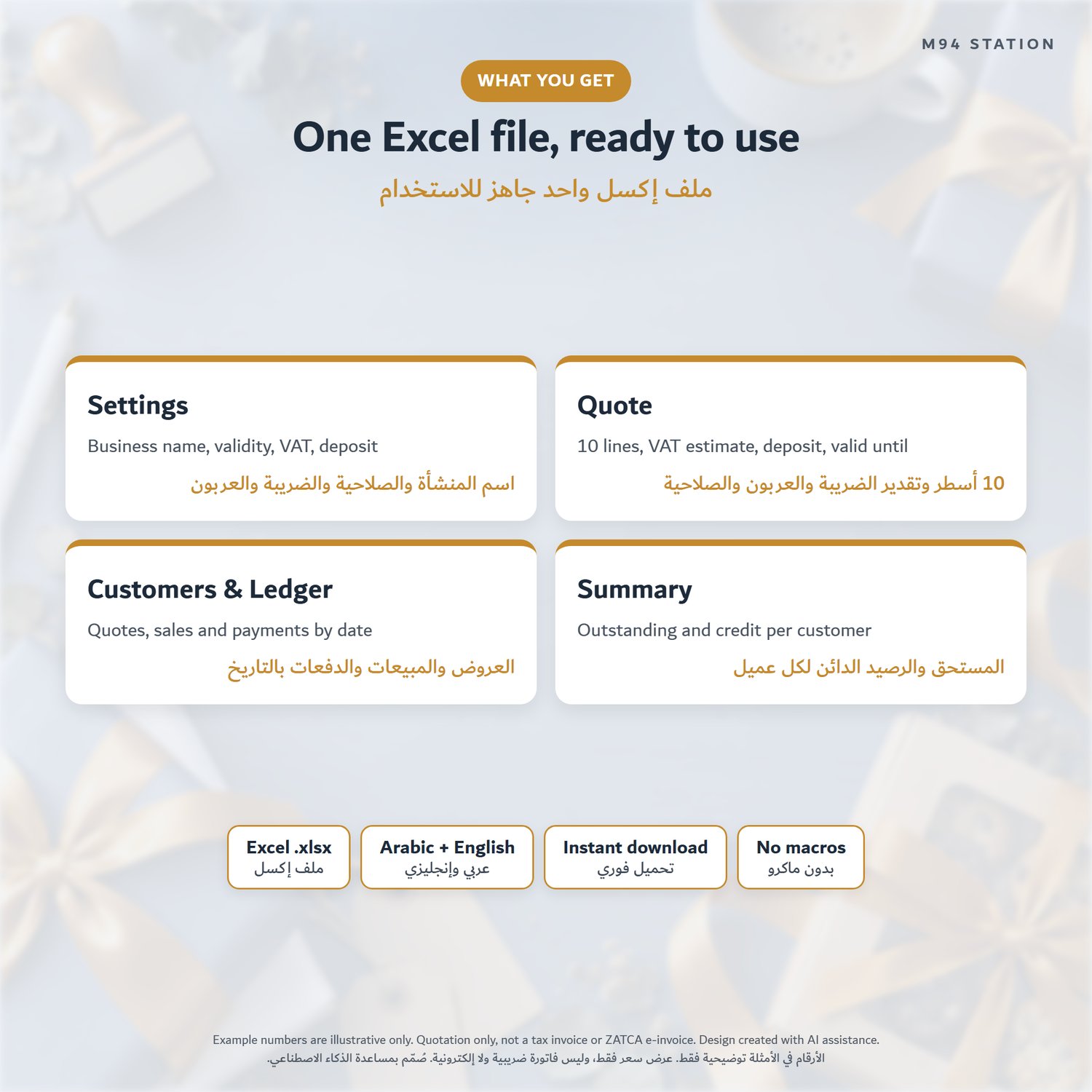
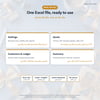
- 7 tabs in order: Instructions (first), Settings, Quote, Customers, Ledger, Summary, Notes
- Instructions tab with the disclaimer and how-to steps; text follows the language you pick
- Settings: business name (blank), quote number, quote date, validity days (default 7), Apply VAT Yes/No (default Yes), VAT rate (15%, labelled as estimate), deposit % (default 25%, 0% to 100%), language AR/EN
- Quote: customer name and phone, quote discount, 10 line items, subtotal, discount capped at the subtotal, VAT estimate, total, deposit, balance after deposit, valid-until date; marked "quotation only"
- Customers: one row per customer, used as the list for the ledger
- Ledger: Quote, Sale or Payment rows with date, reference, customer (dropdown) and amount
- Summary: per customer total sales, total paid and outstanding balance, "credit balance" label, totals row
- Settings counts ledger rows whose customer is not on the Customers tab (a counter, not a pop-up)
- Notes tab: VAT rate source, disclaimer, version date
- Input cells open, formula cells locked (sheet protection)
Quotation only — not a ZATCA e-invoice or tax invoice. Example numbers are illustrative only. This is a quotation and bookkeeping aid, not accounting or tax advice.
قالب عرض سعر وسجل حسابات العملاء - عربي وإنجليزي
عرض سعر فقط — ليس فاتورة ضريبية ولا فاتورة إلكترونية حسب هيئة الزكاة والضريبة والجمارك.
أنشئ عرض سعر للعميل، وتابع ما يدفعه كل عميل من مكان واحد. قالب ثنائي اللغة (عربي وإنجليزي) للأعمال الصغيرة والعمل الحر في السعودية. يعمل في Microsoft Excel بملف xlsx بدون ماكرو.
ورقة Quote: أدخل اسم العميل ورقم جواله، وحتى 10 بنود (البند، الكمية، سعر الوحدة بالريال). أضف خصماً إن وُجد. من ورقة Settings: شغّل ضريبة القيمة المضافة أو أوقفها، واختر مدة الصلاحية (الافتراضي 7 أيام) ونسبة العربون (الافتراضي 25%). يعرض العرض المجموع الفرعي والخصم، وتقدير الضريبة بالنسبة الافتراضية 15% (قابلة للتعديل في Settings)، والإجمالي، والعربون، والمتبقي بعد العربون، وتاريخ انتهاء الصلاحية.
ورقتا Customers وLedger: سجّل بيانات عملائك، ثم سجّل كل عرض سعر وبيع ودفعة بالتاريخ والمرجع والمبلغ. عرض السعر ليس ديناً على العميل، فلا يغيّر الرصيد. البيع فقط يزيد المستحق، والدفعة تنقصه.
ورقة Summary: لكل عميل إجمالي المبيعات، والمبلغ المدفوع، والرصيد المستحق. صف الإجمالي في آخر الورقة (الصف 406). إذا دفع العميل أكثر من المستحق يظهر الرصيد باسم "رصيد دائن" ولا يُخفى.
خانات الإدخال مفتوحة، والمعادلات مقفلة لتجنب التعديل بالخطأ. الملف بدون ماكرو، ويفترض أن يفتح في Excel بدون تنبيهات الماكرو. تشرح ورقتا Instructions وNotes طريقة الاستخدام ومصدر نسبة الضريبة.
تنبيه: هذا القالب أداة مساعدة للعرض والمتابعة، وليس نصيحة محاسبية أو ضريبية. الأرقام في الأمثلة توضيحية فقط.
صُمّم القالب وصيغه بمساعدة الذكاء الاصطناعي وفُحص بحالات اختبار.
عرض سعر فقط — ليس فاتورة ضريبية ولا فاتورة إلكترونية حسب هيئة الزكاة والضريبة والجمارك. الأرقام في الأمثلة توضيحية فقط. هذا القالب أداة مساعدة للعرض والمتابعة، وليس نصيحة محاسبية أو ضريبية.
FAQ / الأسئلة الشائعة
EN
- Which file formats are included? Excel format (.xlsx) only. It works in Microsoft Excel with no macros.
- Is the Quote tab a tax invoice? No. The Quote tab is a quotation only. It is not a tax invoice and not a ZATCA e-invoice. If you need a tax invoice, use a system that is approved for e-invoicing.
- How does VAT work? The VAT line is an estimate at the default 15% of the amount after discount. Set the Apply VAT dropdown on the Settings tab to No to switch it off; the VAT then shows 0.00. The rate is on the Settings tab and its source is on the Notes tab. This is an estimate, not legal or tax advice. Check how VAT applies to your business.
- Does it use macros? No. It is a plain .xlsx file with ordinary formulas, so Excel should open it without macro warnings.
- Are quotes counted as money owed? No. A Quote row has no effect on the balance. Only Sale rows add to what the customer owes, and Payment rows reduce it.
- How do I record a payment? On the Ledger tab, choose Payment, pick the customer from the list and type the amount. The Summary tab updates the outstanding balance.
- What does "credit balance" mean? If a customer has paid more than the recorded sales, the outstanding amount is negative. The Summary tab shows it as "credit balance" so you can see it.
- Can I change the deposit and validity? Yes. Deposit accepts 0% to 100% (default 25%). Validity days is a whole number (default 7), and the valid-until date follows the quote date.
- Can I edit it? Yes. Input cells are open and formula cells are locked to prevent accidental changes. The protection has no password, so you can unprotect a sheet from the Review tab in Excel if you want to change a formula. Switch the language between AR and EN on the Settings tab.
- Can I get a refund? Please see the store policy.
AR
- ما صيغ الملفات المتوفرة؟ ملف Excel (xlsx) فقط. يعمل في Microsoft Excel بدون ماكرو.
- هل ورقة Quote فاتورة ضريبية؟ لا. ورقة Quote عرض سعر فقط، وليست فاتورة ضريبية ولا فاتورة إلكترونية حسب هيئة الزكاة والضريبة والجمارك. إذا تحتاج فاتورة ضريبية، استخدم نظاماً معتمداً للفوترة الإلكترونية.
- كيف تُحسب الضريبة؟ الضريبة تقدير بالنسبة الافتراضية 15% على المبلغ بعد الخصم. غيّر قائمة تطبيق الضريبة (Yes / No) في ورقة Settings إلى No لإيقافها، فتصبح 0.00. النسبة في ورقة Settings ومصدرها في ورقة Notes. هذا تقدير وليس نصيحة قانونية أو ضريبية، فراجع كيف تنطبق الضريبة على نشاطك.
- هل فيه ماكرو؟ لا. هو ملف xlsx عادي بمعادلات عادية، ويفترض أن يفتح في Excel بدون تنبيهات الماكرو.
- هل عرض السعر يُحسب ديناً على العميل؟ لا. سطر عرض السعر أثره صفر على الرصيد. فقط سطر البيع يزيد المستحق على العميل، وسطر الدفعة ينقصه.
- كيف أسجّل دفعة؟ في ورقة Ledger اختر Payment، واختر العميل من القائمة، واكتب المبلغ. ورقة Summary تحدّث الرصيد المستحق تلقائياً.
- ماذا يعني "رصيد دائن"؟ إذا دفع العميل أكثر من المبيعات المسجلة، يصبح الرصيد المستحق سالباً. يظهر في ورقة Summary باسم "رصيد دائن" حتى تراه بوضوح.
- هل أقدر أغيّر نسبة العربون ومدة الصلاحية؟ نعم. العربون من 0% إلى 100% (الافتراضي 25%). مدة الصلاحية بالأيام (الافتراضي 7)، وتاريخ الانتهاء يتحدّث حسب تاريخ العرض.
- هل أقدر أعدّل عليه؟ نعم. خانات الإدخال مفتوحة والمعادلات مقفلة لحمايتها من التعديل بالخطأ. الحماية بدون كلمة مرور، فتقدر تفكها من تبويب مراجعة (Review) في Excel إذا أردت تعديل معادلة. ويمكنك تغيير اللغة بين AR وEN من ورقة Settings.
- هل أقدر أسترجع المبلغ؟ يرجى مراجعة سياسة المتجر.