

Blog Posts Factory Template
About this template
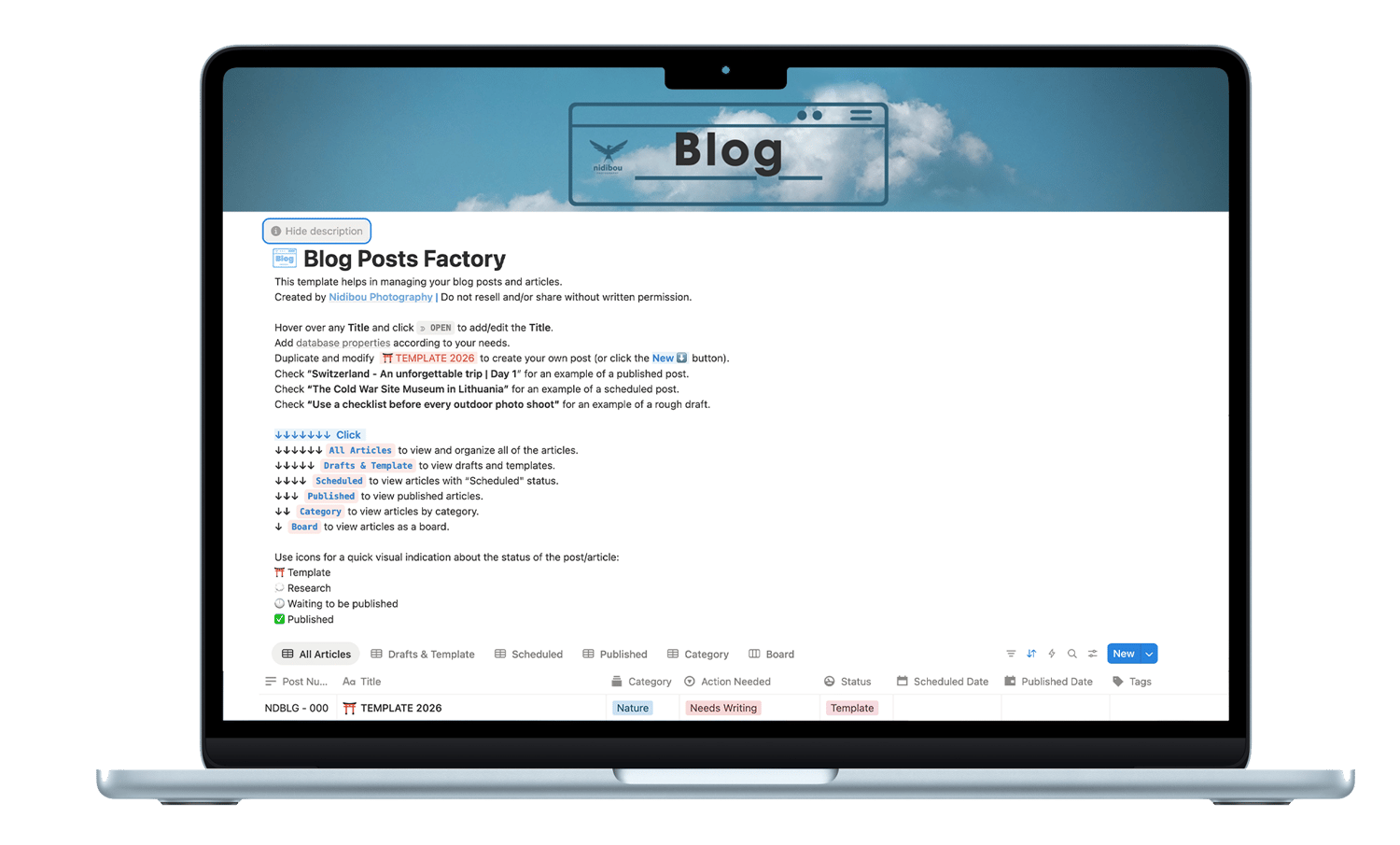
This Notion Blog Posts Factory Template helps in creating a post from start to finish. It includes every step you need to take from creating to publishing your post.
What's included within this template:
→ One TEMPLATE page that you can duplicate and alter to your taste.
→ One already published post page to check how it looks like after all the edits.
→ One scheduled post page to check the state before publishing.
→ One draft post page to check the state of a rough draft.
Also, you can choose between different views, such as:
→ All Articles view to store and reference every single post you create.
→ Drafts & Template view, so you can access just the Template & Draft posts, but not the Published or Scheduled ones.
→ Scheduled view, so you can maximize your content strategy and visibility.
→ Published view, so you can have a full archive at your disposal.
→ Category view, so you can easily categorize every post.
→ Board view, for an easy optical alternative.
TEMPLATE page includes:
- Post Number - A number helps in archiving and sorting.
- Categories - Here you can add names for helping with categorizing.
- Action Needed - This helps with knowing what action needs to be done.
- Status - Status of the post at the current point in time.
- Published Date - Date at which the post was published.
- Scheduled Date - When it was scheduled to be published.
- URL - The url of the published post.
- Tags - Tags are very useful for keyboarding every post.
- Files & Media - Here you can add some files, such as contact sheets to help you choose the final images.
- A research page - This is where you can write pieces of texts, articles, images and everything that a research might bring to your attention, before shaping the final text for your post.
- TEXT - The final text lives here. This is what is going to get published. A column named "First Draft Note" might help for the editing. A quote section is also in here.
- Title Ideas - A list of title ideas.
- Thumbnail Picture - SEO needs a nice thumbnail picture. You can add it here.
- Table of contents - An easy way to skip to your content right away.
- BEFORE POSTING - CHECKLIST - A very useful list. Try to check as many boxes as possible.
- READY TO PUBLISH - CHECKLIST - Just before publish, check these out.
- AFTER POSTING - CHECKLIST - Steps to be done after publishing a post.
- NOTES - Here you can add general notes about the post; not necessary tight to research purposes.
- RESOURCES - Useful list of resources.
You may add more properties of course, links, comments, order of appearance and change or add anything else, according to your needs.
This is a real life post builder used by me every time I want to create a new blog post. It has been tested over and over again for the last many years. It was created and used alongside a Squarespace website, but it can be used across all platforms.