




Residential Design Intelligence Studio Pro
Residential Design Intelligence Studio Pro
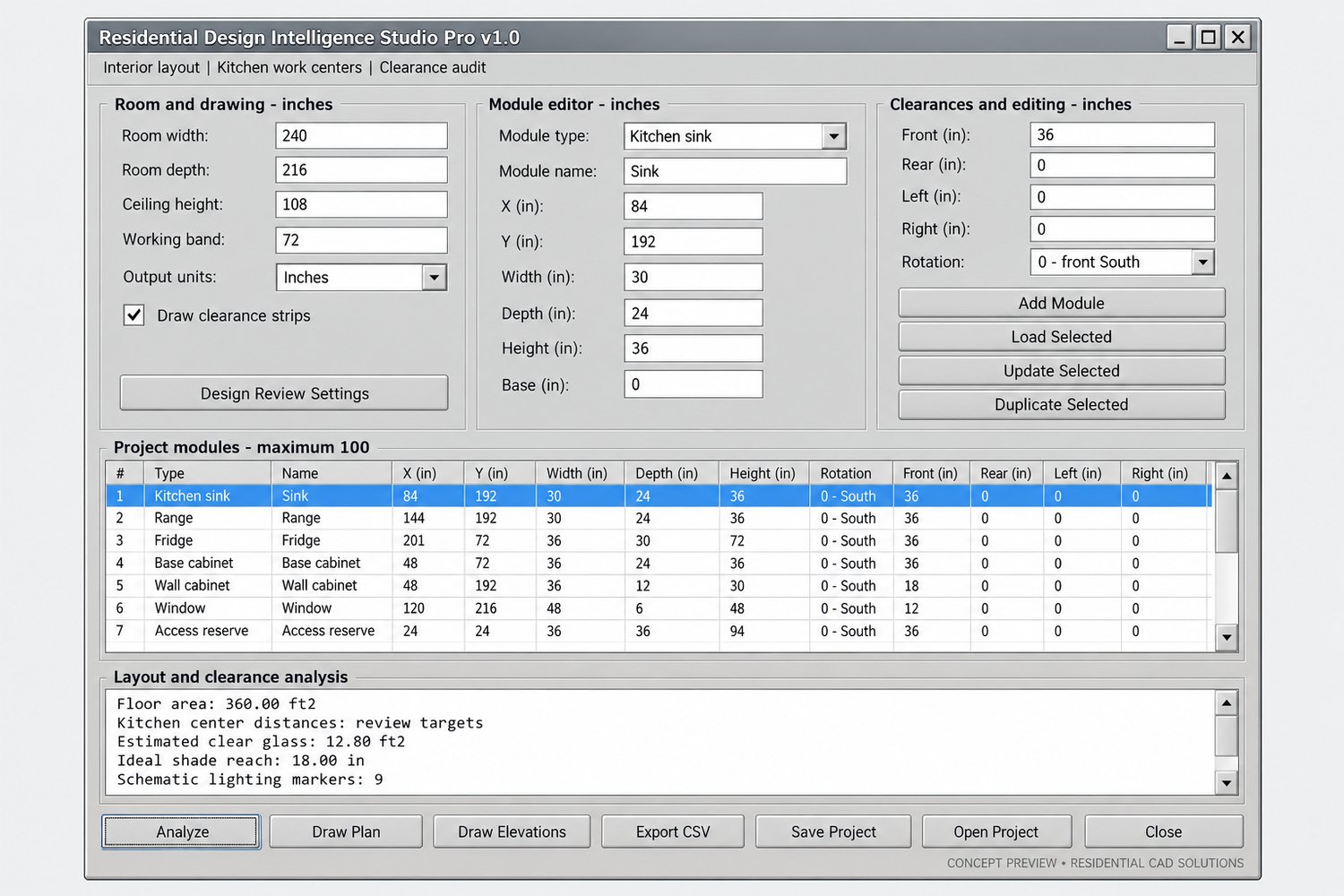
Plan residential interiors and spot layout conflicts directly inside AutoCAD with Residential Design Intelligence Studio Pro.
This AutoLISP and DCL tool combines furniture and appliance planning, clearance checks, kitchen work-triangle analysis, and schematic drawing output in an organized interface.
Study kitchens, living rooms, bedrooms, bathrooms, laundry rooms, mudrooms, and workshops—one rectangular room per saved project.
Powerful features:
- 33 editable presets covering furniture, appliances, cabinetry, plumbing fixtures, window openings, and protected access zones
- Manage up to 100 modules per room
- Enter custom dimensions, positions, heights, and mounting elevations
- Rotate modules through 0°, 90°, 180°, and 270°
- Assign front, rear, left, and right clearance strips
- Identify overlapping bodies, blocked clearances, room-boundary conflicts, and protected-space intrusions
- Check kitchen sink, range, and refrigerator center distances against your editable planning targets
- Flag furniture or equipment crossing kitchen work-center lines
- Compare room area and short-side dimensions with your planning preferences
- Estimate clear-glass area and glass-to-floor ratios from window opening proxies
- Calculate simplified overhang shade reach using a manually entered sun altitude
- Generate schematic lighting grids
- Draw a labeled 2D plan and four schematic interior wall elevations
- Save separate room studies and design alternatives
- Export project inputs, module schedules, and analysis results to CSV
Your download includes:
- Residential Design Intelligence Studio Pro LISP file
- Matching DCL interface with a separate Design Review Settings dialog
- Installation and usage instructions
- Six example room-study projects and analysis reports
- Editable preset-dimension reference CSV
- Example kitchen schedule
- AutoCAD R2000 DXF example containing plans and elevations
Command:
DESIGNSTUDIOPRO — Opens the complete planning interface.
Units:
Dimensional inputs use decimal inches. Generated drawing geometry can use inches, feet, millimeters, or meters.
Important information:
This is a schematic planning and design-review tool. Preset dimensions and targets are illustrative and editable. Results do not establish building-code compliance, accessibility, safe circulation, daylight performance, energy savings, or electrical adequacy. Verify actual product dimensions, manufacturer requirements, and applicable local regulations.
Built around a classic Windows AutoCAD 2002 foundation. Core calculations and example files have been checked; native AutoCAD operation and version compatibility have not been verified.
An original Residential CAD Solutions product. Not affiliated with, sponsored by, or endorsed by 07Sketches.