








AI Project Manager Weekly Command Center
Turn project chaos into a decision-ready weekly command center.
Stop using AI only to rewrite emails and polish status updates.
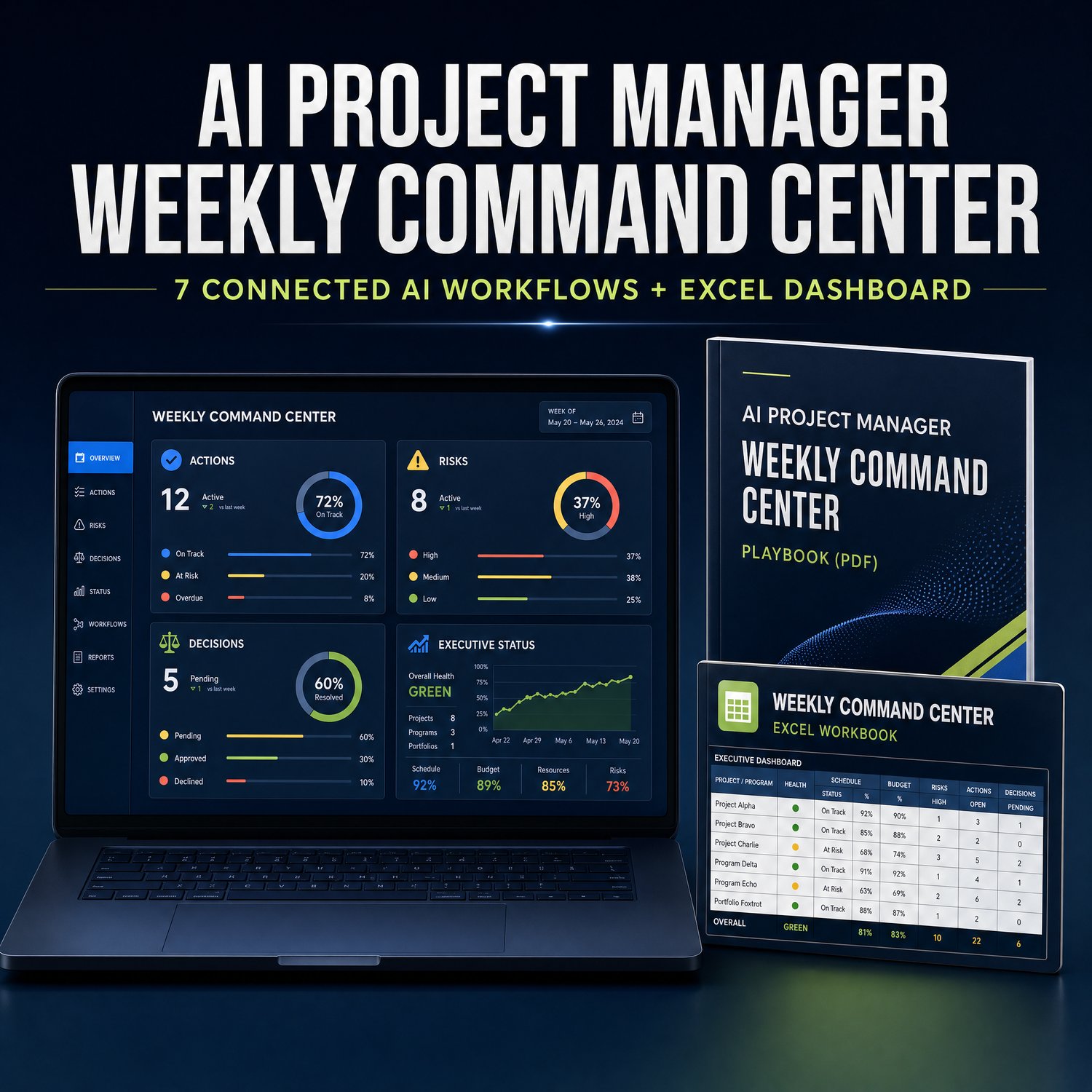
The AI Project Manager Weekly Command Center is a single connected system for turning raw project inputs, meeting notes, risks, decisions, and stakeholder requests into clear actions, owners, deadlines, executive updates, and next-week priorities.
It combines 7 practical AI workflows, an editable Excel command center, and a quality gate designed to surface gaps and assumptions before an output ever reaches a stakeholder.
Founding launch offer
Get the complete system for $29 with code FOUNDING30 through September 30, 2026, 11:59 p.m. Pacific Time. After that, the price is $59.
What changes after you use it
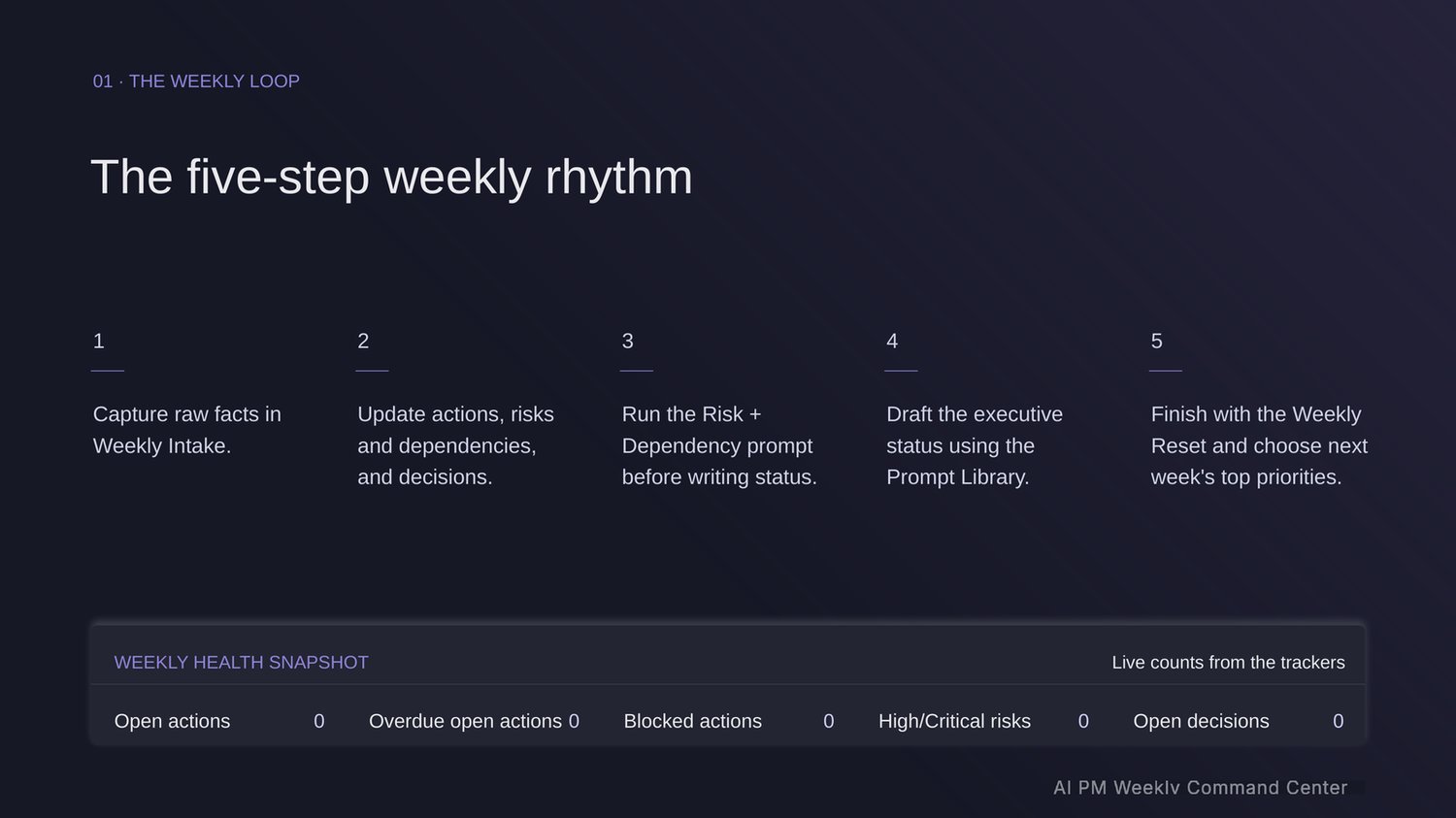
Instead of starting every update from a blank page, you run the same weekly cadence:
Context → Decisions → Actions → Risks → Stakeholder follow-up → Executive status → Next-week priorities
The result is not more AI content. It is a clearer record of what matters, who owns it, what is missing, and what must happen next.
What is included
One ZIP download, 6 files:
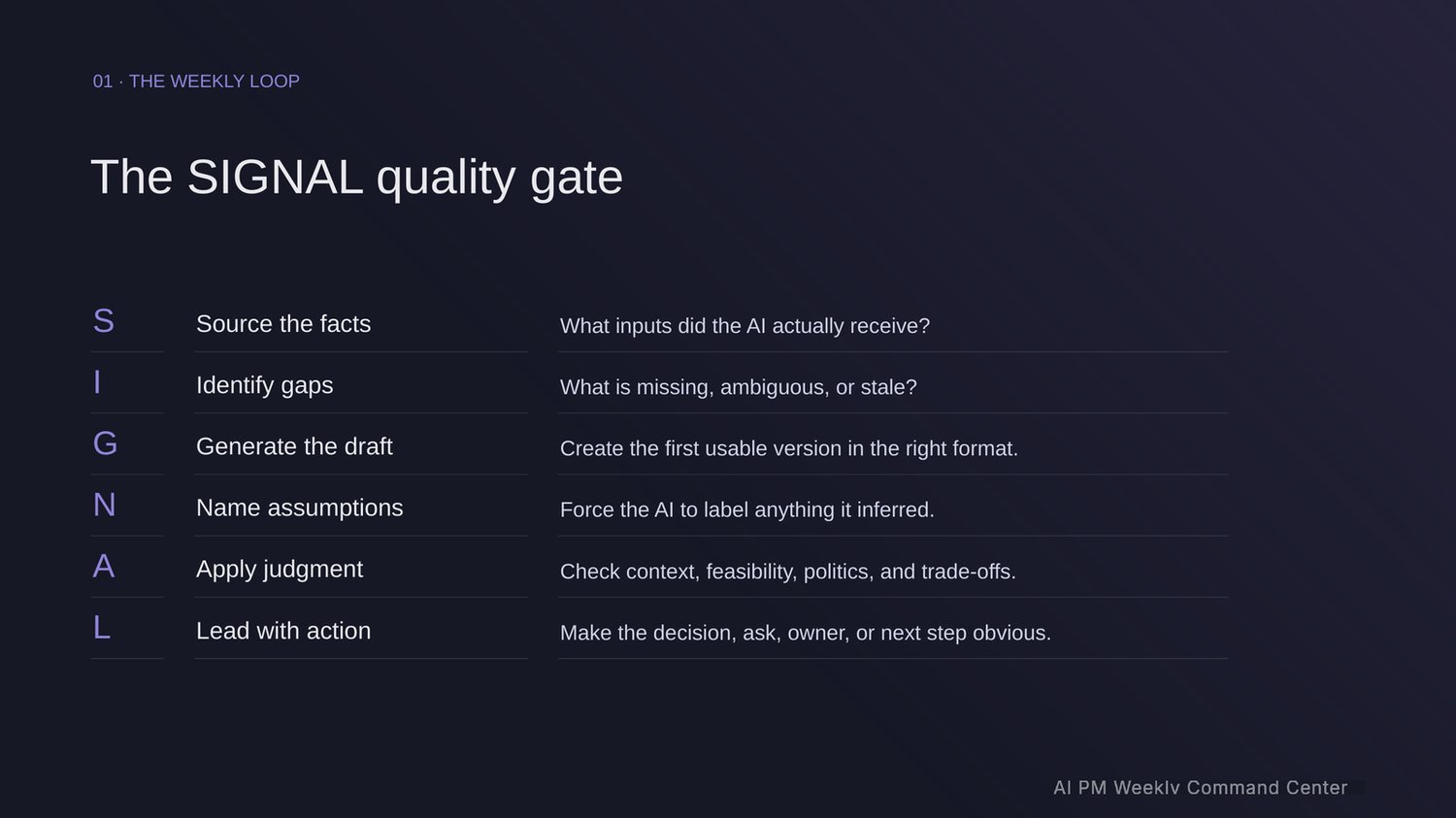
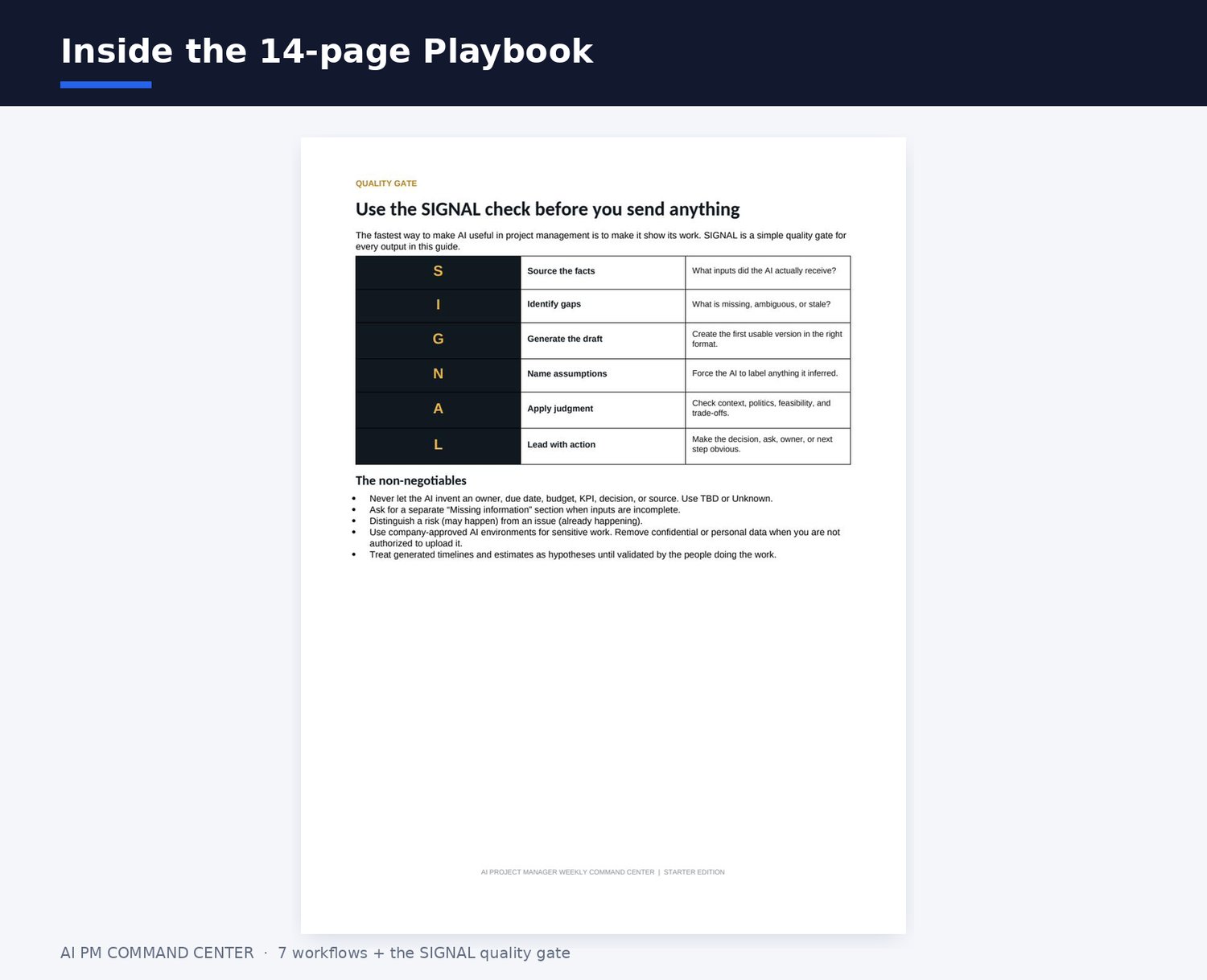
- 14-page Workflow Playbook + Prompt Library (PDF), all 7 connected workflows with copy-and-paste prompts: Project Context Builder, Meeting → Decisions + Actions, Risk + Dependency Radar, Decision Brief Builder, Stakeholder Follow-up, Executive Status Builder, and Weekly Reset, plus the SIGNAL quality gate
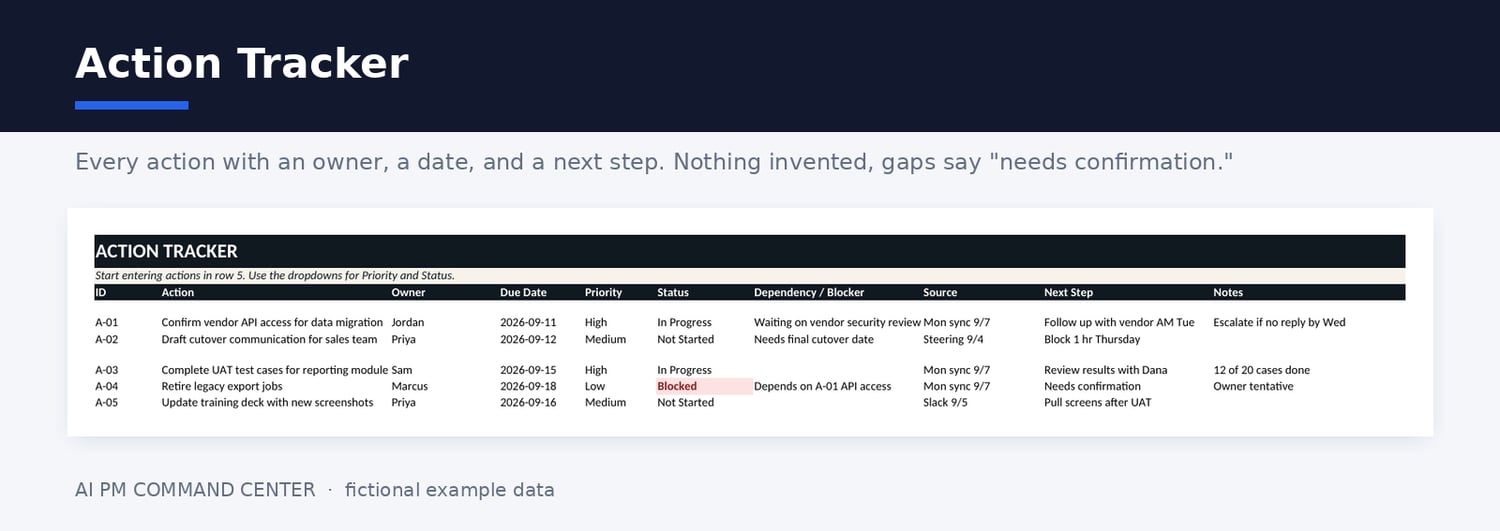
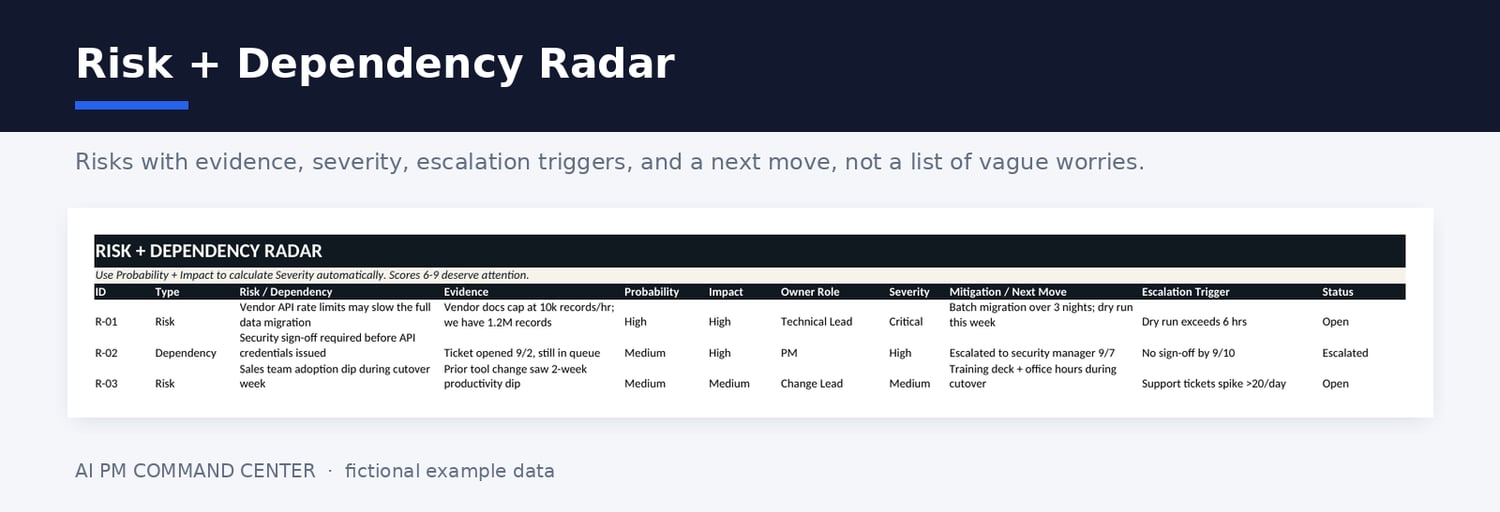
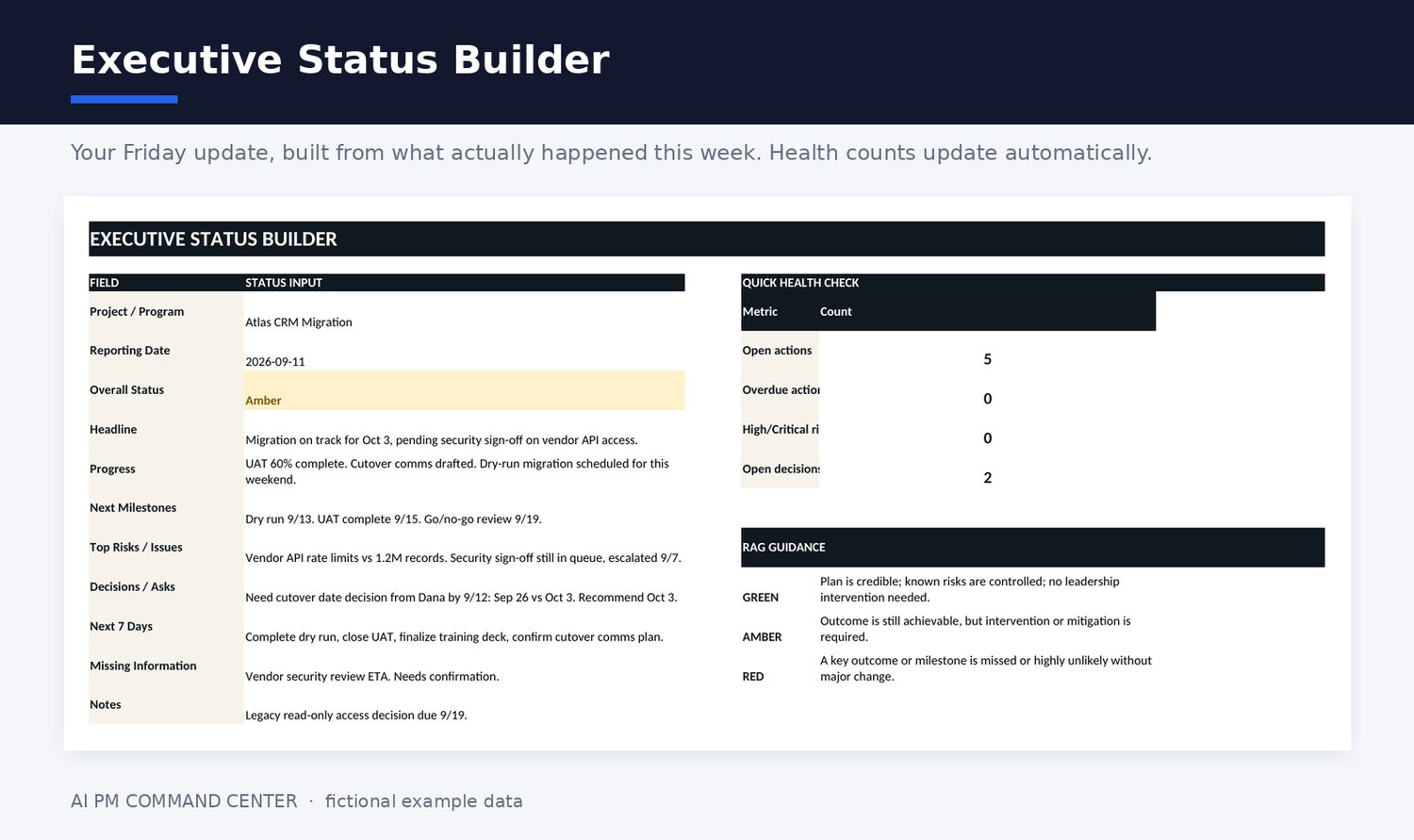
- Editable Excel Command Center (.xlsx), 8 sheets including Weekly Intake, Action Tracker, Risk + Dependency Radar, Decision Log, Executive Status Builder with automatic health counts, and a Prompt Library reference sheet
- 23-page Workbook Walkthrough (PDF), a visual tour of the weekly loop, every sheet, and the prompt library, made for people who learn by seeing the system before using it
- Start Here guide (PDF), your first 30 minutes and the weekly cadence
- Individual-use licence and README, version, compatibility, support, and refund details
The part that makes this different
Most AI project tools fail the same way: the output looks polished, so nobody notices the invented deadline, the owner who never agreed, or the risk that got smoothed over.
Every workflow here runs through the SIGNAL quality gate. It forces the AI to show its work: missing facts get flagged, assumptions get separated from evidence, and anything unsupported says "needs confirmation" instead of a confident guess. A blank you can trust beats a guess you can't.
A prompt bundle gives you isolated instructions. This gives you a sequence: each workflow feeds the next, the workbook preserves verified outputs, and the gate keeps human judgment in control.
This is for you if
You are a project or program manager who juggles several stakeholders, gets information through too many channels, produces recurring status updates, and already uses ChatGPT, Claude, Gemini, or another AI assistant, just not systematically. The work isn't your problem. Turning fragmented inputs into a reliable weekly picture is.
This is not
Not a certification, not legal advice, not an autonomous decision-maker, and not a replacement for Jira, Asana, Monday, or human review. It does not include a subscription to any AI tool or to Microsoft Excel.
How it works
- Add your project context and raw inputs.
- Run the matching workflow in the AI assistant you already use.
- Apply the SIGNAL quality gate before accepting the output.
- Move verified actions, risks, and decisions into the workbook.
- Run the Weekly Reset and start next week with a clear operating picture.
Founding launch offer
Get the complete system for $29 with code FOUNDING30 through September 30, 2026, 11:59 p.m. Pacific Time. After that, the price is $59.
Founding buyers receive the next Starter Edition update for free and can submit one workflow they'd like added to a future version.
FAQ
Which AI tool do I need? Any capable general AI assistant, ChatGPT, Claude, or Gemini. You use your own account and remain responsible for that service's terms and fees.
Is the workbook editable? Yes. Standard .xlsx, no macros, no external connections. Built for Microsoft Excel desktop and Excel for Microsoft 365. Google Sheets can import it, though formatting and dropdowns may behave differently.
Does this replace my project-management software? No. It is a weekly synthesis and decision-support layer that sits alongside whatever your organization uses.
Can I put confidential project data into an AI tool? Only if your organization's policy and the tool's terms allow it. Anonymize or generalize confidential information before using a public AI service. You decide what data may be processed.
Does AI output still need review? Yes, always. The quality gate exists because AI can omit facts and produce confident but wrong statements. A qualified human reviews every output before it is used or sent.
Can my team share one copy? This edition is licensed to one purchaser for individual use. No redistribution, resale, or shared repositories. A team edition is planned.
What is the refund policy? All sales are final. This is a digital product delivered in full immediately after purchase. If your download is defective or inaccessible, contact support through the Contact link at the top of this store, and we will fix it or replace it. Mandatory consumer rights, where applicable, are not waived.
Is this affiliated with Microsoft, OpenAI, Anthropic, Google, or PMI? No. Third-party names are mentioned only to describe compatibility.
Questions before buying? Please reach out to us at aipmcommandcenter@gmail.com