



VAT Return Spreadsheet UK 2026/27 | MTD Bridging Ready | Flat Rate Scheme
A VAT spreadsheet for small VAT-registered UK businesses: sole traders and small limited companies. You log your sales invoices and purchases as you go, and it works out the nine boxes of your VAT return for each quarter.
Making Tax Digital for VAT means keeping digital records and sending returns through compatible software, with digital links between the pieces of software you use. HMRC says copy-and-paste doesn't count as a digital link. So this workbook doesn't ask you to retype anything: the return figures are laid out on their own tab, linked by formula to your records, ready to link to HMRC-recognised bridging software, which then submits the return.
WHAT IT DOES
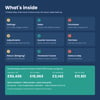
• Sales ledger: date, invoice number, customer, net amount and VAT rate (20%, 5%, 0%, exempt or outside scope). VAT and gross fill in, with a column for the VAT shown on your invoice if rounding differs
• Purchases ledger: reclaimable, blocked (for example client entertainment) or personal, plus suppliers who aren't VAT registered
• Adjustments tab for reverse charge on services from abroad, postponed import VAT, fuel scale charges and small error corrections, one described line each
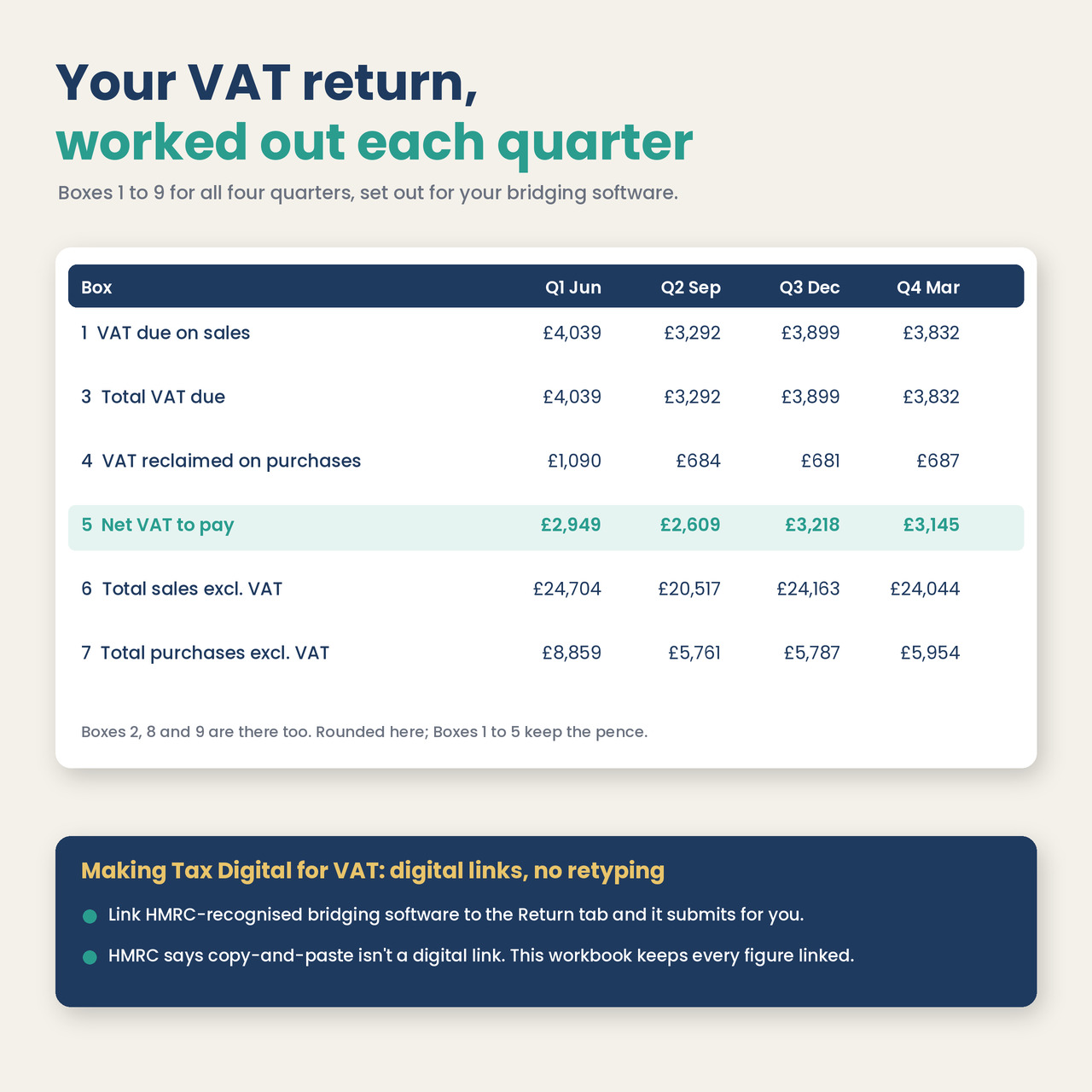
• Quarter Summary: Boxes 1 to 9 for each of your four quarters, set by your VAT stagger (Mar/Jun/Sep/Dec, Apr/Jul/Oct/Jan or May/Aug/Nov/Feb), with return and payment due dates
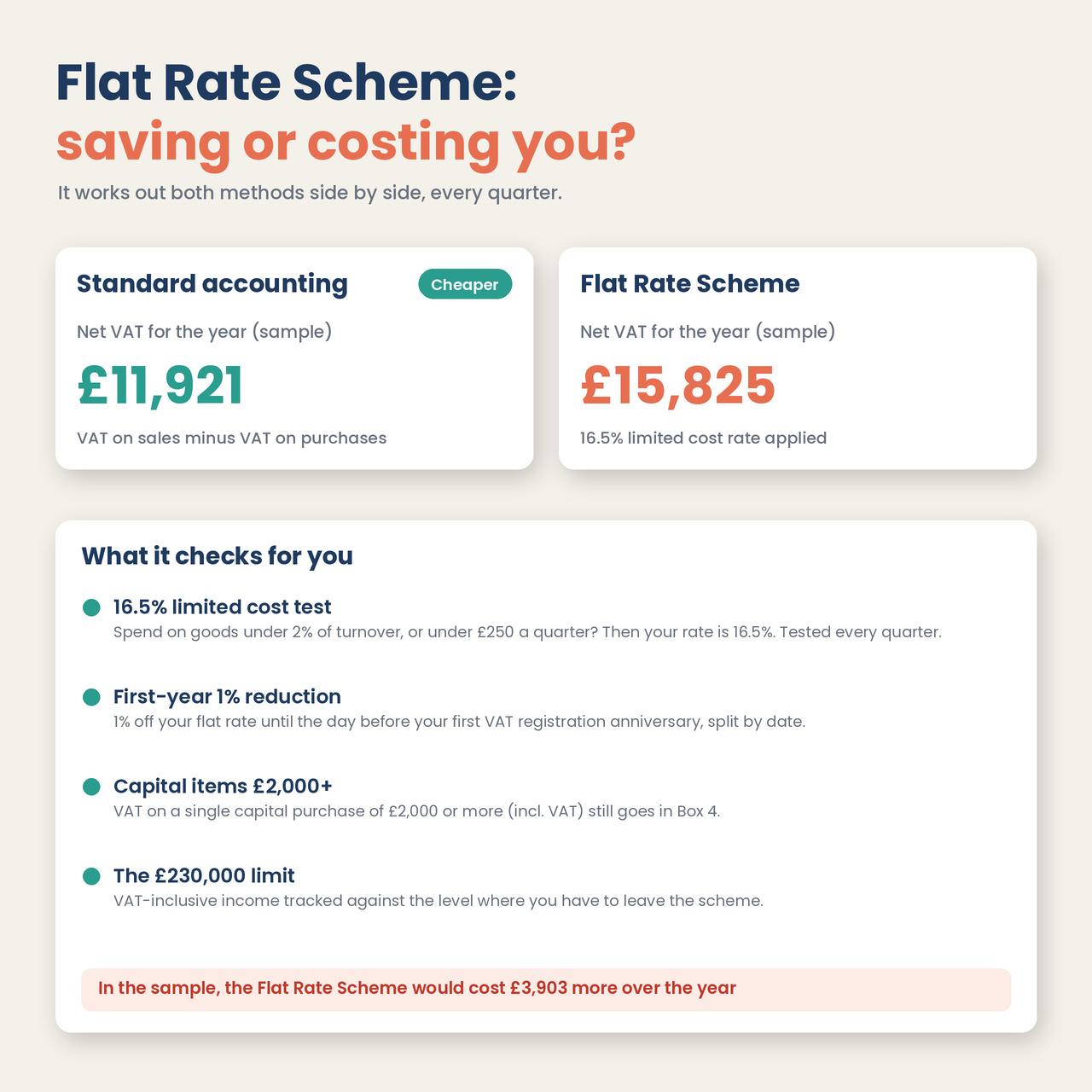
• Flat Rate Scheme: your sector rate, the 16.5% limited cost business test each quarter, the first-year 1% reduction split by date, and VAT on capital items of £2,000 or more
• Side-by-side comparison of standard accounting and the Flat Rate Scheme, so you can see what the scheme costs or saves you
• Return (Bridging) tab: the nine boxes per quarter as plain numbers, with named ranges, for your bridging software to read
• Threshold Tracker: taxable turnover for every rolling 12 months against the £90,000 registration and £88,000 deregistration thresholds
• Data checks for entries outside the period, missing VAT rates and duplicate invoice numbers
• Boxes 2, 8 and 9 for Northern Ireland goods moving to and from the EU
WHAT YOU GET
• Blank workbook (.xlsx) with room for 2,000 sales, 2,000 purchases and 200 adjustments
• Sample workbook: a made-up design studio, filled in for a full year
• Quick Start Guide (PDF, 3 pages)
• Licence (PDF)
• Works in Microsoft Excel 2016 or later (Windows and Mac), Google Sheets, LibreOffice and Apple Numbers. No macros, no add-ins, no subscription.
WHO IT'S FOR
• VAT-registered sole traders and small limited companies on standard VAT accounting or the Flat Rate Scheme
• Anyone who'd rather keep VAT records in a spreadsheet than pay monthly for accounting software
• Businesses near the £90,000 threshold who want to watch their rolling 12-month turnover
PLEASE NOTE
• This is a digital download. Nothing will be posted.
• It's a record-keeping tool. It doesn't file your VAT return or connect to HMRC. To submit, you need HMRC-recognised bridging software (or other compatible software), which you get separately.
• It isn't tax advice and can't tell you which VAT rate applies to what you sell. If you're unsure, check HMRC's guidance or ask an accountant.
• Not covered: partial exemption, retail schemes, second-hand margin schemes, Annual Accounting instalments, payments on account and VAT groups.
• VAT rates, thresholds and Flat Rate Scheme rules were checked on GOV.UK in November 2026.
FAQ
Q: Can I submit my VAT return straight from this spreadsheet?
A: No. It works out and lays out the figures. You link HMRC-recognised bridging software to the Return (Bridging) tab, and the software submits the return.
Q: I'm on the Flat Rate Scheme. Does it work for me?
A: Yes. Choose Flat Rate Scheme on the Settings tab and pick your type of business. It applies your flat rate to your VAT-inclusive turnover, runs the 16.5% limited cost test every quarter and takes 1% off in your first year of VAT registration.
Q: My quarters end in May, August, November and February. Is that covered?
A: Yes. Pick your stagger on Settings and the quarters and due dates follow. You can also set a different start month.