
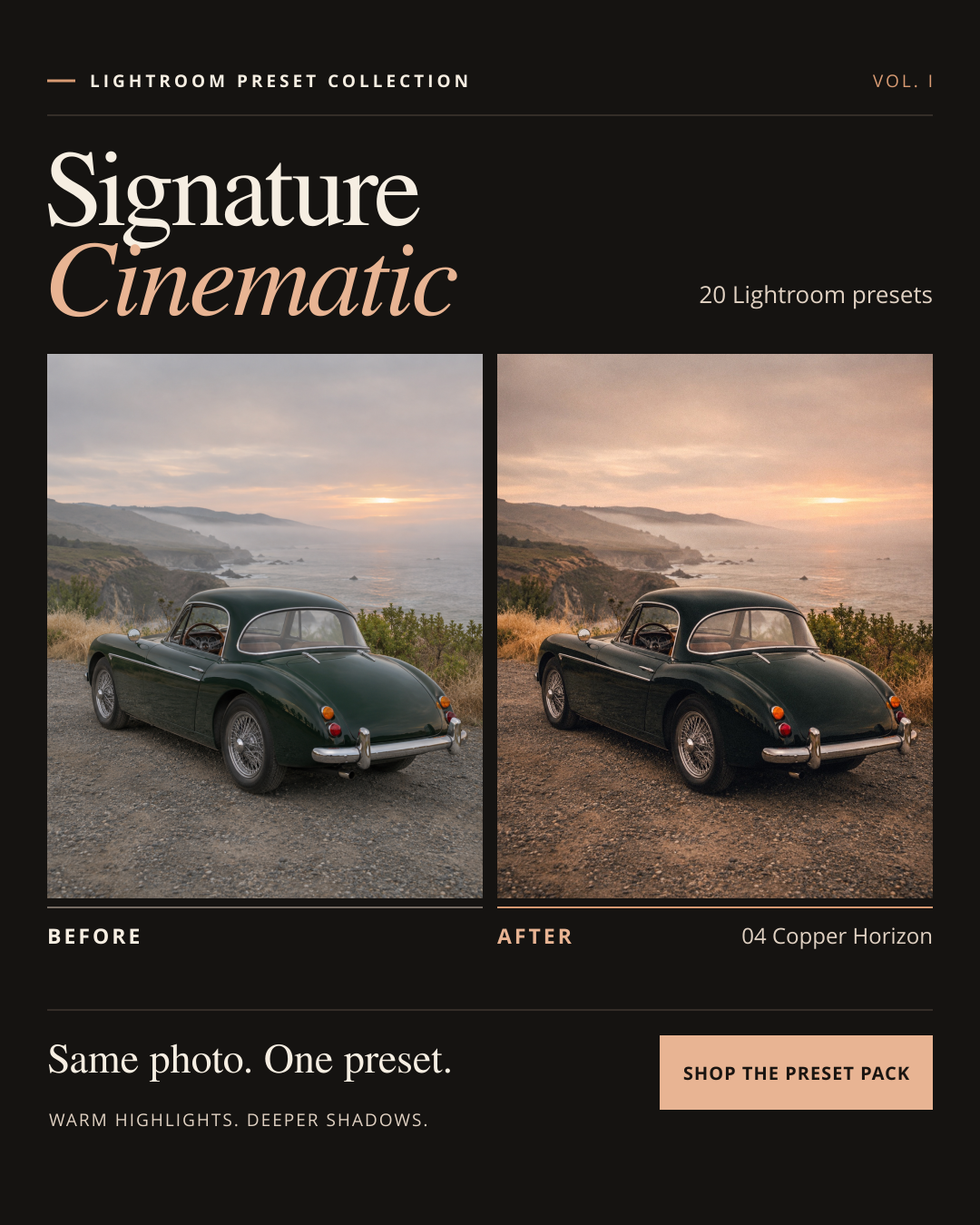
Signature Cinematic Vol. I | 20 Lightroom Presets
On Sale
$3.99
$3.99
Give your photos a cinematic look without starting every edit from scratch. OpenShade’s first preset pack includes 20 looks for warm sunsets, moody city shots, dramatic portraits, and crisp black-and-white edits.
The before-and-after shows the same image with Copper Horizon applied. Look for warmer highlights and deeper shadows.
What’s included
- 20 Adobe Lightroom presets (.XMP)
- A step-by-step installation guide and tips on when to use each preset
- One ZIP file, available to download right after purchase
How to install on Mac or Windows
- Download and unzip the pack.
- In Lightroom, go to File → Import Profiles & Presets. In Lightroom Classic, go to Develop → Presets → + → Import Presets.
- Select the .xmp files from the unzipped folder and click Import.
- Open a photo and pick a look from the Presets panel.
How to install on iPhone or Android
- Download the ZIP and extract it in Files on iPhone or your file manager on Android.
- Open a photo in the Adobe Lightroom app and tap Presets.
- On iPhone, tap Yours → ⋯ → Import Presets. On Android, tap ⋯ → Import Presets in the Presets panel.
- Choose the extracted .xmp files, not the ZIP. Repeat if your app only lets you select one file at a time.
- Find your imported looks under Presets → Yours → User Presets and tap one to apply it.
Quick tip: After applying a preset, adjust exposure or white balance if the photo needs it.
Digital download only. Requires a version of Adobe Lightroom or Lightroom Classic that supports XMP preset import. Lightroom and sample photos are not included.