

Zakat & Sadaqah Tracker — Excel & Google Sheets: Zakat Calculator, Nisab, Hawl Date, Giving Log (English + German)
Work out your zakat on the figures you enter, see whether you are above the nisab, keep track of your hawl date, and keep a record of every zakat payment and every sadaqah, all in one workbook that stays with you.
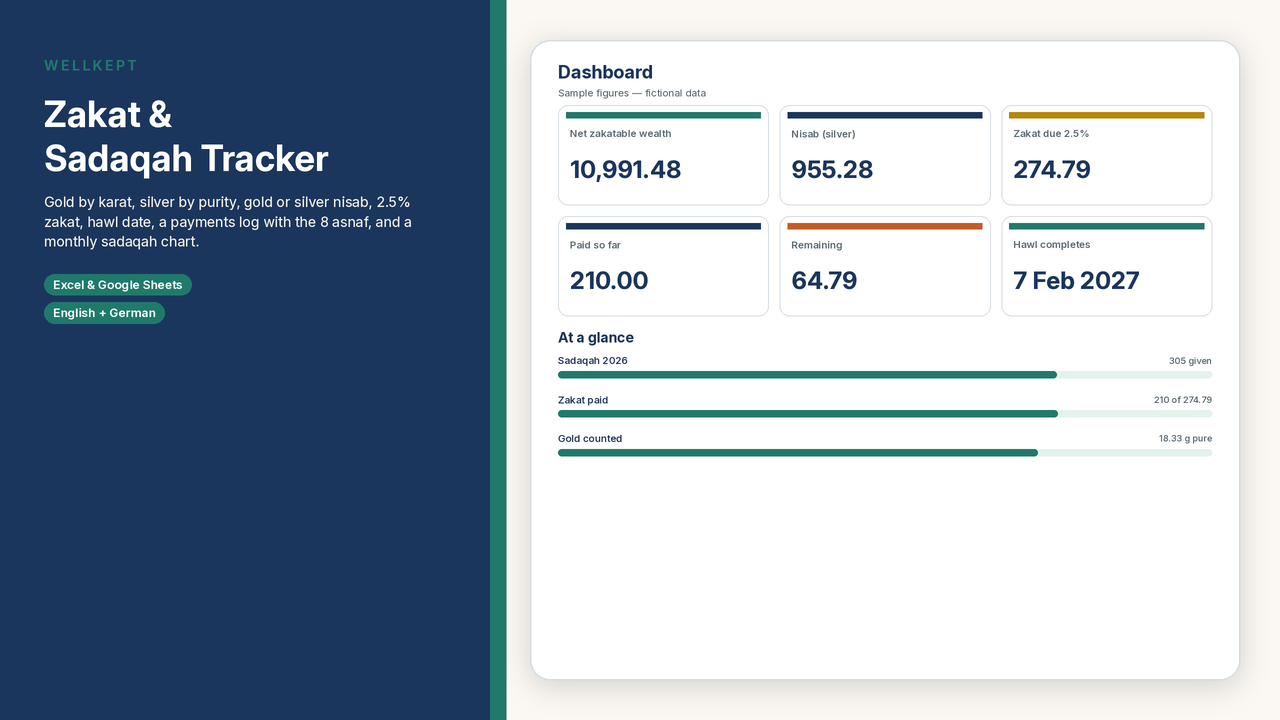
Settings come first: your currency label, your zakat date, the date your hawl started, and whether you use the silver or the gold nisab. You type today's price per gram of gold and silver yourself, so the workbook never relies on a price feed that goes out of date. Assets has a section for each type of wealth: cash and bank balances, gold by grams and karat (24, 22, 21, 18, 14, 9), silver by grams and purity (999, 925, 900, 800), investments, business stock and business cash, money owed to you, and other zakatable assets. Debts and bills due now are deducted. The Zakat sheet shows net zakatable wealth, the gold and silver nisab, whether you are above the one you chose, 2.5% zakat due, what you have paid so far and what is left to pay.
Where scholars differ, you choose. Pick the silver or gold nisab, change the nisab weights (87.48 g / 612.36 g by default, or 85 g / 595 g), and decide whether jewellery that is worn is counted. The workbook does the arithmetic. It does not decide anything for you.
What's included
- English sample workbook with fictional figures and a blank file ready for your own numbers
- German sample and blank workbooks with the same structure
- A quick-start PDF guide in English and in German
- Sheets: Start here, Settings, Assets, Zakat, Hawl (lunar-year completion date, days left, the next five zakat dates, and an optional check log), Zakat Payments (100 rows, each with one of the 8 recipient categories from Surah at-Tawbah 9:60), Sadaqah (200 rows, monthly totals for a year you pick, and a chart), Recipients (the 8 asnaf in plain words with what you paid to each), and License
- A currency label you set yourself (USD, EUR, GBP, CAD, AUD, CHF, or another)
How to use it
1. Open the file in Microsoft Excel (2016 or later), or upload it to Google Drive and open it with Google Sheets. The formulas avoid Excel-only functions, and LibreOffice Calc works too.
2. Fill in Settings, including today's gold and silver prices per gram.
3. Enter your assets and the debts due now, then read the result on the Zakat sheet. Log payments and sadaqah as you give. Teal cells are for your entries; grey cells calculate automatically.
Please note
- This is a digital download. Nothing is shipped.
- Not a fatwa. The workbook only does the arithmetic on what you enter. It is not religious, financial, tax, or legal advice. For your own situation, please consult a qualified scholar or your local zakat authority.
- No interest is calculated anywhere in the workbook.
- Hawl dates are estimates (±1 day); confirm them with your local Hijri calendar.
- Personal use for you and your household only. Please do not resell, share, or redistribute the files.
- Sample figures are fictional.