
Fix ngSkinTools 2.4 Custom Hotkey Patch - Anti-Reset & New Features (A , Alt P, C, M, N)
# ngSkinTools-2.4 --- Custom-Hotkey-Patch --- Anti-Reset-hotkey-New-Features
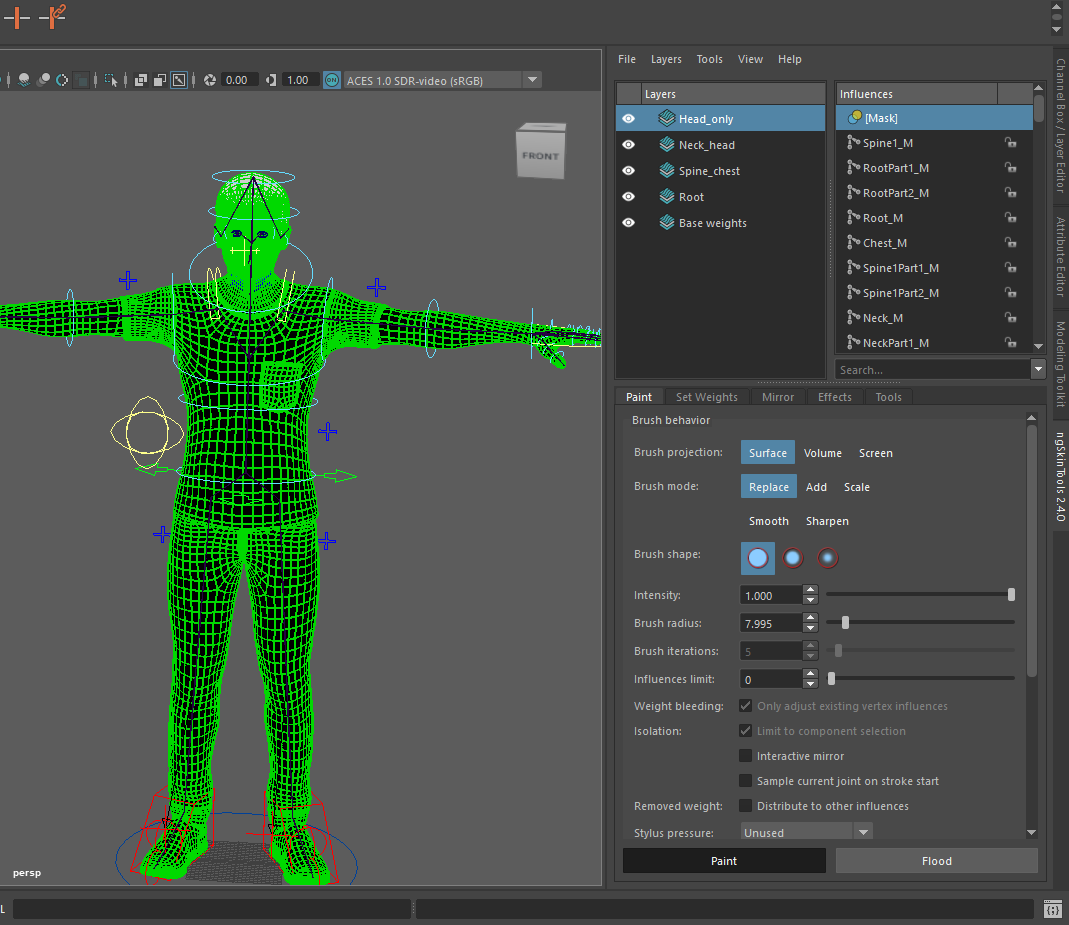
ngSkinTools 2.4: Fully compatible with Maya Hotkey Editor for easy customization. A productivity boost for 3D Rigging Artists by Van Tan Phan.
------------------------------------------------------------------------
🇺🇸 ENGLISH:
This script is a modified hotkeys_setup.py for ngSkinTools 2.4. It stops the plugin from resetting your hotkeys and adds professional features.
🚀 Key Features:
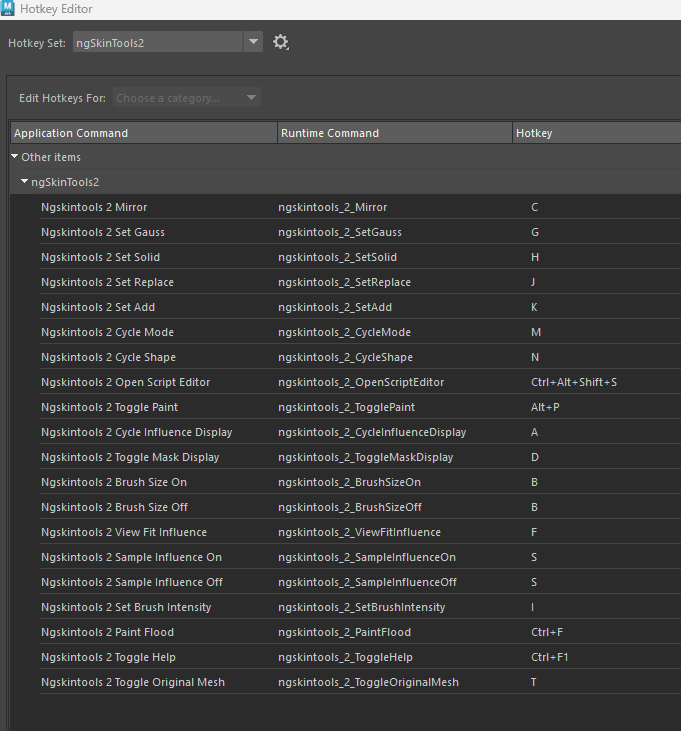
Anti-Reset: Prevents the plugin from wiping your custom hotkeys on startup.
New Hotkeys: Added Toggle Influences display (A), hot key for Toogle paint tool (Alt P), Mirror (C), Cycle Modes (M), and Cycle Shapes (N).
Easy Customization: You can change any shortcut directly in the Maya Hotkey Editor without touching the code.
🛠️ How to Install:
Go to:
C:\ProgramData\Autodesk\ApplicationPlugins\ngskintools2\Contents\scripts\ngSkinTools2\ui\
⚠️ **Back up:** Copy your original hotkeys_setup.py to a safe place.
**Overwrite:** Download this file (hotkeys_setup.py) and paste it into the folder above.
Restart Maya and enjoy!
## ❤️ Support the Author / Ủng hộ tác giả
* **PayPal:** Please send money directly to my email: **tanphan.lct@gmail.com**
* **Vietnamese Bank Transfer:**
* Bank: **BIDV**
* Account Number: **5510425104**
* Account Name: **PHAN VAN TAN**
------------------------------------------------------------------------
🇻🇳 TIẾNG VIỆT:
Bản Mod này được thực hiện bởi Phan Văn Tân, giải quyết triệt để lỗi reset phím tắt của ngSkinTools 2.4.
🚀 Tính năng:
Chống Reset: Plugin sẽ không tự xóa phím tắt của bạn mỗi khi mở Maya.
Phím tắt mới: Đã gán sẵn các phím: Hiển thị Influence (A), phím tắt cho Toogle paint tool (Alt P), Mirror (C), Cycle Mode (M), Cycle Shape (N).
Tự do thay đổi: Bạn có thể đổi phím tắt thoải mái trong Maya Hotkey Editor, không cần động vào code.
🛠️ Cách cài đặt:
**Truy cập:**
C:\ProgramData\Autodesk\ApplicationPlugins\ngskintools2\Contents\scripts\ngSkinTools2\ui\
⚠️ **Lưu ý:** Copy file hotkeys_setup.py gốc ra một chỗ khác để dự phòng trước khi làm bước tiếp theo. (hoặc để tên có đuôi copy, mặc định là file dự phòng)
**Ghi đè:** Tải file này về và dán đè vào thư mục trên. (hotkeys_setup.py)
Khởi động lại Maya là xong!
===
===
📥 Check out my custom software & tools (including my 100% Free PC Optimization Tool - WinBastion): https://tanphan.gumroad.com/l/WinBastion
• Payhip: https://payhip.com/tanphan
• Gumroad: https://tanphan.gumroad.com
• Lemon Squeezy: https://tanphan.lemonsqueezy.com
📖 WinBastion Complete Documentation:
🌐 Connect with me:
• Email: Tanphan.Lct@gmail.com
• ArtStation: https://www.artstation.com/tanphandesign
• LinkedIn: https://www.linkedin.com/in/tanphandesign
• YouTube: https://www.youtube.com/@tanphanvan.Design
• Facebook: https://www.facebook.com/tanphan.3dDesign
• Substack: https://substack.com/@vantanphan/posts