




Architectural Bubble Plan Designer Pro
Architectural Bubble Plan Designer Pro
AutoLISP + DCL for AutoCAD
Turn your architectural bubble diagrams into rectangular or square concept room layouts directly inside AutoCAD.
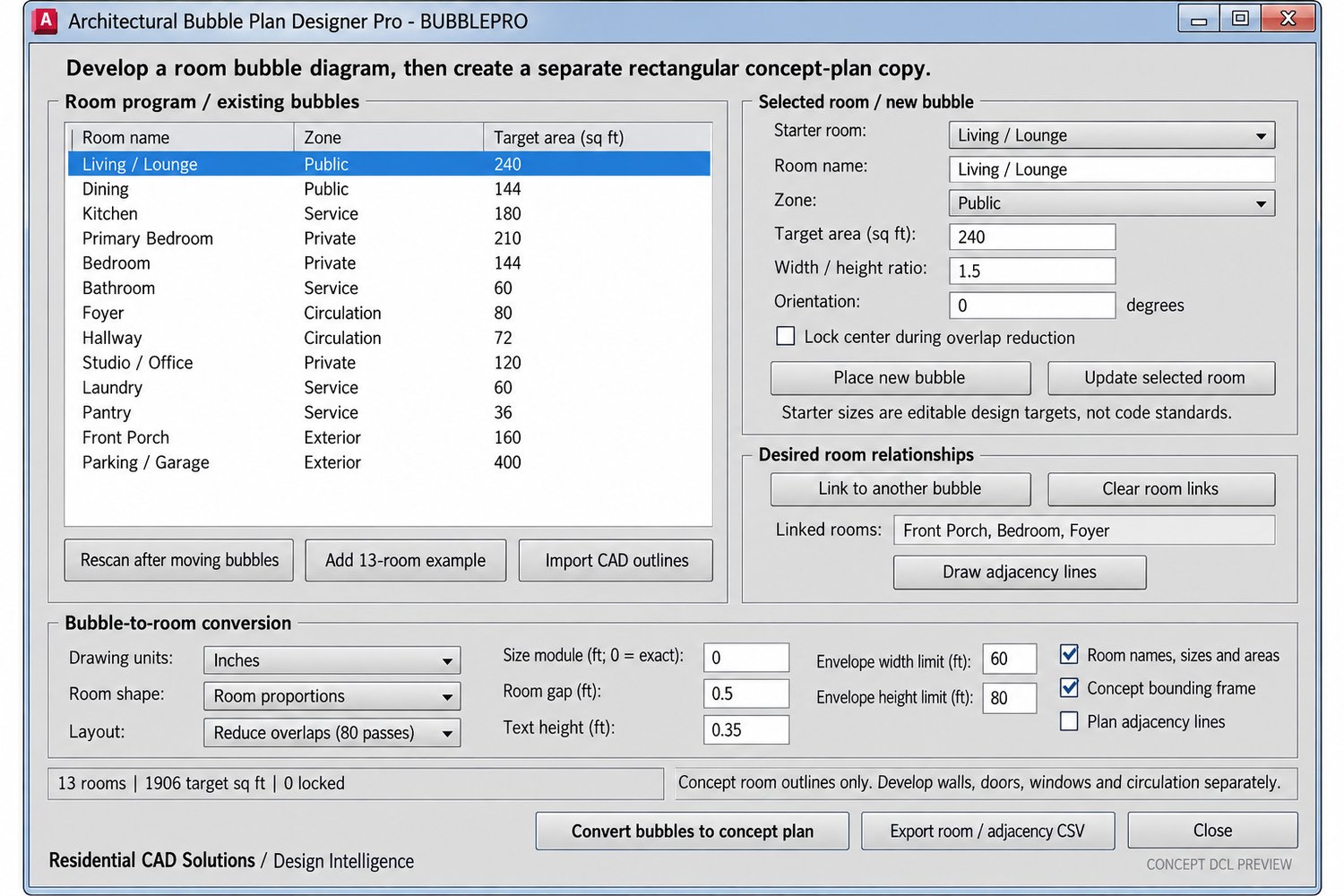
Architectural Bubble Plan Designer Pro helps you organize rooms, explore relationships, set target areas, and develop an initial house-plan arrangement through an organized DCL interface.
Features include:
- Manage up to 60 rooms per drawing space
- Start with an included 13-room example or create your own room program
- Assign room names, target areas, proportions, and orientations
- Organize rooms into Public, Private, Service, Circulation, and Exterior zones
- Import existing CAD circles, full ellipses, and closed 2D polylines
- Link rooms to record desired relationships
- Draw room adjacency lines
- Convert bubbles into rectangular rooms or squares
- Choose layouts that preserve bubble centers, reduce overlaps, or arrange rooms in compact rows
- Lock selected room centers during overlap reduction
- Set size modules, room gaps, and overall envelope limits
- Add room labels showing dimensions and target versus actual areas
- Export room and adjacency information to CSV
- Preserve the original bubbles while creating a separate concept-plan copy
Your download includes:
- Architectural Bubble Plan Designer Pro LISP file
- Matching DCL interface
- Installation and usage instructions
- Example room-program CSV
- Example AutoCAD 2000-format DXF drawing
- Before-and-after example image
- Validation notes
Command:
BUBBLEPRO — Opens the Architectural Bubble Plan Designer Pro interface.
Compatibility:
Designed using AutoCAD 2002-era APIs for Windows AutoCAD with Visual LISP and ActiveX. Live testing in AutoCAD 2002 has not yet been completed.
Important notice:
This program creates concept room zones. Walls, doors, windows, circulation, structural design, and code review must be developed separately. Starter room areas are editable design targets, not code requirements. Overlap reduction does not guarantee a feasible or optimized layout. Import requires native CAD geometry; the program does not automatically trace photographs or sketches.
Residential CAD Solutions / Design Intelligence