

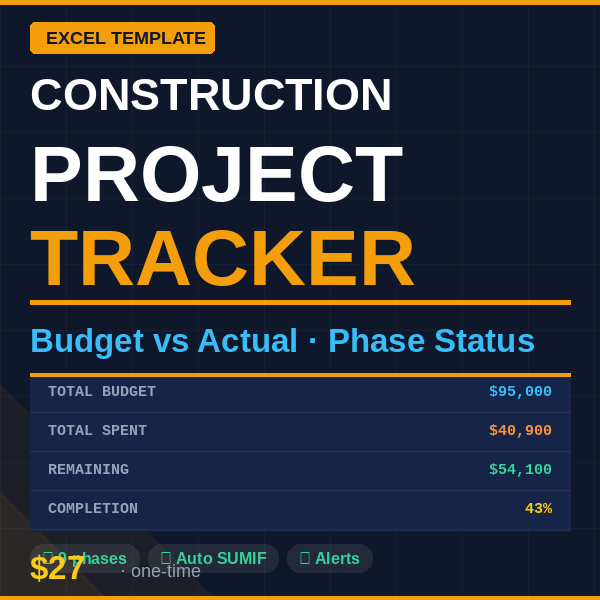
Construction Project Budget Tracker | Excel + Google Sheets Template
Never lose track of where your construction budget went — see every dollar, every phase, in real time.
This plug-and-play Excel tracker gives contractors, project managers, and homeowners a complete
budget vs actual view across all project phases. Log expenses as you go, and the summary updates
automatically. No formulas to write. No accounting degree needed.
━━━━━━━━━━━━━━━━━━━━━━━━
✅ WHAT'S INCLUDED
━━━━━━━━━━━━━━━━━━━━━━━━
- Excel file (.xlsx) — works in Microsoft Excel 2016+ and free Google Sheets
- Instructions sheet — color-coded guide, ready in minutes
- Expense Log — log every purchase with date, phase, category, vendor and amount
- Phase Summary — 9 pre-built project phases with planned budget vs actual spent
- Auto-calculated remaining budget per phase using SUMIF formulas
- Traffic light status system — ✅ On budget / ⚠️ Near limit / 🔴 Over budget
- Pre-filled with realistic example data so you can see it working immediately
━━━━━━━━━━━━━━━━━━━━━━━━
🎯 PERFECT FOR
━━━━━━━━━━━━━━━━━━━━━━━━
- General contractors managing residential or commercial builds
- Homeowners tracking a renovation or extension project
- Project managers overseeing subcontractors
- Real estate developers monitoring construction costs
- Anyone who has ever gone over budget and wants to prevent it next time
━━━━━━━━━━━━━━━━━━━━━━━━
⚙️ HOW IT WORKS
━━━━━━━━━━━━━━━━━━━━━━━━
Step 1 — Open Phase Summary, enter your planned budget for each phase
Step 2 — Every time money is spent, log it in the Expense Log (date, phase, category, amount)
Step 3 — Phase Summary updates automatically — see budget vs actual instantly
Step 4 — Status column shows ✅ ⚠️ 🔴 so you know exactly where you stand
Color coding: Blue text = your inputs | Black text = formulas | Green = totals