
PTO Tracker Spreadsheet | Employee Vacation & Sick Leave Accrual Tracker | Team Time Off Calendar | Small Business HR Template | Excel & Google Sheets
Keeping PTO on a whiteboard or in a jumble of emails works until someone asks "how many vacation days do I have left?" This tracker answers that for everyone, every day. Set your policy once, log each request, and balances, the team calendar and the dashboard update themselves.
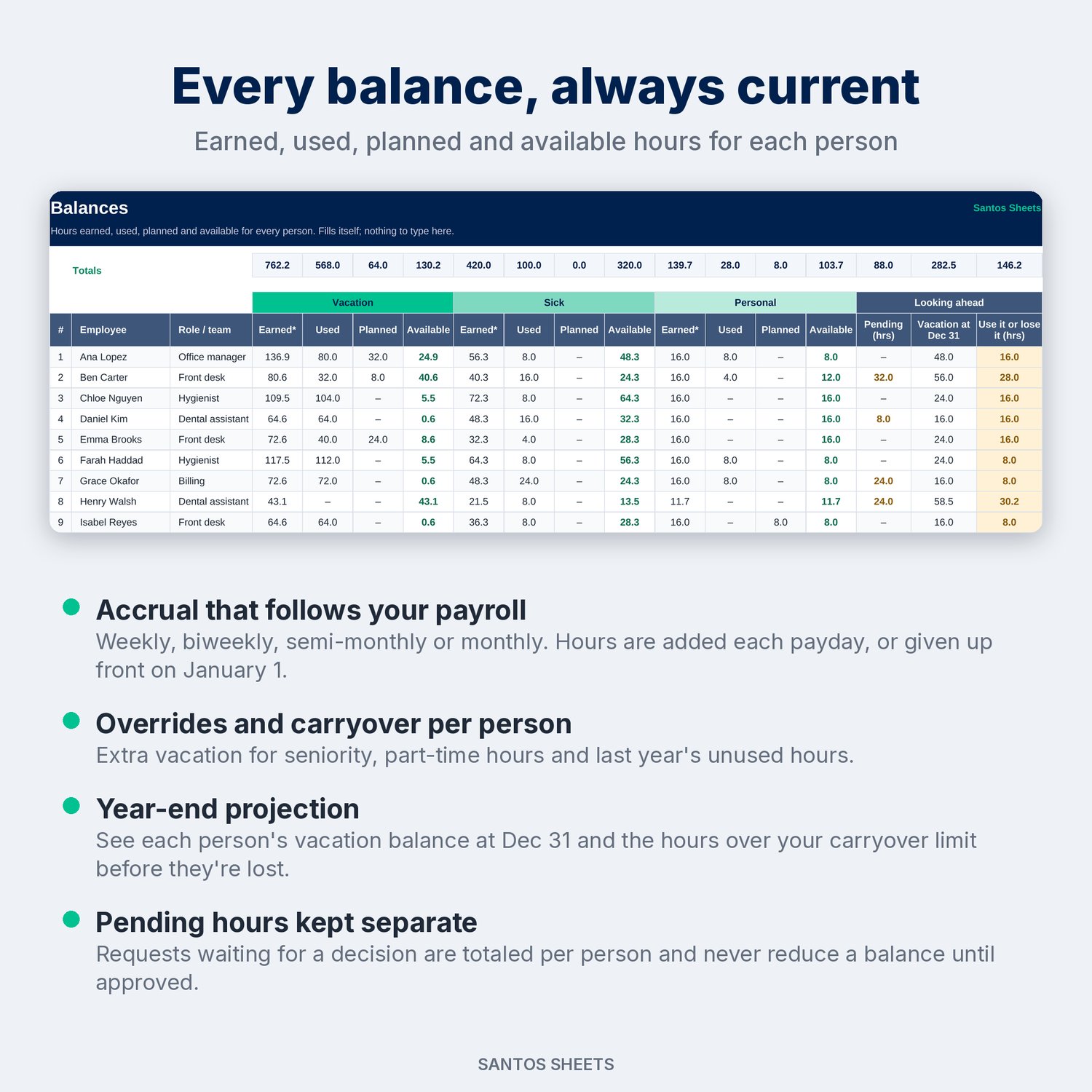
Accrual follows your payroll. Choose weekly, biweekly, semi-monthly or monthly pay. Each type of time off can be earned a little every payday or given up front on January 1. People hired mid-year are prorated automatically. Workdays are counted with NETWORKDAYS and your company holiday list, so a request over Thanksgiving week costs 3 days, not 5. Everything is tracked in hours, so half days and part-timers work too.
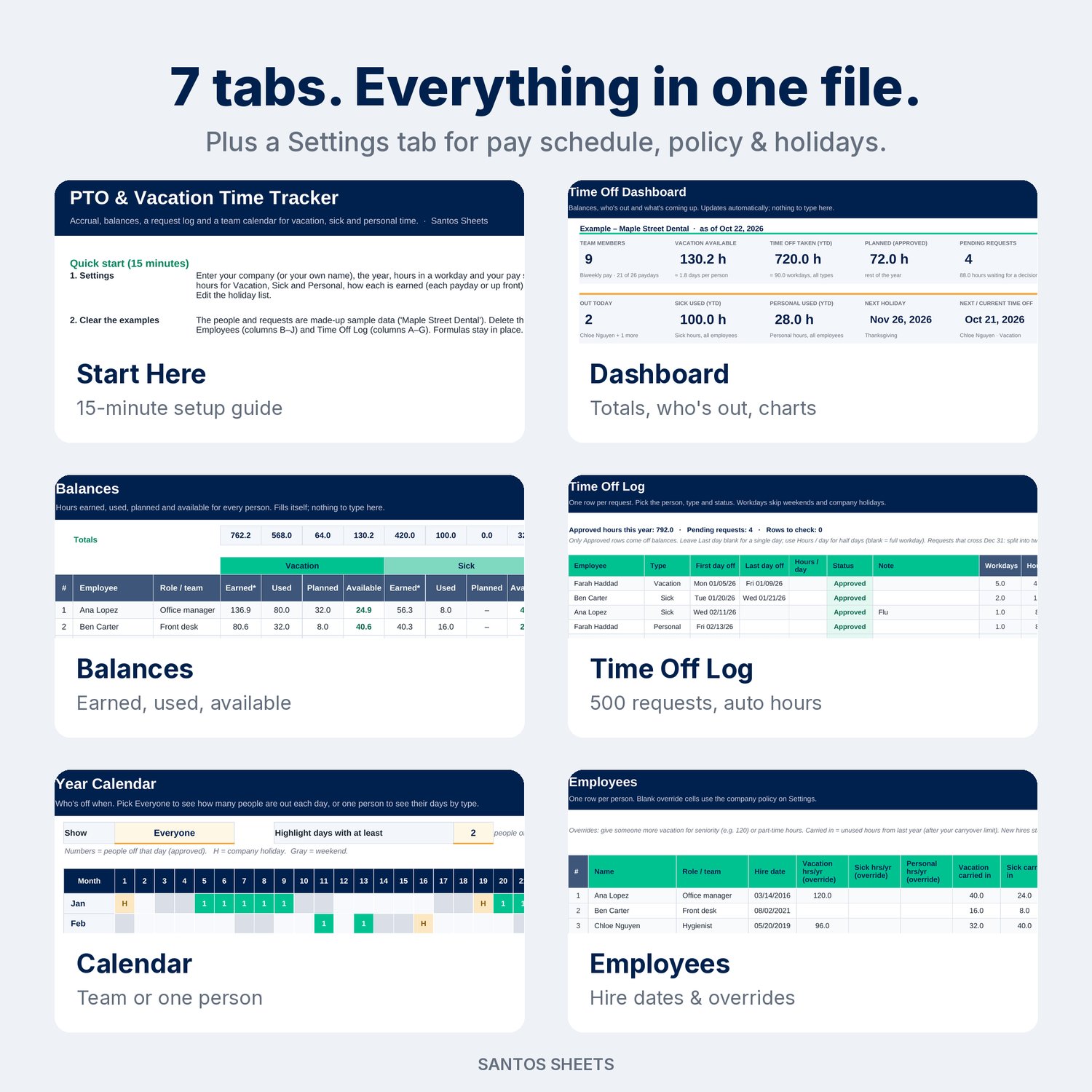
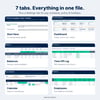
What's inside (7 tabs):
- Start Here: a 15-minute setup guide, what each tab does, and how accrual works.
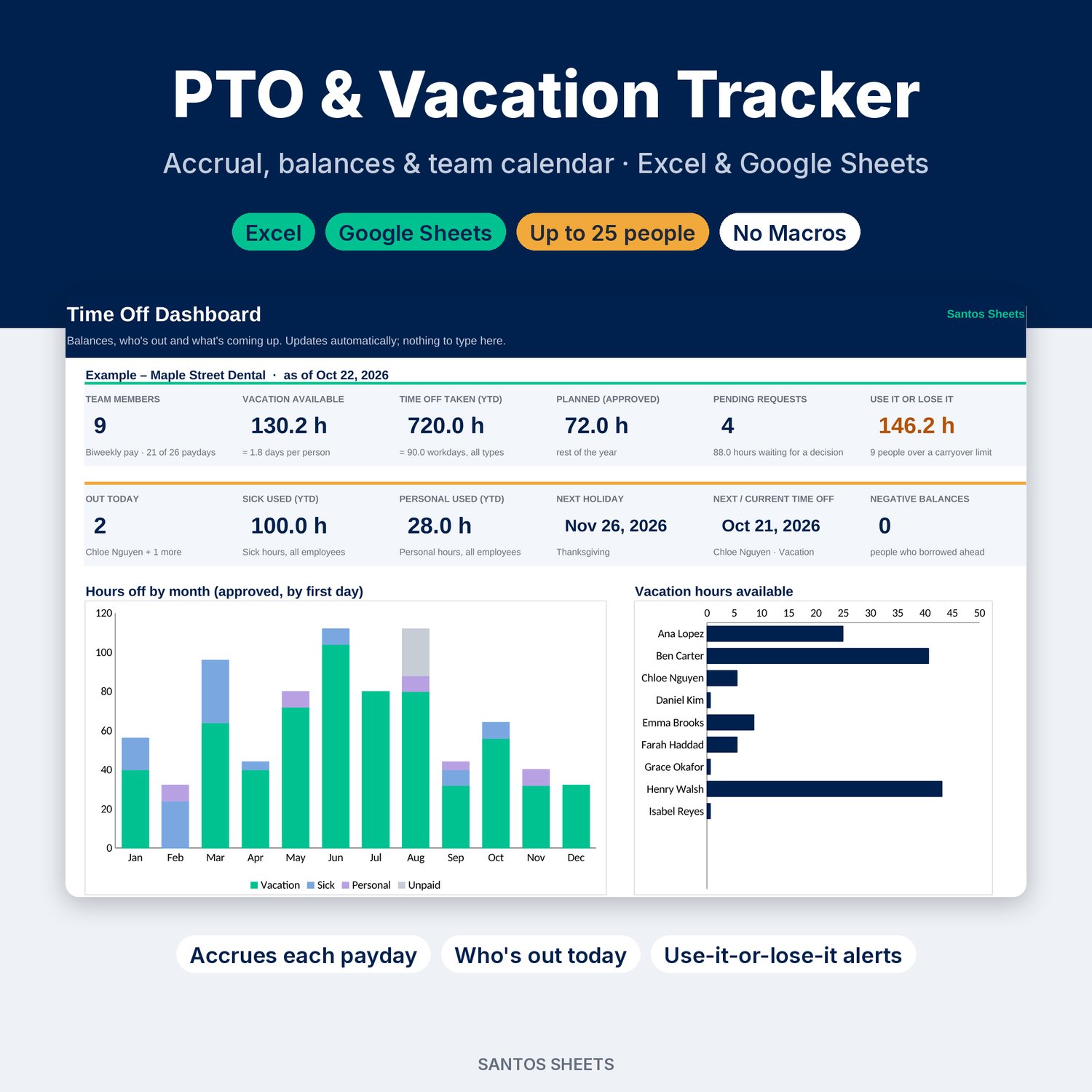
- Dashboard: team members, vacation hours available, time off taken this year, planned (approved) hours, pending requests, use-it-or-lose-it hours, who's out today, sick and personal hours used, the next company holiday, the next time off coming up and any negative balances. Also a monthly hours-by-type chart, a vacation-available chart and a list of the next 10 upcoming requests.
- Balances: one row per person with Earned, Used, Planned and Available hours for Vacation, Sick and Personal, plus pending hours, a projected vacation balance at Dec 31 and the hours over your carryover limit.
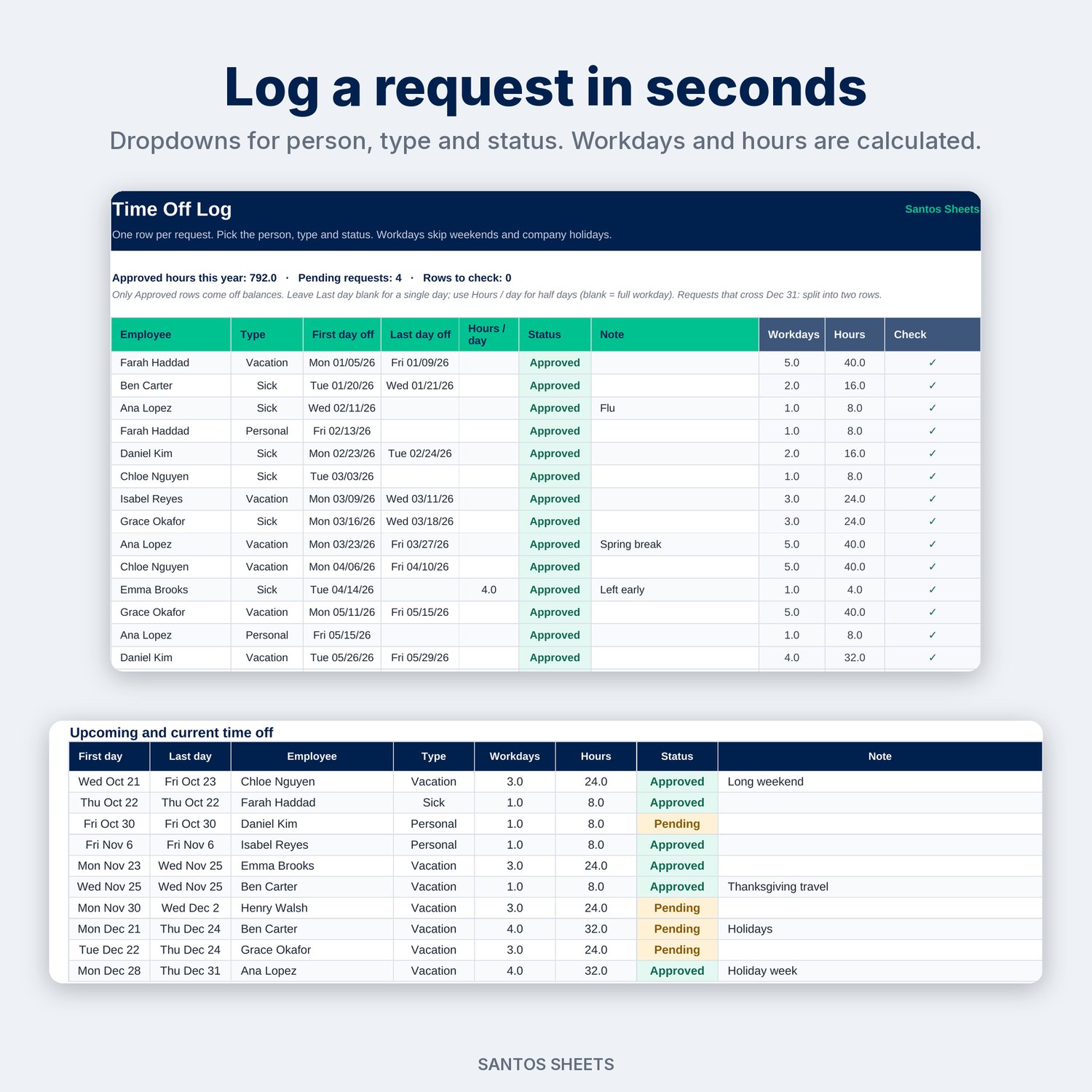
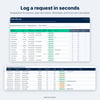
- Time Off Log: room for 500 requests with dropdowns for person, type (Vacation, Sick, Personal, Unpaid) and status (Approved, Pending, Denied). Workdays and hours are calculated. A Hours/day column handles half days, and a check column flags typos, end-before-start dates and requests that fall only on weekends or holidays.
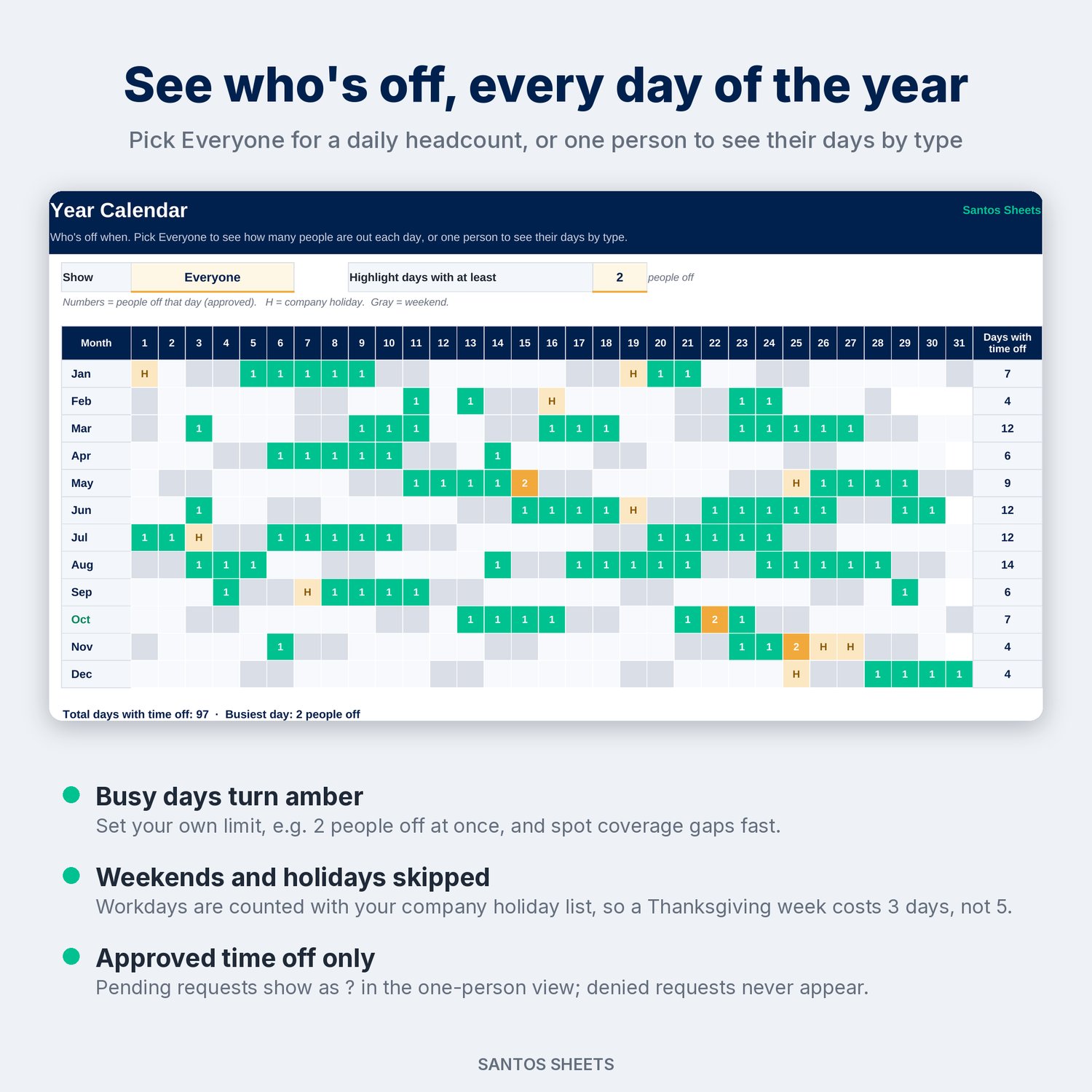
- Calendar: a 12-month grid. Choose Everyone to see how many people are off each day, with busy days turning amber at a limit you set. Or choose one person to see their days by type, with pending requests marked "?".
- Employees: up to 25 people with role, hire date, per-person allowance overrides (e.g. extra vacation for seniority, or part-time hours), hours carried in from last year, and years of service.
- Settings: company name, year, hours in a workday, pay frequency and first payday, a policy table (hours per year, earned each payday or up front, carryover max) and 15 company holiday slots. Rename "Vacation" to "PTO" and every tab follows.
Made for:
- Small business owners and office managers (dental and medical offices, salons, restaurants, shops, agencies) who don't need full HR software
- HR-of-one teams who want accrual done right without macros
- Team leads planning coverage around holidays and summer
- Individual employees who want to plan their own vacation days around their accrual
Details:
- Works in Microsoft Excel (desktop & web) and Google Sheets (upload to Google Drive, then Open with → Google Sheets)
- No macros, add-ons or sign-ups. It's just a spreadsheet, a one-time purchase with no per-employee fees
- Comes filled with clearly labeled "Example" data (a made-up dental office) so you can see how it works. Delete it and add your own
- Reusable every year: carry balances in, change the year and holidays, and clear the log
- Instant digital download (1 .xlsx file)
Please note: this is a digital file, so nothing will be mailed to you. It tracks the policy you set. It is not legal or payroll advice. Paid-sick-leave and carryover rules vary by state and city, so check your local law. Tenure-based accrual tiers aren't automatic; use the per-person override column. Apple Numbers and LibreOffice will open the file, but it is built for Excel and Google Sheets.