
Cash-Pick 3 Return Pair Method Excel
Return Pair Method on Excel
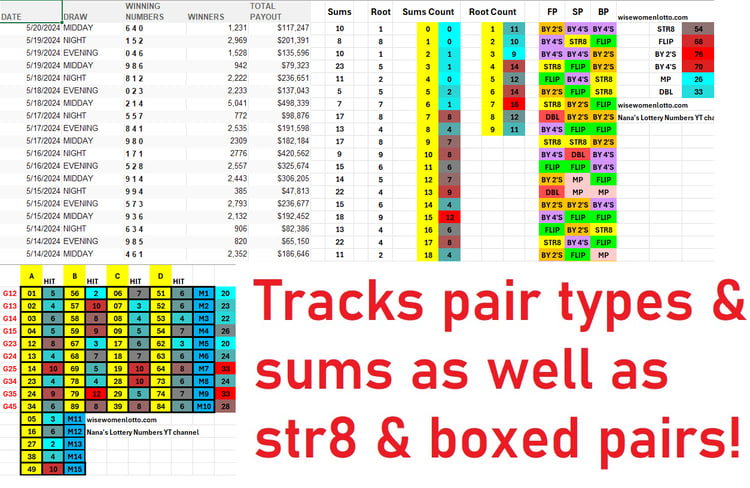
Stop Counting Pairs by Hand — Let the Excel Do It. The Return Pair Method Excel automatically isolates your starred pairs in seconds.
If you're already using the Return Pair Method, you know the process: pull the last 15 to 20 draws, extract the boxed pairs, count appearances, eliminate anything that's hit twice or more & focus on what's hit once. Adjust the draw count [20+] to tighten your list as needed.
That's a solid method & very popular among players. The problem is doing it manually — miscounting, missing a pair & it's so time consuming.
This Excel automates the entire process.
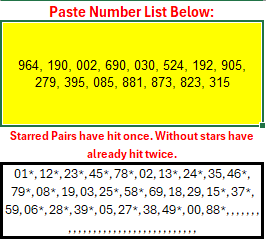
⭐ Starred pairs jump out instantly. Any pair that has appeared only once is starred automatically — no scanning, no highlighting by hand.
✂️ Extracts all the boxed pairs from any list entered. Enter your draw results & the list is filtered instantly.
🛡️ Human error is eliminated. Miscounts don't happen when the formula is doing the counting.
📱 Mobile-friendly. Enter data & pull your pair list anywhere — phone, tablet, or desktop. [You must have Microsoft Excel installed on the device.]
The method itself isn't new — the time saving tool is. What used to take 30 minutes to an hour of manual work now takes seconds. Less time counting, more time focused on your actual selections.
Built for players who already use or want to start using the Return Pair Method. Results from any tracking method are not guaranteed. For entertainment and organizational use.