

Skincare planner - Notion template
Your Skincare Routine, Finally Organized
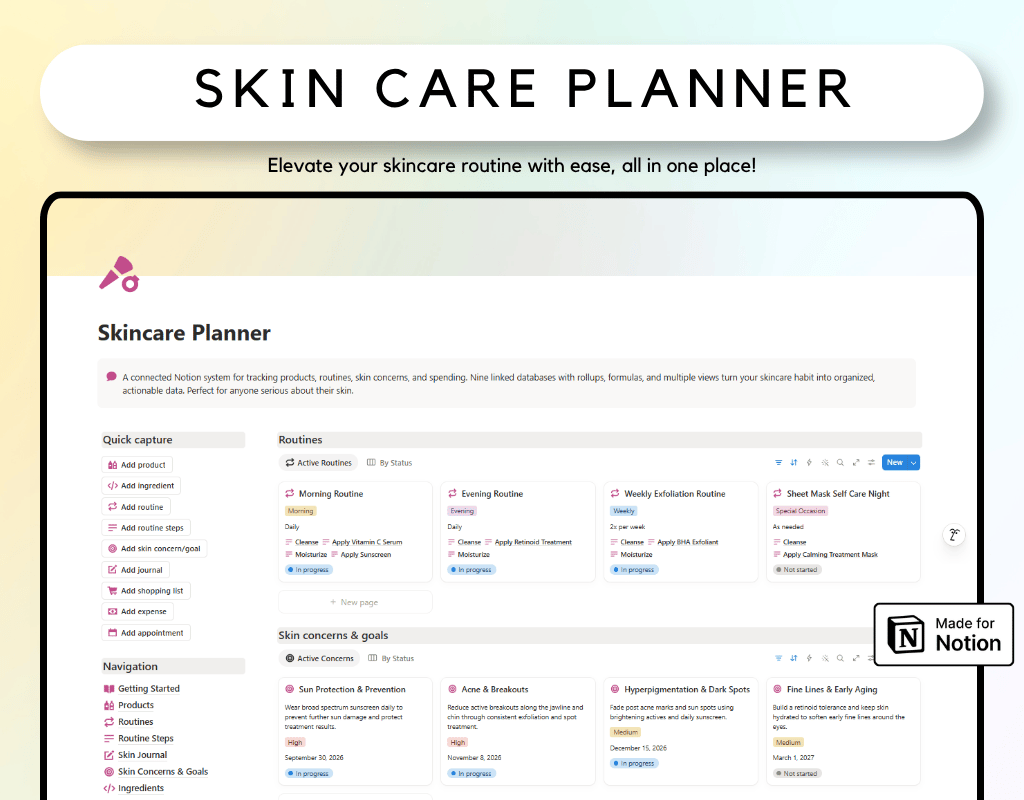
If you have ever bought a product, forgotten why, then bought it again a year later, this template is for you. The Skincare Planner turns your scattered skincare habits into one connected, easy to use Notion system that actually tells you what is working.
What is inside
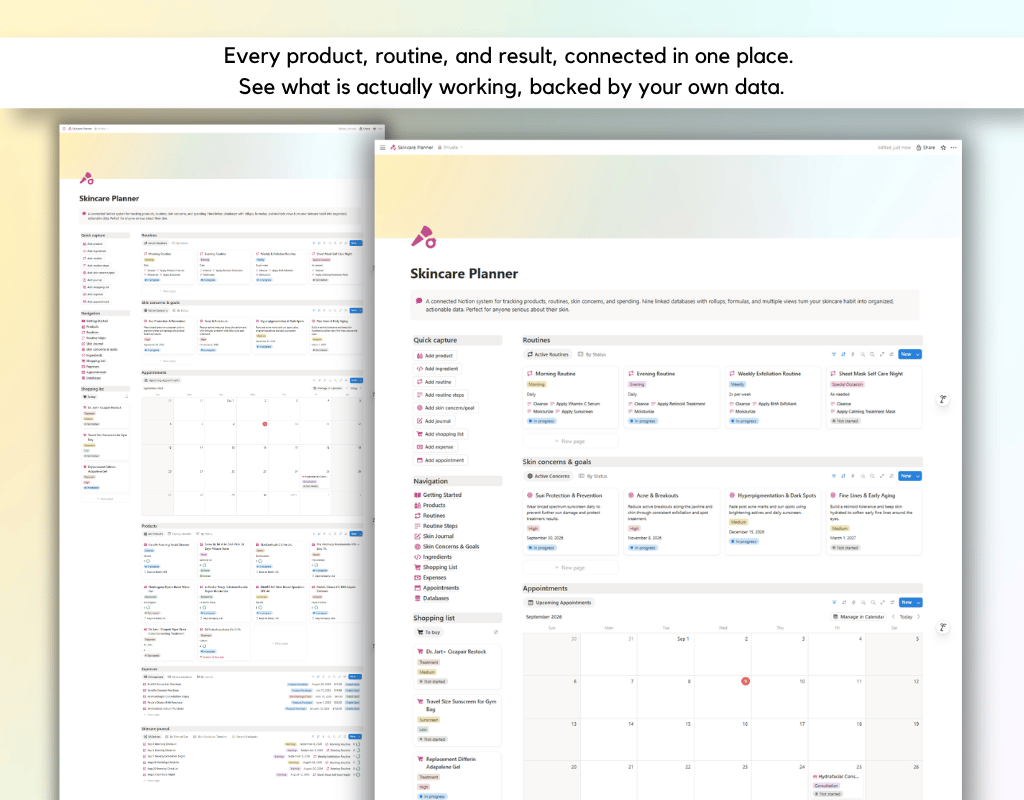
It is a fully connected system built from nine databases that talk to each other automatically.
- Products holds every item you own, from your everyday cleanser to your dermatologist recommended serum, complete with price, size, purchase date, and expiry tracking that flags anything expiring soon or already expired.
- Ingredients is your personal reference library, so you always know what an ingredient does and how cautious to be with it.
- Routines and Routine Steps break your morning, evening, and weekly routines into clear, ordered steps, each one linked to the exact product you use.
- Skin Journal is your daily log. Note how your skin looks, whether you broke out, and which routine you followed, and watch the data build into a real history.
- Skin Concerns and Goals tracks what you are actually working on, whether that is acne, dark spots, or fine lines, and automatically calculates your average skin rating over time so you can see real progress, not guesswork.
- Shopping List, Expenses, and Appointments round out the system, keeping your restocks, spending, and dermatologist visits all in one place.
Why it is different
Every relation runs both ways. Every rollup calculates itself. Total spent per product, times used in your routine, average skin rating per concern, none of it requires manual math. Each database comes with multiple views, including Table, Board, Calendar, Timeline, and Gallery, each one filtered and sorted to highlight what actually needs your attention right now.
The dashboard on the main page gives you a real time view of active products, open concerns, your shopping list, and upcoming appointments, so you always know what matters today without digging through pages.
A full Getting Started guide walks you through exactly how the databases connect, how the relations and rollups work, and how to build the system into your daily habit.
Who this is for
Anyone managing more than a couple of skincare products. Anyone trying to figure out if an expensive serum is actually worth it. Anyone who wants real data before their next dermatologist appointment instead of a vague memory of what they have tried.
FAQ's
Q: What is Notion?
A: Notion is an all-in-one workspace that combines note-taking, task management, and collaboration tools into one platform. It's highly customizable and allows users to create their own databases, pages, and templates to suit their specific needs.
Q: How do I duplicate the template after purchasing?
A: After purchasing the template, you'll receive a PDF file with the link to access the template. Simply click on the link, and then click on the "Duplicate" button in the top-right corner of the template. This will create a copy of the template in your own Notion workspace, which you can then customize and use as you wish.
Q: Is there a refund policy for the templates?
A: Due to the nature of digital templates, refunds are not applicable once the template has been purchased. However, if you encounter any issues or have questions about the template, please don't hesitate to reach out, and I'll be happy to assist you.