
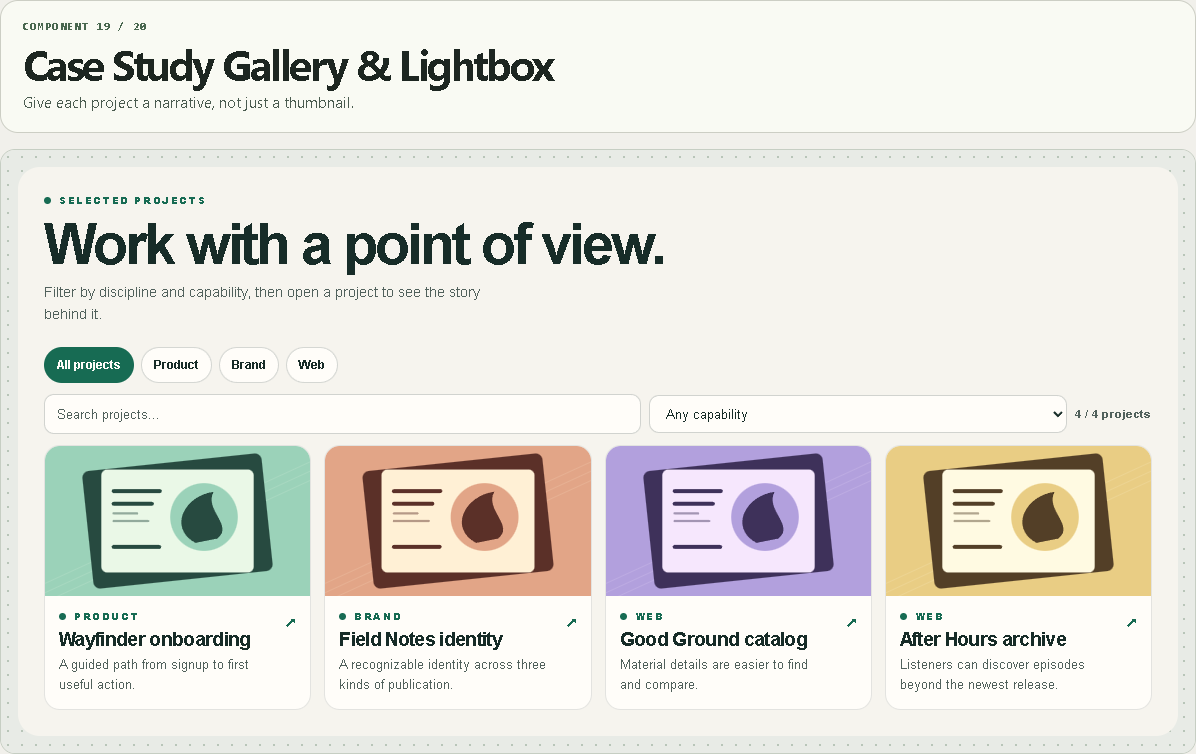
Case Study Gallery & Lightbox
Give each project a narrative, not just a thumbnail.
WHAT IT DOES
- Combined text, discipline and capability filters with counts.
- A keyboard-accessible lightbox with images, captions, role, results and an optional CTA.
- Stable project links plus roomy and compact galleries.
WHAT YOU CAN CUSTOMIZE
- Projects, stable slugs, discipline, capabilities, story, role, outcome, CTA and images
- Grid density, modal field order and query parameter
- Type, palette, card radius and spacing
HOW TO SET IT UP
1. Add projects and give each an immutable, unique slug.
2. Enter capabilities separated by | and add several frames with alt text and captions.
3. Use a distinct URL parameter per gallery when multiple galleries share a page.
REQUIREMENTS AND LIMITS
- Local project entries, up to 60 projects and 12 images per project.
- Shared links open the lightbox on the same URL and depend on the stable slug.
WHAT'S INCLUDED
- Paste-to-install Framer Component URL
- Standalone Framer code component (.tsx)
- Quick-start instructions and the two example preset configurations
Need help? Reply through your order receipt with the product name and describe what happened.