


Residential Beam Check Pro
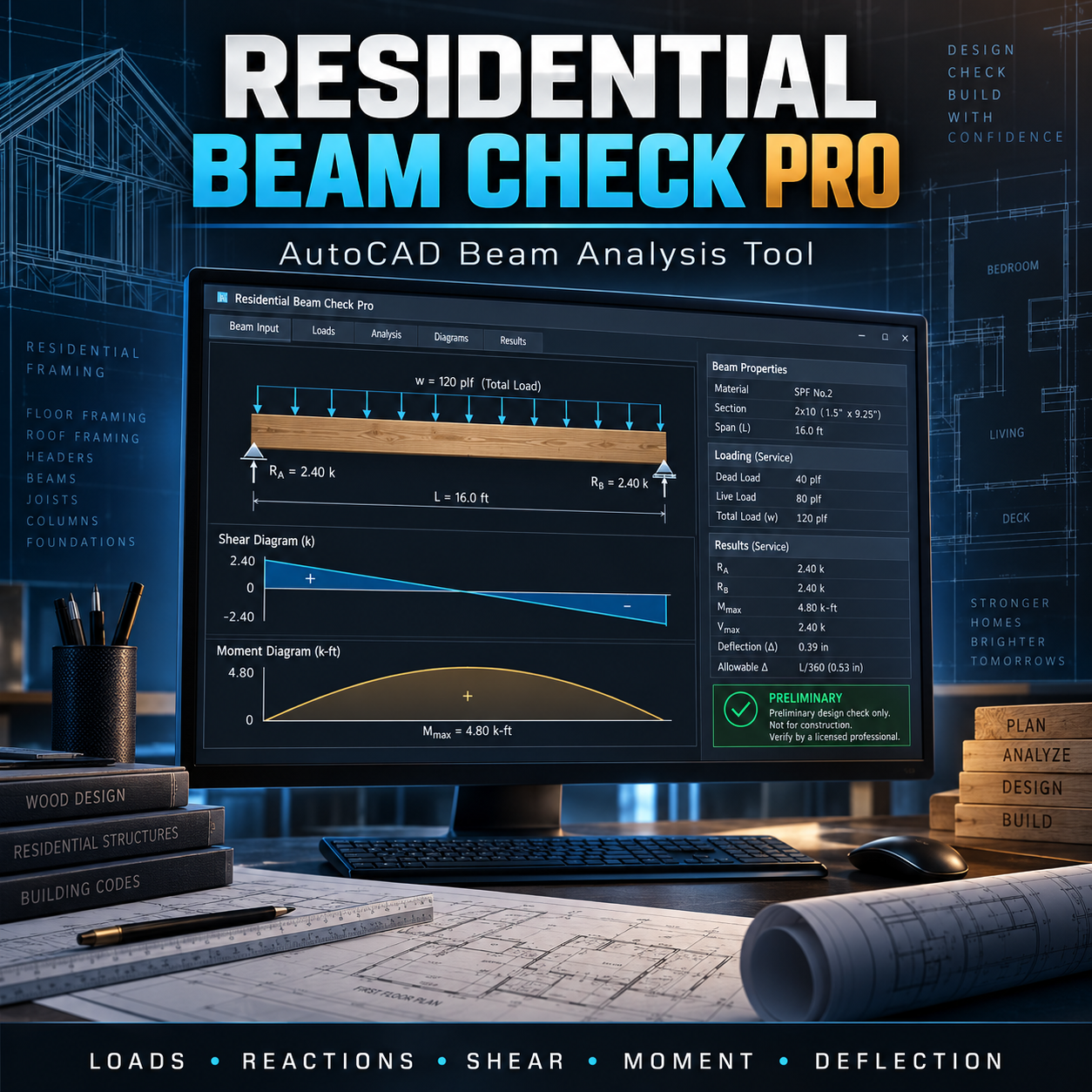
Residential Beam Check Pro is an original AutoLISP and DCL productivity tool designed to organize preliminary residential beam calculations directly inside AutoCAD.
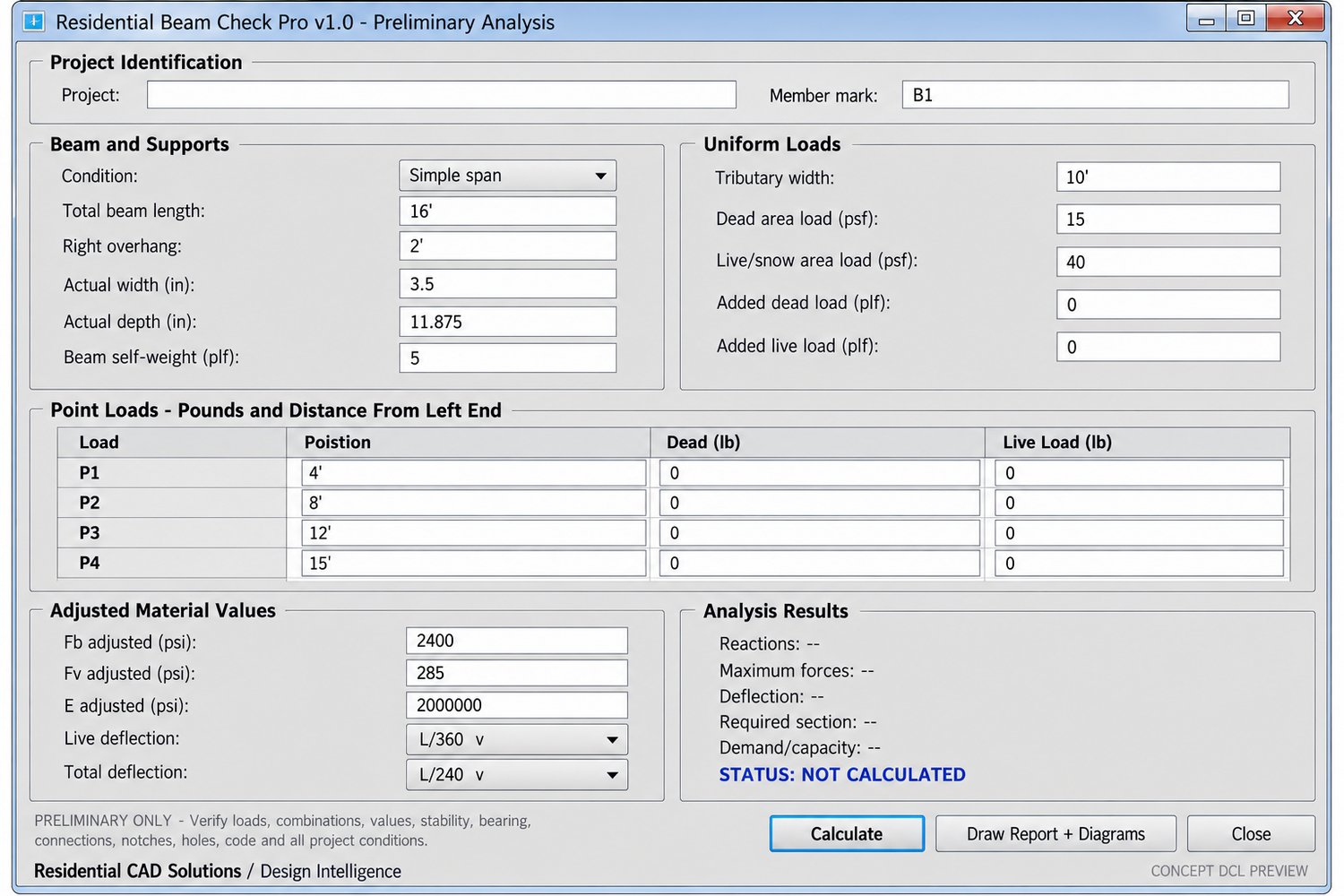
Enter the beam condition, span, section dimensions, tributary loading, point loads, self-weight, and project-specific adjusted material values. The program calculates reactions, shear, moment, approximate deflection, required section properties, and preliminary utilization results.
KEY FEATURES
• Simple-span beam analysis
• Left-fixed cantilever analysis
• Simple span with a right-side overhang
• Dead and live/snow area loads
• Additional uniform line loads
• Automatic beam self-weight inclusion
• Four adjustable point-load positions
• Separate dead and live point loads
• Left and right support reactions
• Fixed-end reaction and moment for cantilevers
• Maximum shear and bending moment
• Approximate live-load and total-load deflection
• Required section modulus and moment of inertia
• Preliminary calculated beam depth
• Bending, shear, and deflection utilization percentages
• Preliminary PASS* or FAIL status
• Beam and loading diagram
• Shear-force diagram
• Bending-moment diagram
• Calculation summary inserted into the drawing
MATERIAL INPUTS
Enter project-specific adjusted values for:
• Fb — Adjusted bending value
• Fv — Adjusted shear value
• E — Modulus of elasticity
Material values should be obtained from current manufacturer literature, applicable design standards, or a licensed structural engineer. The software does not include or copy a proprietary material database.
INCLUDED FILES
• ResidentialBeamCheckPro.lsp
• ResidentialBeamCheckPro.dcl
• LSP and DCL backup files in TXT format
• Installation and operating instructions
• Commercial end-user license
• Payhip product cover image
INSTALLATION
- Extract the downloaded ZIP package.
- Keep the LSP and DCL files together in the same folder.
- Add the folder to AutoCAD’s Support File Search Path.
- Use APPLOAD to load ResidentialBeamCheckPro.lsp.
- Enter RBCPRO, RBEAM, or RBCHECK at the command line.
COMMANDS
• RBCPRO — Open Residential Beam Check Pro
• RBEAM — Open Residential Beam Check Pro
• RBCHECK — Open Residential Beam Check Pro
• RBCABOUT — Display product and safety information
COMPATIBILITY
Built on an AutoCAD 2002-compatible AutoLISP and DCL foundation. Intended for full Windows desktop versions of AutoCAD that support AutoLISP and DCL.
AutoCAD LT versions without AutoLISP support are not compatible. Testing with your specific AutoCAD release and office standards is recommended.
IMPORTANT STRUCTURAL DISCLAIMER
Residential Beam Check Pro is a preliminary drafting and calculation aid only. It does not provide sealed structural engineering or certify that a member complies with applicable building codes.
The program does not fully evaluate load combinations, adjustment factors, lateral stability, bearing, connections, notches, holes, torsion, vibration, fire resistance, axial interaction, continuous spans, wind or seismic systems, temporary construction loading, or manufacturer-specific requirements.
A PASS* result only indicates that the entered rectangular section and adjusted material values did not exceed the checks implemented by the program. It is not engineering approval, code approval, or a permit determination.
All loads, assumptions, material values, reactions, equations, diagrams, supports, connections, member selections, and results must be independently reviewed and approved for the actual project by a licensed structural engineer or another qualified design professional.
Organize preliminary beam calculations, review critical results, and create professional drawing reports with Residential Beam Check Pro.