

Fortinet Routing on FortiGate — Clear & Practical Guide
🔀 Fortinet Routing on FortiGate — Clear & Practical Guide
FortiGate firewalls don’t just do security — they also act as full-featured routers.
Understanding routing on FortiGate is essential for internet access, VPNs, SD-WAN, and internal network communication.
🧠 Routing in FortiGate (What It Means)
Routing decides where traffic should go next based on:
- Destination IP
- Routing table
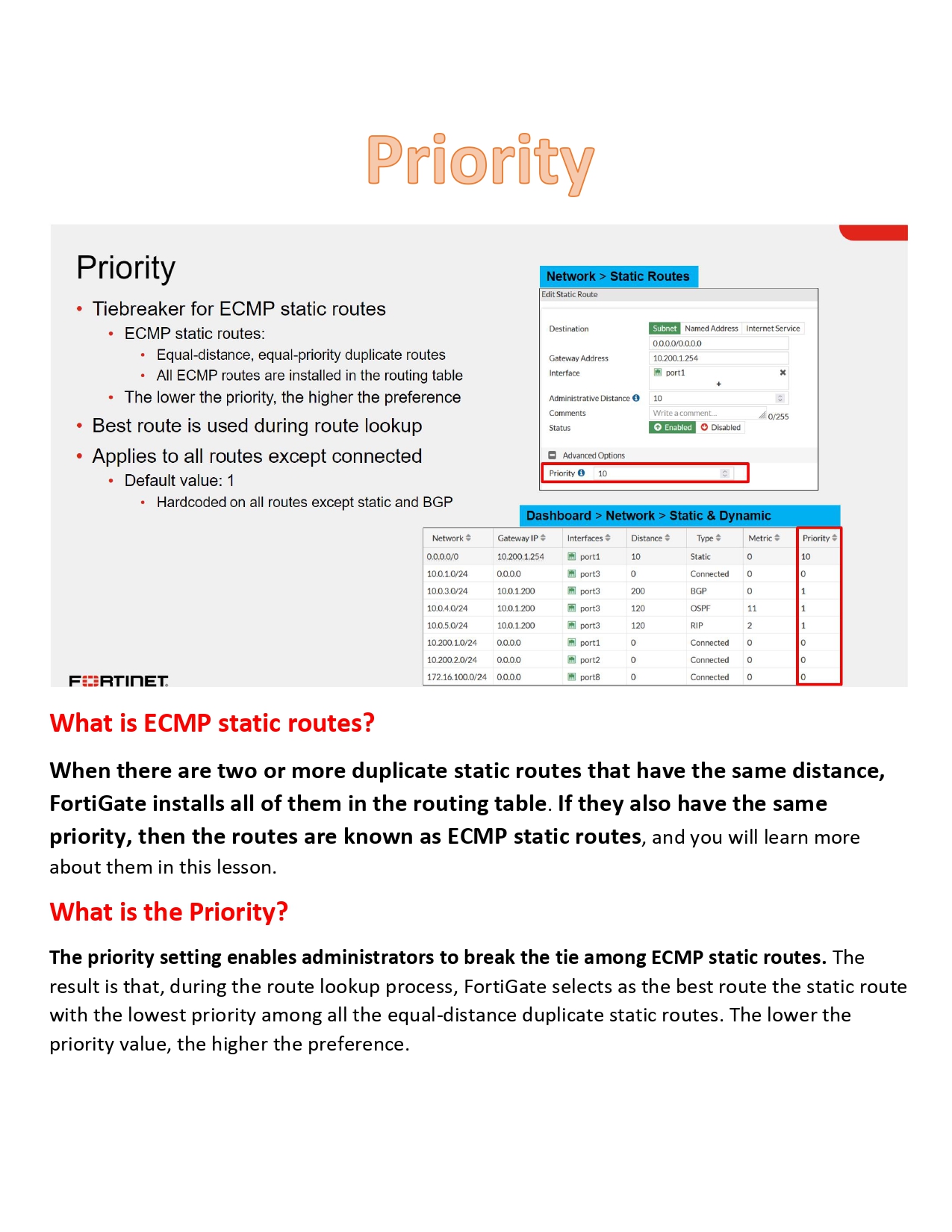
- Priority (distance)
- Policy rules
FortiGate uses:
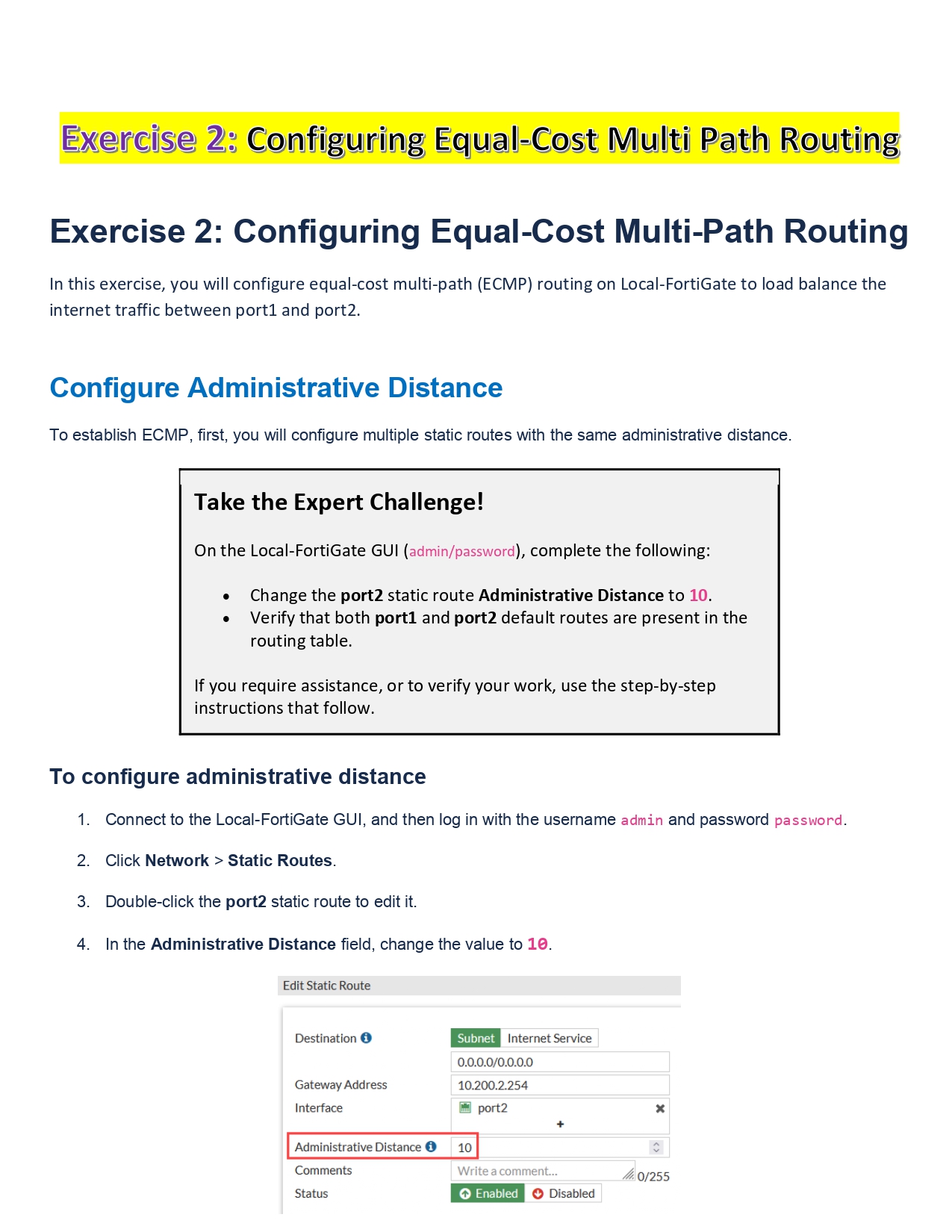
- Static routing
- Dynamic routing
- Policy-based routing (PBR)
1️⃣ Static Routing (Most Common)
🔹 What It Is
Manually defined routes.
🔹 Typical Uses
- Default route to ISP
- Internal LAN routing
- Small networks
🔹 Example (Conceptual)
- 0.0.0.0/0 → ISP Gateway
- 192.168.2.0/24 → Internal Router
📌 Simple, reliable, but not automatic if links fail.
2️⃣ Dynamic Routing (Advanced)
FortiGate supports major routing protocols:
🔹 Supported Protocols
- OSPF
- BGP
- RIP (legacy)
- IS-IS (select models)
🔹 When Used
- Large enterprise networks
- Multiple routers
- Data centers
- ISP connections
📌 Automatically updates routes if topology changes.
3️⃣ Policy-Based Routing (PBR)
🔹 What It Is
Routing decisions based on rules, not only destination IP.
🔹 Common Use Cases
- Route traffic from specific users via ISP2
- Send VoIP traffic via best-quality link
- Bypass default route
📌 Very powerful when combined with SD-WAN.
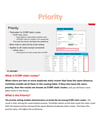
4️⃣ Routing Priority (Important Concept)
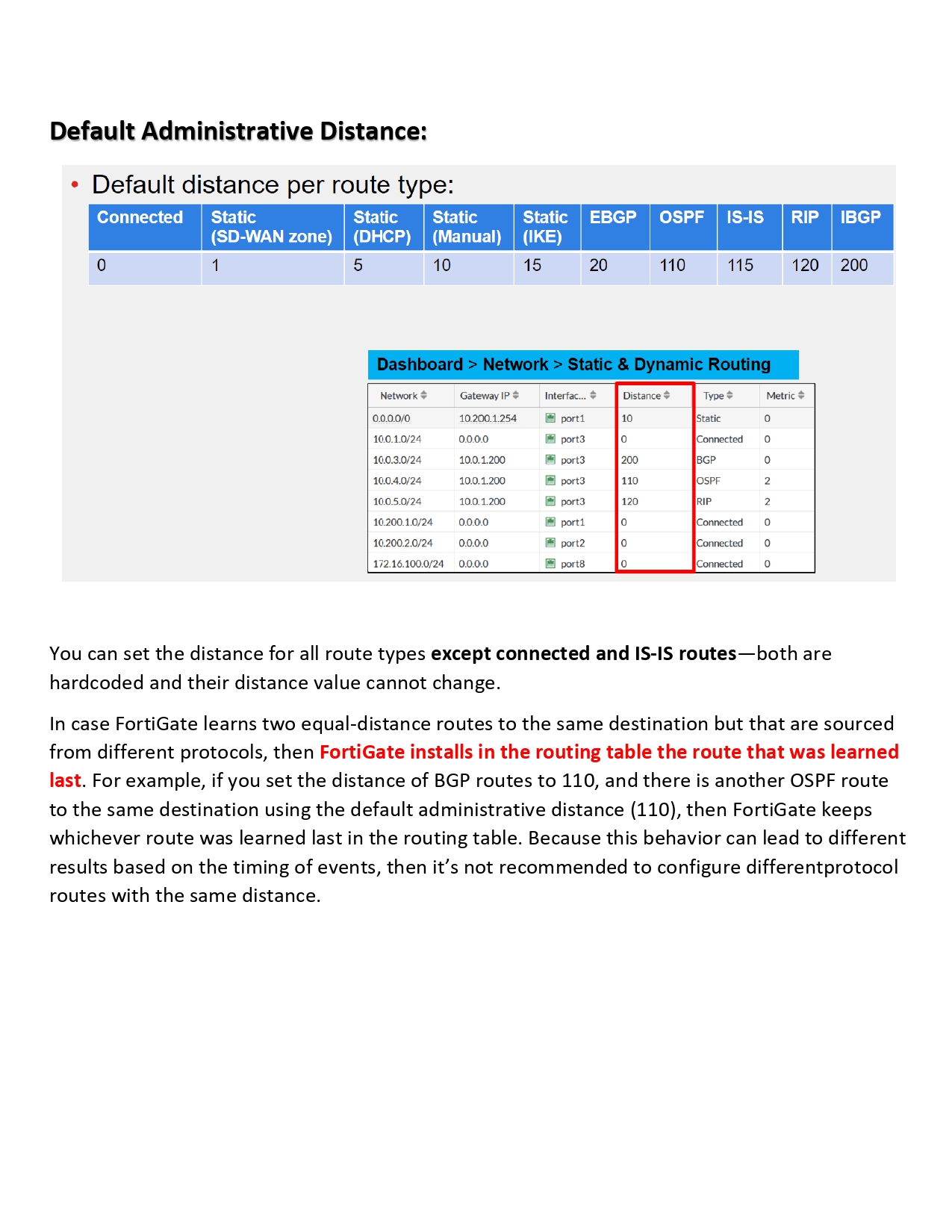
FortiGate selects routes based on:
- Longest prefix match
- Administrative distance
- Route priority
Route TypeDistanceConnected0Static10OSPF110BGP200
Lower distance = higher priority.
5️⃣ SD-WAN Routing (Modern Networks)
FortiGate SD-WAN:
- Monitors link quality
- Automatically selects best path
- Supports failover & load balancing
Used heavily in:
- Branch offices
- Multi-ISP environments
6️⃣ Routing & Firewall Policies (Key Rule)
Routing alone does not allow traffic.
You must have:
- Correct route ✔
- Correct firewall policy ✔
👉 Both are required for traffic flow.
7️⃣ Routing with VPNs
- IPSec VPN routes added automatically or manually
- SSL VPN routes controlled via policies
- Important for site-to-site connectivity
8️⃣ Monitoring & Troubleshooting (High Level)
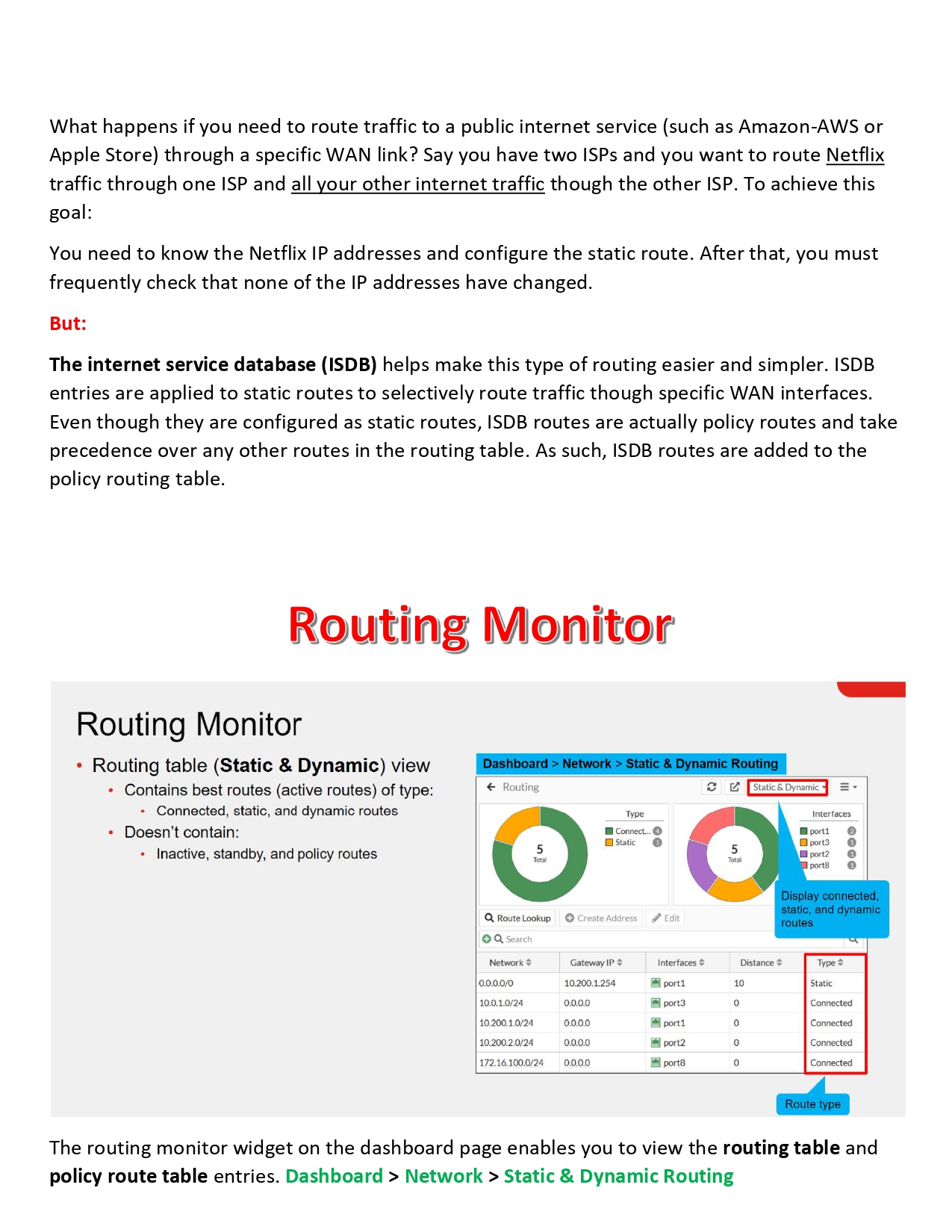
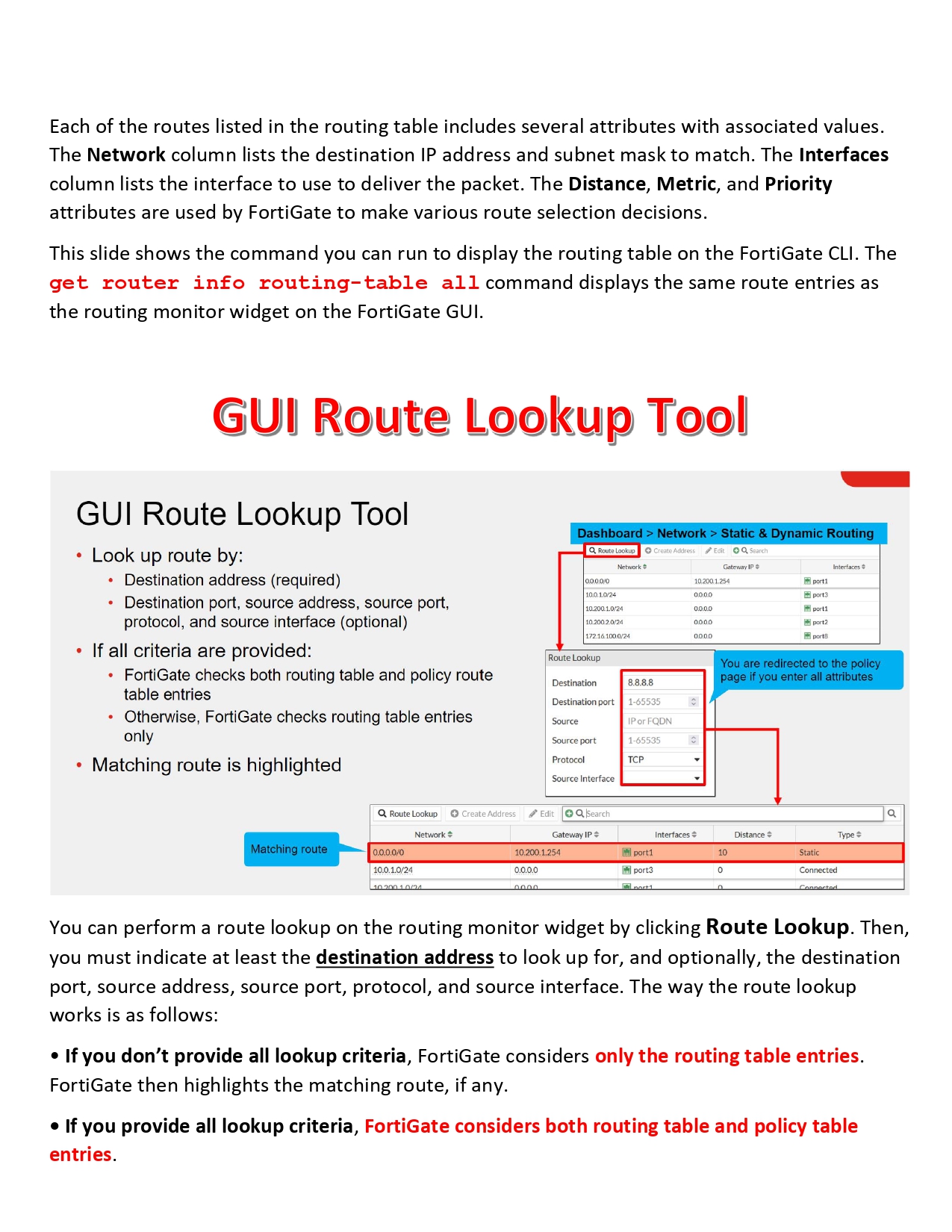
- Check routing table
- Verify interface status
- Confirm firewall policies
- Monitor logs