

Video Loop Extender v1.1 (Mac)
VERSION HISTORY:
Version 1.1
- Option now to import separate video and audio source.
- Tweaks to visuals & layout
- Auto naming feature now updates in real time when changing source/duration.
- Audio setting: Crossfade set to 0 on default.
Version 1.0
- Original Release.
Loop a short clip to any length - seamlessly, locally, on your Mac.
Turn 30 seconds into 10 hours in minutes. No cloud. No ffmpeg hassle. No video editor required.
Tired of clunky workarounds?
You just want a clean, long loop - but online tools force huge uploads/downloads, compress your video, and risk your privacy. DIY ffmpeg scripts work… until the audio clicks or pops at the loop point.
Video Loop Extender is the simple Mac app built specifically for this.
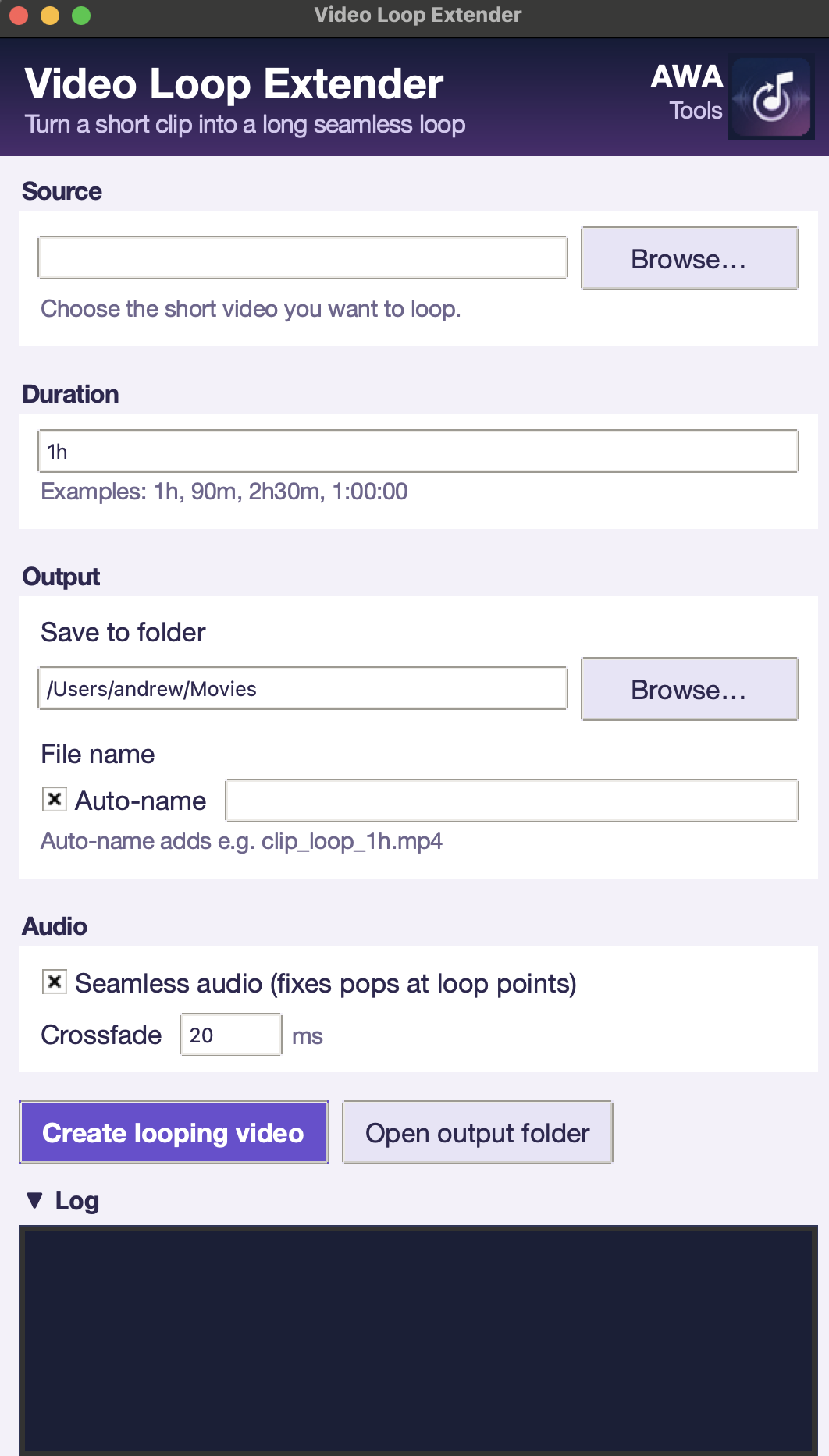
Drop in your short clip, set your target duration (1 hour, 8 hours, or anything in between), and get a perfectly looped video - all processed locally on your machine.
Why creators love it
- Fully self-contained: Python, interface, and ffmpeg all bundled. Just download and drag to Applications.
- Maximum quality & speed: Video stream is copied bit-for-bit (no re-encoding). Only audio is processed when needed.
- Truly seamless audio: Smart crossfading and looping logic eliminates clicks and pops — ideal for ambient, rain sounds, study videos, and background loops.
- Fast mode available: Skip audio processing for maximum speed when perfection isn’t required.
- Honest progress: Real-time encoding progress, elapsed time, and easy cancel button.
- Smart defaults: Remembers your folders, auto-names output files, accepts natural duration input (1h, 90m, 2h30m).
Perfect for:
- Ambient / background loops for streams, venues, digital signage, or installations
- Long-form “study with me”, lo-fi, rain sounds, or white noise videos
- Extending motion graphics, B-roll, or short animations
- Anyone tired of fighting online converters or complex editors
How it works - 3 simple steps
1. Choose your short video clip and where you would like to export it to
2. Set your desired total duration
3. Save - the app builds the perfect loop locally on your Mac
Key Features
- Extend any short video to hours-long loops
- Seamless audio with smart crossfading (no pops or clicks)
- 100% local processing — nothing leaves your Mac
- No ffmpeg setup or terminal required
- Fast video stream copying (preserves original quality)
- Real-time progress bar with cancel option
- Clean drag-and-drop .dmg installer
- Remembers your preferred folders and settings
Stop wrestling with multiple tools and bloated workflows.
Video Loop Extender does one thing exceptionally well: turns your short loops into clean, long, seamless videos - quickly and privately on your Mac.
Ready to try it?