
Drag & Drop Wedding Seating Planner – Design Your Venue, Seat Guests & Print Your Chart (Works Offline)
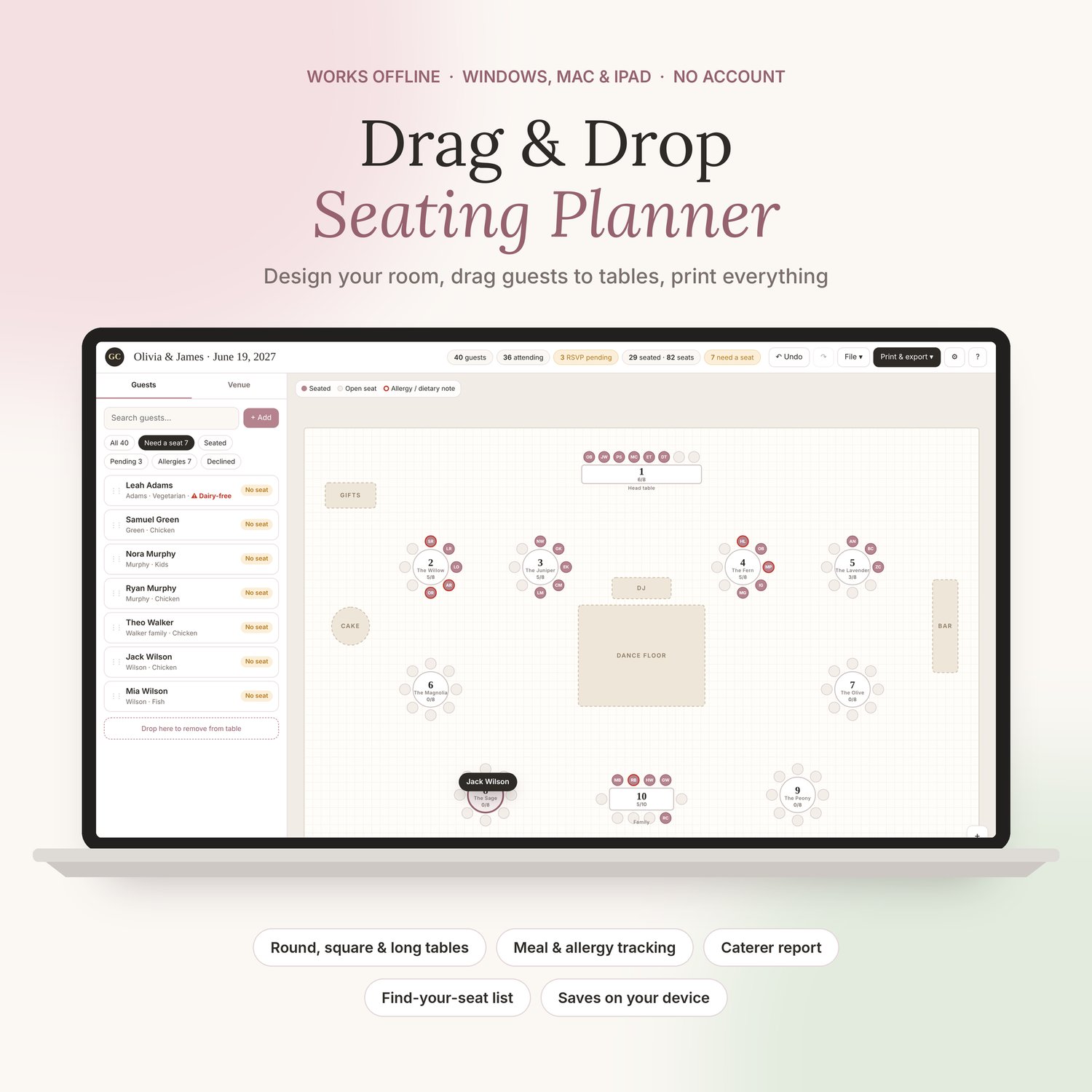
Plan your wedding seating the easy way: drag each guest onto a table and watch your seating chart come together.
Design your reception room with round, square, rectangle and banquet tables, a head or sweetheart table, the dance floor, bar, DJ and more. Then add your guests and drag them to their seats. The planner tracks who still needs a seat, flags full and over-full tables, and keeps every meal choice and allergy in one place.
What you can do
✓ Design your venue: any table shape, any number of seats, rotate and arrange freely
✓ Drag and drop guests onto tables, and seat a whole family at once
✓ Track RSVPs, meal choices and allergies (you set the meal options)
✓ See at a glance who still needs a seat and which tables are full
✓ Import your guest list from Excel, Google Sheets or an RSVP site (CSV)
✓ Print your floor plan, table lists, a find-your-seat list for your welcome sign, and a caterer report with meals per table and every allergy
✓ Undo, redo, and save a backup file to share with your partner
Private and simple
No account, no subscription, no ads. It works offline in your browser on Windows, Mac or iPad, and your guest list never leaves your device.
What you get
• The Seating Planner app (one file: download and double-click to open)
• A Getting Started guide (PDF)
• An example wedding to practise with before you start your own
Best on a computer or tablet. Instant download. Made in Canada by Glow Creative Lab.
By purchasing, you’ll also get occasional wedding planning tips and new designs. Unsubscribe anytime.