
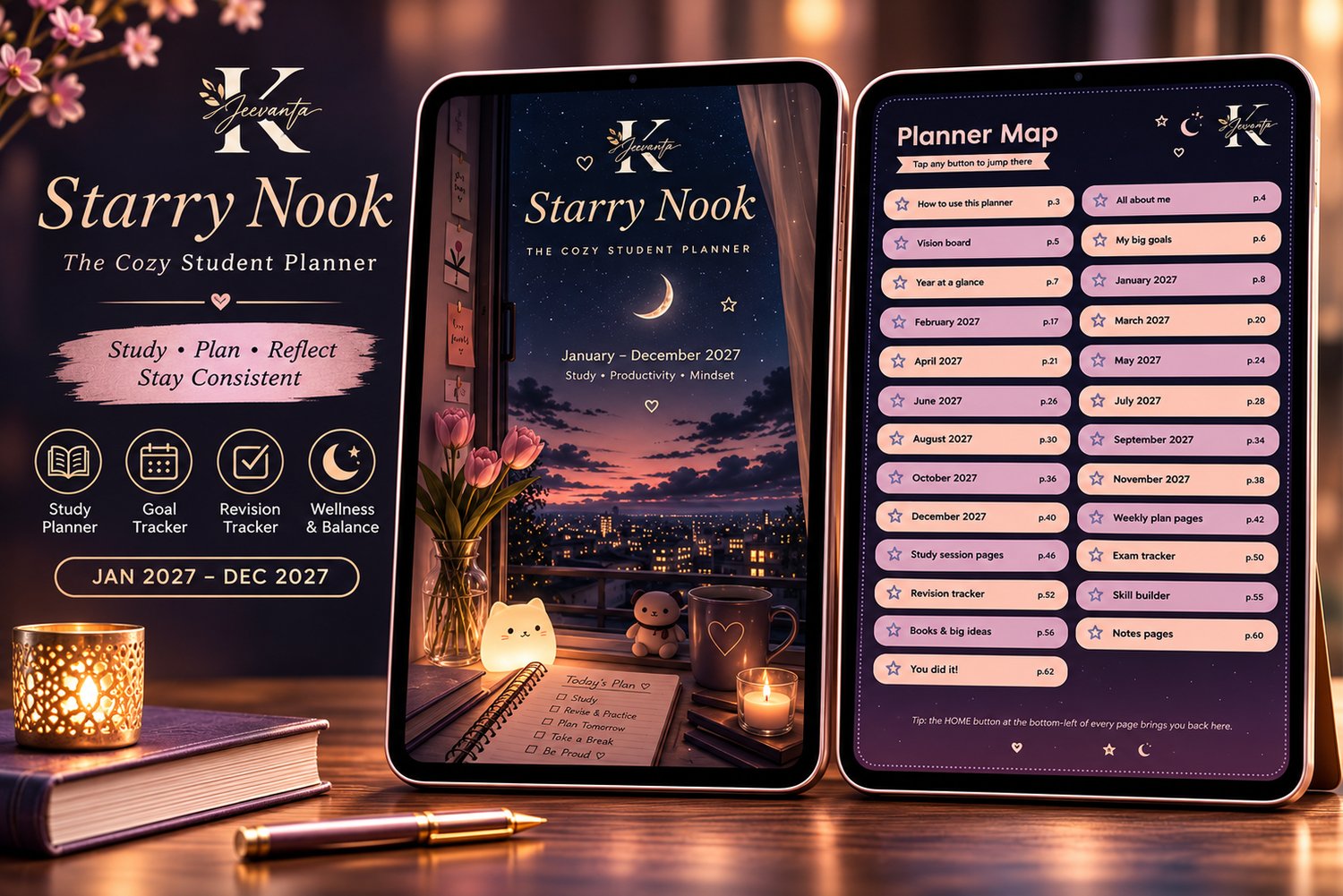
StarryNook Student Weekly Planner 2027
Starry Nook – The Cozy Student Planner (January – December 2027)
Good things take time. Plan them softly.
About this planner
Starry Nook is a cozy, dreamy digital planner for students, inspired by a quiet night at the study window: a crescent moon, glowing stars, a little cat lamp and a warm candle. The cover and every page share the same dark night theme, with thin outline hearts, stars and moons. Each week has its own page with real dates, so students can plan goals, study time and mood in one calm view. Photo frames throughout let students add their favourite pictures.
What's inside (113 pages)
53 weekly plan pages with real dates, 28 Dec 2026 to 2 Jan 2028
Each week: 3 goals, focus subject, exam or deadline, weekly score stars, and a "my week in a photo" frame
Each day: 3 to-dos, study log, water tracker and mood faces
12 monthly calendars, January to December 2027, with goals, exams, events and a photo of the month
12 habit trackers and 12 monthly reviews with 3 photo frames each
Vision board with 6 photo frames, About Me, Big Goals and Year at a Glance
8 study session pages with a cat-lamp Pomodoro tracker, priorities and schedule
Exam tracker, revision tracker, skill builder, books and notes pages
Tap-to-jump menu so you can reach any month in one tap
What you receive (digital download, nothing is shipped)
Android fillable PDF for phone and tablet
iPhone, iPad and tab draw-and-fillable PDF
How-to-use guide for Android, with Xodo steps
How-to-use guide for iPhone, iPad and tab
Works with
Android: Xodo PDF (recommended), Adobe Acrobat Reader or Foxit. Tap a line to type and tap a box to tick.
iPhone, iPad and tab: type in Xodo, Acrobat or PDF Expert, or draw and write with Apple Pencil or your finger in apps with a pen tool.
Photos are added with your app's image tool, placed onto the frames.
Perfect for school, college and exam students, and for gifts.
Good to know
Digital product only, for personal use. Please do not share or resell.
The pages are dark, so use a light pen colour when drawing.
GoodNotes and Notability may not support typing in the fillable boxes.
Colours may look different on different screens.