
Makimus-AI
Search your image and video collection with natural language — no cloud, no subscription, no privacy compromise.
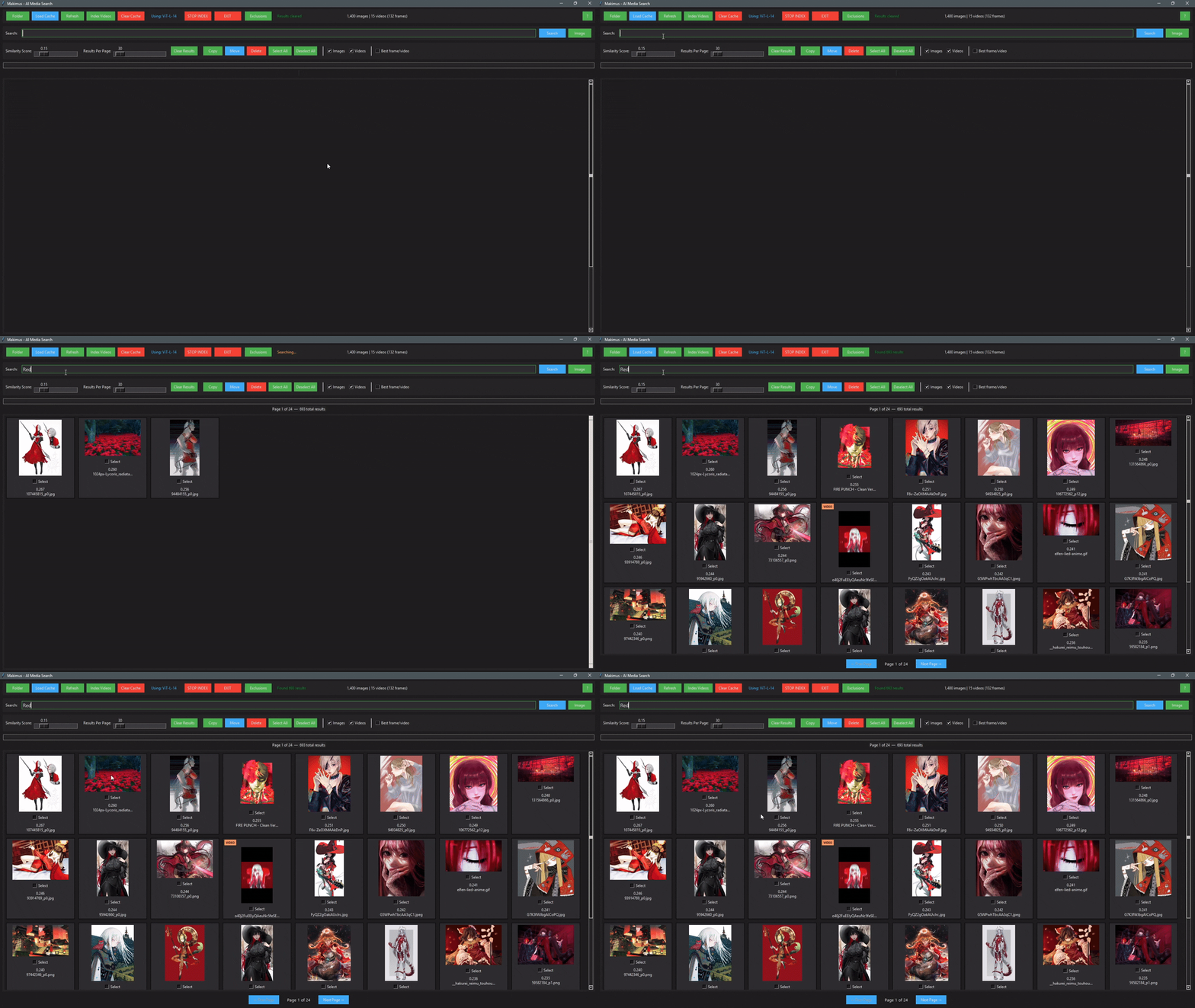
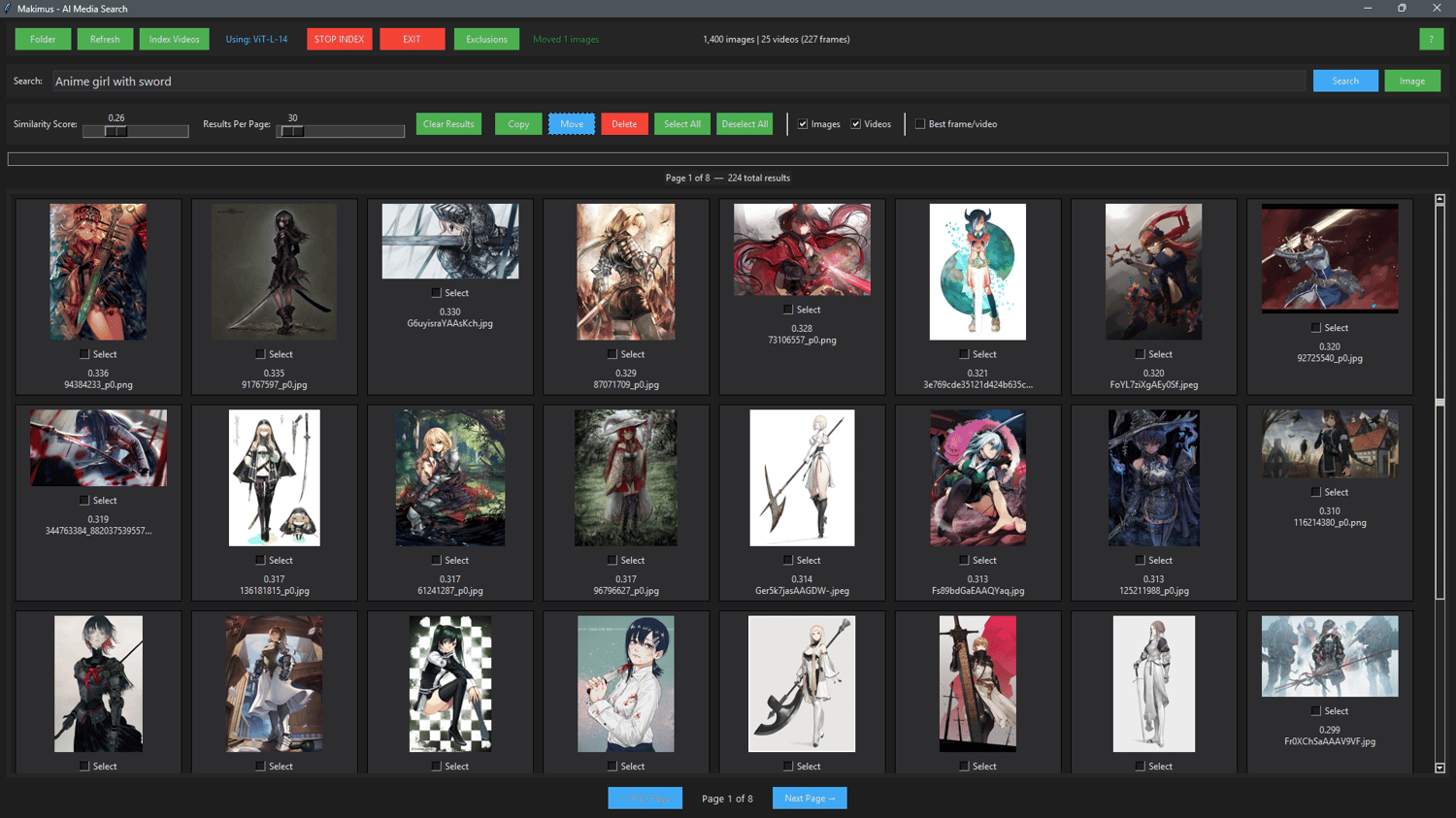
Makimus-AI is a local and private AI-powered desktop search tool that lets you find any image or video on your computer just by describing what you're looking for. Type "sunset over water", "black cat sleeping", or "red dress anime" and Makimus finds the best matches across thousands of files in seconds.
Everything runs entirely on your PC. Your files never leave your machine.
─────────────────────────────
WHAT MAKES MAKIMUS DIFFERENT
Most AI image search tools are cloud-based — they upload your files to a server, require an account, and charge a monthly fee. Makimus runs entirely on your own PC using your GPU. No uploads, no accounts, no internet needed after install, no ongoing cost.
Unlike other local tools that require a complex Python setup or command line knowledge, Makimus installs like any normal Windows app and works immediately. Just point it at a folder and start searching.
The search understands meaning, not just keywords. Searching "person looking sad by a window" will find matching images even if none of them are named anything close to that — because Makimus understands what is actually in the image.
─────────────────────────────
Why does Makimus find what other tools miss?
Most AI search tools are built on models trained on carefully filtered, sanitized datasets — which means they struggle with anything outside mainstream photography. Anime, illustrations, art styles, niche genres, and adult content are either poorly understood or completely invisible to them.
Makimus uses ViT-L-14 trained on LAION-2B — 2 billion real image-text pairs scraped from the internet, unfiltered. Because the model learned from what actually exists online, it understands the full range of visual content that real personal collections contain. Photography, RAW files, illustrations, anime, art, niche genres — it finds them all with the same natural language search.
This is why Makimus finds results that other local search tools simply can't.
─────────────────────────────
FEATURES
🖥️ Clean and simple interface — no command line, no configuration files, no technical knowledge needed. Installs like any normal Windows app and works immediately
🔍 Natural language search — describe what you want in plain English, not file names or tags
🖼️ Image-to-image search — find visually similar images using a query image
🎬 Video search — finds the best matching frame inside your video files with exact timestamps so you can jump straight to that moment
🎬 Image-to-video search — find video frames visually similar to a query image
➖ Negative search terms — exclude unwanted content by adding a minus sign before a word. Type "cat -dog" to find cats without dogs in the image. Lower the similarity score to 0.10 or below when using negative terms for best results
📦 Handles massive collections — tested on folders with hundreds of thousands of images and videos. Efficient memory management keeps the app stable even on large drives
🖼️ RAW photo support — works with CR2, NEF, ARW, DNG and all major RAW formats
🖱️ Drag and drop image search — drag any image from File Explorer directly onto the results canvas to search by visual similarity. Note: drop onto the results area, not the upper control panel.
🔒 100% offline and private — no internet connection required after setup, no accounts, no telemetry, your files never leave your PC
⚡ GPU accelerated — uses your NVIDIA GPU for fast indexing and search
💾 One-time indexing — index your folder once, search instantly forever. Cache survives folder renames and moves
🗂️ Works with any folder — point it at any folder on any drive, no importing or reorganizing needed
📁 Built-in file manager — copy, move, delete, and open files directly from search results
💾 Smart incremental cache — only new or changed files are processed on refresh
─────────────────────────────
HOW TO USE
- Install Makimus — no Python, no terminal, no technical knowledge needed
- Click Folder and select any folder with images or videos
- Makimus automatically indexes your images in the background — just wait a few minutes. Indexing is faster on SSDs and on PCs with more powerful NVIDIA GPUs
- Click Index Videos if you want to search inside video files — Makimus will find the best matching frame from each video and show its exact timestamp in the results
- Type anything in the search box and hit Search — or click the Image button to search using an image instead of text. You can also drag and drop any image directly from File Explorer onto the results canvas — no need to click anything. Note: drop onto the results area, not the upper control panel at the top.. Makimus finds visually similar images and videos in your collection. Video results show the best matching frame with its exact timestamp so you can jump straight to that moment in the video. Add a minus sign before any word to exclude it from results — for example "sunset -beach". For best results with negative terms lower the similarity score slider to 0.10 or below
- Single click any result to open its location in File Explorer — double click to open it in the built-in full-screen viewer
- Click Refresh anytime to scan for new or deleted files — your index stays up to date without re-indexing everything from scratch
- Use Exclusions to skip folders or file types you don't want indexed — useful for ignoring system folders, temp files, or anything you want kept out of search results
- Enable Best Frame/Video to show only the single best matching frame per video instead of multiple frames from the same file
- Makimus saves a cache file directly inside your indexed folder — keep it there. It allows instant loading next time and survives folder renames and moves without needing to re-index
- Makimus creates makimus_skipped_images.txt and makimus_skipped_videos.txt inside your indexed folder if any files failed during indexing — open them with Notepad to see which files had problems and why. Useful for identifying corrupt or unreadable files in your collection
─────────────────────────────
RECOMMENDED SYSTEM REQUIREMENTS
🟢 Windows 10 or 11 (64-bit)
🟢 NVIDIA GPU with 6GB+ VRAM (RTX 2060, RTX 3060 or newer recommended)
🟢 16GB RAM or more 🟢 10GB free disk space for installation
MINIMUM REQUIREMENTS
🟡 Windows 10 or 11 (64-bit)
🟡 NVIDIA GPU with 4GB VRAM (will work but indexing will be slower)
🟡 8GB RAM 🟡 10GB free disk space
⚠️ AMD and Intel GPUs are not currently supported. The app will fall back to CPU mode on non-NVIDIA systems, which works but is significantly slower for large collections.
─────────────────────────────
WHAT'S INCLUDED
✅ Makimus-AI installer — everything bundled, no separate Python or CUDA installation needed
✅ AI model pre-bundled — no downloads required after install