
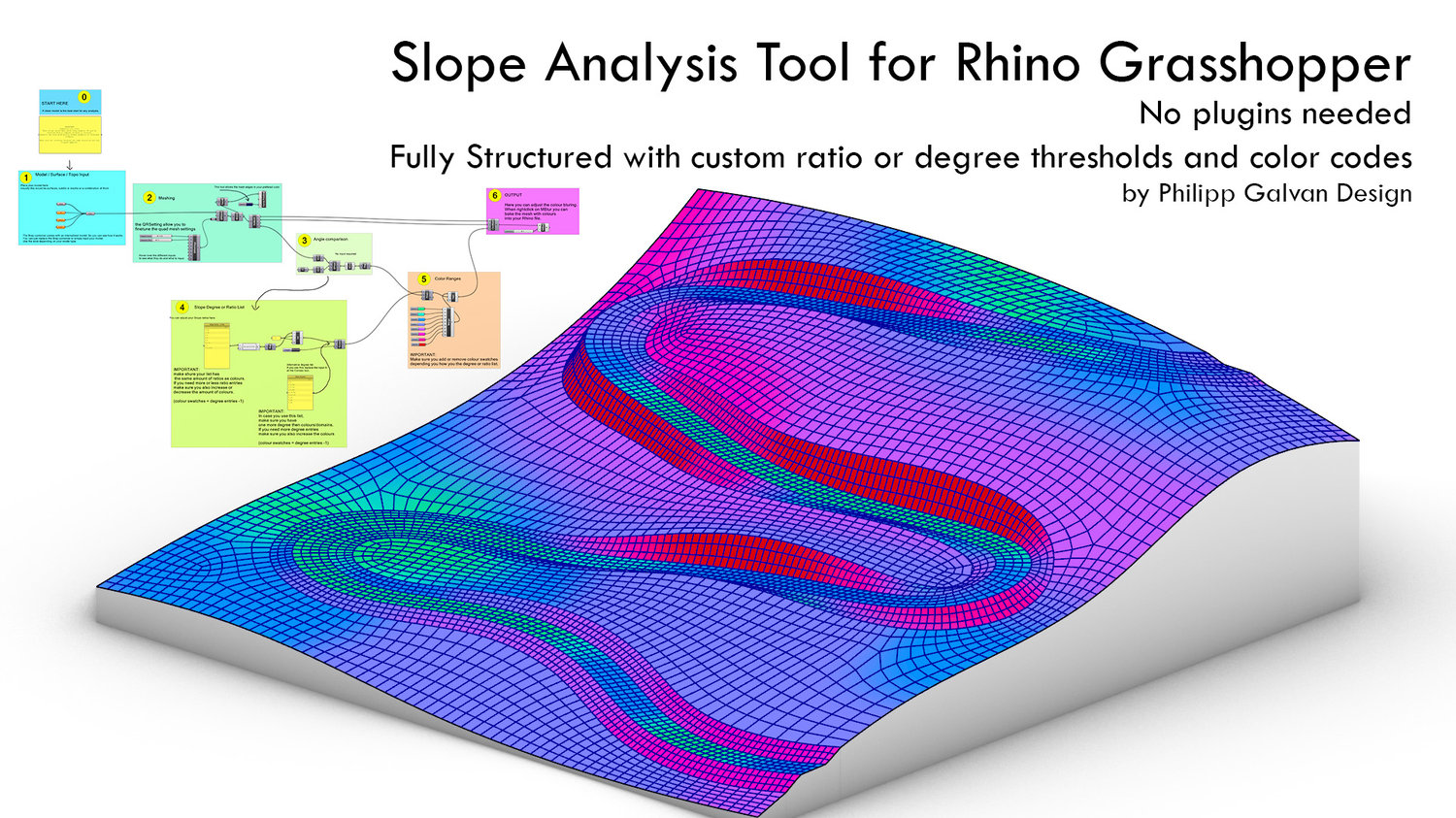
Slope Analysis Tool for Architects and Landscape Architects
Grasshopper Slope Analysis Tool
Turn any terrain, surface, or mesh model into a clear, data-driven slope map — directly inside Grasshopper.
This lightweight definition calculates slope angles from mesh face normals, converts them into degrees and colour-codes your geometry based on custom ratio or degree thresholds for accessibility, maintenance, or drainage design.
Includes:
✅ The Internalised test model as shown on the cover
✅ Automatic meshing and fine-tuning via QuadRemesh
✅ Adjustable ratio or degree lists
✅ Fully customizable colour ranges
✅ Optional mesh blur for smooth, presentation-ready visuals
Built for Rhino 8 / Grasshopper. No plugins required.
Perfect for architects, landscape designers, urban planners and anyone who wants quick, meaningful terrain feedback — without leaving Rhino.
This isn’t just another Grasshopper example — it’s a polished design tool built for real projects. It saves hours of trial and error by turning raw terrain into an instantly readable, colour-coded slope map. Architects and landscape designers use it to test accessibility, drainage, and buildability directly inside Rhino. It’s lightweight, fast, and ready to adapt to any site — so you can focus on design instead of debugging math.
#grasshopper3d, #rhino3d, #rhino8, #slopeanalysis, #terrainanalysis, #landscapearchitecture, #parametricdesign, #computationaldesign, #architecturetools, #sitedesign, #urbandesign, #topography, #digitalfabrication, #designworkflow, #accessibilitydesign, #drainagedesign, #meshanalysis, #landscapedesign, #designautomation, #philippgalvandesign